Visio Process Mapping Symbols Formidable Create Flowchart In Visio From Excel Payroll Stub Template Process Map Template Visio Visio Process Mapping Symbols IMAGESEE ITIL Process Map For Visio Standard Flowchart Symbols And Their Usage Basic Flowchart Symbols Getting started To find the new shapes open a New blank drawing from the Visio home page at visio office An image of the Visio home page demonstrating how to create a new blank drawing A new blank canvas will open in the web app From here type BPMN in the search box and select the search result for BPMN Shapes
Visio in Microsoft 365 is often very complex and confusing BPMN provides a universal solution that uses standard modeling techniques and standardized symbols allowing process models to be easily shared and read by anyone whether technical or non technical BPMN diagrams provide an easy to understand visual representation of the steps Like all process mapping diagrams business process mapping uses symbols with the ability to expand for more information to indicate touchpoints along the way Microsoft Visio creates easily personalized visualizations to organize data deliver insights present easy to understand diagrams and bring your process mapping to life
Standard Flowchart Symbols And Their Usage Basic Flowchart Symbols What Is Process Mapping An Introduction To Symbols And Examples Visio Process Flow Template Collection 13 Visio Workflow Icons Images Free Visio People Shapes Visio Visio Process Mapping Examples Rayhopde 13 Visio Workflow Icons Images Free Visio People Shapes Visio 23 Meanings Of Flow Chart Process Mapping Symbols Complete Visio Process Mapping Symbols With Examples Discuss IMAGESEE Visio Process Mapping Symbols IMAGESEE
Visio Process Mapping Symbols
 Visio Process Mapping Symbols
https://i.pinimg.com/originals/0b/af/27/0baf27138b5ac4c4bcc01d083196e5eb.png
In Visio select the container for the Data Visualizer diagram This enables the Data Tools Design tab in the ribbon Select Data Tools Design Open Source Data Make your changes in Excel and then save and close the workbook To see the changes in the diagram select Data Tools Design Refresh Diagram
Templates are pre-designed files or files that can be used for numerous functions. They can save time and effort by offering a ready-made format and design for producing various sort of material. Templates can be used for individual or expert tasks, such as resumes, invites, flyers, newsletters, reports, discussions, and more.
Visio Process Mapping Symbols

Law Firms Guide To Selecting A Cloud Based Vendor Visio Business
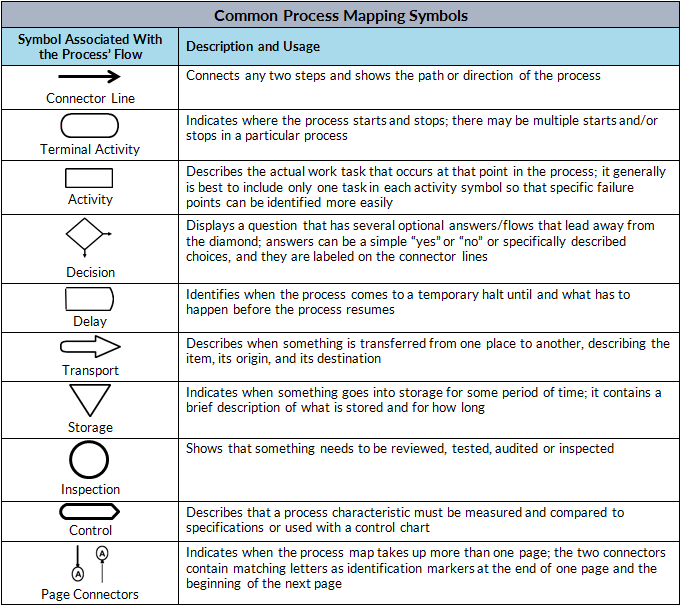
What Is Process Mapping An Introduction To Symbols And Examples
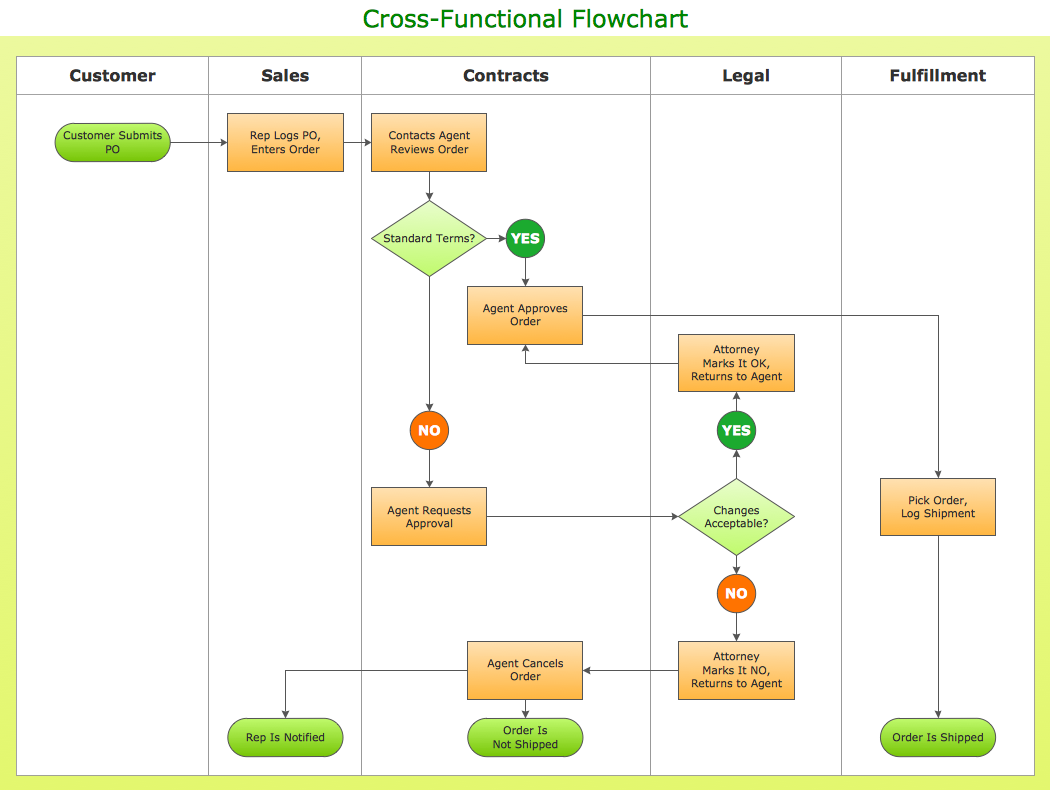
Visio Process Flow Template Collection
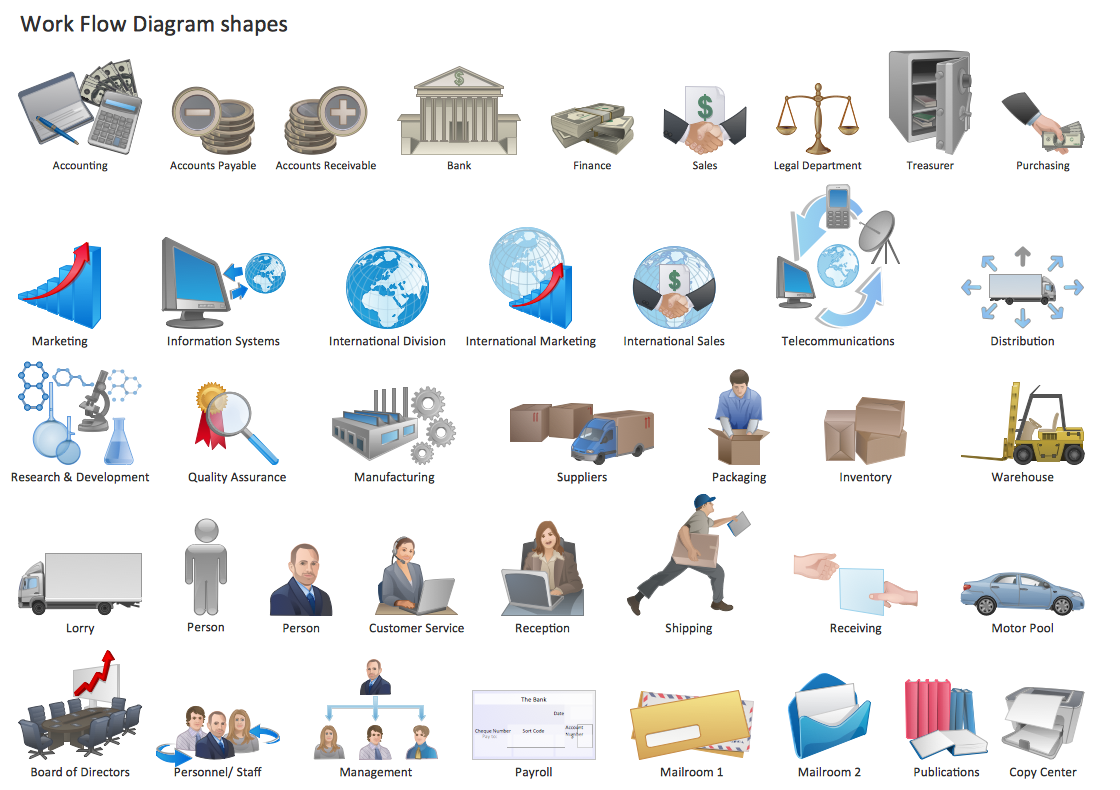
13 Visio Workflow Icons Images Free Visio People Shapes Visio
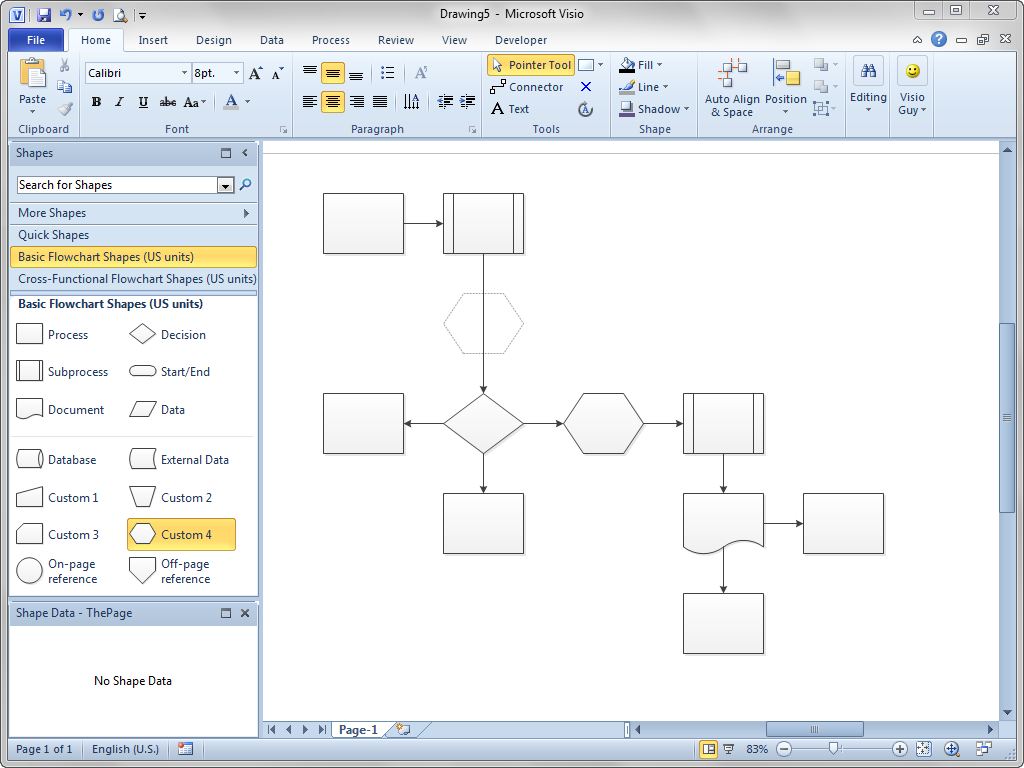
13 Visio Workflow Icons Images Free Visio People Shapes Visio

23 Meanings Of Flow Chart Process Mapping Symbols Complete

Process Mapping commonly indicates storage of finished goods Or The logical Or symbol shows when a process diverges usually for more than 2 branches When using this symbol it is important to label the out going flow lines to indicate the criteria to follow each branch

Think visually Make smart decisions and increase efficiency Get the latest Visio apps on the web and your desktop and 2 GB of OneDrive storage with Visio Plan 2 our most powerful diagramming suite yet Define your process visually Take the confusion out of any process by mapping out the details

Visio is a diagraming tool that makes it easy and intuitive to create flowcharts diagrams org charts floor plans engineering designs and more by using modern templates with the familiar Office experience On this page you can access some of the top templates and sample diagrams available in Visio or request ones that you want

Create a flowchart Start Visio Click the Flowchart category Double click Basic Flowchart For each step in the process that you are documenting drag a flowchart shape onto your drawing

A flowchart can help visualize a process decision system hierarchy or other types of connected information In this video watch how to get a flowchart diagram started in Visio Drag and connect shapes to build the sequence of steps or elements that make up the process you re drawing
These process symbols can be put in the following categories process operation symbols branching and control of flow symbols input and output symbols file and information storage symbols and data processing symbols 3 minute read Want to create your own process map Try Lucidchart It s fast easy and totally free Create a process map From the Microsoft 365 home page search for Visio and launch it in your browser Click image to enlarge it Click Visio in the results list to launch the web app in your browser You will be
You can also find here the alternative to Visio process mapping symbols by expanding the Shape option Then double click on the node and key in the necessary information to label the steps of your process map 4 Share the process map You could share your process map with your team members