Virtualbox Usb Driver Windows 10 Click On device Go To USB Click On Your DICE Device Virtualbox Usb Driver Download Twitter Prolific USB To Serial Driver Windows 10 Device Drivers Cdc Usb Driver For Mac Android Usb Driver Windows 10 Hp New Features Open VirtualBox and right click on the virtual machine that needs USB access Next click on Settings Locate USB in the VM window and click on it The USB should appear as available Click on the button located under the USB Device Filter to add a new device
To enable USB for a VM select the Enable USB Controller check box The following settings are available USB Controller Selects a controller with the specified level of USB support as follows OHCI for USB 1 1 EHCI for USB 2 0 This also enables OHCI xHCI for USB 3 0 This supports all USB speeds Note Windows 10 32 bit and 64 bit In addition Oracle VM VirtualBox can provide virtual USB input devices to avoid having to capture mouse and keyboard as and a USB device driver to claim USB devices for a particular virtual machine System reboots are not necessary after installing the driver
Android Usb Driver Windows 10 Hp New Features Mtk Usb Driver Windows 10 64 Bit Download 2023 Get Latest Windows 10 How To Fix VirtualBox USB Not Detected In Windows 10 Compiuter BENISNOUS Usb Drivers For Windows 10 Lokasinnashville Samsung Usb Driver For Mobile Phones DRIVER USB SAMSUNG 2019 Intel 82578dc Driver Windows 10 Install Usb Driver Windows 10 YouTube Virtualbox USB Driver 100 Whole Drivers On Techstribe Install USB Drivers On Virtualbox s Windows Guest Ubuntu YouTube
Virtualbox Usb Driver Windows 10
 Virtualbox Usb Driver Windows 10
http://www.htpcbeginner.com/images/2015/07/virtualbox-mount-usb-drive.jpg
The latest release is version 7 0 12 Oracle VM VirtualBox Base Packages 7 0 12 Oracle VM VirtualBox Extension Pack Source Code for Oracle VM VirtualBox Base Packages Oracle VM VirtualBox Pre built Appliances Oracle Vagrant Boxes for Oracle VM VirtualBox GitHub Programming Guide and Reference PDF VBox GuestAdditons
Pre-crafted templates provide a time-saving service for creating a varied series of documents and files. These pre-designed formats and designs can be utilized for different individual and professional projects, including resumes, invitations, flyers, newsletters, reports, discussions, and more, enhancing the material production process.
Virtualbox Usb Driver Windows 10
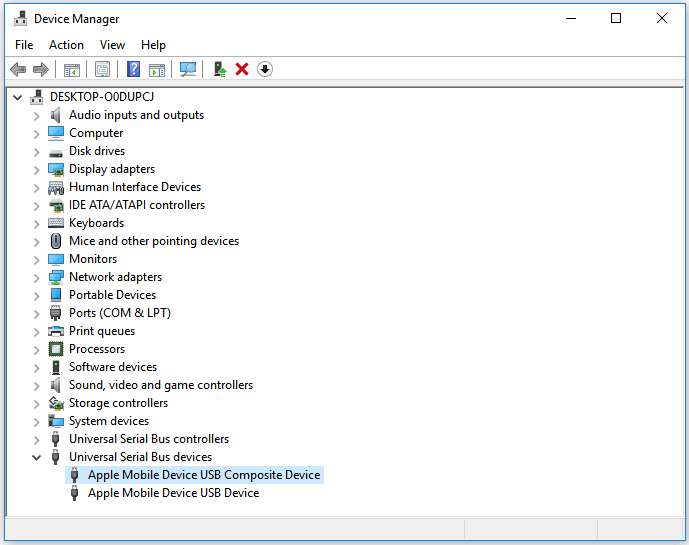
Update Apple Usb Driver Windows 10 Quotesfalas

Mtk Usb Driver Windows 10 64 Bit Download 2023 Get Latest Windows 10
How To Fix VirtualBox USB Not Detected In Windows 10 Compiuter BENISNOUS
Usb Drivers For Windows 10 Lokasinnashville

Intel 82578dc Driver Windows 10

Install Usb Driver Windows 10 YouTube

1 I m running Windows 10 as a VM under VirtualBox in Ubuntu 20 04 I ve put a USB flash drive in a USB socket and Ubuntu sees it Ok Windows 10 VM doesn t see the drive even though I ve enabled USB passthrough in VirtualBox in other words VirtualBox sees the drive but the Windows 10 VM doesn t

Published Oct 7 2022 By default VirtualBox won t let you add a USB drive to it Here s how to change that on Windows Readers like you help support MUO When you make a purchase using links on our site we may earn an affiliate commission Read More VirtualBox is one of the most preferred virtualization software in the industry

VirtualBox is a general purpose full virtualizer for x86 hardware targeted at server desktop and embedded use For a thorough introduction to virtualization and VirtualBox

Now go back into your VM window and from the Host options select Device Usb Devices your USB device The USB device should now show up just as it would on your physical computer And

Tools needed Install the latest version of VirtualBox Install the Extension Pack Add user to the vboxuser group Activate USB support A bit more usable now Tools needed Besides a computer or
Start up VirtualBox right click on the virtual machine that needs access to a USB device and click Settings In the virtual machine s Setting tab click on USB to see the available USB devices Click on the sign to add a new device Once USB device added start up the virtual machine to have access to the data on the USB device The process of accessing a USB device through VirtualBox is pretty simple and straightforward It can be accessed after installing a few drivers and making changes to the VM Login in the Windows 10 Insert the USB Flash drive into the USB port 2 0 or 3 0 of your host machine Open Oracle VM VirtualBox
Joined 1 Sep 2011 18 06 Primary OS VBox Version Guest OSses Solved Windows 10 usb flash drive not mounting 12 Oct 2017 19 48 I just created a new windows 10 VM and cannot access a usb flash drive in Device Manager usb mass storage device properties I get the message The device cannot start