Verification Code For Hilook What Is The 6 Digit Verification Code For Roblox Lifescienceglobal Google verifymybusiness Code De Validation JWord How To Find Hikvision Verification Code Or Encrypted Key Uniview How To Find The Encryption Verification Code Hilook Hikvision Annke How To Find The Encryption Verification Code Hilook Hikvision Annke Web In most cases you can find the verification code or serial number on the device label if any which is stuck on the device or device package Figure 1 Device Label On Device Local Configuration Page For DVR and NVR you can connect it to a monitor to view the device local GUI interface
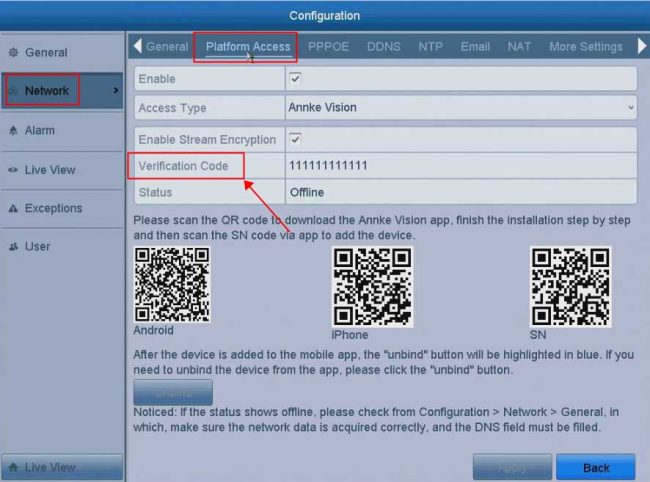
Web This section introduces the operation on GUI Step 1 Go to Menu gt Configuration gt Network gt Platform Access Step 2 Check Enable to activate the function Then the service terms will pop up Enter the code in Verification Code Page 13 Recording Settings Web Choose quot Verify with HiLookVision quot Scan the QR code on the GUI and get a verification code Key in the verification code and reset password Tips The HiLookVision accout needs to be bound with devices in advance so we highly recommend binding the device to your HiLookVision app account during activation CLICK amp CONNECT PAGE 9 PAGE 10
How To Find The Encryption Verification Code Hilook Hikvision Annke How To Find Hikvision Serial Number Verification Code How To Find The Encryption Verification Code Hilook Hikvision Annke How To Use Two Step Verification For Apple ID Cara Mengatasi Input Encryption Password Mendapatkan Verification Hik Connect Verification Code Find Get Verification Code For Hikvision Cara Mendapatkan Verification Code DVR Hilook Sarjana CCTV How To Solve You ve Tried To Sign In Too Many Times Error In Gmail Generate A Verification Code For Apple Two Factor Authentication
Verification Code For Hilook
 Verification Code For Hilook
https://blog.roblox.com/wp-content/uploads/2016/12/2stepverification_banner.png
Web Enable HiLookVision Service on Camera Purpose HiLookVision service should be enabled on your camera before using Page 34 Enable Hilookvision Service Via Web Browser Network Bullet Camera 183 Quick Start Guide Verification Code Setting SADP Note The verification code is required when you add the camera to HiLookVision app 3
Pre-crafted templates use a time-saving service for creating a varied range of files and files. These pre-designed formats and layouts can be made use of for numerous personal and expert projects, including resumes, invitations, leaflets, newsletters, reports, presentations, and more, streamlining the material development procedure.
Verification Code For Hilook
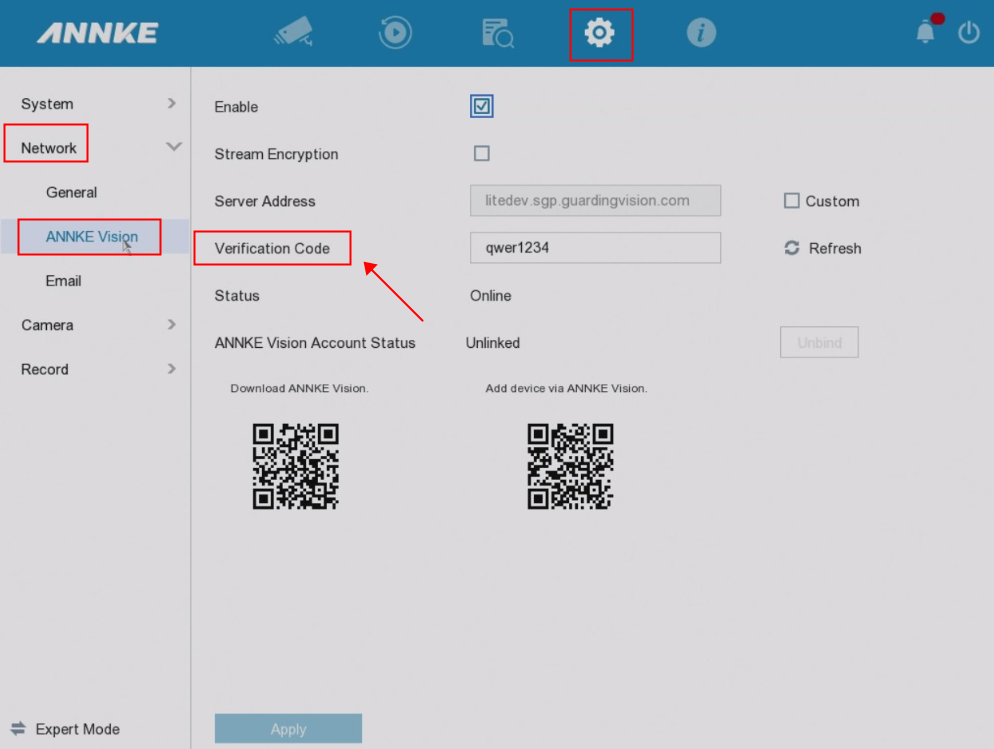
How To Find The Encryption Verification Code Hilook Hikvision Annke
How To Find Hikvision Serial Number Verification Code

How To Find The Encryption Verification Code Hilook Hikvision Annke

How To Use Two Step Verification For Apple ID
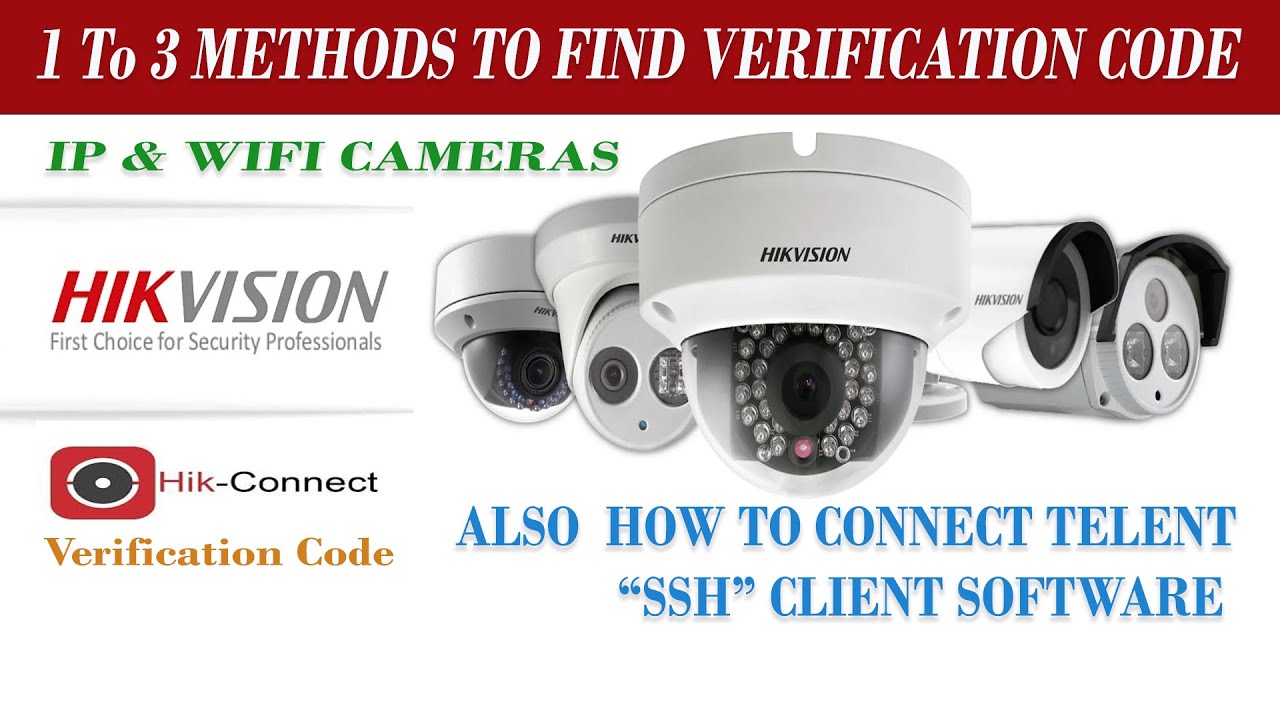
Hik Connect Verification Code Find Get Verification Code For Hikvision

Cara Mendapatkan Verification Code DVR Hilook Sarjana CCTV

Web The device verification code is a code used by Hikvision devices NVR DVR camera to verify and establish the connection between the Hikvision P2P service and the device Many users are not able to locate this code this article will show different ways where to find and locate the Hikvision device verification code
Web Nov 23 2021 nbsp 0183 32 The encryption code is the verification code that the user sets up when activating the device for the first time which can make your security system more secure In this article we will show you how to find the encryption code Steps Please access the system menu on the monitor or TV and go to System Configurations network Annke

Web Nov 12 2021 nbsp 0183 32 About How to Enable Hik Connect on Hikvision DVR Create Verification Code on Hikvision DVR by Hik Connect Hikvision 62K views 183 3 years ago Download The Latest Hilook App
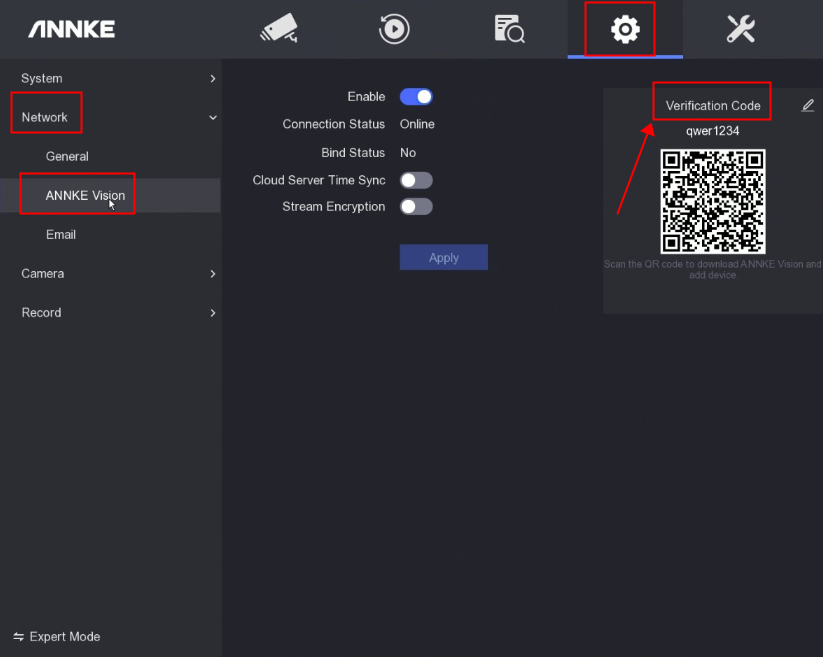
Web Add NVR to Hilook Simple steps to greater security standards Step 1 Access the menu with QR Code page and make sure connection status P2P status is online Step 2 Scan QR Code to download APP and add device
Web The device verification code is used for verifying user identity as well as encrypting a device s videos including live videos and recorded video files and captured pictures You can change the device verification code for the network camera and Mini Trooper a kind of camera powered by battery Note
Web Feb 4 2017 nbsp 0183 32 Download The New Hik Connect App https bit ly 34goKMdHow To Solve HIKVISION OFFLINE Issue https youtu be sKyVR r7PIIHow To Unbind Hikvision Device Web Figure 4 2 Verification Code Displayed on Device Web Page Solution C If the device is added to iVMS 4200 client software you can follow the steps below to get the device verification code 1 Log in to the client software 2 Go to Remote Configuration Network and then tap Hik Connect 3 Click the device to view its verification code
Web How To Hilook DVR Online Mobile https youtu be Ilevi m skMHow to Solve Hilook Offline Problem https youtu be jJQ93pm 1d4Hilook Input Verification Cod