Use Bash Terminal In Vs Code How To Use Bash Terminal In Vs Code Galer a De Im genes A twardogora info How To Use Bash Terminal In Vs Code Galer a De Im genes A twardogora info How To Use Bash Terminal In Vs Code Galer a De Im genes A twardogora info How To Use Bash Terminal In Vs Code Galer a De Im genes A twardogora info How To Use Bash Terminal In Vs Code Galer a De Im genes A twardogora info Web May 13 2021 nbsp 0183 32 To configure Git Bash as the default integrated terminal in VSCode version 1 56 on Windows 10 Step 1 Open command palette CMD Shift P Step 2 Search quot Preferences Open User Settings JSON quot Step 3 Create a new field by typing quot quot double quotation key Inside the quotation type quot terminal quot a list of options will appear
Web Visual Studio Code s integrated terminal has many advanced features and settings such as Unicode and emoji support custom keybindings and automatic replies This topic explains these advanced features in detail If you are new to VS Code or the integrated terminal you may want to review the Terminal Basics topic first Persistent sessions Web Command line help To get an overview of the VS Code command line interface open a terminal or command prompt and type code help You will see the version usage example and list of command line options Launching from command line You can launch VS Code from the command line to quickly open a file folder or project
How To Use Bash Terminal In Vs Code Galer a De Im genes A twardogora info Use Terminal In Vs Code BEST GAMES WALKTHROUGH How To Use Bash Terminal In Vs Code Galer a De Im genes A twardogora info How To Use Bash Terminal In Vs Code Galer a De Im genes A twardogora info How To Use Bash Terminal In Vs Code Galer a De Im genes A twardogora info How To Use Bash Terminal In Vs Code Galer a De Im genes A twardogora info How To Use Bash Terminal In Vs Code Galer a De Im genes A twardogora info Coding Python In Windows 10 Open In Terminal Vs Code Factorymanet
Use Bash Terminal In Vs Code
Use Bash Terminal In Vs Code
https://www.microchipdeveloper.com/local--files/atstart:how-to-use-adc-in-atmel-start/new pot
Web Git Bash is a popular shell environment for Windows that provides a Unix like command line interface for working with Git and other command line tools Visual Studio Code s integrated terminal supports Git Bash as a shell allowing you to seamlessly integrate Git Bash into your development workflow
Pre-crafted templates offer a time-saving service for developing a diverse variety of files and files. These pre-designed formats and designs can be made use of for different personal and expert tasks, consisting of resumes, invitations, flyers, newsletters, reports, presentations, and more, improving the material development procedure.
Use Bash Terminal In Vs Code

How To Use Bash Terminal In Vs Code Galer a De Im genes A twardogora info

Use Terminal In Vs Code BEST GAMES WALKTHROUGH

How To Use Bash Terminal In Vs Code Galer a De Im genes A twardogora info

How To Use Bash Terminal In Vs Code Galer a De Im genes A twardogora info
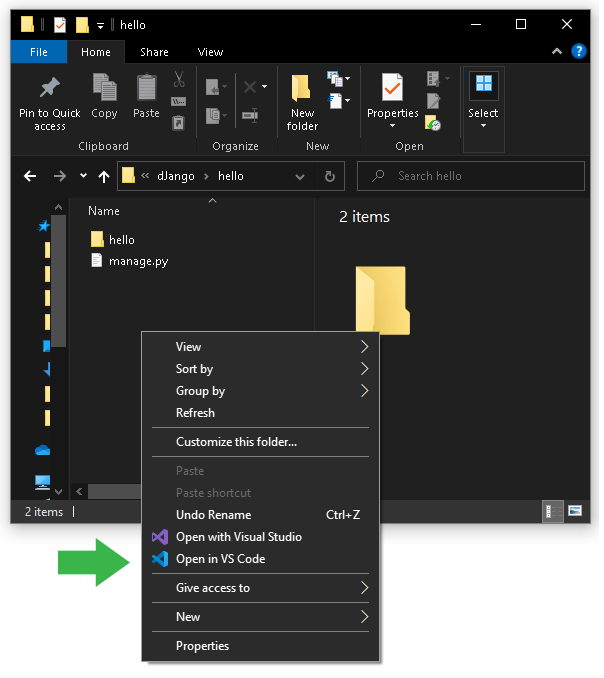
How To Use Bash Terminal In Vs Code Galer a De Im genes A twardogora info

How To Use Bash Terminal In Vs Code Galer a De Im genes A twardogora info
Web Edit Terminal Basics Visual Studio Code includes a full featured integrated terminal that starts at the root of your workspace It provides integration with the editor to support features like links and error detection The integrated terminal can run commands such as mkdir and git just like a standalone terminal

Web Nov 22 2021 nbsp 0183 32 Open Terminal in VScode Open settings Add the properties to the setting page Reopen VS Code Step 1 Open Terminal in VScode by using the shortcut key Ctrl Here you will see that currently it has PowerShell and we have to add bash to it

Web Jun 8 2017 nbsp 0183 32 Use quot terminal integrated defaultProfile windows quot or quot terminal integrated shell linux quot instead and define the executable path in the quot terminal integrated profiles windows quot or quot terminal integrated profiles linux quot repectively See also Stephanieraymos answer below

Web Jun 9 2017 nbsp 0183 32 While other questions deal with how to use things like git bash giving the new WSL a spin as the terminal for VS Code is not the same it gives you access to bash running on an actual Ubuntu Linux subsystem instead of the git bash terminal running on the Windows subsystem

Web Apr 22 2023 nbsp 0183 32 You could just open up an integrated terminal in VS Code with a Bash shell which VS Code will open and navigate the current working directory to the workspace folder s path and then just do relative path to script sh
Web Apr 11 2019 nbsp 0183 32 Using editor VS Code terminal Git Bash VS Code offers a shortcut Ctrl Shift C to open it externally and a shortcut Ctrl or in my case Ctrl F1 to open it internally In my case it opens it externally with both Web Run Terminal gt New Terminal Windows Linux Ctrl to open a new terminal instance You ll start a new instance of the bash shell in WSL again from VS Code running on Windows Tip In the lower left corner of the Status Bar you can see that you re connected to your WSL Ubuntu instance
Web Apr 18 2020 nbsp 0183 32 Terminal instances can be added by clicking the plus icon on the top right of the TERMINAL panel or by triggering the Ctrl Shift command This action creates another entry in the drop down list that can be used to switch between them More information on the integrated terminals here