Use Adb Shell Commands ADB Tips And Tricks Commands That Every Power User Should Know About How To Send ADB Shell Commands To Your Own Phone No Computer Needed How To Do Shell Commands In Linux Systran Box Jayakrishna Android ADB Shell Command Device Interaction Open Source For Geeks What Is Android Debug Bridge adb Web Configure Settings Commands Device Related Commands Logs Permissions ADB Android Debug Bridge is a command line utility included with Google s Android SDK ADB can control your device over USB from a computer copy files back and forth install and uninstall apps run shell commands and more
Web Jun 27 2013 nbsp 0183 32 The short answer is adb is used via command line find adb exe on your machine add it to the path and use it from cmd on windows quot adb devices quot will give you a list of devices adb can talk to your emulation platform should be on the list just type adb to get a list of commands and what they do Web Oct 3 2023 nbsp 0183 32 Examples of ADB commands To check if you have successfully installed ADB connect your device to your PC Mac with your USB cable and run the adb devices command as described above It should
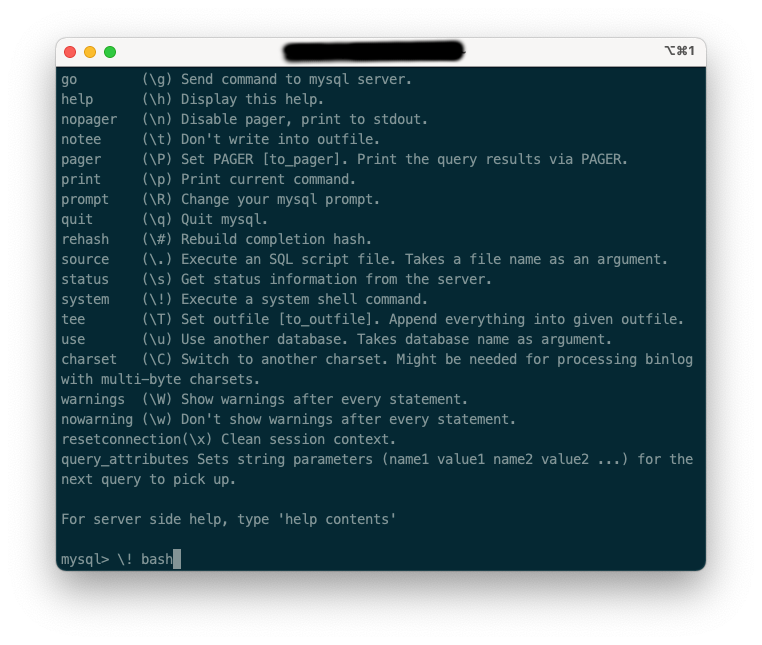
Open Source For Geeks What Is Android Debug Bridge adb Run Shell Commands From The MySQL Client Toggen 9 Common ADB Commands You Should Know Make Tech Easier Advanced ADB Shell Commands For Android Devices Root And Unroot How To Use ADB Uninstall App TechCult Shell Commands Basics PDF M Shell Commands PDF Exploring The Power Of ADB Shell Commands Basicknowledgehub Adb Shell
Use Adb Shell Commands
 Use Adb Shell Commands
https://static1.xdaimages.com/wordpress/wp-content/uploads/2021/07/ADB-Tips-and-Tricks-option-2.jpg
Web Feb 18 2021 nbsp 0183 32 Ryan Michael Kay In this article we will explore how you can use the ADB to gain some fine grained control when you re installing testing diagnosing and managing one or more devices and emulators
Templates are pre-designed files or files that can be used for numerous functions. They can conserve time and effort by providing a ready-made format and design for producing different kinds of content. Templates can be used for individual or professional tasks, such as resumes, invitations, flyers, newsletters, reports, presentations, and more.
Use Adb Shell Commands

8 More Shell Commands You Need To Know By Tate Galbraith DevOps dev
Run Shell Commands From The MySQL Client Toggen

9 Common ADB Commands You Should Know Make Tech Easier

Advanced ADB Shell Commands For Android Devices Root And Unroot

Shell Commands Basics PDF

M Shell Commands PDF

Web Oct 12 2023 nbsp 0183 32 You can see a detailed list of all supported adb commands using the following command adb help Issue shell commands You can use the shell command to issue device commands through adb or to start an interactive shell To issue a single command use the shell command like this adb d e s serial number shell

Web Dec 25 2018 nbsp 0183 32 Below is the list of some really useful ADB shell commands adb shell The adb shell command starts the remote shell command console in the device and lets you control the device through it adb shell pm uninstall k user 0 You can uninstall or remove any system app installed on your Android device

Web Dec 10 2022 nbsp 0183 32 adb shell Gives you an interactive Linux command line shell on your device adb shell command Runs the specified shell command on your device For a full guide to ADB consult the Android Debug Bridge page on Google s Android Developers site

Web Jul 14 2023 nbsp 0183 32 But you can also use ADB to open a terminal shell on your device and run commands directly And it s easy In your terminal or command prompt window
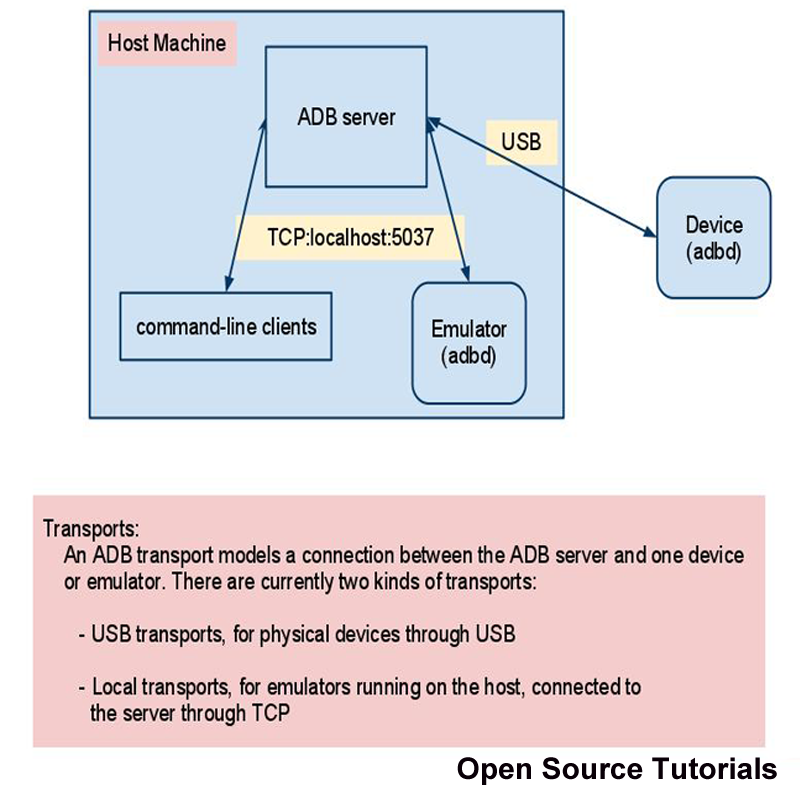
Web Dec 27 2022 nbsp 0183 32 Android Debug Bridge ADB lets you install software updates uninstall pre installed software and more Here s a guide on how to use ADB
Web Feb 17 2022 nbsp 0183 32 Here s a complete list of all the ADB Commands with a detailed guide on how to use them Android ADB Commands come in handy when you want to connect your device to your computer to perform certain tasks Web The adb interactive shell only starts if you simply run adb shell If you add a command at the end it will be executed on the device shell and then adb returns non interactive mode adb shell ls Path To Folder abc Of course in the end you can send the output to a filellist txt on your computer adb shell ls Path To Folder abc gt filelist txt
Web Step 1 Set up ADB Setting up ADB is a pretty simple process depending on your requirements You can set it up for temporary access from a particular location or set it up to be accessible for all users across your Windows or macOS installation We have a comprehensive setup guide at this link that can help you setup ADB based on your