Usb C Not Working USB C Not Working On Windows 10 FIX USB C Not Working Charging Or Recognized On Windows 11 10 Sope n Deleg cia Pohyb Nzxt 2005 Front Usb Dont Working Demokratick Strana Urob Graf How To Fix USB C Not Working On Windows 10 Error Quick Delivery High Quality High Discounts Quality Of Service USB 3 0 To VGA Adapter Benfei USB Web My device is not recognized If you re using a USB C hub try plugging just the USB C device directly into Surface Unplug and plug it back in Use the cable that came with your device Not all USB C compatible cables support all features If the device came with a power supply plug in the device
Web Jan 24 2020 nbsp 0183 32 last updated 24 January 2020 If your Lenovo laptop has some USB C issues don t fret Lenovo X1 Yoga 2018 Image credit Windows Central What you need to know An issue with the USB C ports Web Jul 27 2023 nbsp 0183 32 If the USB Type C device is still not detected and not working well either then the USB Type C device may be faulty We suggest you contact the device manufacturer If you are using the USB device via a USB Type C docking USB hub try connecting the USB device to the computer directly
Quick Delivery High Quality High Discounts Quality Of Service USB 3 0 To VGA Adapter Benfei USB Display Connection Might Be Limited Solved Lenovo ThinkPad USB C Docking Station Docking Station Cool Things To Buy Usb USB C Repair Explained EPOS PDA Scanner Repair Centre EMEA Lenovo Docking Station Usb Ports Not Working T480 About Dock Photos Mtgimage Org How To Fix USB C Not Working On Windows 10 Error M7 Samsung Monitor USB C Not Working Issue Fix YouTube How To Fix USB Drive Not Showing Up Windows 11 USB C Port Not Working On Windows 11 Complete Fix
Usb C Not Working
 Usb C Not Working
https://cdn.windowsreport.com/wp-content/uploads/2017/11/usb-1281034_1920.jpg
Web Dec 19 2022 nbsp 0183 32 USB C and Thunderbolt Docking Stations An issue where several computers are unable to recognize USB C or Thunderbolt docks If you check Device Manager you see a yellow exclamation mark bang and get a message Figure 1 if you try to automatically search for drivers on the device with Device Manager
Pre-crafted templates use a time-saving option for developing a diverse series of documents and files. These pre-designed formats and layouts can be utilized for numerous personal and expert jobs, consisting of resumes, invitations, flyers, newsletters, reports, presentations, and more, streamlining the content development procedure.
Usb C Not Working

Buy USB C Extension Cable 1M Belkertech New Version USB3 2 10gbps Type C Male To Female
Display Connection Might Be Limited Solved

Lenovo ThinkPad USB C Docking Station Docking Station Cool Things To Buy Usb

USB C Repair Explained EPOS PDA Scanner Repair Centre EMEA

How To Fix USB C Not Working On Windows 10 Error

M7 Samsung Monitor USB C Not Working Issue Fix YouTube

Web Sep 26 2021 nbsp 0183 32 Download and install Driver Easy Run Driver Easy and click Scan Now button Driver Easy will then scan your computer and detect any problem drivers Click the Update button next to a flagged USB driver to automatically download the correct version of this driver then Restart your PC for the
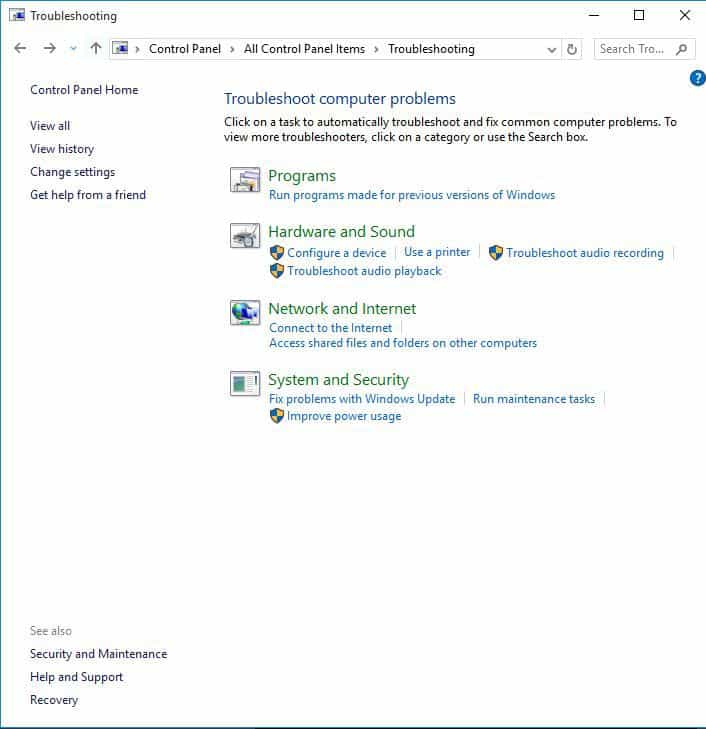
Web Dec 7 2022 nbsp 0183 32 Use different USB port USB C not working on Windows 11 10 Before you begin ensure you have installed all the latest Windows Updates on your device

Web Jun 19 2023 nbsp 0183 32 Check Port and Cable The first thing you should do is check the port and the cable and ensure that everything is working properly Try performing the steps below to check for any issues with these components Make sure the connection is secure and that the cable is not broken in any place
Web Jun 20 2018 nbsp 0183 32 So for example if you plug a USB A device like a cell phone into a USB C port using one of these cables the phone may draw too much power frying your phone USB C port or even computer Now to be fair properly made cables can have resistors inline to prevent this from happening

Web Mar 21 2023 nbsp 0183 32 Maybe you ve reached a point where your USB device is not working The best step to take in this instance is to download and install the latest updates for your specific device
[desc-11] [desc-12]
[desc-13]