Unix Show Processes Our Story UNIX Torvalds Number Two Quits Linux And Not Because Linus Is An A e WIRED Blog Archives Bloggingforfree List All Running Processes Linux Solved Objective This Program Assignment Is Designed To Chegg To see the ten most CPU intensive processes pipe the output through the head command ps e o pcpu args sort pcpu head 10 We get a sorted truncated list If we add more columns to our display we can sort by more columns Let s add the pmem column
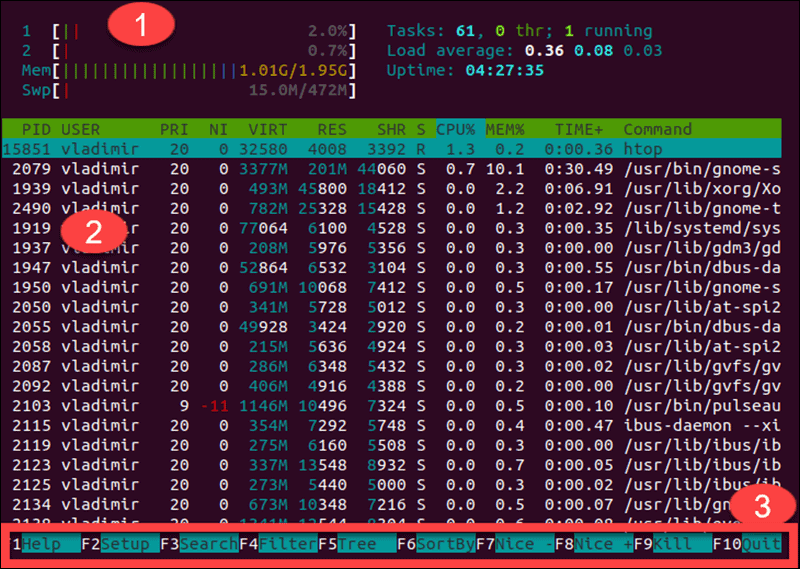
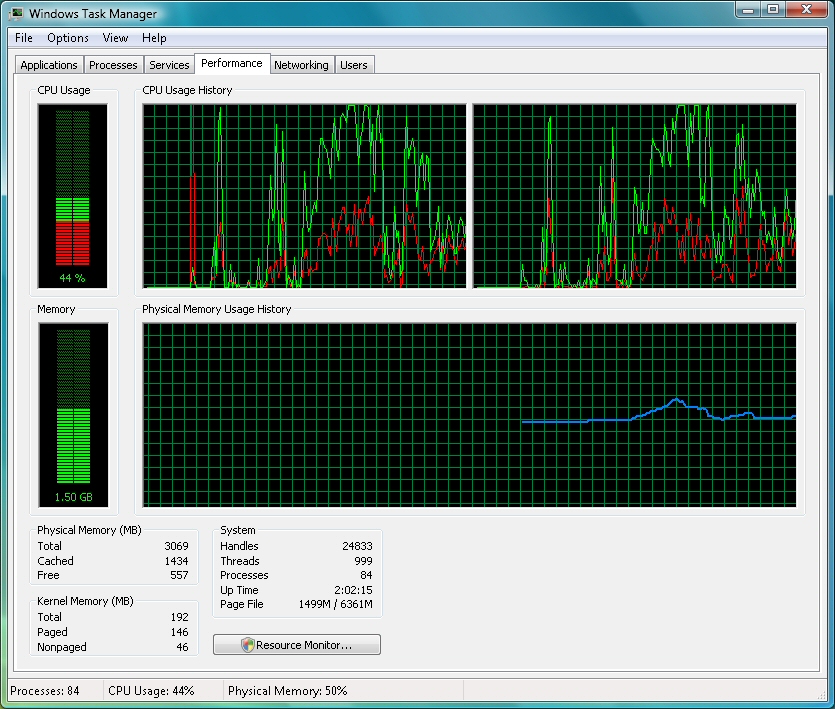
To list processes in Linux use one of the four commands ps top htop and atop Ps command provides a static snapshot of all processes while top and htop sort by CPU usage Let s dive further into each of them How to Check Running Process in Linux Using the ps Command The general syntax for the ps command is as follows ps OPTIONS For historical and compatibility reasons the ps command accepts several different types of options UNIX style options preceded by a single dash BSD style options used without a dash GNU long options preceded by two dashes
Solved Objective This Program Assignment Is Designed To Chegg How To Check Ram Usage In Linux Englishsalt2 How To Use The Procs Command To Show The Active Processes In Linux Unix Linux The Admins Tips For Linux Ubuntu Fedora Centos RHEL Unix Etc Show All Running Processes In Linux And Kill Advanced UNIX Programming InformIT How To Learn Shell Scripting In Linux Tutorial How To Check CPU Utilization In Linux FreeBSD Unix Show Mounted File Systems NixCraft How To Check CPU Utilization In Linux
Unix Show Processes
 Unix Show Processes
https://yourunix.com/wp-content/uploads/2021/09/pillars-1-scaled.jpg
Kill The kill command can kill a process given its process ID You can get this information from the ps A top or pgrep commands kill PID Technically speaking the kill command can send any signal to a process You can use kill KILL or kill 9 instead to kill a stubborn process
Templates are pre-designed files or files that can be utilized for numerous functions. They can save time and effort by providing a ready-made format and design for producing various kinds of content. Templates can be utilized for individual or expert jobs, such as resumes, invites, leaflets, newsletters, reports, presentations, and more.
Unix Show Processes

COBOL IT E Learning
How To Check Ram Usage In Linux Englishsalt2

How To Use The Procs Command To Show The Active Processes In Linux Unix Linux The Admins

Tips For Linux Ubuntu Fedora Centos RHEL Unix Etc Show All Running Processes In Linux And Kill

How To Learn Shell Scripting In Linux Tutorial

How To Check CPU Utilization In Linux

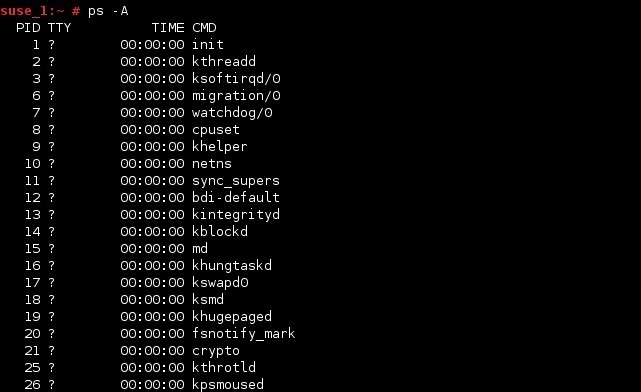
The following command shows all processes running on your system ps aux sudo ps a The process ID PID is essential to kill or control process on Unix For example consider the following outputs vivek 43126 0 0 0 0 13160 8452 S 10 59 0 00 03 vim Where vivek User name 43126 PID Unix process ID 10 59 Process start time

Both Linux and UNIX support the ps command to display information about all running process The ps command gives a snapshot of the current processes If you want a repetitive update of this status use top atop and htop command as described below nixCraft Privacy First Reader Supported nixCraft is a one person operation
To display all running processes for all users on your machine including their usernames and to show processes not attached to your terminal you can use the command below ps aux Here s a breakdown of the command ps is the process status command a displays information about other users processes as well as your own
To view only the processes owned by a specific user use the following command top U username Replace the username with the required username If you want to use ps then ps u username OR ps ef grep username OR ps efl grep username for the extended listing Check out the man ps page for options
Ps show processes in Unix Linux ps command is one of the basic Unix commands that helps you access information about processes running on your system Show processes of the current user Simply type ps in the command line to see which processes you re currently running on your Unix Linux system
1 List processes To display your currently active processes use the ps command tcarrigan client ps PID TTY TIME CMD 2648 pts 0 00 00 00 bash 3293 pts 0 00 00 00 sleep 3300 pts 0 00 00 00 ps Here you get a little information about the active processes on your system Ps ef output Method 3 Using ps ely We can use some more arguments with ps to list the running processes in Linux ps ely Here e Select all processes l Long format y Do not show flags show rss in place of addr This command will give us additional detail compared to ps ef such as priority and nice value of individual process
Listing processes with the ps command The ps command can list all the processes running on a Linux system with the e option ps e It s normal for a system to have large number of processes running at any given time so it s easier to sift through this list by piping the command to more For example to see 15 lines at a time ps e more 15