Unity Remove Asset From My Assets Unity brings some asset folders back right after I delete them? - Unity Answers How to remove unused assets/files in your unity projects 2021 - YouTube Introducing Unity Sweeper - a tool to remove unused assets from your Unity project — Notiontheory Unity 3D Project Cleaner | How To Remove Unused Assets Tutorial - YouTube An asset that I purchased has been removed from the Asset Store. Where can I download it now? – Unity Second of all toggle the Hidden it is between the search form and left top on asset list and then you can see hidden assets last of all click the Hidden X button on the asset what you want to restore to My Assets now the asset have been hidden is restored I clicked remove on an item in My Assets thinking it would
Unity 3D Project Cleaner How To Remove Unused Assets Tutorial YouTube 0 00 2 47 Unity 3D Project Cleaner How To Remove Unused Assets Tutorial Polycarbon Games 3 42K subscribers Removing your Assets from the Asset Store To disable an assets that you have successfully published to the Asset Store email assetstore unity3d with the following Publisher name Asset name Confirmation that you want to disable the asset s stated
An asset that I purchased has been removed from the Asset Store. Where can I download it now? – Unity GitHub - unity-cn/Tool-UnityAssetCleaner Customizing the Asset Database workflow - Unity 手册 I have no idea why my asset was declined - Unity Forum SOLVED] Standard assets gives too many errors in new versions - Unity Forum Unity Package Manager | Package Manager UI website Bug - Export from a project can take forever in Unity 2021 and above - Unity Forum How to import asset from Unity asset store in 2022 - VionixStudio Introduction | Asset Graph | 1.7.2-preview
Unity Remove Asset From My Assets
 Unity Remove Asset From My Assets
https://answers.unity.com/storage/temp/49696-just-a-few-seconds-later.png
Procedure To remove imported assets from your project Open your project Open the Package Manager window Open the Packages dropdown list and select the My Assets context Select the package whose assets you want to remove from your project Select Remove to open the Remove dialog The Remove dialog Select the assets to remove
Templates are pre-designed documents or files that can be utilized for different functions. They can save time and effort by supplying a ready-made format and layout for producing different kinds of material. Templates can be used for individual or professional tasks, such as resumes, invites, flyers, newsletters, reports, presentations, and more.
Unity Remove Asset From My Assets

Feedback - [TIME CRITICAL] Clogged up Cart purchase page. Can't add/remove anything. Support asked to post here - Unity Forum
GitHub - unity-cn/Tool-UnityAssetCleaner
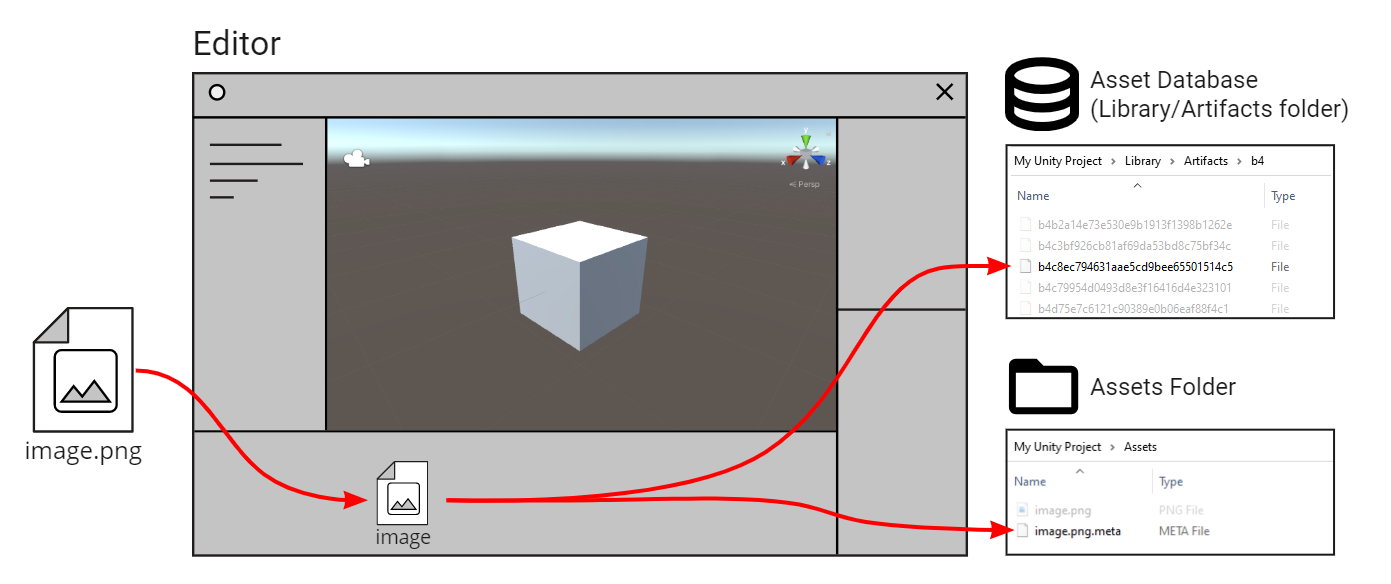
Customizing the Asset Database workflow - Unity 手册

I have no idea why my asset was declined - Unity Forum

Unity Package Manager | Package Manager UI website

Bug - Export from a project can take forever in Unity 2021 and above - Unity Forum

Procedure To remove imported assets from your project Open your project Open the Package Manager window Open the Packages menu and select the My Assets context Select the package you want to remove from your project and take note of the package name A and the publisher name B

To remove imported assets from your project Open your project Open the Package Manager window and select My Assets or In Project from the navigation panel Select the Asset Store package whose assets you want to remove from your project Open the menu in the top right corner of the details panel The action menu in Package Manager s details panel

Introducing Unity Sweeper a tool to remove unused assets from your Unity project NOTIONTHEORY Tools A simple clean up tool to remove unused assets from Unity

Cause You may no longer wish to have your asset on the Asset Store for a few reasons Whether it is because your newer assets are of a better quality or because you wish to pursue a different line of work you can deprecate your assets through your Publisher Login area Resolution
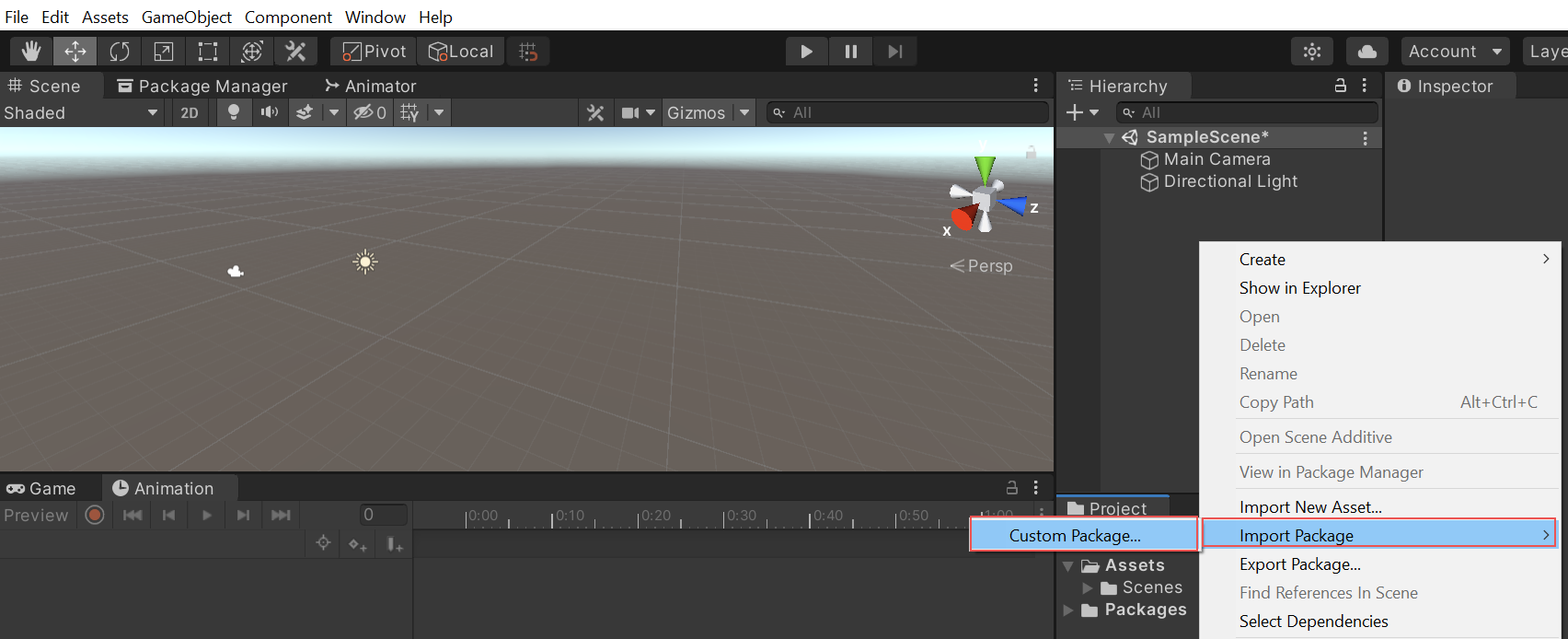
Does anyone know how to remove assets I need to uninstall Color Script from Virtual Escapes It s in my way Never mind I figured it out At least I think I did hopefully it s really removed I deleted from my Assets folder in Unity and then followed this video How to permanently Delete Unity Asset Store Packages clean up My Assets
Thank you for helping us improve the quality of Unity Documentation Although we cannot accept all submissions we do read each suggested change from our users and will make updates where applicable AssetDatabase Delete Files In Unused Folder static void DeleteAllFilesInFolder Assets Unused folder should exist before running Where the Unity Asset Store files are located and how to delete them Subscribe for gamedev updates http bit ly qubodev
There is a hide button just under the Open in Unity button You must go on the assets store here not within Unity to find it Go to AssetStore Account Assets and find the asset you want to hide You ll see three options Click on Hide Asset This should remove the asset from your asset list thus hiding it on the Package Manager