Unique Values Based On Two Columns Excel Count Unique Values With Criteria By COUNTIFS In EXCEL 4 Examples Index And Match On Multiple Columns Excel Formula Exceljet Solved Create New Unique ID Based On Linked Values In Two Columns Excel excel formula Countif Unique Values Excel With Multiple Criteria Uniqe Ideas How To Sum Values Based On Criteria In Another Column In Excel GeeksforGeeks Web To return unique values from in the range A1 A10 you can use a formula like this UNIQUE A1 A10 By column By default UNIQUE will extract unique values in rows UNIQUE 1 1 2 2 3 returns 1 2 3 UNIQUE will not handle the same values organized in columns UNIQUE 1 1 2 2 3 returns 1 1 2 2 3
Web To extract a list of unique values from a set of data while applying one or more logical criteria you can use the UNIQUE function together with the FILTER function In the example shown the formula in D5 is UNIQUE FILTER B5 B16 C5 C16 E4 which returns the 5 unique values in group A as seen in E5 E9 Generic formula Web Mar 21 2023 nbsp 0183 32 The easiest way to identify unique and distinct values in Excel is by using the IF function together with COUNTIF There can be a few variations of the formula depending on the type of values that you want to find as demonstrated in the following examples Find unique values in a column
How To Sum Values Based On Criteria In Another Column In Excel GeeksforGeeks Have Vlookup Return Multiple Columns In Google Sheets And Delete Duplicates In Excel And Delete Duplicates In Excel How To Highlight And Compare Duplicates In Two Columns In Excel WPS Office Academy Excel Vlookup Multiple Columns Formula Example Coupler io Blog Artemisia Ordosica Solved How Can I Generate A Matrix Based On Two Columns From Two Tables VBA Excel How To Extract Unique Values Based On Criteria In Excel
Unique Values Based On Two Columns Excel
 Unique Values Based On Two Columns Excel
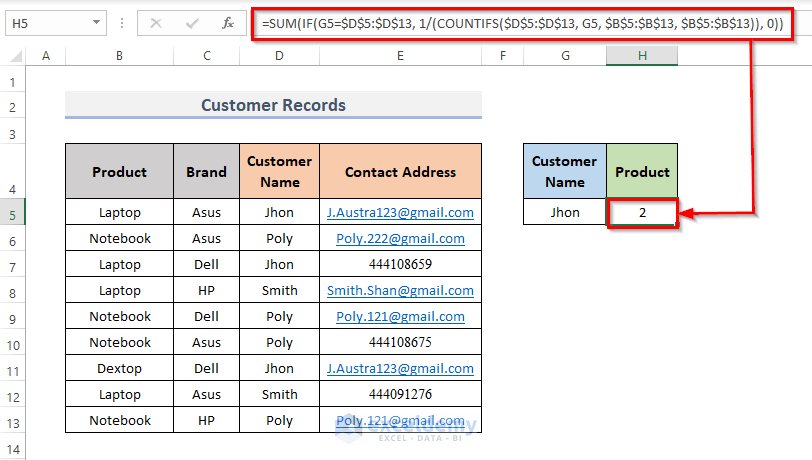
https://www.exceldemy.com/wp-content/uploads/2022/04/excel-countifs-unique-values-with-criteria-3.png
Web Filter for unique values or remove duplicate values In Excel there are several ways to filter for unique values or remove duplicate values To filter for unique values click Data gt Sort amp Filter gt Advanced To remove duplicate values click Data gt
Pre-crafted templates provide a time-saving solution for developing a diverse variety of files and files. These pre-designed formats and layouts can be used for various individual and expert jobs, consisting of resumes, invitations, leaflets, newsletters, reports, discussions, and more, streamlining the content creation procedure.
Unique Values Based On Two Columns Excel

Excel Formula Count Unique Names In Column Profesi Guru Honorer
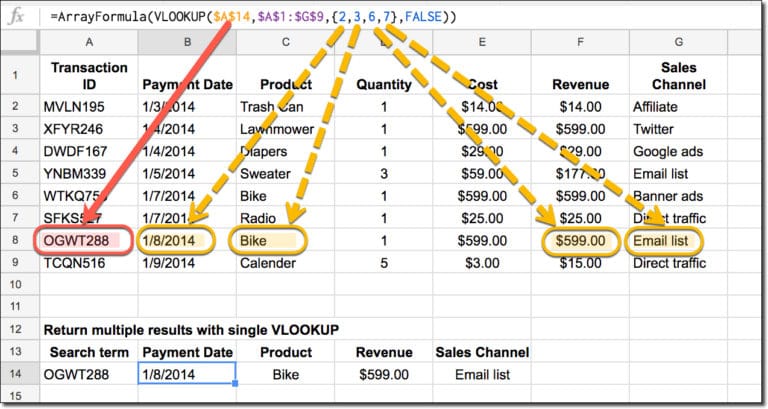
Have Vlookup Return Multiple Columns In Google Sheets
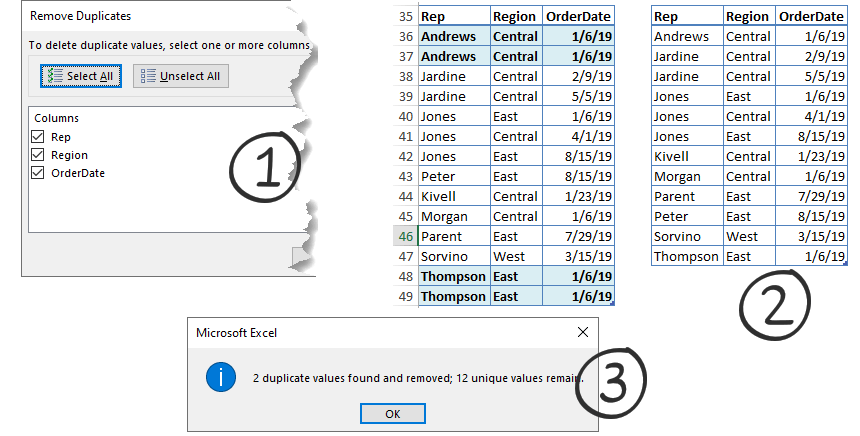
And Delete Duplicates In Excel
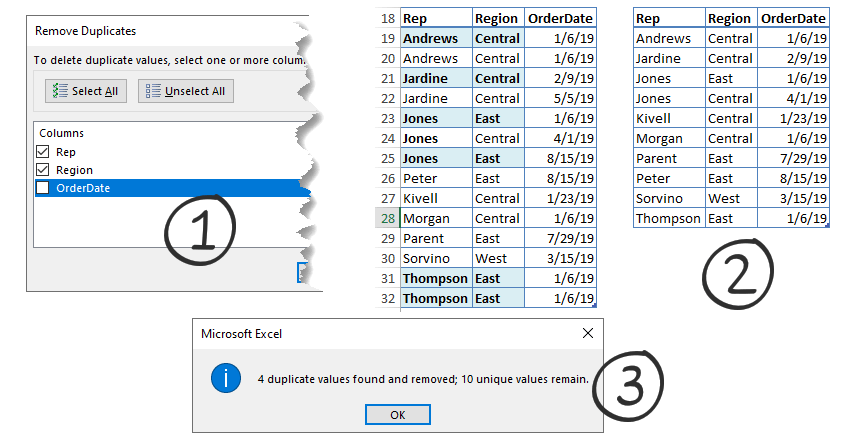
And Delete Duplicates In Excel
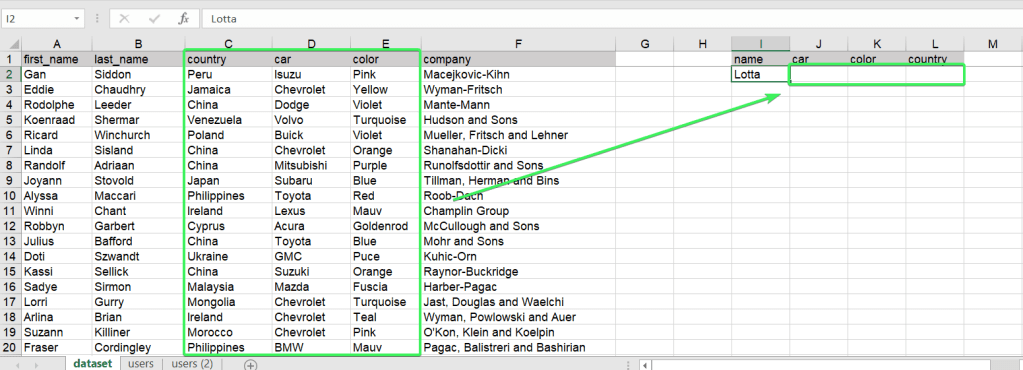
Excel Vlookup Multiple Columns Formula Example Coupler io Blog
Artemisia Ordosica

Web To extract a list of unique values from a set of data while applying one or more logical criteria you can use the UNIQUE function together with the FILTER function In the example shown the formula in D5 is UNIQUE FILTER B5 B16 C5 C16 quot b quot D5 D16 gt 5 which returns the 3 unique colors in group B with a quantity gt 5
Web Jan 25 2016 nbsp 0183 32 Click somewhere in Column V Now go to the Data tab Sort amp Filter group and click on Advanced This will bring up the Advanced Filter dialog box Verify that List range shows your data in Column V Select Copy to another location and Unique records only

Web Apr 12 2023 nbsp 0183 32 The syntax of the Excel UNIQUE function is as follows UNIQUE array by col exactly once Where Array required the range or array from which to return unique values By col optional a logical value indicating how to compare data TRUE compares data across columns FALSE or omitted default compares data across rows
Web The UNIQUE function returns a list of unique values in a list or range Return unique values from a list of values Return unique names from a list of names Syntax Examples Example 1 This example uses SORT and UNIQUE together to return a unique list of names in ascending order Example 2

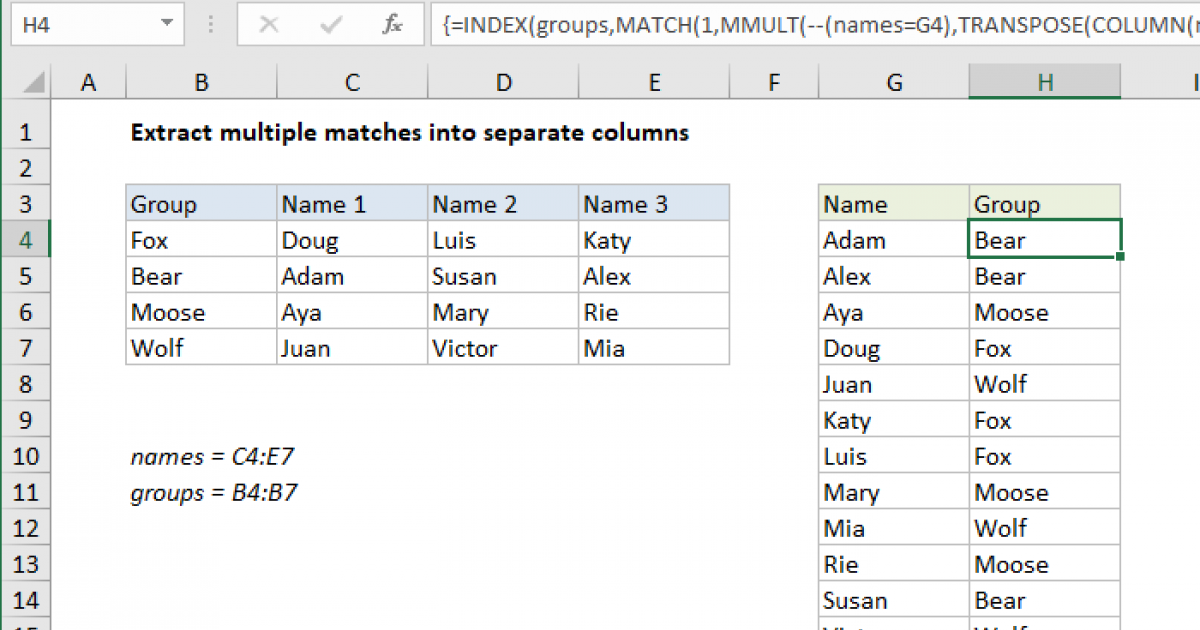
Web Jan 27 2022 nbsp 0183 32 You can use the following formula to find unique values from multiple columns in Excel INDIRECT TEXT MIN IF A 2 C 11 lt gt quot quot COUNTIF E 1 E1 A 2 C 11 0 ROW 2 11 100 COLUMN A C 7 8 quot R0C00 quot amp quot quot This particular formula finds the unique values in the cell range A2 C11 and returns a list of
Web Dec 19 2023 nbsp 0183 32 1 Create a List of Unique Rows with Multiple Columns Criteria In the following picture the table on the left is lying with several random sports names the participants and their ages Another table on the right is the output table where we ll extract data based on the unique values only Web Apr 11 2020 nbsp 0183 32 1 473 7 31 46 filter out the 124 but retain the 125 in the next column so that the 125 s line up If we assume that column B is the smaller set and column A is the larger you could add a formula to c such as VLOOKUP B3 A A 1 to simply return the matched values from A xQbert Jul 7 2016 at 13 47 Yes
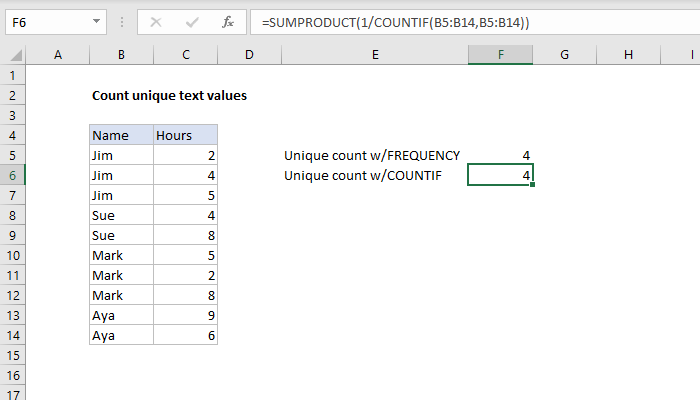
Web To count unique values with one or more conditions you can use a formula based on UNIQUE LEN and FILTER In the example shown the formula in H7 is SUM LEN UNIQUE FILTER B6 B15 C6 C15 H6 quot quot gt 0 which returns 3 since there are three unique names in B6 B15 associated with Omega