Ubuntu Mysql Restore Database From Sql File Quickstart Back Up Restore Database SQL Server Microsoft Learn Tutorial Restore Database Mysql RARA Kotabumi How To Use The MySQL LOAD DATA INFILE Command What Is Mark Down How To Extract Database From MySQL Dump File Fedingo Restore MySQL Database From SQL File Using PHP 1 Is it possible to restore a dump file from a remote server mysql u root p dump sql Can a dump sql be located in a remote server If so how do I refer it in the command above Copying to the server isn t an option as there is no enough space in the server I m on redhat 5 linux mysql redhat Share Improve this question Follow
This command will restore our database data to our mydata database from previous examples mysql u root p mydata mydata backup sql If your backup file contains multiple databases you can select which ones to restore by using the one database flag in your command Here you need to find the sql file that you created and run the following sudo mysql example database filename sql Migrating to MariaDB from MySQL The first thing to do is back up each of your databases sudo mysqldump example database example database sql After that you will need to install MariaDB which will replace MySQL and
Restore MySQL Database From SQL File Using PHP In cio R pido Fazer Backup E Restaurar Banco De Dados SQL Server How To Import A Database From An SQL File In MySQL Workbench Rkimball How Do I Restore Mysql Database In Mysql Workbench Easy Way To Use PgAdmin To Restore A Database From Sql File LaptrinhX MySQL Restore Class CSS Tricks CSS Tricks Mysql Restore Table Structure From Frm And Ibd Files Stack Overflow SQL Database Steps To Restore Database ParallelCodes How To Run SQL File In Navicat Admin Tool Windows Linux Dideo
Ubuntu Mysql Restore Database From Sql File
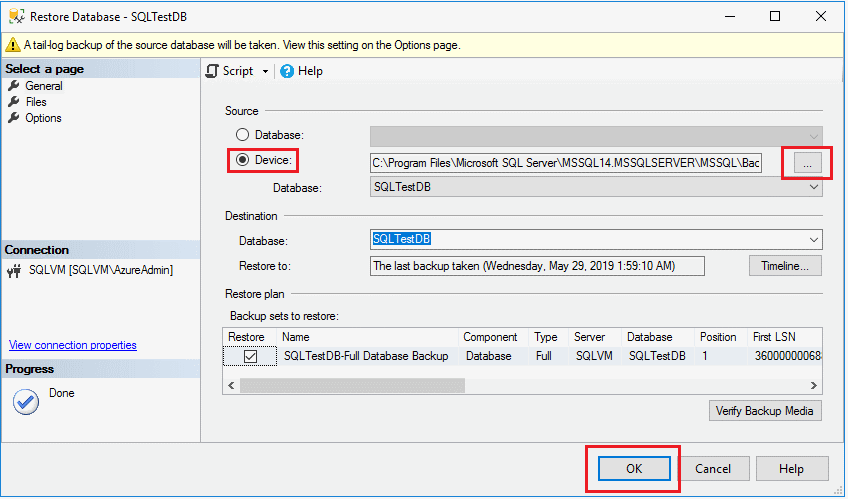 Ubuntu Mysql Restore Database From Sql File
https://learn.microsoft.com/vi-vn/sql/relational-databases/backup-restore/media/quickstart-backup-restore-database/restore-db-ssms2.png?view=sql-server-2017
Step 1 Moving the MySQL Data Directory To prepare for moving MySQL s data directory let s verify the current location by starting an interactive MySQL session using the administrative credentials Run the following command to open the MySQL server prompt sudo mysql
Pre-crafted templates provide a time-saving service for creating a varied variety of documents and files. These pre-designed formats and layouts can be used for numerous individual and expert tasks, consisting of resumes, invitations, leaflets, newsletters, reports, presentations, and more, simplifying the content production procedure.
Ubuntu Mysql Restore Database From Sql File
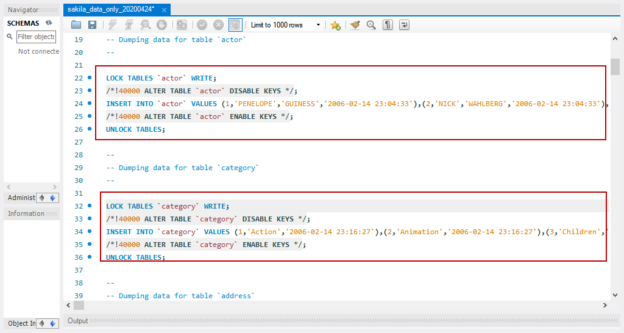
How To Restore From A Mysqldump Dreamopportunity25
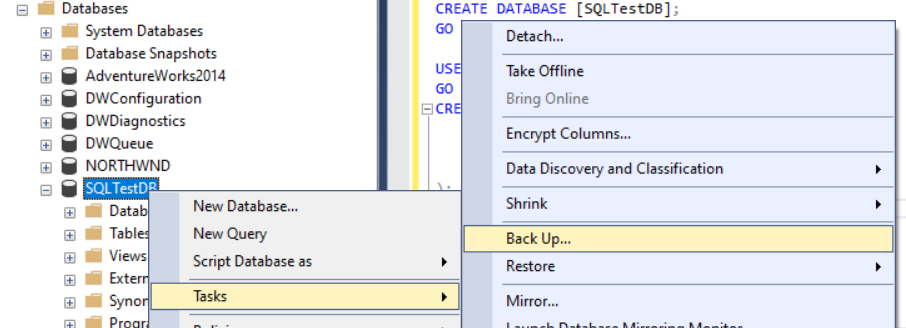
In cio R pido Fazer Backup E Restaurar Banco De Dados SQL Server

How To Import A Database From An SQL File In MySQL Workbench Rkimball
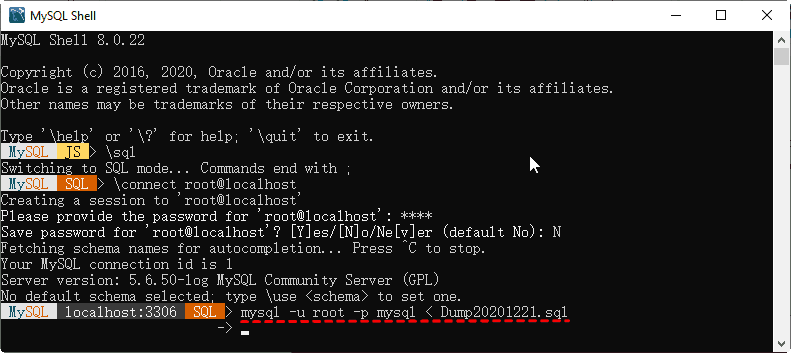
How Do I Restore Mysql Database In Mysql Workbench

MySQL Restore Class CSS Tricks CSS Tricks

Mysql Restore Table Structure From Frm And Ibd Files Stack Overflow

Under linux Ungzip your file using gunzip Edit your unzip sql file using vi unzipsqlfile sql Remove the first binary line with esc dd go to the bottom of the file with esc shift g remove the last binary line with dd save the file esc x Then reimport to mysql with mysql u username p new database unzipsqlfile sql

Note The database name should be the same as the database you want to restore mysql create database sakila This will create the database into which you will be able to import database structure and data from the dump file Step 2 Restore the database Now we can restore the MySQL database from the dump file The syntax for the command is

Created October 21 2021 Author Alex Category Backup When working with databases you have to make backups This tutorial will focus on MySQL on Ubuntu 20 04 The process will be described in detailed commands and also to secure your data Copying your data from the Ubuntu server First you need to be logged in as a user with root privileges

On Debian and Ubuntu you can use the debian sys maint login to restore the MySQL database so you dont have to remember the MySQL password Example sudo mysql defaults file etc mysql debian cnf name of the database name of your sql dump e g sqldump sql About Falko Timme

Where The u Server User Name is the user name for MySQL In our case it is the root p is the password for the username we used above database name is a database where we want to restore our database file i e the target database RestoreFileName sql is the name of the database file which will be restored It should be with the complete file path
3 Use the one database option from mysql command mysql u root p one database your db full backup sql You first need to create a blank database same name as present in the full backup sql which you want to restore Server Restore a MySQL Database from just the idb files Ask Ubuntu Restore a MySQL Database from just the idb files Ask Question Asked 4 years 4 months ago Modified 4 years 4 months ago Viewed 980 times 0 So more or less here is what happened
Restore a single Database from the Full MySQL Dump To restore a single database from a full MySQL dump you should create an empty database with the same name then restore the single database to recover all its tables and table data For this guide restore the db1 database as below Verify that the full MySQL dump file exists in your working