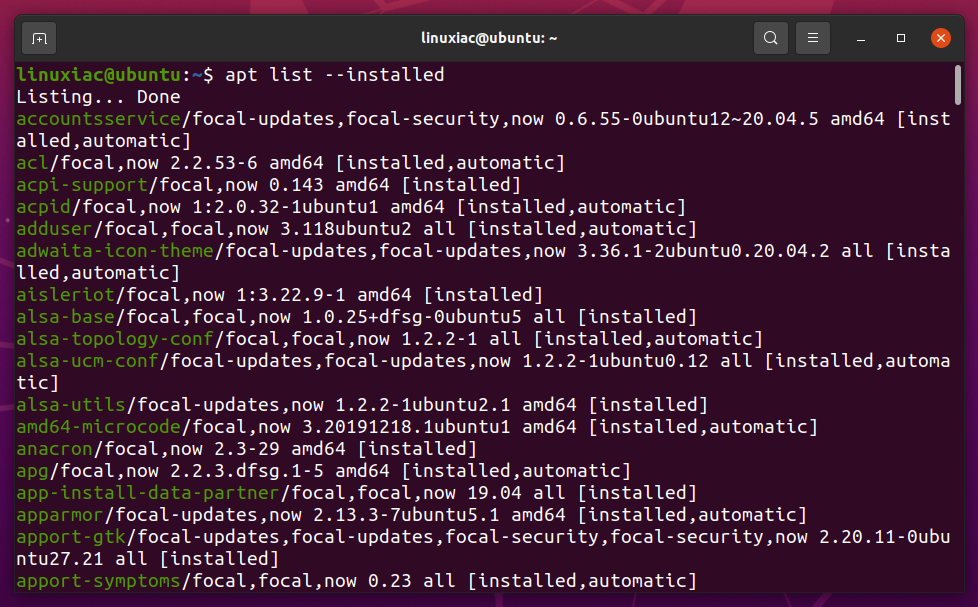
Ubuntu List Installed Packages Version How To List Installed Packages In Ubuntu How To List The Installed Packages On Ubuntu FOSS Linux How To List Installed Packages In Ubuntu Ubuntu Package Manager All About Dpkg And Apt LinuxForDevices How To Check Installed Software In Ubuntu Terminal Web Dec 21 2023 nbsp 0183 32 To list installed packages on your system issue the following command in the Terminal sudo apt list installed From the output of the above command you will get a list of all the packages including the ones installed as dependencies The result lists the installed packages names along with their versions
Web May 12 2020 nbsp 0183 32 In this tutorial you will learn How to retrieve the list of installed packages using GUI How to retrieve the list of installed packages using the command line List installed packages on Ubuntu 20 04 Focal Fossa Linux Software Requirements and Conventions Used List installed packages on Ubuntu 20 04 step by step instructions Web Feb 19 2019 nbsp 0183 32 List installed packages in Ubuntu and Debian If you use apt command extensively you would probably expect a command like apt list installed packages You are not entirely wrong here While apt get command doesn t have a straightforward option like apt get list installed packages apt has a command for this apt list installed
How To Check Installed Software In Ubuntu Terminal How To List Installed Packages On Ubuntu 22 04 VITUX How To List Installed Packages On Ubuntu Quick Guide OrcaCore Get List Of Installed Packages On Ubuntu 20 10 How To List Installed Packages On Ubuntu How To List Installed Packages On Ubuntu SYS HINT COM How To List Installed Packages In Ubuntu 22 04 How Do I See What Packages Are Installed On Ubuntu Linux NixCraft Command To Check Version Of Installed Packages In Ubuntu Apt
Ubuntu List Installed Packages Version
 Ubuntu List Installed Packages Version
https://linuxiac.b-cdn.net/wp-content/uploads/2020/06/list-installed-packages-ubuntu.png
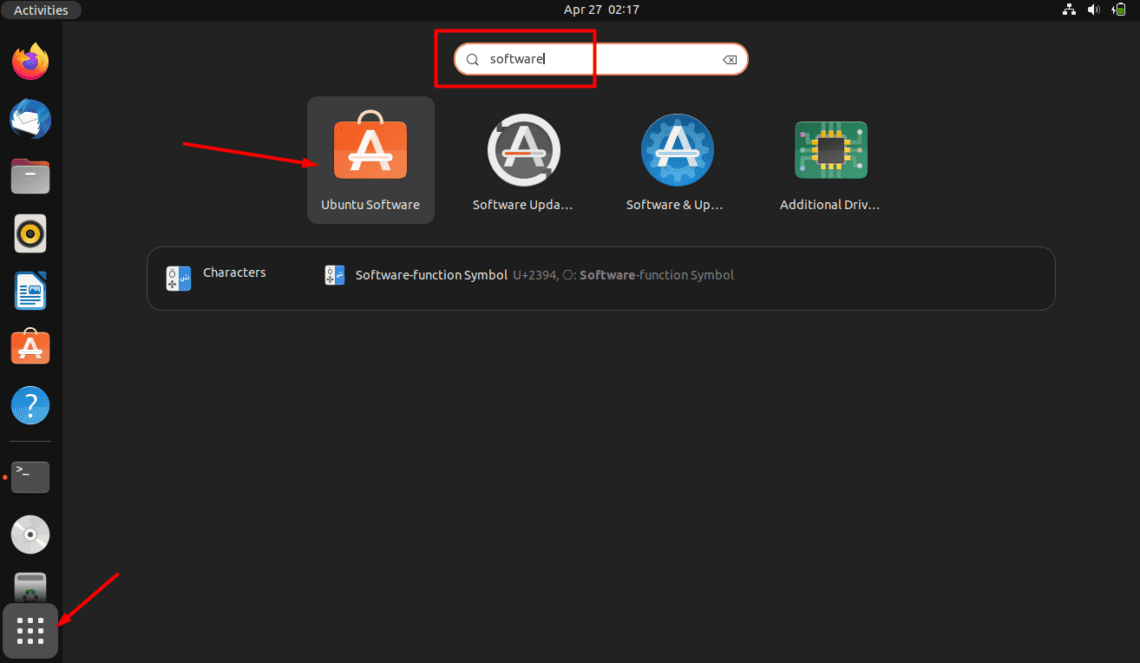
Web Mar 11 2023 nbsp 0183 32 You can also view a list of installed packages from the Ubuntu Software app s Installed tab
Templates are pre-designed files or files that can be used for various functions. They can save effort and time by offering a ready-made format and design for creating various kinds of content. Templates can be used for individual or expert projects, such as resumes, invitations, flyers, newsletters, reports, presentations, and more.
Ubuntu List Installed Packages Version
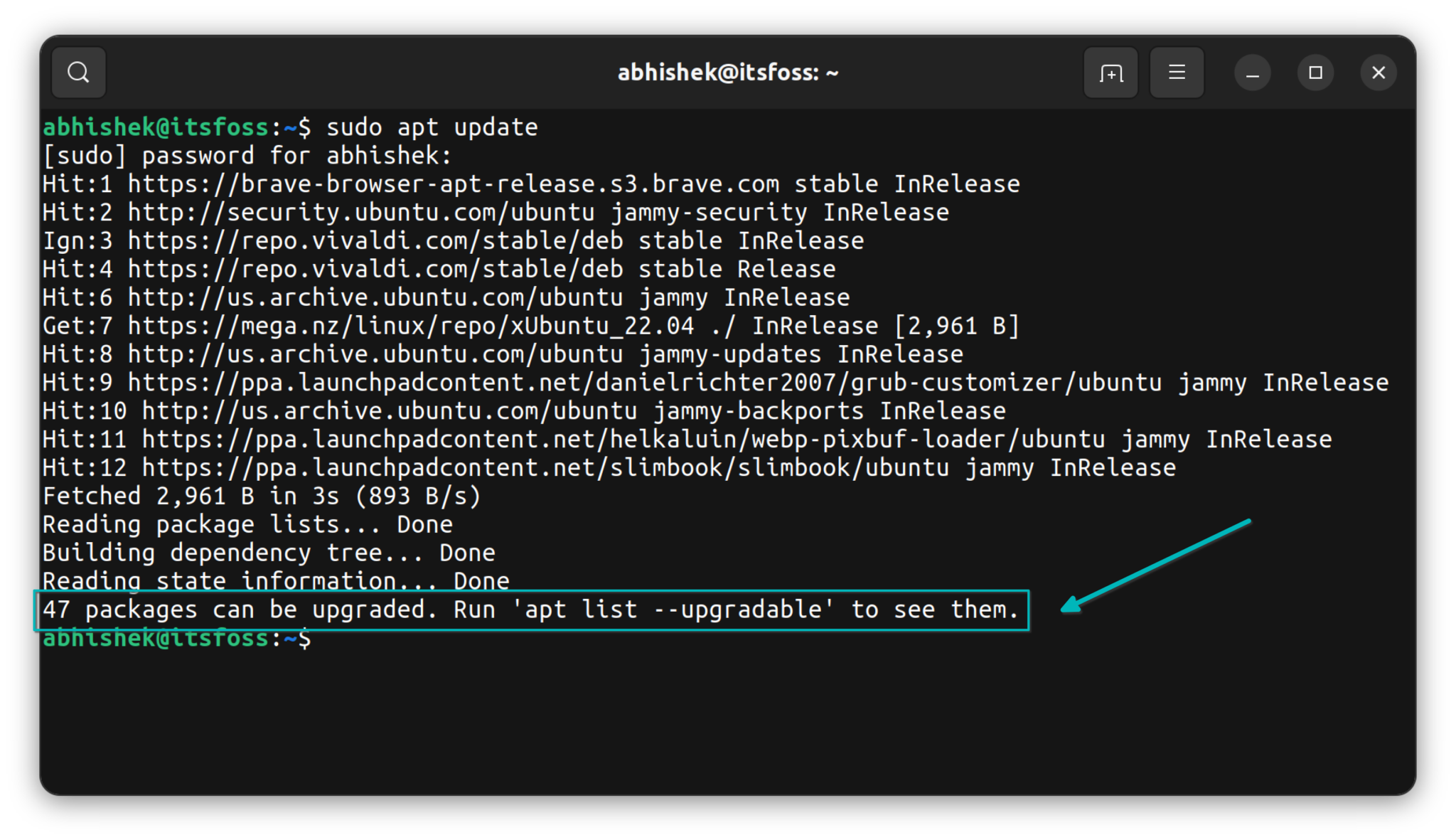
List Upgradable Packages With Apt Command In Ubuntu

How To List Installed Packages On Ubuntu 22 04 VITUX
How To List Installed Packages On Ubuntu Quick Guide OrcaCore
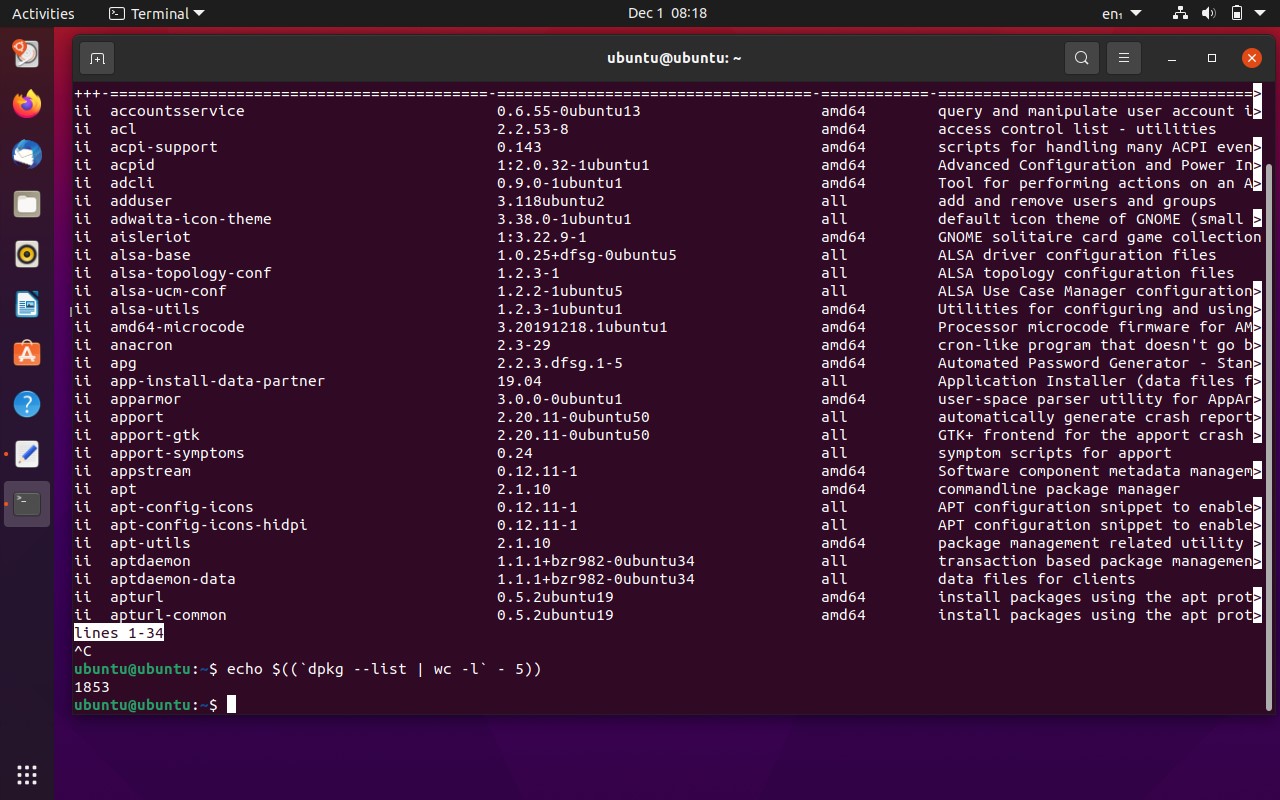
Get List Of Installed Packages On Ubuntu 20 10

How To List Installed Packages On Ubuntu SYS HINT COM
How To List Installed Packages In Ubuntu 22 04
Web May 23 2021 nbsp 0183 32 The apt show versions command is used to list available package versions with distribution Install the package sudo apt update sudo apt install apt show versions y Use the command to query installed package versions apt show versions curl curl amd64 jammy security 7 81 0 1ubuntu1 13 uptodate Output for a package not
Web Mar 9 2022 nbsp 0183 32 Introduction Ubuntu and other Linux based systems use client applications to manage software directly Some software packages come preinstalled by default while system administrators install other packages when necessary Depending on which package manager installed the software there are various ways to list installed
Web May 29 2014 nbsp 0183 32 1 dpkg list shows the details of all installed packages Avinash Raj May 29 2014 at 11 47 Add a comment 4 Answers Sorted by 28

Web Viewed 128k times 32 I am new to ubuntu and trying to find out the way to list all installed packages and its details like version release install time category on Ubuntu Found that following commands will help me get some of this information 1 dpkg l 2 dpkg query W f PackageSpec t version t Description n

Web Feb 13 2019 nbsp 0183 32 In this tutorial we will show you how to list and filter installed packages on Ubuntu We will also show you how to check whether a specific package is installed count installed packages and find out the version of an installed package
Web Oct 12 2023 nbsp 0183 32 How to List Installed Packages on Ubuntu Using apt Ubuntu version 14 04 and later comes with the apt package management system In these versions you can use the apt command line utility to list the software packages installed on your system Web Jun 23 2020 nbsp 0183 32 List Installed Packages Using APT APT is a built in package manager in Ubuntu that helps you install update and remove packages from your Ubuntu system Additionally the apt command can be used to display the list of installed packages on your system To use the apt command open the terminal using the Ctrl Alt T keyboard
Web Dec 31 2020 nbsp 0183 32 3 ways to list installed packages in ubuntu 20 04 Ubuntu Tutorials 3 ways to list installed packages in ubuntu 20 04 Dec 31 2020 ubuntututorials Method 1 list installed packages using command apt apt list installed root ubuntu home j apt list installed wc l WARNING apt does not have a stable CLI interface