Turn Table Format In Excel School Time Table Format In Excel Free Download Schedule Design Kids How To Remove Table Format In Excel How To Remove Table Format In Excel Shortcut Keys Kopgifts How To Remove Table Format In Excel Shortcut Keys Inspirelop How To Remove Table Format In Excel Shortcut Keys Answeringeverything WEB 5 days ago nbsp 0183 32 Step 3 Set Up Your Table Headers In the first row of your worksheet enter the headers for each column These headers should correspond to the fields you
WEB 4 days ago nbsp 0183 32 Open the PDF File Launch Adobe Acrobat and open the PDF file you want to convert Navigate to the Export Tool In the main menu click on File and then select WEB Jul 10 2023 nbsp 0183 32 Clear Formatting From an Excel Table To clear formatting from the table highlight or select a cell within the table you wish to remove the formatting from In the Ribbon go to Table Design gt Table Styles
How To Remove Table Format In Excel Shortcut Keys Answeringeverything Remove Table Format In Excel TeachExcel VBA Clear Table Format In Excel Tutorial Examples VBAF1 COM How To Delete Table Format In Excel How To Remove Tables In Excel 3 Easy Ways How To Remove Table Format In Excel 2019 Answeringallthings Remove Table Formatting Excel How To Remove Table Formatting In Excel School Time Table Format In Excel Free Download School Timetable How To Remove Table Format In Excel Shortcut Keys Echosexi
Turn Table Format In Excel
 Turn Table Format In Excel
https://i.pinimg.com/originals/c8/59/54/c85954aa7992716afdfc05b69ffedc0a.png
WEB Dec 19 2021 nbsp 0183 32 Clear a Table s Formatting in Excel When you insert a table in your spreadsheet Microsoft Excel automatically applies certain formatting to your table If you d rather keep your table plain and simple
Pre-crafted templates provide a time-saving service for producing a varied series of files and files. These pre-designed formats and designs can be used for numerous individual and professional projects, consisting of resumes, invites, leaflets, newsletters, reports, discussions, and more, improving the content creation procedure.
Turn Table Format In Excel
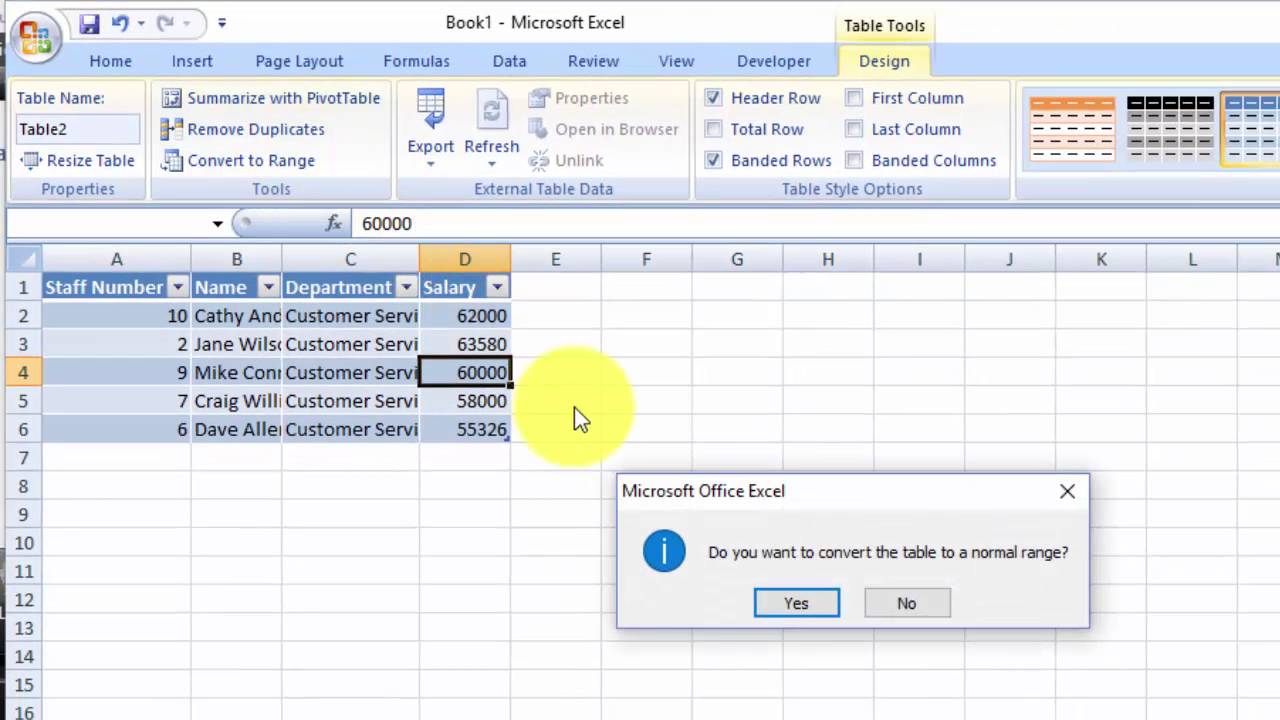
How To Remove Default Table Format In Excel After Double Clicking In
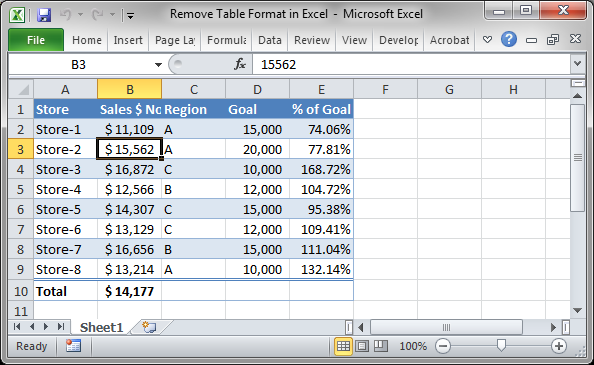
Remove Table Format In Excel TeachExcel
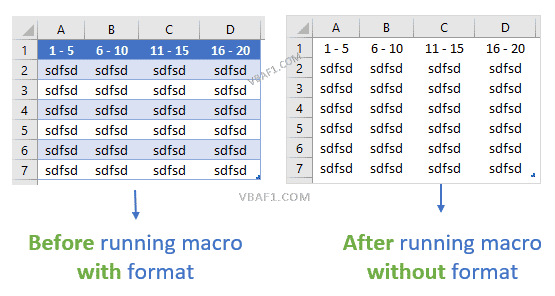
VBA Clear Table Format In Excel Tutorial Examples VBAF1 COM

How To Delete Table Format In Excel

How To Remove Table Format In Excel 2019 Answeringallthings

Remove Table Formatting Excel How To Remove Table Formatting In Excel

WEB 1 day ago nbsp 0183 32 Conditional Formatting Not Applying To Rows As Expected For this sheet I would like rows to turn green when a date is entered into the quot actual end date quot column if

WEB Jun 4 2024 nbsp 0183 32 I m wanting to set up conditional formatting so an entire cell row changes color when a certain date is reached I ve been able to change a single cell The cells
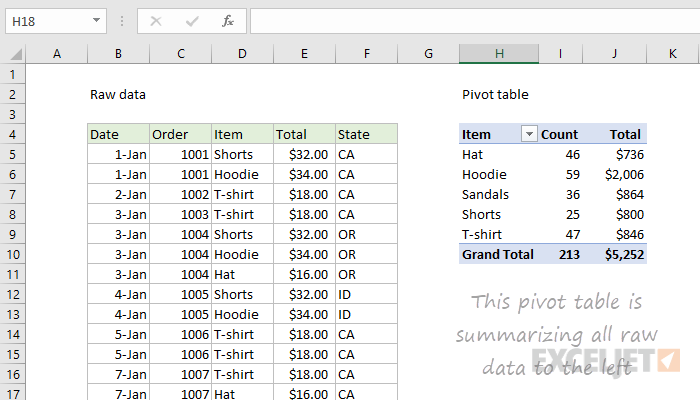
WEB 6 days ago nbsp 0183 32 Access Conditional Formatting On the Home tab click Conditional Formatting gt New Rule Create a formula based rule In the New Formatting Rule

WEB 3 days ago nbsp 0183 32 The formula IF NOT ISBLANK A1 quot Not Blank quot quot quot does the trick It checks if cell A1 is not blank and if so returns Not Blank otherwise it returns an empty string

WEB 1 day ago nbsp 0183 32 JKPieterse replied to albertshipton Aug 05 2024 06 51 AM Your file is likely saved as xls Simply do a save as to either xlsx xlsm or xlsb format whichever is
WEB Aug 2 2023 nbsp 0183 32 How to remove format as table in Excel convert table to range In case you no longer need data formatted as a table here s how you can remove a table format and WEB The guide above discusses different ways how you can remove table style formatting in Excel You can do so by removing the table style or the table format or by simply
WEB Learn how to quickly remove table formatting in Excel You can remove the formatting from an existing table to convert the table to range