Turn On Windows Defender Command Prompt How Can I Disable Windows Defender Using The Command Line YouTube How To Turn On Windows Defender In Windows 10 2019 Version YouTube How To Enable Windows Defender Oseluv How To Turn On Windows Defender In Windows 10 Turn On Or Off Windows Defender Antivirus In Windows 10 Tutorials This tutorial will show you how to enable or disable real time protection for Microsoft Defender Antivirus in Windows 11 Microsoft Defender Antivirus is an antivirus software that is included in Windows 11 and can help protect your device from viruses malware and other threats Real time protection consists of always on scanning with file and process behavior monitoring and heuristics
Double click Turn off real time protection Click Enable to turn real time protection off and Not configured to turn real time protection on 4 PowerShell or Command Prompt There are two commands each to turn real time protection on or off Open either PowerShell or the Command Prompt Open Command Prompt Press Start and type Command Prompt then click Run as administrator in the right hand panel of the Start menu Run a boot sector CMD scan First navigate to the
Turn On Or Off Windows Defender Antivirus In Windows 10 Tutorials How To Turn ON Windows Defender Antivirus On Windows 10 YouTube How To Use Microsoft Defender Antivirus With Command Prompt On Windows How To Use Microsoft Defender Antivirus With Command Prompt On Windows How To Disable Windows Security And Microsoft Defender In Windows 11 How To Run Windows Defender From Command Line In Windows Tutorial Windows Defender Command Line YouTube How To Turn Off Windows Defender On Windows 10 Venn Oppostis How To Use Windows Defender From The Command Line In Windows 10
Turn On Windows Defender Command Prompt
 Turn On Windows Defender Command Prompt
https://i.ytimg.com/vi/_9oLGIdhVpQ/maxresdefault.jpg
You may need to open PowerShell in administrator mode Right click the item in the Start menu click Run as administrator and click Yes at the permissions prompt To open online help for any of the cmdlets type the following PowerShell Get Help cmdlet Online Omit the online parameter to get locally cached help Tip
Pre-crafted templates provide a time-saving solution for developing a varied range of documents and files. These pre-designed formats and layouts can be made use of for numerous personal and professional tasks, consisting of resumes, invitations, leaflets, newsletters, reports, discussions, and more, enhancing the material development procedure.
Turn On Windows Defender Command Prompt
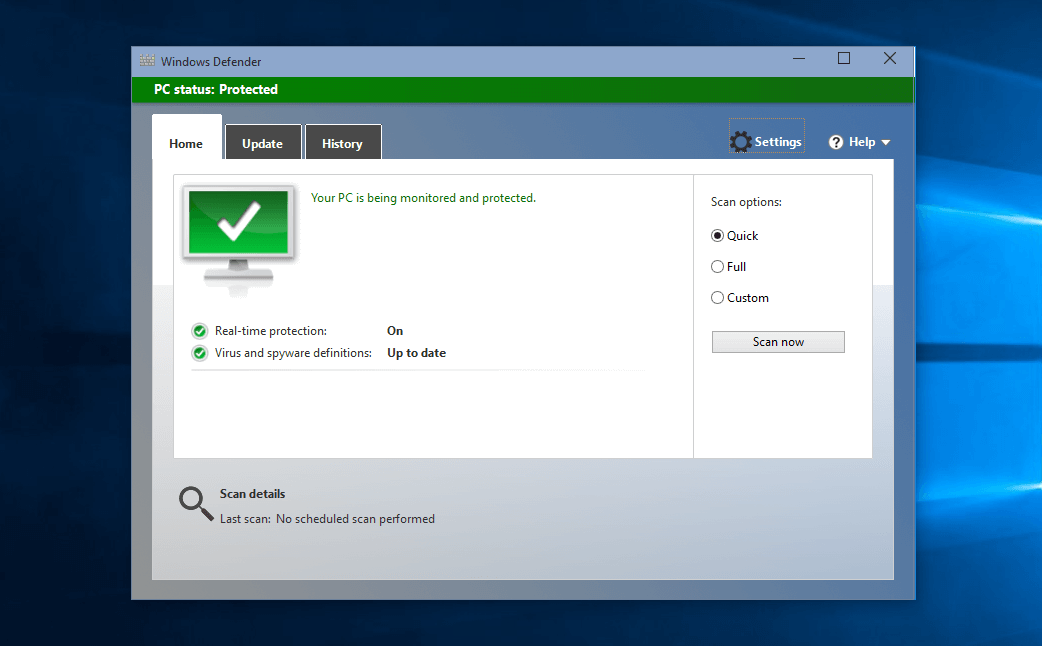
How To Turn On Windows Defender In Windows 10
How To Turn ON Windows Defender Antivirus On Windows 10 YouTube

How To Use Microsoft Defender Antivirus With Command Prompt On Windows

How To Use Microsoft Defender Antivirus With Command Prompt On Windows

How To Run Windows Defender From Command Line In Windows

Tutorial Windows Defender Command Line YouTube

When you search for Command Prompt on the Start menu choose Run as administrator If you re running an updated Microsoft Defender antimalware platform version run MpCmdRun from the following location C ProgramData Microsoft Windows Defender Platform antimalware platform version

To use this scan open the Start menu search for Command Prompt right click the utility and select Run as administrator Click Yes in the User Account Control prompt In the Command Prompt window type the following to make the Microsoft Defender Antivirus directory your current working directory cd C ProgramData Microsoft Windows

To run a full antivirus scan on Windows 11 use these steps Open Start Search for Command Prompt right click the top result and select the Run as administrator option Type the following

Then from the right hand pane double click the Turn Off Windows Defender Antivirus setting In the dialog box select the Enabled option click Apply and then OK to disable Microsoft Defender Antivirus permanently on Windows 11 The option Enabled will turn off the Microsoft Defender while both Not Configured

Before doing any of the scans change the Command Prompt folder path to the Windows Defender folder location shown in the above step It should be something similar to C Program Files Windows Defender cd C Program Files Windows Defender To run the scans in cmd use the MpCmdRun exe application in each case as shown below
Go to Virus Threat Protection click Manage Settings scroll down to Tamper Protection and move the slider to the Off position Confirm this action at the UAC prompt Note that the following message has appeared Tamper protection is off Your device may be vulnerable Set its value to 2 Click OK and close the Registry Editor 2 Click your Start Button then just type cmd From the resulting list right click Command Prompt and choose Run as Administrator Paste this command into Command Prompt and hit Enter REG DELETE HKLM SOFTWARE Policies Microsoft Windows Defender v DisableAntiSpyware
Open Start Search for PowerShell right click the top result and select the Run as administrator option Type the following command to see the Microsoft Defender Antivirus status and press Enter