Turn Off Windows Defender Firewall Command Line Chrome Saying Localhost Refused To Connect How To Fix The Error MiniTool Partition Wizard How To Turn Off Windows Defender Firewall How To Disable Windows Firewall Windows 10 Tips VideoSolo Screen Recorder FAQ How To Turn Off Windows Defender Firewall Fix Unreal Engine Exiting Due To D3D Device Being Lost TechCult May 12 2024 nbsp 0183 32 You have control over the search highlights experience where if you prefer not to see this you can turn it off or back on For organization administrators there are additional
Nov 1 2022 nbsp 0183 32 The Windows Security app uses the Windows Security Service SecurityHealthService or Windows Security Health Service which in turn utilizes the Security Jan 2 2024 nbsp 0183 32 1 Open Settings and click tap on the Accounts icon 2 Click tap on Sign in options on the left side and turn On default or Off Require Windows Hello sign in for Microsoft
Fix Unreal Engine Exiting Due To D3D Device Being Lost TechCult Como Corrigir Problemas De Desativa o Remota Do Firewall Do Windows Cinco Runtime Road PowerShell Command To Disable The Firewall HowPChub Turn On Or Off Windows Defender Firewall In Windows 10 Dos Carlito s Blog Linux Turn Off Enable Firewall Command ProgrammerAH Fix Battle Update Stuck At 0 In Windows 10 TechCult How To Turn On Or Off Windows Defender Firewall Notifications In Windows 10 YouTube How To Configure Your Mac s Firewall Correctly Turn Windows Firewall On Or Off Through CMD YouTube
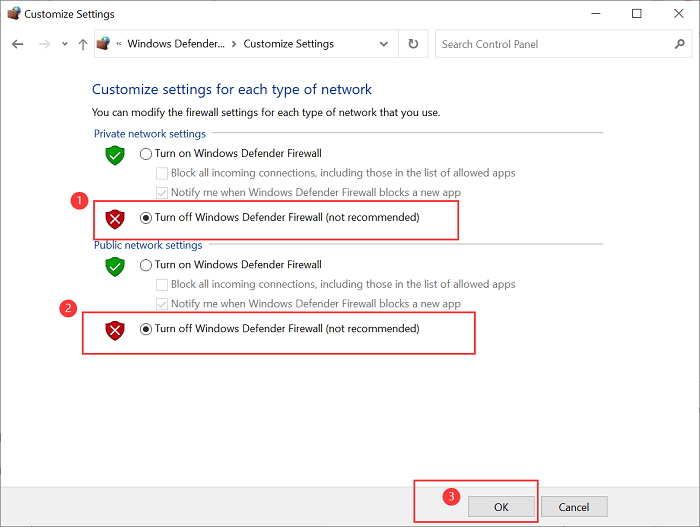
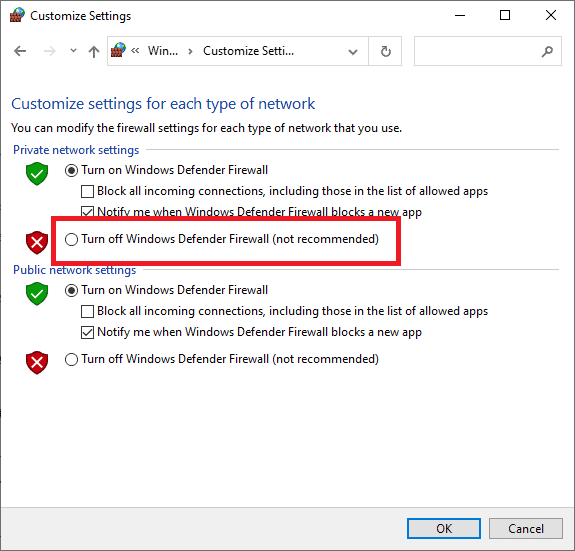
Turn Off Windows Defender Firewall Command Line
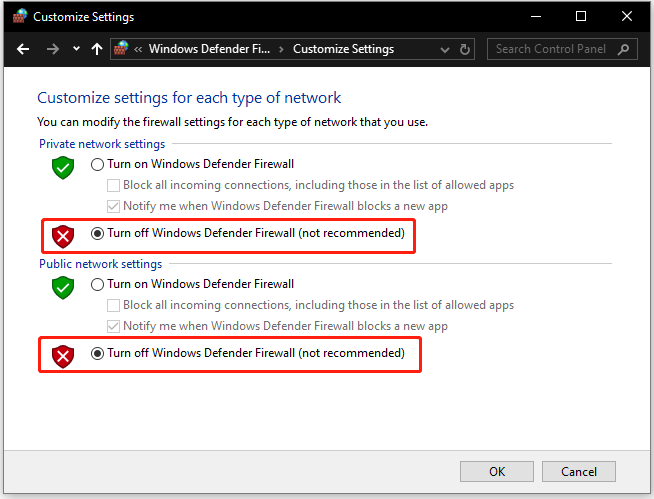 Turn Off Windows Defender Firewall Command Line
https://www.partitionwizard.com/images/uploads/articles/2022/02/localhost-refused-to-connect/localhost-refused-to-connect-2.png
May 16 2020 nbsp 0183 32 How to Install or Uninstall Microsoft WordPad in Windows 10 Microsoft WordPad is a basic rich text editor first included with Microsoft Windows 95 and all versions of Windows
Pre-crafted templates provide a time-saving service for producing a diverse variety of documents and files. These pre-designed formats and designs can be utilized for different individual and expert projects, consisting of resumes, invites, flyers, newsletters, reports, discussions, and more, simplifying the material production procedure.
Turn Off Windows Defender Firewall Command Line
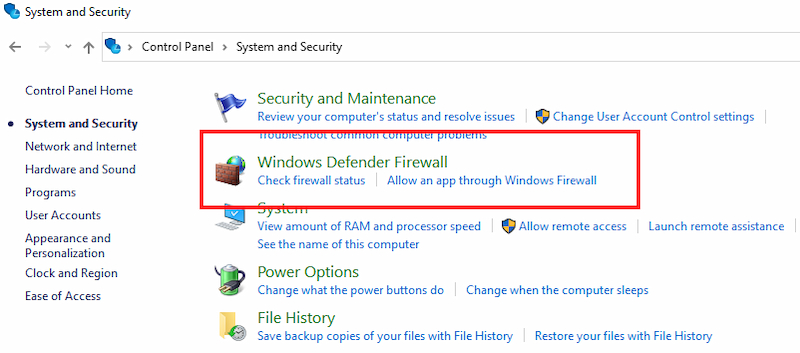
Step By Step Guide To Turn Off Windows Defender Firewall
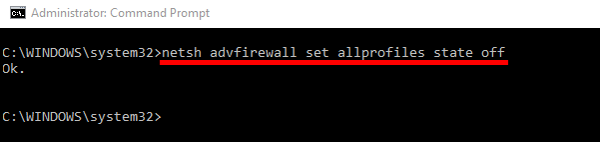
Como Corrigir Problemas De Desativa o Remota Do Firewall Do Windows Cinco Runtime Road
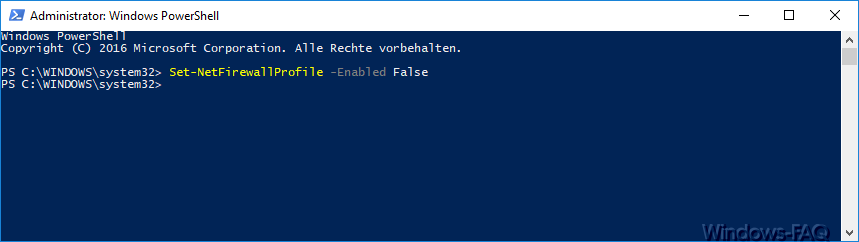
PowerShell Command To Disable The Firewall HowPChub

Turn On Or Off Windows Defender Firewall In Windows 10 Dos Carlito s Blog

Fix Battle Update Stuck At 0 In Windows 10 TechCult

How To Turn On Or Off Windows Defender Firewall Notifications In Windows 10 YouTube
Jul 3 2021 nbsp 0183 32 After you turn off a feature you can turn it back on at any time This tutorial will show you how to turn Windows features on or off for all users in Windows 10 You must be signed in

Nov 29 2017 nbsp 0183 32 Some programs and features included with Windows such as Internet Information Services must be turned on before you can use them Certain other features are turned on by

Oct 5 2024 nbsp 0183 32 How to Turn On or Off Sync Your Settings in Windows 10 When Sync settings is turned on Windows syncs the settings you choose across all your Windows 10 devices that
Dec 17 2023 nbsp 0183 32 To Turn On or Off Automatic Device Driver Installation Device Installation Settings allow you to change if Windows is to automatically download drivers and realistic icons for your
07 Nov 2022 2 alexhob123 said how do I remove trending searches on type here to search don t want to see them Turn On or Off Search online and include web results in Windows 10 It also
[desc-11] [desc-12]
[desc-13]