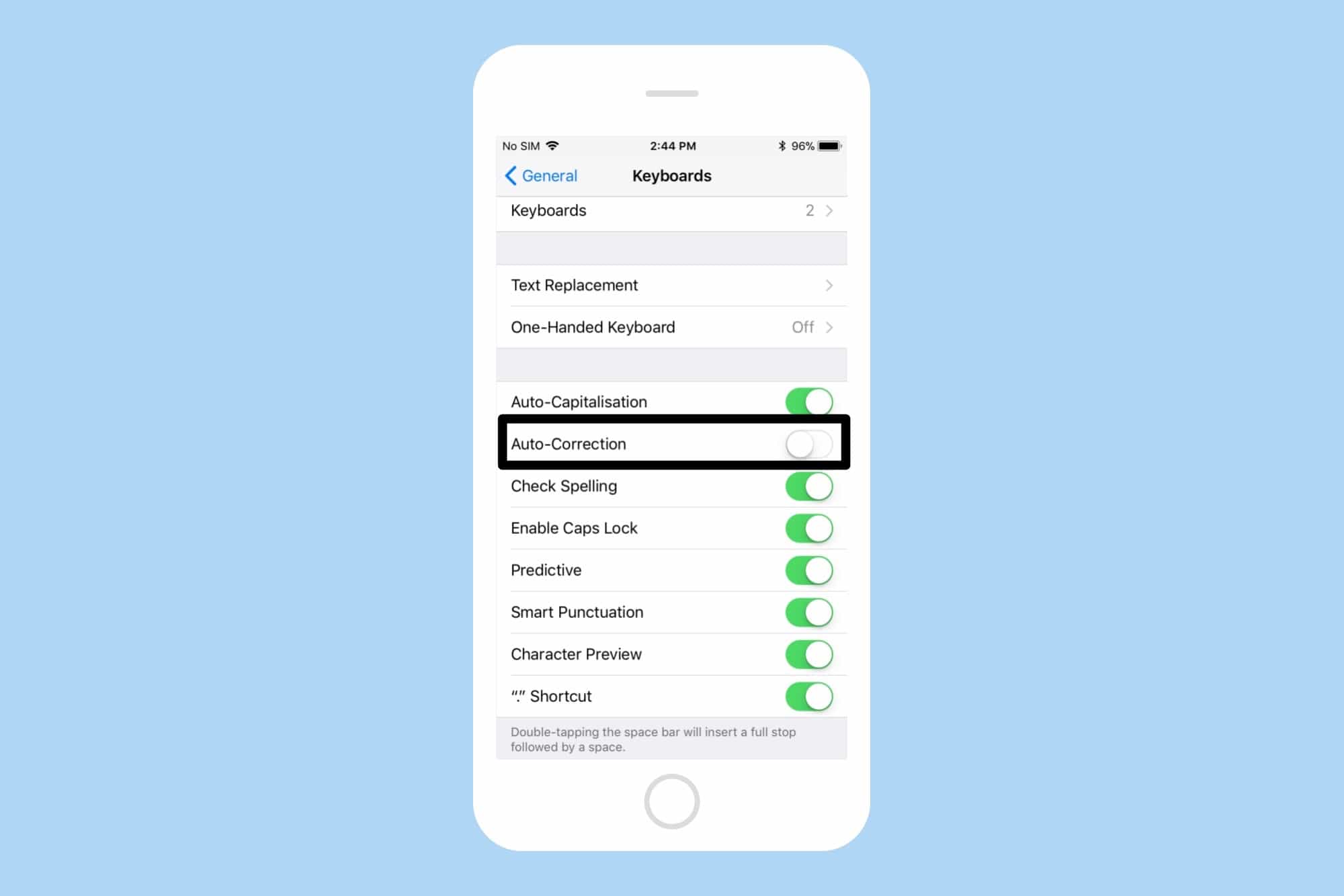
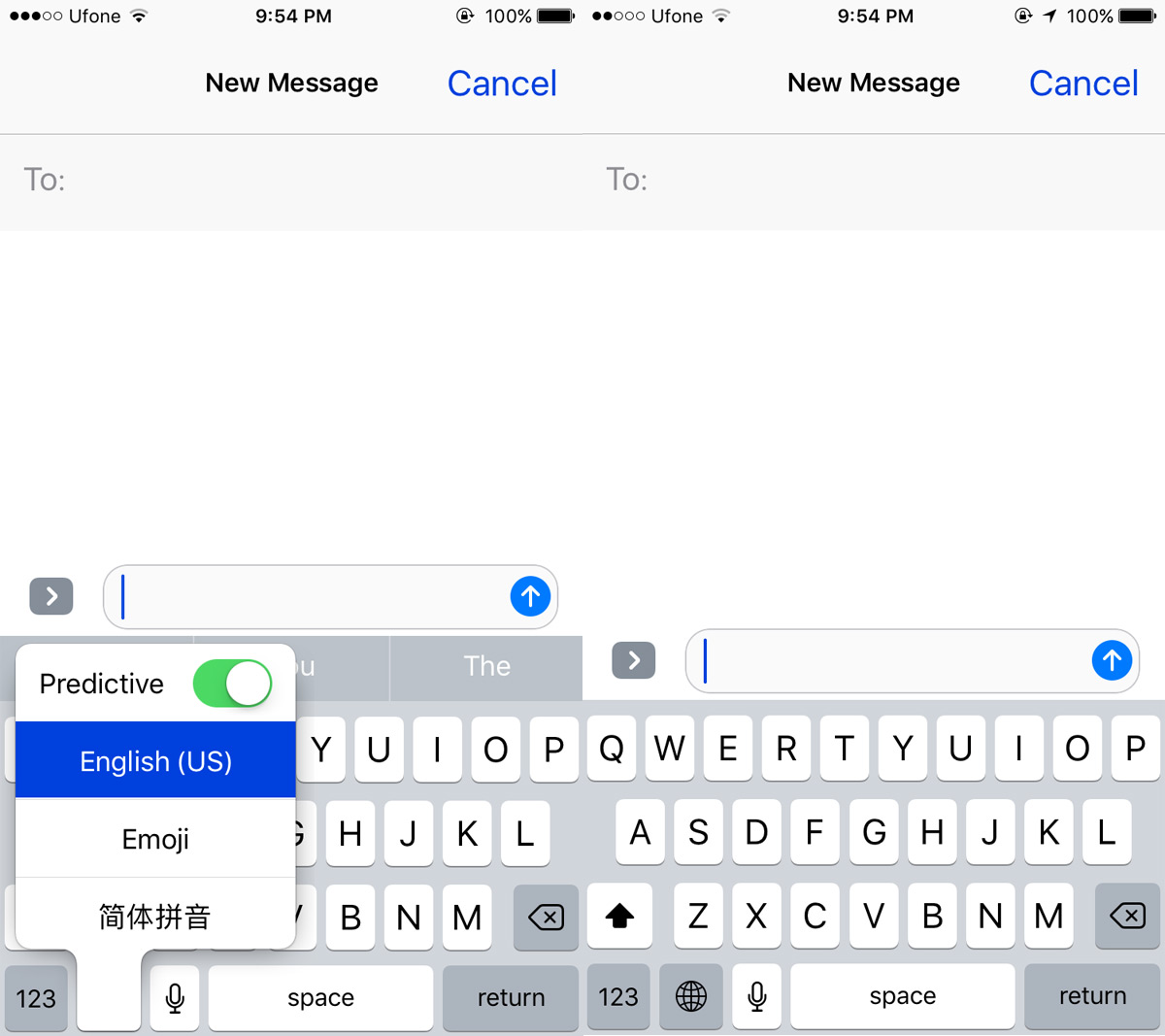
Turn Off Predictive Text Iphone 11 How To Take Off Predictive Text On An IPhone Techwalla How To Turn On Predictive Text On Your IPhone So It Can Finish Your Remove Predictive Text Iphone 8 Trafficoperf How To Turn Off Predictive Text On IPhone Step by Step DeviceTests How To Use Auto Correction And Predictive Text On Your IPhone IPad Or Web Press and hold the Emoji button Tap Keyboard Settings Tap the switch labelled Predictive If the switch turns gray Predictive Text is off Pro Tips You can also access Keyboard Settings by tapping Settings gt General gt Keyboard Settings
Web 1 On your iPhone s home screen locate and tap the Settings app 2 Tap General and then scroll down until you see the quot Keyboard quot option Tap this to open the settings for your iPhone s Web Tap Keyboard Settings then turn off Predictive When you turn off predictive text iPhone may still try to suggest corrections for misspelled words To accept a correction enter a space or punctuation or tap Return To reject a correction tap the x If you reject the same suggestion a few times iPhone stops suggesting it
How To Use Auto Correction And Predictive Text On Your IPhone IPad Or How To Delete Keyboard Predictive Text Plegain IPhone 11 Pro How To Enable Disable Predictive Text YouTube 2023 Predictive Text IPhone How Does It Work WebEscalate How To Turn Off Predictive Text On IPhone 15 14 Any IPhone Want To Turn Off Predictive Text On Your IPhone Video Predictive How To Turn On Off Predictive Text On IPhone IPhone Keyboard Turn Off QuickType Suggestions Predictive Text How To Turn On Predictive Text On Your IPhone So It Can Finish Your
Turn Off Predictive Text Iphone 11
 Turn Off Predictive Text Iphone 11
https://img.techwallacdn.com/640/clsd/getty/cache.gettyimages.com/f778c46cd40f45129f886eaee8a11a86.jpg
Web Nov 27 2023 nbsp 0183 32 Of course if you find the new predictive autocorrect annoying you can manually disable it Simply follow the steps below to do so Open Settings on your iPhone Tap General Tap Keyboards
Pre-crafted templates provide a time-saving option for producing a varied variety of files and files. These pre-designed formats and designs can be used for different individual and expert jobs, consisting of resumes, invitations, leaflets, newsletters, reports, presentations, and more, improving the content production procedure.
Turn Off Predictive Text Iphone 11
Remove Predictive Text Iphone 8 Lasopaplayer
How To Delete Keyboard Predictive Text Plegain

IPhone 11 Pro How To Enable Disable Predictive Text YouTube

2023 Predictive Text IPhone How Does It Work WebEscalate

Want To Turn Off Predictive Text On Your IPhone Video Predictive

How To Turn On Off Predictive Text On IPhone
Web Oct 12 2023 nbsp 0183 32 Tired of predictive text putting words in your mouth Find out how to turn autocorrect off on your iPhone and stop confusing predictive text suggestions

Web Dec 15 2023 nbsp 0183 32 Open Settings on your iPhone Tap General Under quot All Keyboards quot toggle off the switch next to Show Predictions Inline That s all there is to it The new option is likely to be welcomed by

Web Jun 28 2023 nbsp 0183 32 Open Settings Tap General Tap Transfer or Reset Phone Tap Reset Tap Reset Keyboard Dictionary Enter your PIN if prompted Tap Reset Dictionary How Do I Remove a Word From Predictive Text You can t remove a word from predictive text but you can force predictive text to provide a specific suggestion for a particular thing you type
Web Nov 28 2023 nbsp 0183 32 Tap General gt Keyboard Turn Auto Correction on or off By default Auto Correction is on Use predictive text With predictive text you can write and complete entire sentences with just a few taps

Web Turn Auto Correction on or off Open the Settings app Tap General gt Keyboard Turn Auto Correction on or off By default Auto Correction is turned on Use predictive text With predictive text you can write and complete entire sentences with just a few taps
Web 2 days ago nbsp 0183 32 1 Open Settings 2 Tap General 3 Tap Keyboard 4 Tap the switch next to Predictive Text When you type a message now you won t see a box over your keyboard with suggested words or emojis Web Nov 16 2023 nbsp 0183 32 Scroll down and switch off the Show Predictions Inline option This will disable predictions in grey text but you ll still see suggested words above the keyboard to disable those toggle off Predictive Text in the keyboard settings How to turn off inline text predictions on a Mac
Web Dec 2 2023 nbsp 0183 32 Go to the Settings app on your iPhone Tap on General Scroll down and select Reset Tap on Reset Keyboard Dictionary By resetting the keyboard dictionary you will remove any personalized words or data that the predictive text feature has learned This should effectively disable predictive text on your iPhone