Turn Off Bitlocker Command Line How To Decrypt BitLocker Encrypted Drive From Command Line Password Recovery 2 Ways To Unlock A BitLocker Encryption USB Drive Without Password Turn On Or Off BitLocker For Operating System Drive In Windows 10 Tutorials 4 Ways To Remove Or Disable BitLocker Drive Encryption On Windows 10 Pause Resume Encryption Just Another Windows Noob Web Nov 6 2023 nbsp 0183 32 Windows BitLocker operations guide Article 11 06 2023 1 contributor Applies to Windows 11 Windows 10 Windows Server 2022 Windows Server 2019 Windows Server 2016 Feedback In this article BitLocker PowerShell module BitLocker drive encryption tools BitLocker Control Panel applet Check the BitLocker status Show 5 more
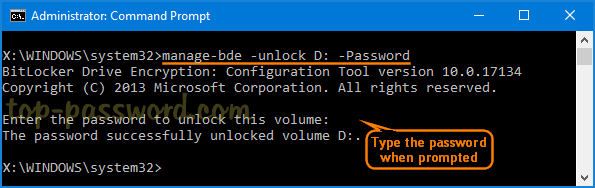
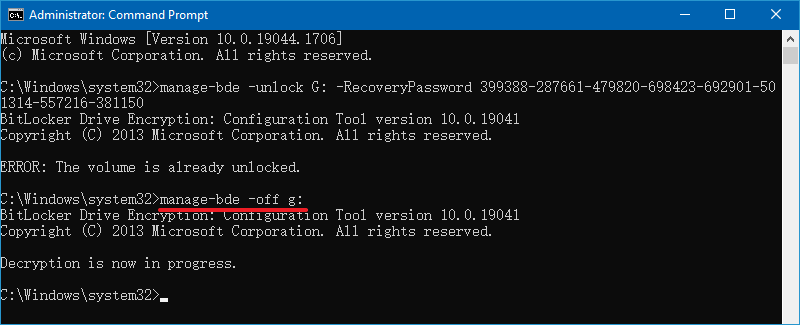
Web Nov 8 2023 nbsp 0183 32 The following is how to enable and disable BitLocker using the standard methods This article does not discuss the utilization of a USB as a TPM replacement and does not discuss Group Policy changes for advanced features Domain level Group Policy changes and network managed BitLocker setups are Best Effort and are out of the Web Sep 25 2023 nbsp 0183 32 Open the quot Manage BitLocker quot option and expand the drive you want to decrypt Click quot Turn off BitLocker quot Open the Command Prompt as an Administrator and type quot manage bde off lt drive letter gt quot and press Enter Open Powershell as an administrator and type quot Disable BitLocker MountPoint quot lt drive letter gt quot and press Enter
Pause Resume Encryption Just Another Windows Noob Turn On Or Off Auto unlock For BitLocker Drive In Windows 10 Tutorials How To Unlock BitLocker Encrypted Drive From CMD With Recovery Key Turn On Or Off BitLocker For Operating System Drive In Windows 10 Tutorials BitLocker Useful Tips Using Command Line On Bitlocker Quick Computer Tips Turn On Or Off BitLocker For Operating System Drive In Windows 10 Windows 10 Tutorials 4 Ways To Remove Or Disable BitLocker Drive Encryption On Windows 10 Top 3 Ways To Turn Off BitLocker Of Windows 10 Enable Bitlocker Powershell Caddynet
Turn Off Bitlocker Command Line
 Turn Off Bitlocker Command Line
https://www.top-password.com/blog/wp-content/uploads/2015/07/decrypt-bitlocker-with-password.png
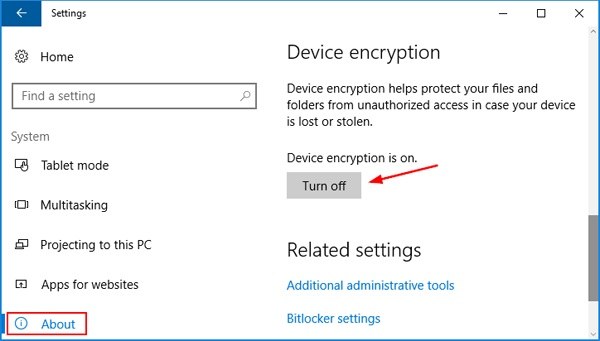
Web Jul 17 2021 nbsp 0183 32 There are different ways you can disable BitLocker on Windows 10 such as through Settings Control Panel the Windows search box or via PowerShell and Command Prompt Below are the steps to take when using each of these methods to disable BitLocker
Pre-crafted templates use a time-saving option for developing a varied range of documents and files. These pre-designed formats and designs can be used for numerous individual and professional jobs, consisting of resumes, invitations, flyers, newsletters, reports, presentations, and more, improving the content development procedure.
Turn Off Bitlocker Command Line
Top 6 Ways To Disable BitLocker On Surface

Turn On Or Off Auto unlock For BitLocker Drive In Windows 10 Tutorials
How To Unlock BitLocker Encrypted Drive From CMD With Recovery Key

Turn On Or Off BitLocker For Operating System Drive In Windows 10 Tutorials
Turn On Or Off BitLocker For Operating System Drive In Windows 10 Windows 10 Tutorials
4 Ways To Remove Or Disable BitLocker Drive Encryption On Windows 10
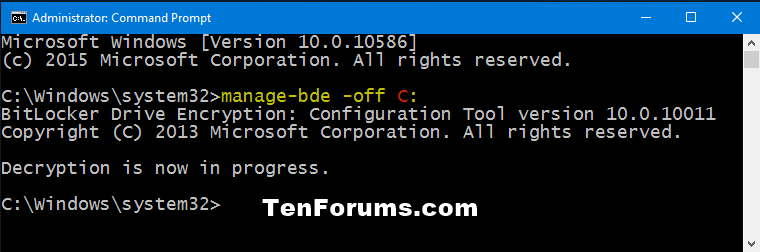
Web Feb 3 2023 nbsp 0183 32 To turn off BitLocker on drive C type manage bde off C Related links Command Line Syntax Key manage bde on command manage bde pause command manage bde resume command manage bde command

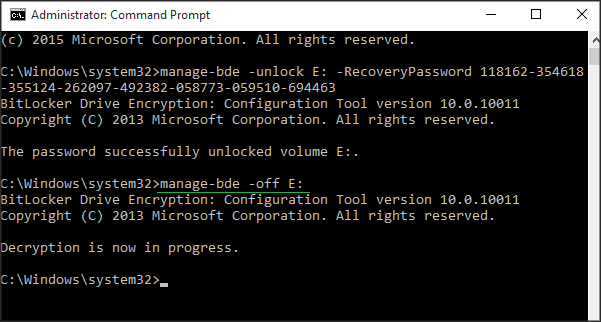
Web Aug 30 2022 nbsp 0183 32 To turn off the BitLocker encryption on your drive you first need to ensure that it is unlocked using the steps given above You may then proceed to enter the following command in Command Prompt to disable BitLocker while replacing D with your respective drive letter

Web Feb 3 2023 nbsp 0183 32 Turns on or turns off BitLocker specifies unlock mechanisms updates recovery methods and unlocks BitLocker protected data drives Note This command line tool can be used in place of the BitLocker Drive Encryption Control Panel item

Web Jun 21 2022 nbsp 0183 32 To turn off Bitlocker encryption on Windows 10 or 11 open the Control Panel navigate to System and Security gt Bitlocker Drive Encryption and then click quot Turn Off BitLocker quot Windows will take some time to decrypt your drive
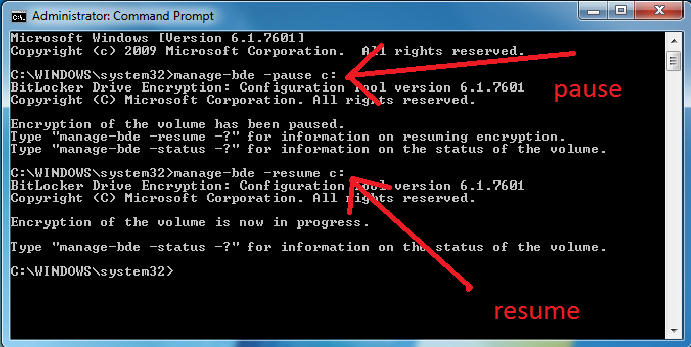
Web Feb 3 2023 nbsp 0183 32 Description lt volume gt Specifies a drive letter followed by a colon a volume GUID path or a mounted volume computername Specifies that manage bde exe will be used to modify BitLocker protection on a different computer You can also use cn as an abbreviated version of this command lt name gt
[desc-11] [desc-12]
[desc-13]