Track Changes In Excel Table Track Changes In Excel Examples How To Track Changes How To Track Changes In Excel Step by Step Layer Blog How To Track Changes In Excel Step by Step Layer Blog How To Track Changes In Excel How To Track Changes In Excel Step by Step Guide Earn Excel Verkko 29 elok 2022 nbsp 0183 32 Record day to day changes in Excel and report them with a Power Automate flow Article 08 29 2022 2 contributors Feedback In this article Sample
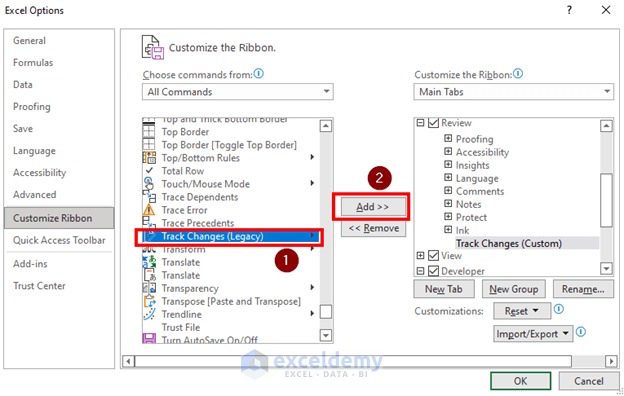
Verkko 4 lokak 2017 nbsp 0183 32 vba Keeping a log table of changes based on changes made in one sheet in Excel Stack Overflow Keeping a log table of changes based on changes made in one sheet in Excel Ask Verkko 3 kes 228 k 2022 nbsp 0183 32 1 Open your Excel spreadsheets and go to File gt Options How to Track Changes in Excel Step by Step Options 2 Select Customize Ribbon on the left side menu How to Track
How To Track Changes In Excel Step by Step Guide Earn Excel How To Track Changes In Excel How To Use Track Changes In Excel Track Changes In Excel Excel VBA Excel Adda YouTube How To Enable And Use Track Changes In Excel Excel Tutorials Excel How To Track Changes In Excel Step by Step Layer Blog Solved Track Changes Not Showing In Excel with Easy Fix How To Track Changes In Excel Without Sharing The Workbook YouTube How To Track Changes In Excel
Track Changes In Excel Table
 Track Changes In Excel Table
https://www.educba.com/academy/wp-content/uploads/2019/01/Track-changes-in-Excel-feature-image-1.png
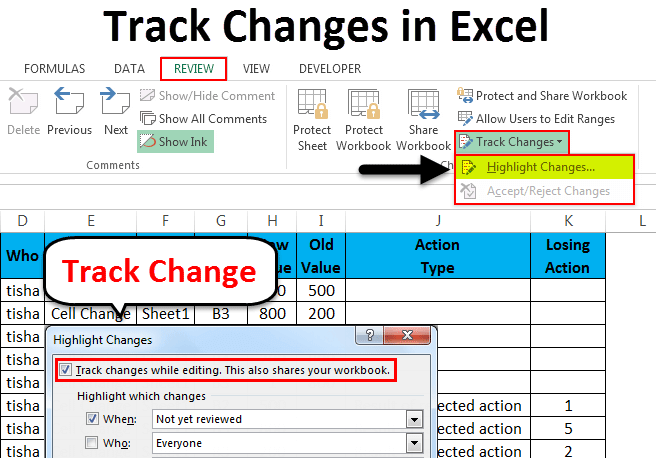
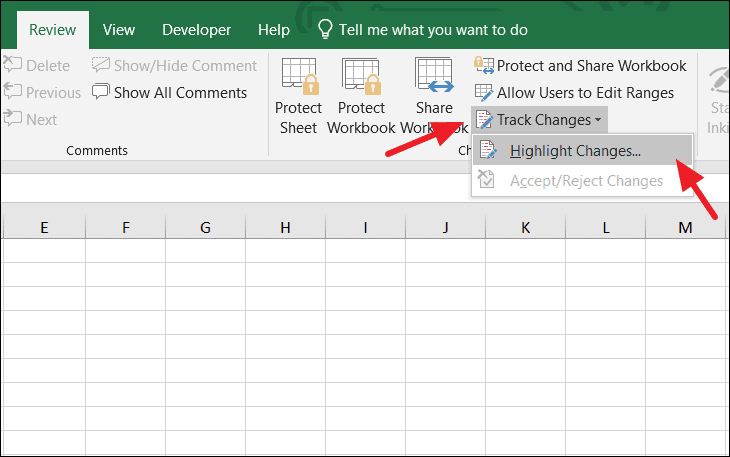
Verkko Here are the steps to enable track changes in Excel Go to the Review tab In the Changes group click on the Track Changes option and select Highlight Changes In the Highlight Changes dialog box check the
Pre-crafted templates use a time-saving service for creating a varied range of documents and files. These pre-designed formats and layouts can be used for numerous personal and professional tasks, consisting of resumes, invitations, leaflets, newsletters, reports, discussions, and more, streamlining the content creation process.
Track Changes In Excel Table

How To Track Changes In Excel Step by Step Layer Blog
How To Track Changes In Excel
How To Use Track Changes In Excel

Track Changes In Excel Excel VBA Excel Adda YouTube

How To Track Changes In Excel Step by Step Layer Blog
Solved Track Changes Not Showing In Excel with Easy Fix
Verkko 4 kes 228 k 2020 nbsp 0183 32 Can You Track Changes in Excel Enable Track Changes in Newer Versions of Excel Turn On Track Changes in Excel Share the Workbook View and

Verkko 1 jouluk 2020 nbsp 0183 32 In this article we will show you the way to track changes you make in your Excel table by using Power Query The

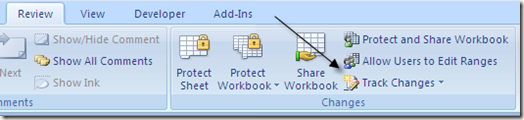
Verkko Go to the Review tab Now in this tab go to the Track Changes option which is there under the Changes section Table of contents
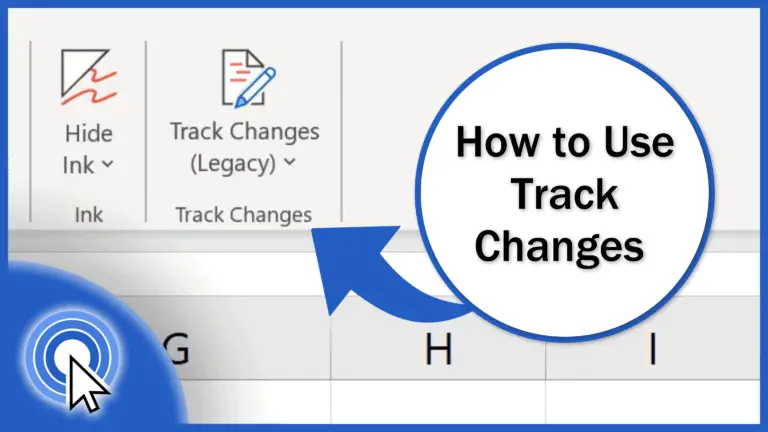
Verkko 9 elok 2017 nbsp 0183 32 Turn on the Excel Track Changes feature Review gt Track Changes gt Highlight Changes In the Highlight Changes

Verkko The Show Changes feature is available on the Excel desktop applications and on Excel for the web however changes made with any Excel app that supports co authoring
Verkko Step 1 Adding Track Changes to the Review tab by customizing the ribbon Step 2 Turning Track Changes On Older Versions Getting a List of All the Changes Verkko 31 elok 2021 nbsp 0183 32 Open an Excel file Go to the Review tab Under Changes sections pull down on Track Changes Click Highlight Changes A new window opens with
Verkko 9 kes 228 k 2017 nbsp 0183 32 That way the user knows that a CHANGE has been accepted and Tracked 2 Added Disable and Enable Tracking Changes Command Buttons