Tortoise Git Ssh Key Setup Create SSH Keys For Ubuntu Gridscale Git KKKPJSKEY s Case Archives How To Generate Git Ssh Keys Process Of Git Generate Ssh Key On Resepkuini Server Setup Steps SSH Keys Firewall Other Tweaks CodeCoffee Setup Website Setup Server Install Git Client On Windows TortoiseGit Web Create Library On Windows 7 you can create a Library in which to group working copies which are scattered in various places on your system Git exe Path TortoiseGit needs to know which git exe to use for it s
Web Mac Windows Linux About SSH key passphrases You can access and write data in repositories on GitHub using SSH Secure Shell Protocol When you connect via Web Sep 6 2017 nbsp 0183 32 I ve created an ssh private key in one computer to use with TortoiseGit Then I ve sent my private key to my other computer but I m receiving an error message when I
Install Git Client On Windows TortoiseGit How To Setup The Git SSH Keys DaftSex HD Git Installation And SSH Key Setup On Windows Ganesh Jadhav AutomationStudio YouTube Git Tortoise private Key Git SSH Keys Simplified And How To Setup On GitHub Develop For Fun Configure TortoiseGIT With RSA Private Key On Windows GitLab SSH Key Setup In GItlab Tutorial 11 January 2022 Learn GitLab SSH Key Setup In GItlab Hawkhai TortoiseGit Ssh Git How To Find Git Ssh Key Pulselopas
Tortoise Git Ssh Key Setup
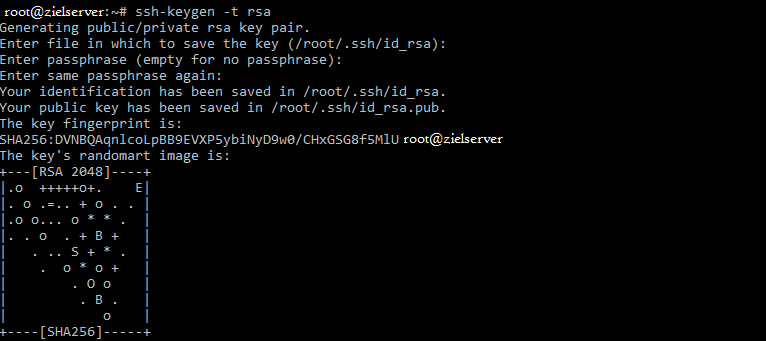 Tortoise Git Ssh Key Setup
https://gridscale.io/wp-content/uploads/tutorial/screen_zielserver.png
Web 1 Have you tried to SSH directly into your git user with the public key If so did your git user authenticate you
Pre-crafted templates provide a time-saving solution for developing a diverse variety of files and files. These pre-designed formats and designs can be used for different individual and expert tasks, consisting of resumes, invites, leaflets, newsletters, reports, discussions, and more, enhancing the content production procedure.
Tortoise Git Ssh Key Setup
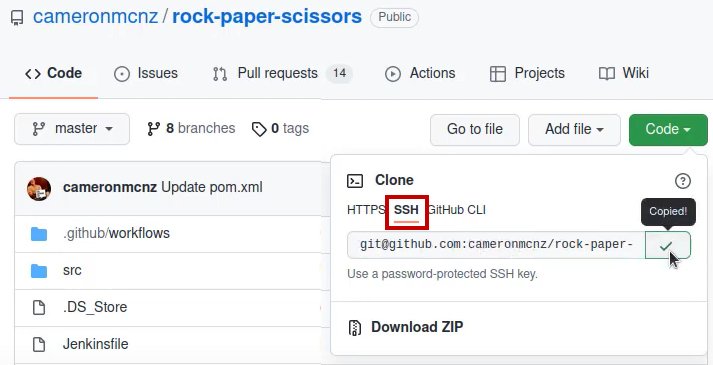
Quickly Set Up GitHub SSH Example
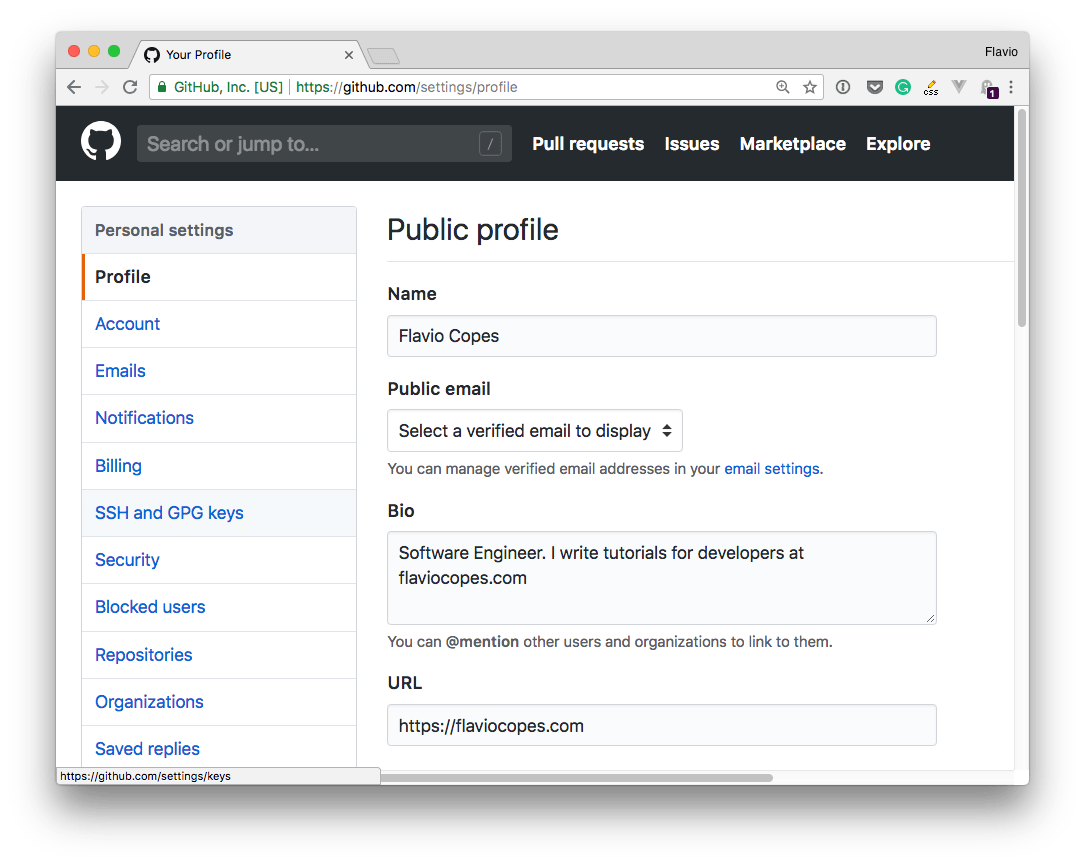
How To Setup The Git SSH Keys DaftSex HD

Git Installation And SSH Key Setup On Windows Ganesh Jadhav AutomationStudio YouTube

Git Tortoise private Key

Develop For Fun Configure TortoiseGIT With RSA Private Key On Windows

GitLab SSH Key Setup In GItlab Tutorial 11 January 2022 Learn GitLab SSH Key Setup In GItlab
Web How to use a default key for all SSH connections Start PuTTY go to Connection gt SSH gt Auth and select your key Then go to Session select Default Settings and hit Save Now

Web Install MsysGit Install TortoiseGit check openssh instead of plink during installation Check systems variables If there is GIT SSH variable

Web For this to work you need the PuTTY exe application How to use sessions One special quot session quot is the Default Settings session where you can set default values for all new

Web Apr 15 2012 nbsp 0183 32 Right click on your project folder TortoiseGit gt Settings gt Choose Git gt Remote and select the origin entry Check that the url starts with ssh and that your

Web There s two ways to generate SSH keys 1 If you installed TortoiseGit use the method directly below 2 If you only installed Git on Windows and are not using TortoiseGit jump
Web Mar 25 2010 nbsp 0183 32 Git TortoiseGit and Putty SSH keys for Windows Okay I finally got Git to work Here s the necessary steps after having installed msysgit and TortoiseGit First Web May 4 2021 nbsp 0183 32 Open a new command prompt but elevated with Run As Administrator Then type sc exe create sshd binPath C Windows System32 OpenSSH ssh exe Then exit
Web Nov 11 2016 nbsp 0183 32 5 Answers Sorted by 39 There are different private key formats My keypair was generated with puttygen but my Tortoise was configured to use ssh exe form