Take Only Certain Text From Excel Cell VBA Code Convert Excel Cell Text Into Mp3 Excel Macro To Make Mp3 How To Remove Text From The Excel Cell Activities UiPath Community Search Cell For Text Excel Pilotchinese How To Remove Text From An Excel Cell But Leave Numbers 8 Ways How To Remove Text From Excel Cell 9 Easy Ways Type any alphanumeric string in cell B5 e g geeksId345768 Step 3 Write below VBA code in the module Step 4 Save your Excel file as Excel Macro Enabled Workbook xlsm Step 5 Type the function name onlyText B5 in cell C5 Macro remove all numeric character from cell B5 and return to cell C5
To extract a word that contains specific text you can use a formula based on several functions including TRIM LEFT SUBSTITUTE MID MAX and REPT You can use this formula to extract things like email addresses or other substrings with a unique id In the example shown the formula in C5 is How to extract part of text string from cell in Excel This tutorial shows the methods on extract substring from left middle or right of a cell and also explain how to extract text before or after a specific character as below screenshots shown Extract substring from left mid or right Method A formula Method B handy tool
How To Remove Text From Excel Cell 9 Easy Ways How To Remove Specific Text From Excel Cell SpreadCheaters How To Extract Certain Text From A Cell In Excel VBA 5 Examples How To Remove Specific Text From Cell In Excel Easiest 11 Ways How To Remove Letters From Cell In Excel 10 Methods ExcelDemy How To Remove Blank Space In Excel Cell Before Text Step 4 since The How To Remove Text From Excel Cell 9 Easy Ways Exceldemy Vrogue How To Remove A Newline From An Excel Cell Using UiPath Activities Cum Pot Folosi Func ia Text Din Excel Pentru A Extrage O Parte Dintr un
Take Only Certain Text From Excel Cell
 Take Only Certain Text From Excel Cell
https://i.ytimg.com/vi/laBYjLreNo0/maxresdefault.jpg
In this tutorial master extracting text from Excel cells with simple text functions Grasp the concept of Excel substrings and tackle text string messes Next skillfully build nested formulas using LEFT FIND and RIGHT functions to separate street numbers and names Finally transform your spreadsheet by converting formulas to values and adjusting cell formats Includes practice workbook
Pre-crafted templates use a time-saving solution for developing a varied series of files and files. These pre-designed formats and designs can be utilized for numerous individual and expert jobs, including resumes, invites, flyers, newsletters, reports, discussions, and more, streamlining the content development procedure.
Take Only Certain Text From Excel Cell

C Cannot Read Text From Excel Cell Stack Overflow
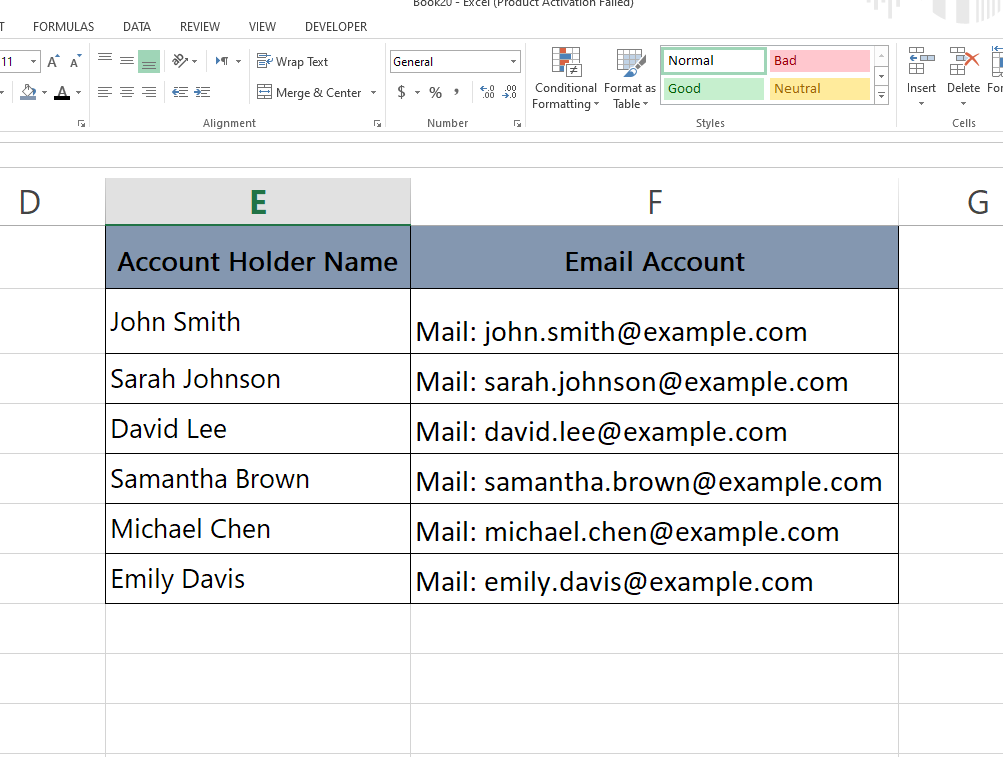
How To Remove Specific Text From Excel Cell SpreadCheaters

How To Extract Certain Text From A Cell In Excel VBA 5 Examples

How To Remove Specific Text From Cell In Excel Easiest 11 Ways
How To Remove Blank Space In Excel Cell Before Text Step 4 since The
How To Remove Text From Excel Cell 9 Easy Ways Exceldemy Vrogue
Steps In the cell you want to write your extracted data in this case it is cell C5 write down the following formula LEFT B5 4 Then press Enter Now click and drag the Fill Handle Icon down to replicate the formula for the rest of the cells 1 2 Extract Data from the End of a Cell

Microsoft Excel provides three different functions to extract text of a specified length from a cell Depending on where you want to start extraction use one of these formulas LEFT function to extract a substring from the left RIGHT function to extract text from the right
1 Using Find Replace Option to Remove Specific Text from Cell in Excel For this method I will use the first column Product Code where with different items the company name has been included with a character So I will extract the product name and delete the company name including this character

The default is 1 If not found Use this argument If you prefer a result rather than an error for values not found Now that you know the arguments let s look at some example uses for TEXTBEFORE In this first example we ll extract all text before the word from in cell A2 using this formula TEXTBEFORE A2 from

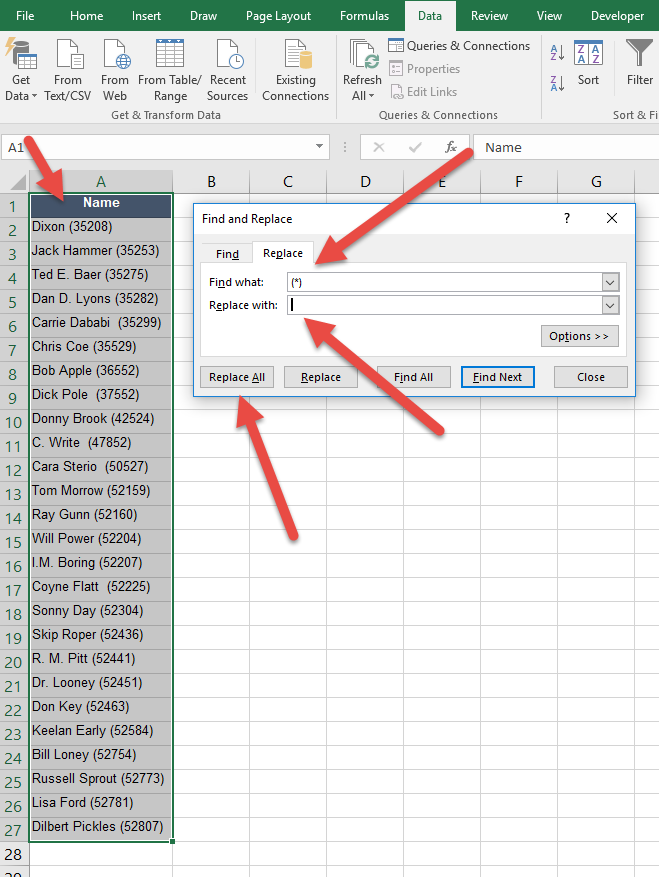
Press Ctrl H to open the Find and Replace dialog In the Find what box type the character Leave the Replace with box empty Click Replace all As an example here s how you can delete the symbol from cells A2 through A6
Method 1 Using Excel s LEFT RIGHT and MID Functions If you want to extract a specific number of characters from the beginning end or middle of a cell you can use the LEFT RIGHT and MID functions respectively These functions allow you to specify the number of characters you want to extract and the location from which you want to start This tutorial will demonstrate how to extract text from a cell in Excel and Google Sheets Extract Text from Left You can extract text from the left side of a cell in Excel by using the LEFT Function Simply supply the text and enter the number of characters to return However this will only extract a fixed number of characters
Steps First select the dataset and press Ctrl H to get the Find and Replace dialog When the Find and Replace dialog appears type the part of the text that you want to trim in the Find what field Leave the Replace with field empty Then press Replace All As a result we will get the below output