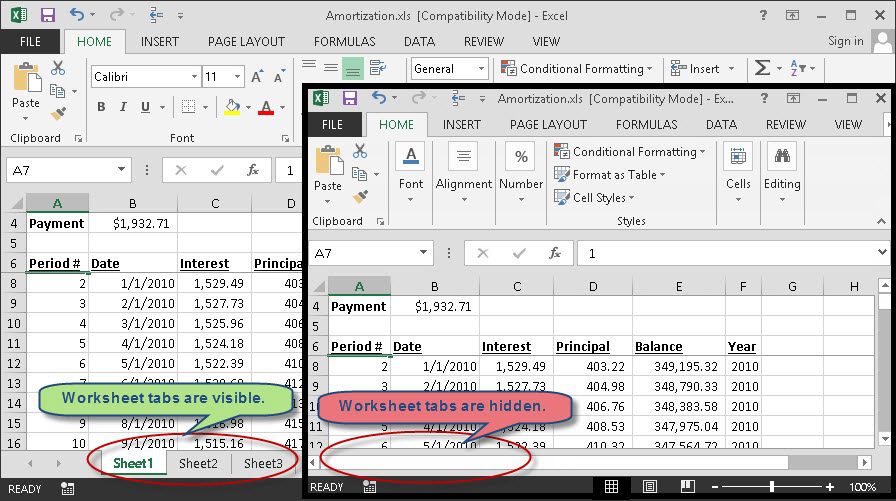
Table Tools Layout Tab Missing Excel 2016 Microsoft Excel Shortcuts Printable Excel Cheat Sheet Workbook Excel Worksheet Tabs Missing How To Fix Excel Tabs Sheets Not Showing MS Excel VBA Model Layout Tab Missing In AUtocad YouTube Missing Sheet Tabs In Microsoft Excel 2016 2019 Jun 7 2025 nbsp 0183 32 Element UI el table 1 2
Apr 11 2025 nbsp 0183 32 CSDN el table column el table column Mar 26 2025 nbsp 0183 32 CSDN studio AAPT studio AAPT kotlin windows android
Missing Sheet Tabs In Microsoft Excel 2016 2019 How To Enable Missing Developer Tab In Excel SpreadCheaters Data Tab In Excel Excel Tutorial Insert Tab In Excel Excel Tutoria Home Tab In Excel Excel Tutorial View Tab In Excel Excel Tutorial Chart Tools Layout Tab In Excel How To Use Table Tools Tabs YouTube MS Excel Page Layout Tab In Hindi
Table Tools Layout Tab Missing Excel 2016
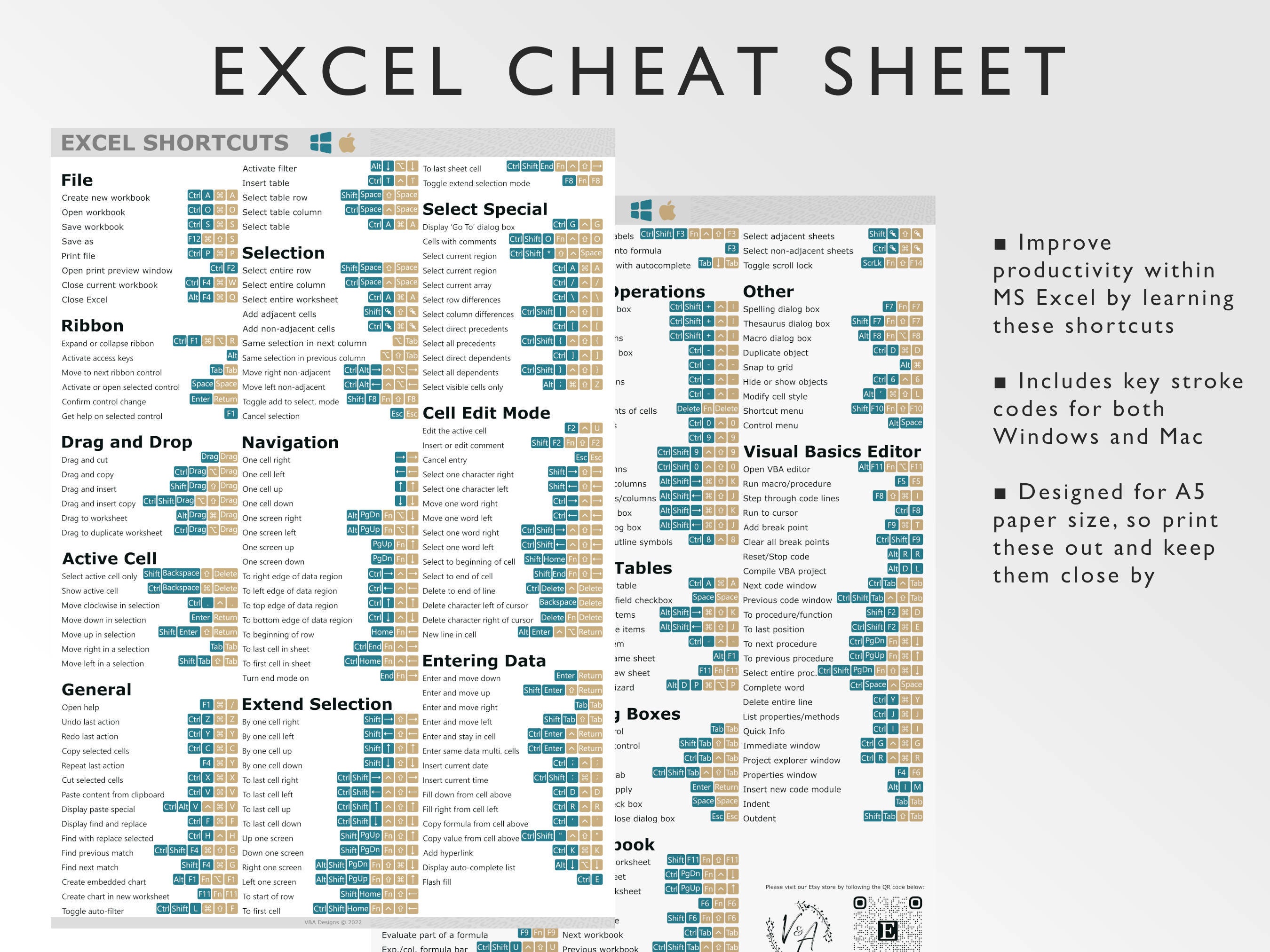 Table Tools Layout Tab Missing Excel 2016
https://i.etsystatic.com/36250477/r/il/cdb705/4137560978/il_fullxfull.4137560978_683g.jpg
Jul 13 2025 nbsp 0183 32 zhutoutoutousan permission denied for table quot RLS 1
Templates are pre-designed documents or files that can be utilized for different functions. They can save time and effort by offering a ready-made format and layout for creating different kinds of content. Templates can be used for personal or expert projects, such as resumes, invitations, flyers, newsletters, reports, discussions, and more.
Table Tools Layout Tab Missing Excel 2016

Floareasoarelui Controalele Pretinde Table Tools In Word Particul

How To Enable Missing Developer Tab In Excel SpreadCheaters
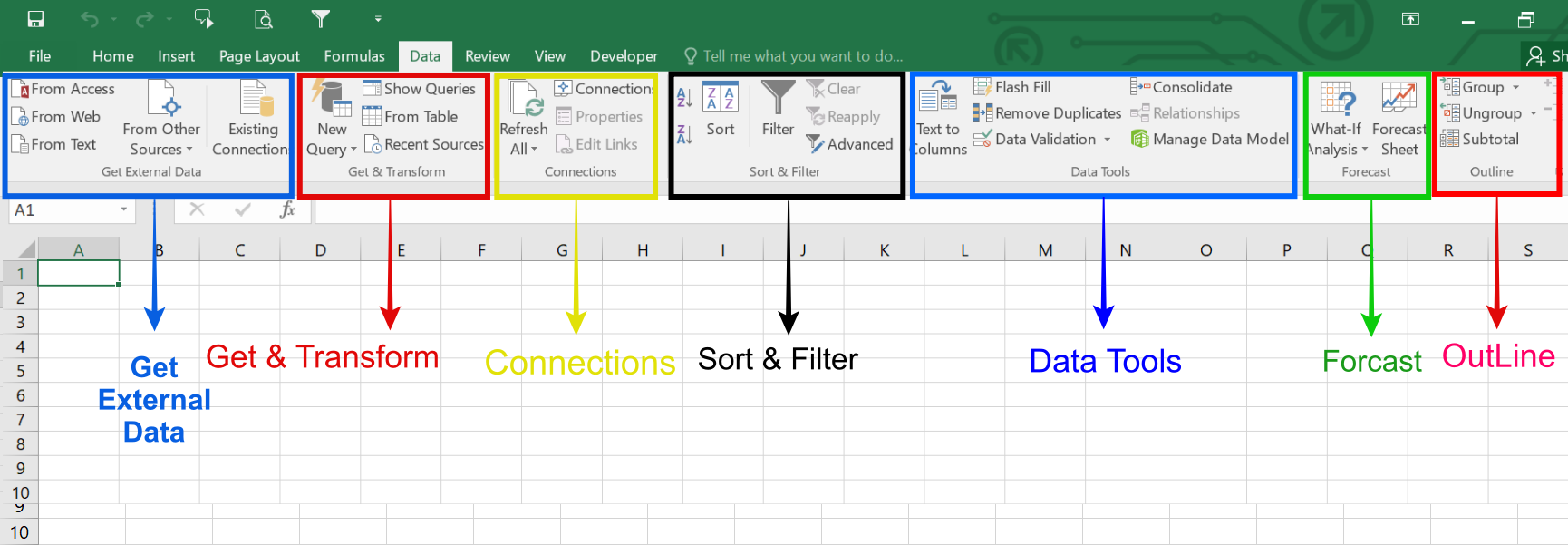
Data Tab In Excel Excel Tutorial
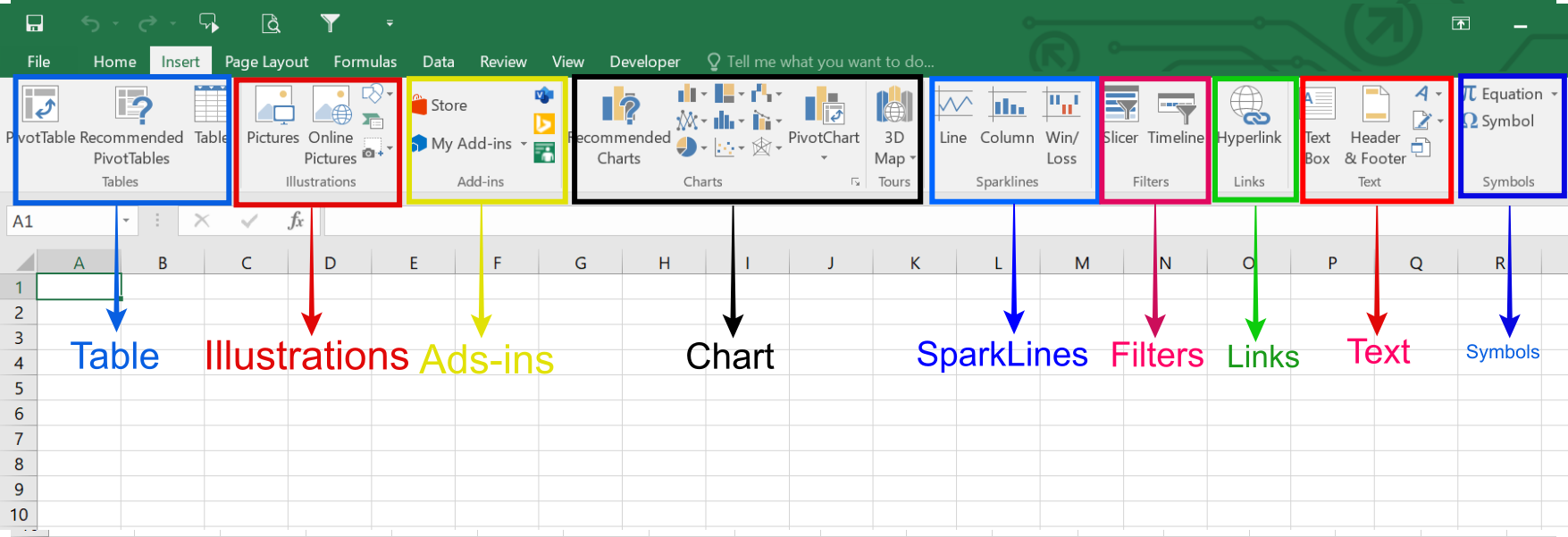
Insert Tab In Excel Excel Tutoria
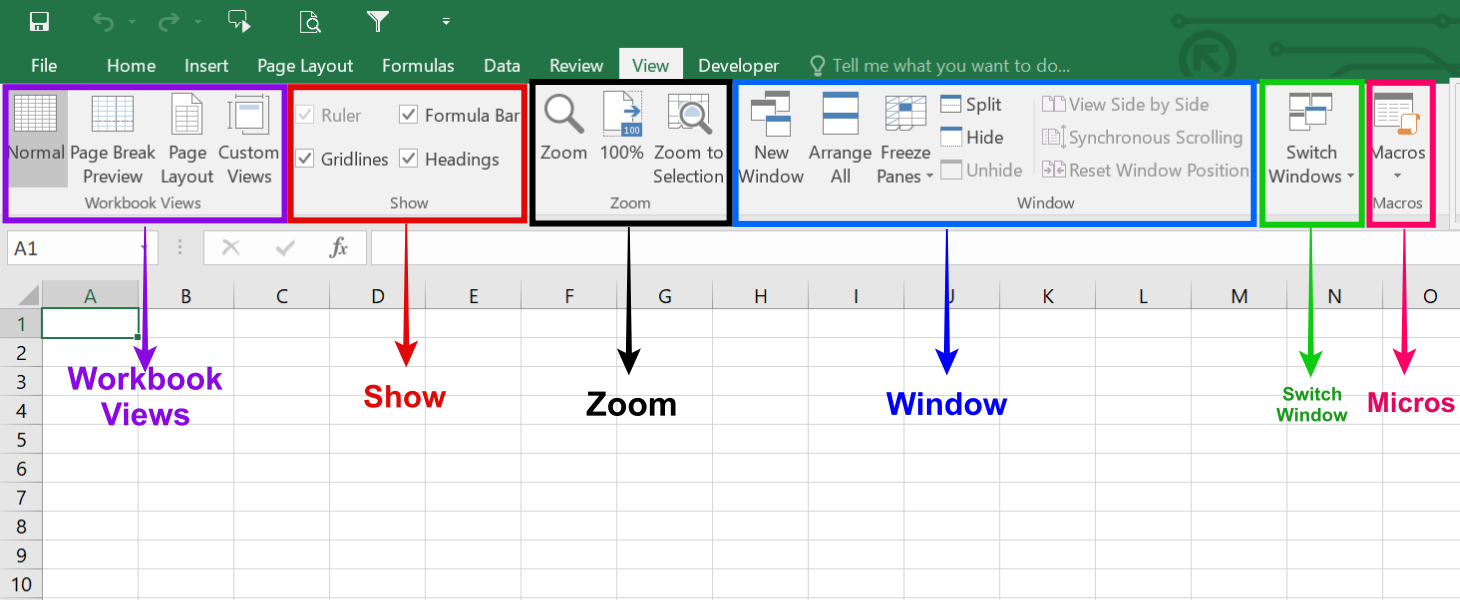
View Tab In Excel Excel Tutorial

Chart Tools Layout Tab In Excel
Feb 25 2025 nbsp 0183 32 CSDN vxe table vxe table

Feb 14 2024 nbsp 0183 32 CSDN VUE3 el table setScrollTop VUE3 el table setScrollTop vue js
May 15 2025 nbsp 0183 32 Element Plus el table hover el table

Use table menu Tip When you convert your data to a table we automatically apply basic formatting To further customize your table you can either use the table menu or in the menu

Organize information in a document or presentation with a table You can add and delete tables and adjust the size and style of table rows and columns If you re using Google Docs on a
[desc-11] [desc-12]
[desc-13]