System Restore Time Windows 10 System Restore In Windows 10 Easily Restore A System Restore Point In How To Enable And Create System Restore Point In Windows 10 SYSTEM RESTORE WINDOWS 10 Restore Your PC To An Earlier Time And Date System Restore Point Windows 10 Create Use How To Use System Restore On Windows 11 Windows Central 1 Press the Power button for 10 seconds When you have waited enough its time to perform a hard shutdown Press the power button for a little more than 10 seconds Once the computer shuts
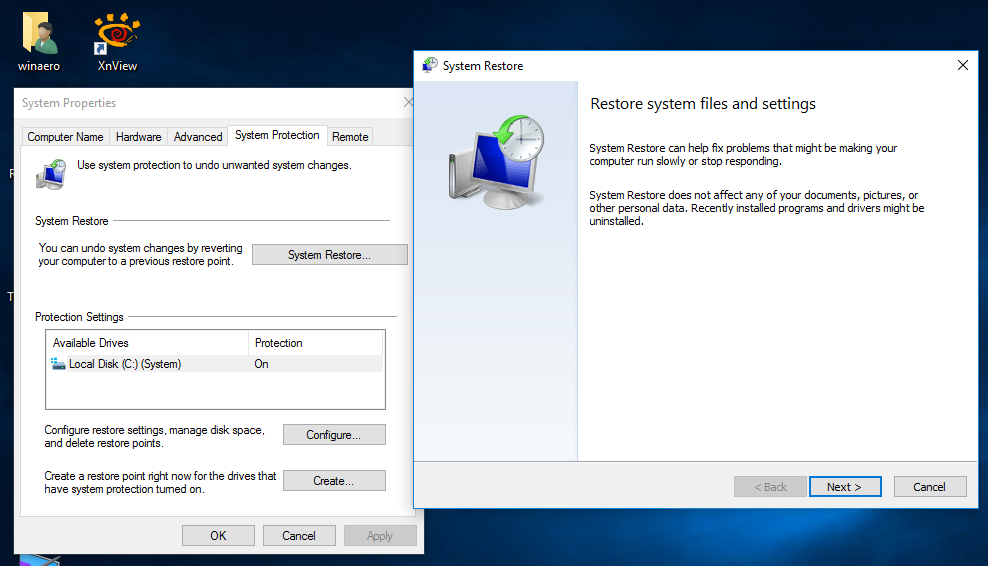
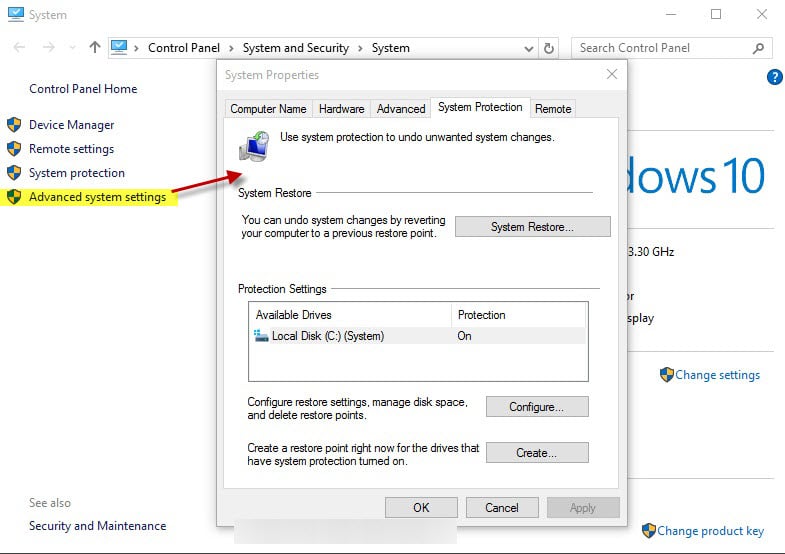
To use a restore point click System Restore above Protection Settings and select a restore point System Restore is a Windows feature that can help fix some crashes and other computer problems Here s how System Restore works how to set it up and how to use it to fix PC problems on Windows 10 and Windows 11 What Is System Restore 1 Enable System Restore System Restore isn t actually enabled by default in Windows 10 so you ll need to turn it on Press Start then type Create a restore point and click the
How To Use System Restore On Windows 11 Windows Central How To Create A System Restore Point In Windows 10 How To Create Restore Point In Windows 10 How To Restore Computer To Earlier Date Windows 10 Two Methods Electronic Display Networks Entering System Restore In Windows 10 Check If System Restore Is Enabled On Windows 10 GHacks Tech News Create And Restore A System Restore Point In Windows 11 DroidWin How To Create A Restore Point In Windows 11 Windows System Restore Vrogue How To Do A System Restore with Pictures WikiHow
System Restore Time Windows 10
 System Restore Time Windows 10
https://i.ytimg.com/vi/gzgBLi4i3P8/maxresdefault.jpg
See how to use system restore set a restore point and 3 ways to restore your Windows 10 PC back to an earlier time and date when your computer was working without any problems I
Pre-crafted templates provide a time-saving option for developing a diverse variety of files and files. These pre-designed formats and layouts can be made use of for numerous individual and expert tasks, including resumes, invites, flyers, newsletters, reports, presentations, and more, streamlining the content creation procedure.
System Restore Time Windows 10

How To Perform System Restore In Windows 10 Ask Caty

How To Create A System Restore Point In Windows 10
How To Create Restore Point In Windows 10

How To Restore Computer To Earlier Date Windows 10 Two Methods
Check If System Restore Is Enabled On Windows 10 GHacks Tech News
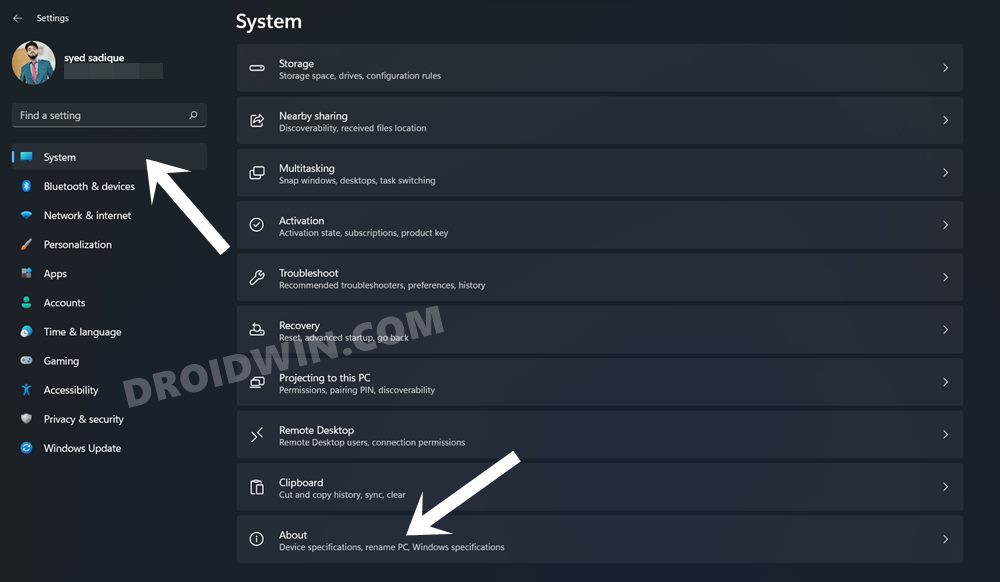
Create And Restore A System Restore Point In Windows 11 DroidWin

To enable System Restore on Windows 10 use these steps Open Start Search for Create a restore point and click the top result to open the System Properties page Under the Protection

1 Type system restore in the Windows 10 search box and click Create a restore point in the results list Image credit Microsoft 2 The System Properties dialog box will now open

How to Do a System Restore of Windows 10 System protection if turned on is a feature that allows you to perform a system restore that takes your PC back to an earlier point in time called a system restore point This can be handy if your PC isn t working well and you recently installed an app driver or update Each restore point contains the necessary information needed to restore the

The quickest way to access System Restore settings will be to open the Start menu or Start screen type Restore to search for it and click the Create a restore point shortcut You can also open the Control Panel navigate to System and click the System Protection link in the sidebar

System Restore is a handy feature that takes a sort of snapshot of your PC s software registry and driver configuration at a specific point in time called a restore point You can then
1 Turn your Windows 10 computer on and log on with an administrator account 2 On the desktop window right click the Start button 3 Click Control Panel from the context menu 4 When the There are a few methods of opening the System Restore GUI in Windows 10 The fastest way in my opinion to access it is to click the Start button and type in recovery Choose the
Windows 10 System Restore Taking a Long TIME Because I ve been having boot up issues I am attempting system restore before an update January 27 2016 It has been restoring files for almost 1 hour Is this normal I have not received any error messages This thread is locked