System Restore Initializing Time Stuck Wait While Your Windows Files And Settings Are Being Restored 6 Ways To Fix System Restore Stuck On Initializing In Windows 11 10 Restore Free Of Charge Creative Commons Typewriter Image Additional ConfigMgr Post Restore Step ConfigMgrFTW Restore And Rebuild Free Stock Photo Public Domain Pictures How long does a system restore take If you are trying to perform a system restore on your Windows computer it is important to know how long does it take to do a system restore This way you will be able to find out if the process is taking longer than expected and if there are any issues with it You can then figure out a solution if required
If the Advanced Startup System Restore itself gets stuck on initialization it usually indicates errors on your boot manager To resolve this issue run Startup Repair using the steps below Select the Start button then type control panel in the search box next to the Start button on the taskbar and select Control Panel Desktop app from the results Search Control Panel for Recovery and select Recovery Open System Restore Next Choose the restore point related to the problematic app driver or update and then select Next
Restore And Rebuild Free Stock Photo Public Domain Pictures Pin By Manojprabhakaran Palanisamy On Computer Tips And Tricks How To Run System Restore In Windows 8 1 And Windows 8 6 Ways To Fix System Restore Stuck On Initializing In Windows 11 10 Easily Fix Windows 10 System Restore Stuck Or Hang Up MiniTool How To Use System Restore In Windows XP 8 Steps with Pictures Create Windows 10 System Restore Point And Perform System Restore How To Use System Restore In Windows 10 TechRadar Proactive Messaging And Campaigns Freshchat
System Restore Initializing Time
 System Restore Initializing Time
https://i.ytimg.com/vi/SnWKft4S3IY/maxres2.jpg?sqp=-oaymwEoCIAKENAF8quKqQMcGADwAQH4Ac4FgAKACooCDAgAEAEYGiBaKHIwDw==&rs=AOn4CLAI2KbRZ417tCNacMzFnSqRoRJY8g
Go to the Restore page and choose the system image or system disk image to start to restore Step 3 Next choose one backup version to go on Step 4 Select volumes to restore from the backup file
Templates are pre-designed documents or files that can be utilized for numerous purposes. They can conserve effort and time by offering a ready-made format and layout for creating various sort of material. Templates can be utilized for individual or expert jobs, such as resumes, invites, flyers, newsletters, reports, presentations, and more.
System Restore Initializing Time

Restore Free Of Charge Creative Commons Post It Note Image

Pin By Manojprabhakaran Palanisamy On Computer Tips And Tricks
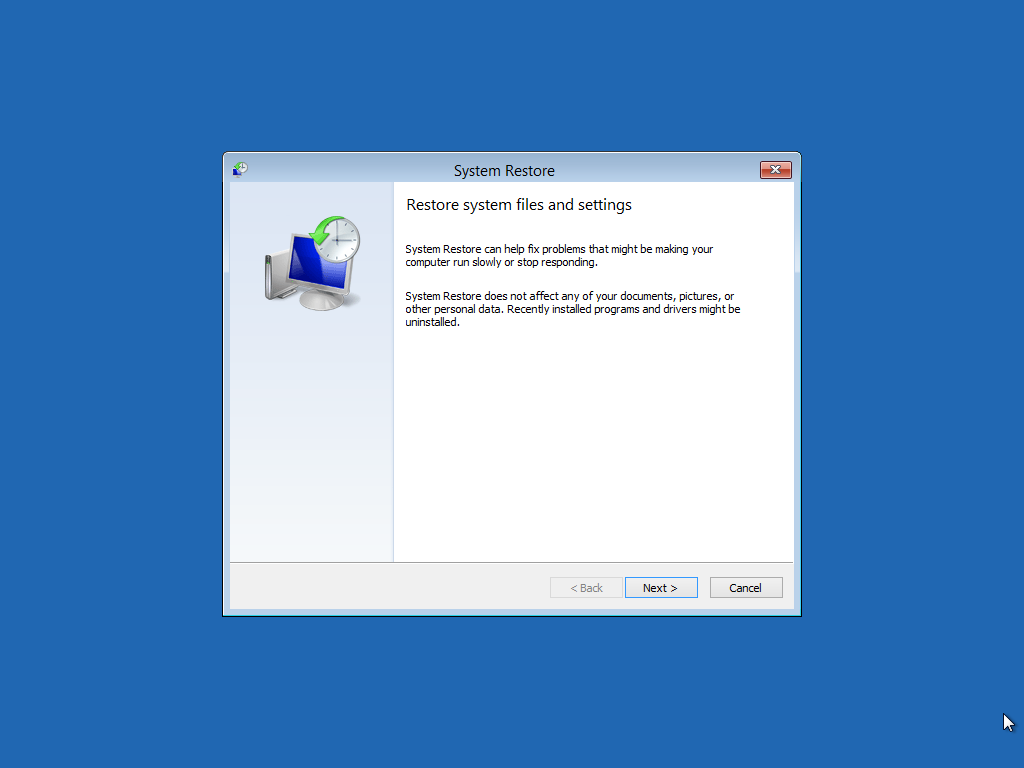
How To Run System Restore In Windows 8 1 And Windows 8
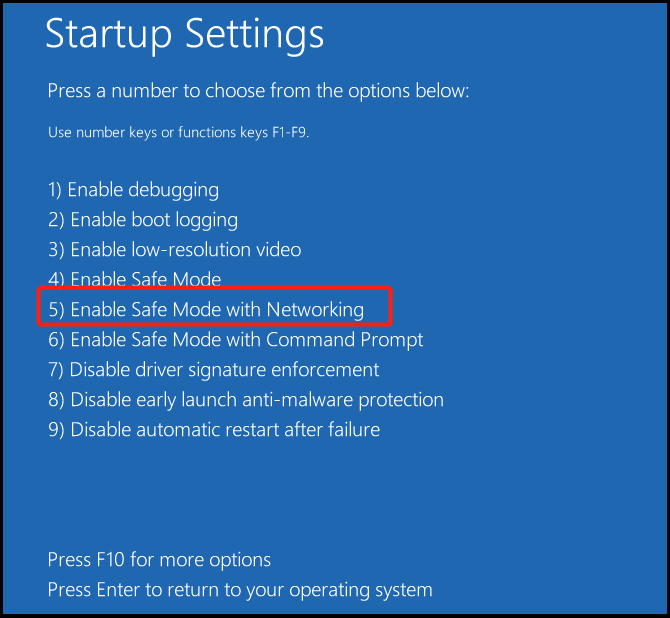
6 Ways To Fix System Restore Stuck On Initializing In Windows 11 10

How To Use System Restore In Windows XP 8 Steps with Pictures

Create Windows 10 System Restore Point And Perform System Restore

1 Insert Windows 10 installation media and then restart your PC If you don t have the installation media you can go to the Microsoft software download website and create Windows 10 installation media on a working PC first 2 On the Install Windows screen select Repair your computer 3

System Restore Is Initializing Windows 10 System Restore is a valuable repair and recovery tool for many Windows users With the help of System Restore users can restore system files registries drivers and other software to a previous state and settings

I don t use System Restore Instead I make an image backup every day which takes about 10 minutes A restore point is not a backup Only a backup is a backup You re really stuck If System Restore halted in the middle of restoring your registry and you interrupt it you may leave your registry and thus your computer in an unstable state

English Windows 10 11 System Restore sometimes gets stuck on restoring files or hung up on initializing while trying to revert a computer to a previous state or restore point Here we will discuss the solutions to this issue and the best alternative to the Windows System Restore tool MiniTool ShadowMaker On This Page

Ways to Fix If It s Stuck June 25 2023 Understand how long a Windows 10 System Restore takes Explore different Methods to Fix System Restore Stuck in Windows 10 You may restore your settings and system files using the Windows application known as System Restore
A System Restore should complete within 3 hours and if the Restore has been stuck on the Restoring the Registry phase for more than 1 hour that restore is not going to complete If that is the case you have no other option press and hold the power button on the case of your PC for 5 10 seconds to perform a hard shut down Created on September 30 2018 System Restore taking too long Hello everyone and thank you for your time attention I have a question regarding system restore how long does it usually take because mines have been restoring for about 2 hours now
In the System and Security window that s now open select System Choose System protection From the System Properties window that appears press System Restore If you don t see it make sure you re on the System Protection tab Select Next from the System Restore window titled Restore system files and settings