System Requirements For Installing Visual Studio 2008 Kali Linux System Requirements Hardware Selection And Security Kali Linux System Requirements Javatpoint Installing Visual Studio Code And Configuring Sap Extensions In Visual Installing Visual Studio Code YouTube Installing Visual Studio Code YouTube Install the SDK The NET SDK allows you to develop apps with NET If you install the NET SDK you don t need to install the corresponding runtimes To install the NET SDK run the following command Windows Command Prompt
I need to install Visual Studio 2008 The free version I need it in order to compile something Supported Operating System Windows Server 2003 Windows Server 2008 Windows Vista Windows XP Minimum 1 6 GHz CPU 384 MB RAM 1024x768 display 5400 RPM hard disk Recommended 2 2 GHz or higher CPU 1024 MB or more RAM 1280x1024 display To determine whether an edition of Visual Studio is installed verify that the value of the Install registry key is REG DWORD 1 in the appropriate folder as listed in the following table Note that there is a hierarchy of Visual Studio editions Enterprise Professional Community
Installing Visual Studio Code YouTube Microsoft Visual Studio 2008 Professional By s Shop System Requirements For Windows 11 HTML KICK 01 Installing Visual Studio YouTube Installing Visual Studio On Mac YouTube Installing Visual Studio 2008 And Removing Beta WPF Wonderland Installing Visual Studio YouTube Installing Visual Studio 2008 And Visual Fortran To Work Together Windows 2000 ISO Download Windows 2000 Free Download ISORIVER
System Requirements For Installing Visual Studio 2008
 System Requirements For Installing Visual Studio 2008
https://cdn.educba.com/academy/wp-content/uploads/2022/11/Kali-Linux-System-Requirements.jpg
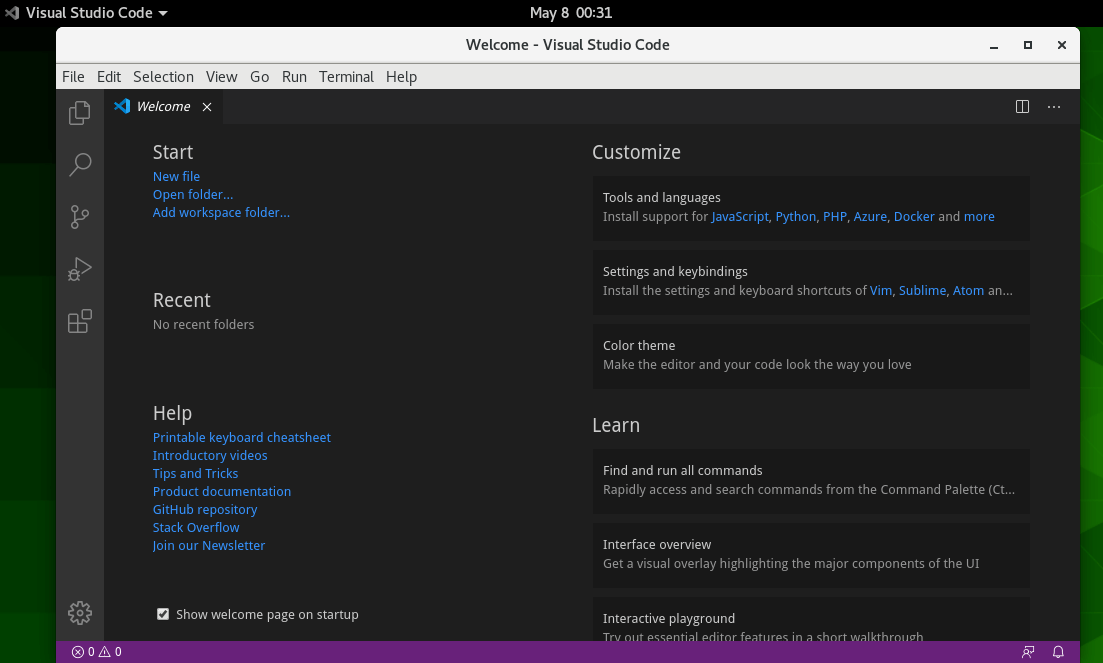
Visual Studio Code A standalone source code editor that runs on Windows macOS and Linux The top pick for Java and web developers with tons of extensions to support just about any programming language Free download Windows x64User Installer macOS UniversalPackage Linux x64 deb Linux x64 rpm More
Templates are pre-designed files or files that can be utilized for numerous functions. They can save effort and time by supplying a ready-made format and design for creating various type of material. Templates can be utilized for individual or expert tasks, such as resumes, invites, leaflets, newsletters, reports, discussions, and more.
System Requirements For Installing Visual Studio 2008

Ubuntu 22 04 Minimum Requirements Linux Tutorials Learn Linux

Microsoft Visual Studio 2008 Professional By s Shop

System Requirements For Windows 11 HTML KICK

01 Installing Visual Studio YouTube

Installing Visual Studio 2008 And Removing Beta WPF Wonderland

Installing Visual Studio YouTube
Installation You can install and use Visual Studio 2022 alongside previous versions of Visual Studio including Visual Studio 2019 Visual Studio 2017 Visual Studio 2015 Visual Studio 2013 and Visual Studio 2012 Download Click a button to download the latest version of Visual Studio 2022

1 Buy a new system 2 Find some more memory for the old one I d suggest 512 but there could be some limitions on memory size and the amount of slots you have on the motherboard for memory I hope that helps Wednesday February 20 2008 6 18 PM 0 Sign in to vote Computer with a 1 6 GHz or faster processor
The following products support the minimum system requirements below Visual Studio Enterprise 2019 Visual Studio Professional 2019 Visual Studio Community 2019 Visual Studio Team Foundation Server Office Integration 2019

Application Virtualization Visual Studio doesn t support Application Virtualization App V solutions For example Microsoft App V for Windows or third party app virtualization technologies Azure Virtual Desktops Running Visual Studio in a virtual machine environment requires a full Windows operating system

How To Install Visual Studio Code Step By Step Instructions 6 days ago by Nazarii Myhal 7 min read This article provides a clear step by step process on How to Install Visual Studio Code a favored tool among developers We ll cover the essentials from downloading to setting up ensuring a smooth installation for your coding environment
Visual Studio 2008 Readme Supported Architectures Supported Operating Systems Installation Requirements Known Issues Installing Uninstalling On computers that have earlier versions of Visual Studio 2 2 2 On computers that do not have earlier versions of Visual Studio Product Issues 2 3 2 ADO Net Languages LINQ 2 3 5 Visual Studio 2008 overview pptx File Size 6 2 MB Visual Studio 2008 System Requirements Supported Operating Systems Windows Server 2003 Windows Server 2003 Itanium based editions Windows Server 2003 R2 32 Bit x86 Windows Server 2003 R2 Datacenter Edition 32 Bit x86 Windows Server 2003 R2 Datacenter x64 Edition Windows Server
If you have Visual Studio 2008 and one or more 2008 Express Editions you cannot upgrade the Express Editions until you have upgraded Visual Studio Prior to installation you should carefully review the included readme file to be aware of any known issues with this release The following technologies have been tested and verified to work with