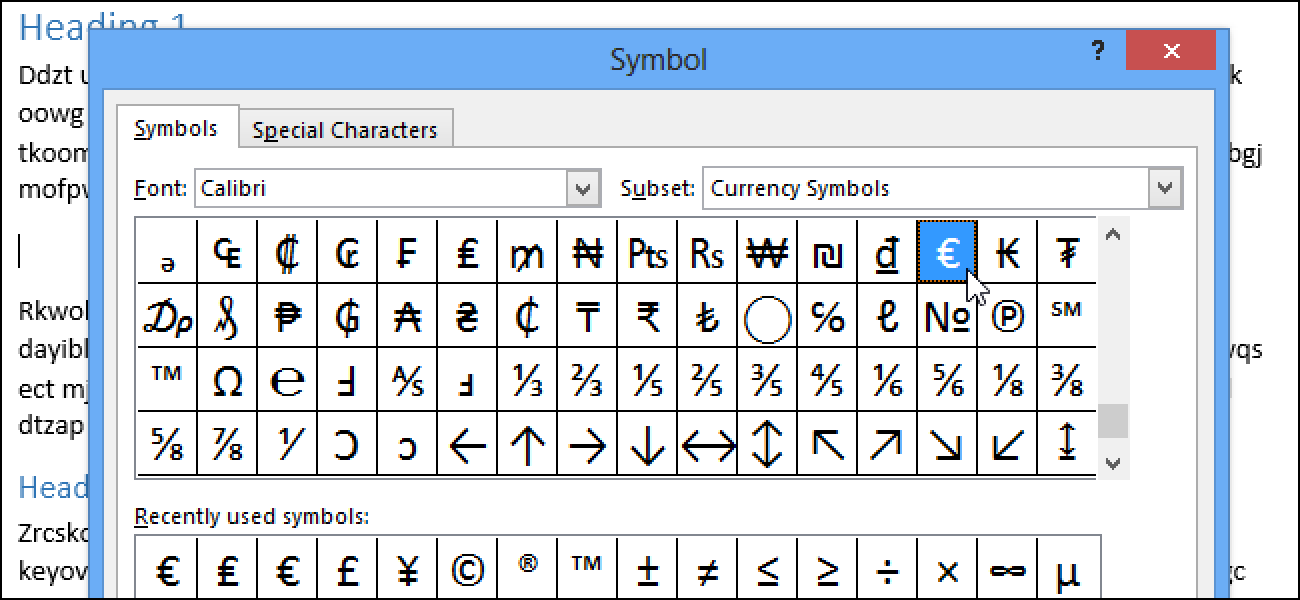
Symbol Codes For Microsoft Word Microsoft Word Symbols Code List Piesapje How To Get Special Characters Using Alt Key Codes Or The Word Symbols Microsoft Word Symbols Chart Technolgy Blog How To Enter Symbols In Word Alt Key Codes Or The Word Symbol Word Symbols Keyboard Shortcuts WEB Windows Alt Codes for Foreign Characters SYMBOL NAME CODE NUMBER 161 Upside down exclamation mark 0161 191 Upside down question mark 0191 199 231 French C
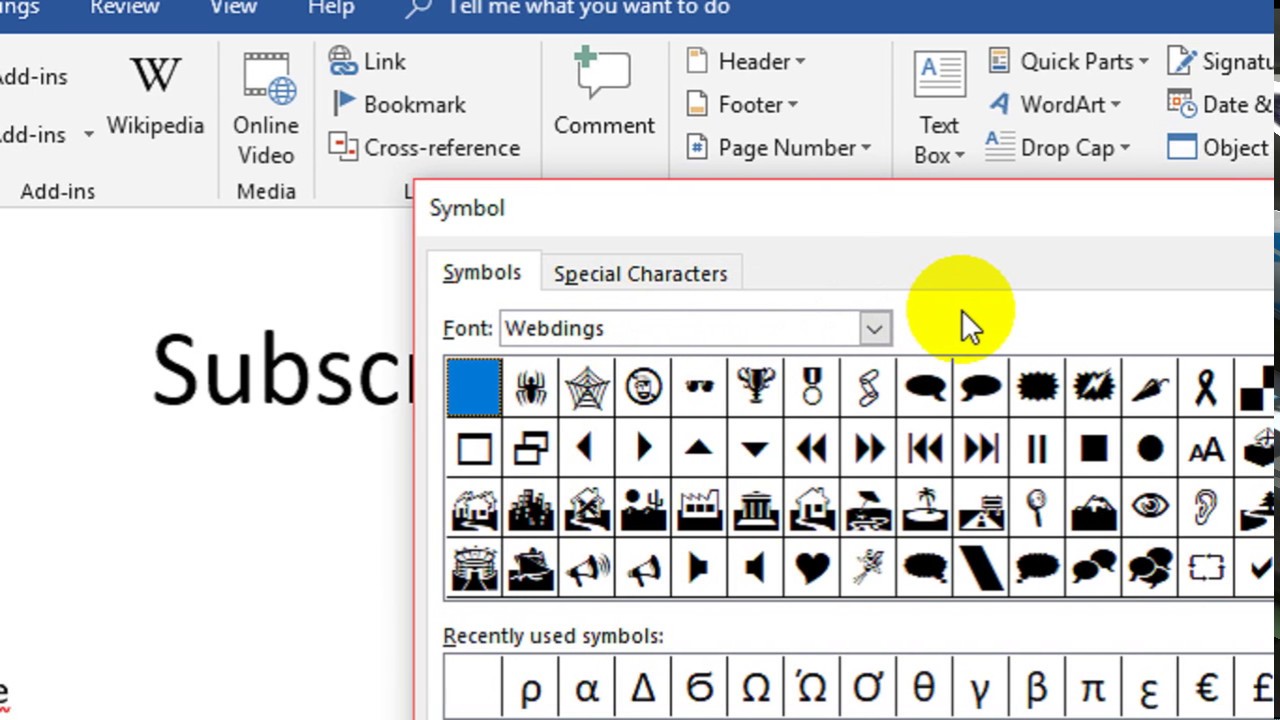
WEB Feb 3 2020 nbsp 0183 32 Alt key codes give you access to hundreds of special ASCII characters from accent marks to tiny icons We show you how to use the Alt codes and also Word s Symbol library WEB You can also use the character code of the symbol as a keyboard shortcut Symbols and special characters are either inserted using ASCII or Unicode codes You can tell which is which when you look up the code for the
Alt Key Codes Or The Word Symbol Word Symbols Keyboard Shortcuts How To Add A Symbol To Microsoft Word Symbols Mauiholden ALT Key Shortcuts To Insert Symbols In Windows WebNots Computer Icon For Microsoft Word 222085 Free Icons Library How To Get Special Characters Using Alt Key Codes Or The Word Symbols Pin Alt Codes For Bullets Symbols And Other Special Characters Pictures Clip Art Downloads For Microsoft Word Microsoft Word Logo Png Add on For Microsoft Word Now Available BibleGet I O How To Download Symbols For Microsoft Word Snokentucky
Symbol Codes For Microsoft Word
 Symbol Codes For Microsoft Word
http://piesapje.weebly.com/uploads/1/3/3/1/133189270/535611233_orig.png
WEB May 27 2020 nbsp 0183 32 Alt Codes How to Type Special Characters and Keyboard Symbols on Windows Using the Alt Keys Quincy Larson In Windows you can type any character you want by holding down the ALT key typing a
Templates are pre-designed documents or files that can be utilized for various functions. They can save time and effort by supplying a ready-made format and layout for creating different type of material. Templates can be used for individual or expert jobs, such as resumes, invites, flyers, newsletters, reports, discussions, and more.
Symbol Codes For Microsoft Word

Microsoft Word Icon Black Goldenseka
How To Add A Symbol To Microsoft Word Symbols Mauiholden

ALT Key Shortcuts To Insert Symbols In Windows WebNots Computer
Icon For Microsoft Word 222085 Free Icons Library

Pin Alt Codes For Bullets Symbols And Other Special Characters Pictures

Clip Art Downloads For Microsoft Word Microsoft Word Logo Png

WEB 123 rows nbsp 0183 32 How to easily type office amp school symbols using Windows Alt codes Or

WEB Alt Codes can be typed on Microsoft Operating Systems First make sure that numlock is on Then press and hold the ALT key While keeping ALT key pressed type the code for
WEB To insert a Unicode character type the character code press ALT and then press X For example to type a dollar symbol type 0024 press ALT and then press X For more Unicode character codes see Unicode

WEB 101 rows nbsp 0183 32 Jan 7 2023 nbsp 0183 32 The other option is to enter the Unicode

WEB 254 rows nbsp 0183 32 Windows Alt Codes for Special Characters Signs amp Symbols This is the complete list of the original Microsoft Windows Alt codes Alt key shortcuts for special
WEB Apr 20 2023 nbsp 0183 32 Unicode has thousands of symbols for different purposes including computer related symbols We have checked all the below shortcuts in Windows 10 and 11 platforms on Microsoft 365 with Word WEB Sep 27 2021 nbsp 0183 32 There are character codes you can use to enter a symbol in Word However most people don t have the time to memorize these character codes So in
WEB Apr 10 2023 nbsp 0183 32 Type the code hold alt and then x keys to convert the code into a symbol This will work only on Microsoft Word documents Example 1F4F1 Alt X Using