Sum Function In Excel Formula Sum Function In Excel Formula Examples How To Use Sum In Excel Hot How To Use Excel SUM Function Formula And Video Examples Sum Function In Excel 2021 How To Use SUMIF Function In Excel Excel Explained Sum Function In Excel Download 2 Practice Sheets Xplore Excel Use SUM and other functions to add subtract multiply and divide with Excel SUM function If you want to quickly get the Sum of a range of cells all you need to do is select the range and look in the lower right hand side of the Excel window
SUM function Useful for large spreadsheets as it can sum a range of cells Can only accept numeric arguments not conditional values SUMIF function Allows you to specify a condition and only sum values that meet that condition SUMIFS function Allows for complex logical statements by setting multiple criteria To sum a column in Excel you can use the SUM function directly Apply the following formula to calculate the sum of an entire column SUM D5 D11 This formula will calculate the sum of cells ranging from D5 to D11 Find Sum of Filtered Cells with SUBTOTAL Function
Sum Function In Excel Download 2 Practice Sheets Xplore Excel How To Create A Nested Formula With The If And Sum Function In Excel Sumif Excel Example Count And Sum Function In Ms Excel Excel Tutorials YouTube DAYS360 Function In Excel Counting Number Of Days Excel Unlocked Using The SUM Function Effectively In Microsoft Excel YouTube Learn How To Use SUMPRODUCT Function In Excel SUMPRODUCT Function How To Use SUM Function ExcelNotes List Of How To Insert Sum Formula In Excel 2010 References Fresh News
Sum Function In Excel Formula
 Sum Function In Excel Formula
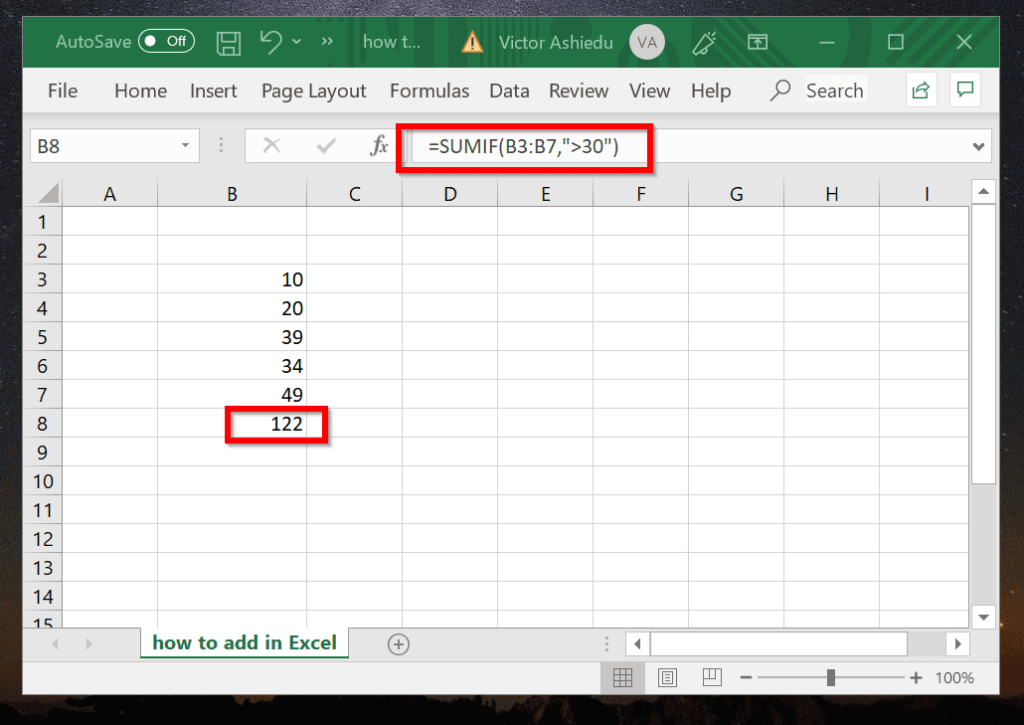
https://www.itechguides.com/wp-content/uploads/2019/07/SUMIF-example-1024x725.png
Formula SUM number1 number2 number3 The SUM function uses the following arguments Number1 required argument This is the first item that we wish to sum Number2 required argument The second item that we wish to sum Number3 optional argument This is the third item that we wish to sum The function sums
Pre-crafted templates provide a time-saving solution for creating a varied series of documents and files. These pre-designed formats and layouts can be made use of for numerous personal and expert jobs, consisting of resumes, invitations, leaflets, newsletters, reports, discussions, and more, enhancing the material development procedure.
Sum Function In Excel Formula
Sum Function Excel Examples And Explanation
How To Create A Nested Formula With The If And Sum Function In Excel
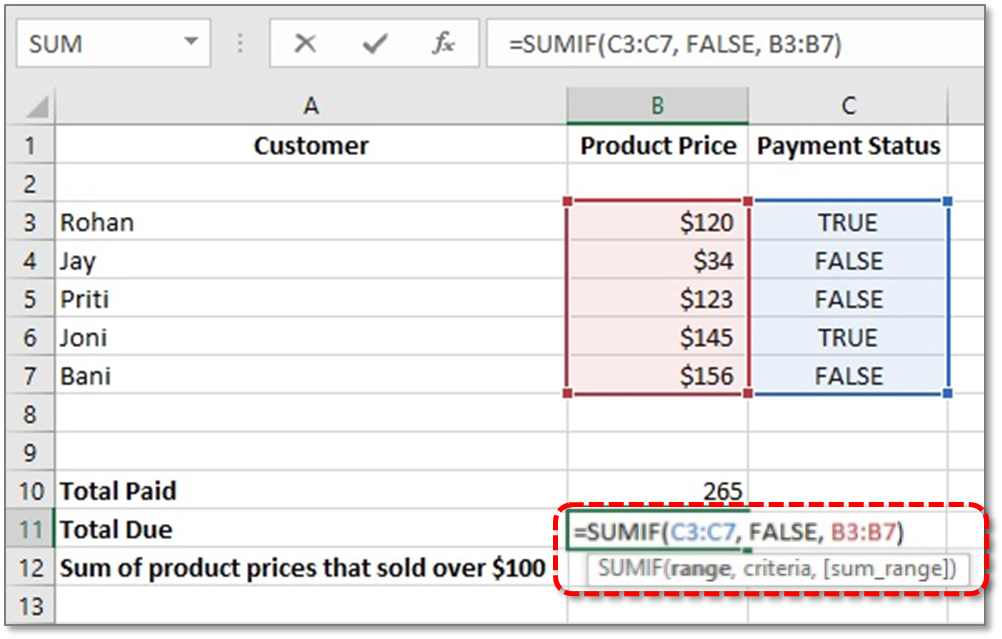
Sumif Excel Example
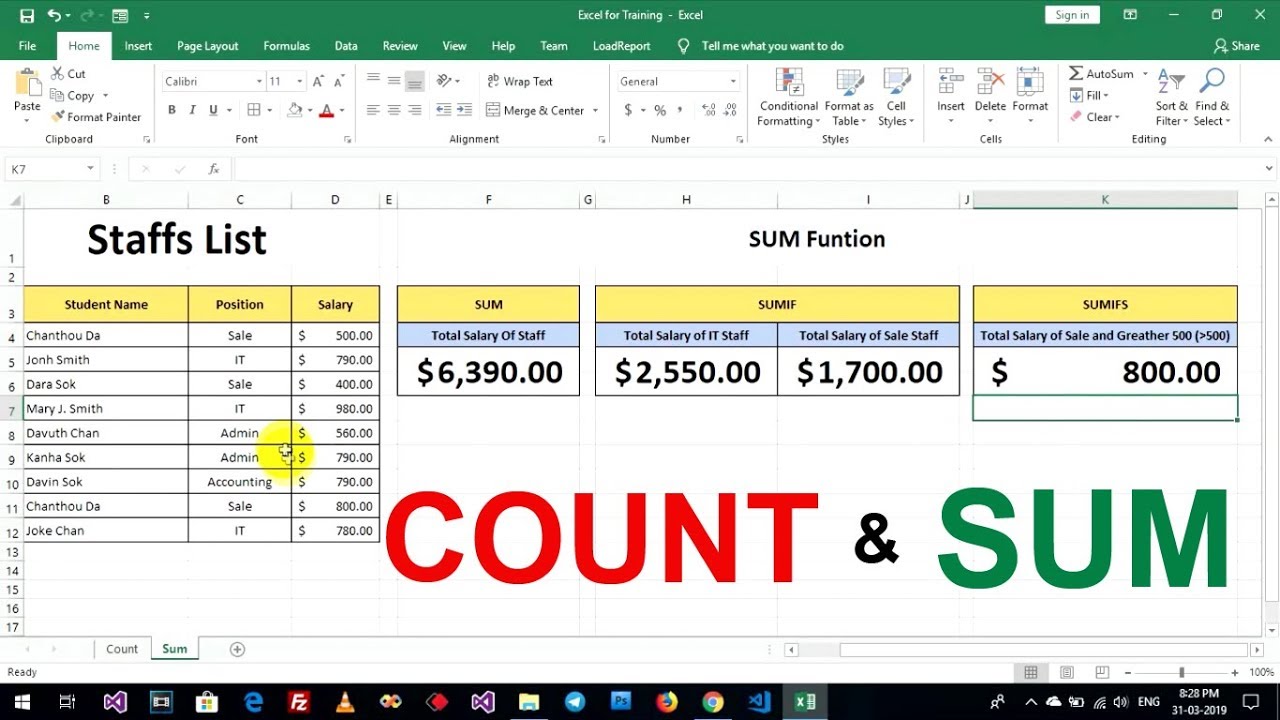
Count And Sum Function In Ms Excel Excel Tutorials YouTube
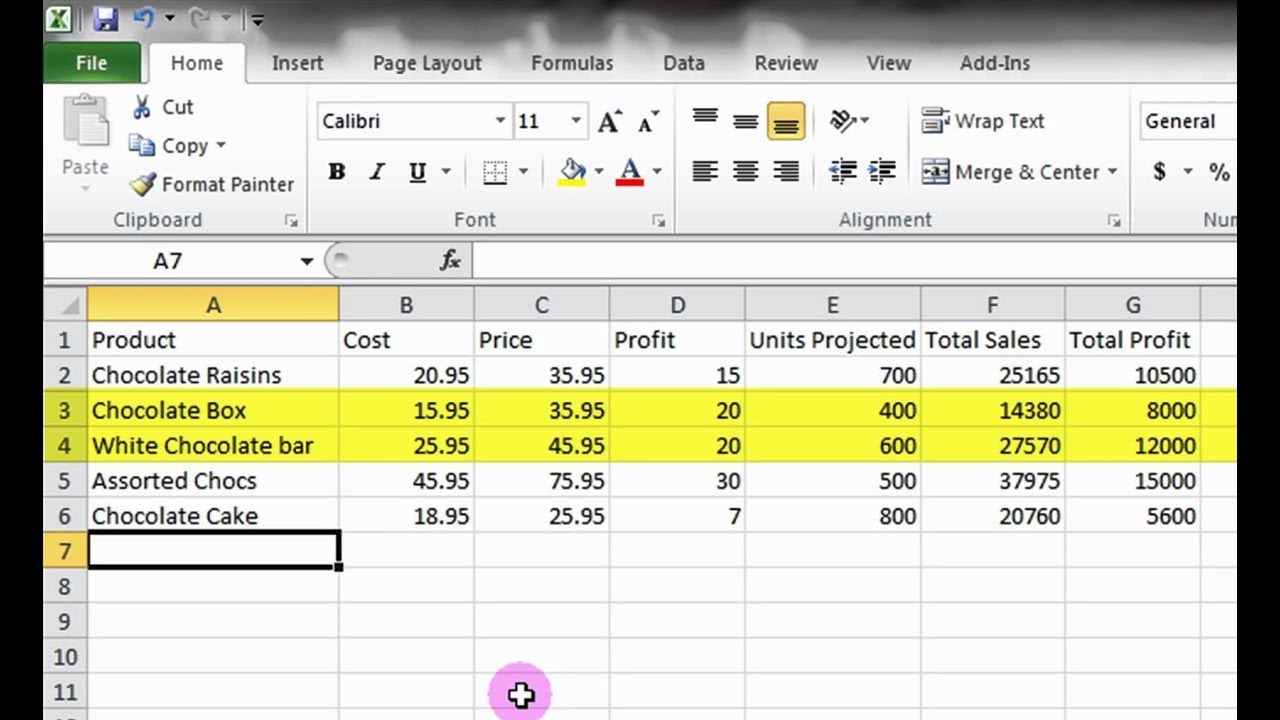
Using The SUM Function Effectively In Microsoft Excel YouTube

Learn How To Use SUMPRODUCT Function In Excel SUMPRODUCT Function
Use the SUM function in Excel to sum a range of cells an entire column or non contiguous cells To create awesome SUM formulas combine the SUM function with other Excel functions Sum a Range Most of the time you ll use the SUM function in Excel to sum a range of cells Note simply type SUM A1 A8 to enter this formula
Syntax SUM number1 number2 number3 number1 The first value to sum number2 optional The second value to sum number3 optional The third value to sum How to use The SUM function returns the sum of values supplied These values can be numbers cell references ranges arrays and constants in any combination

You can use a simple formula to sum numbers in a range a group of cells but the SUM function is easier to use when you re working with more than a few numbers For example SUM A2 A6 is less likely to have typing errors than A2 A3 A4 A5 A6 Here s a formula that uses two cell ranges SUM A2 A4 C2 C3 sums the numbers in ranges A2 A4

SUM Function is a very popular and useful formula in Microsoft Excel It is one of the most basic widely used and easy to understand arithmetic functions in Excel As the name suggests SUM Function in Excel performs the addition of numbers Sum Function can accept numbers both as individual arguments and also as a complete

The SUM Function returns the sum of a range of values These values can include numbers cell references cell ranges constants or arrays How to Use the SUM Function You use the Excel SUM Function as follows SUM C3 C14
SUM D1 D7 in the formula bar and then press Enter on the keyboard or click the checkmark in the formula bar to execute the formula Change the letters and numbers in parenthesis to fit your workbook Finding the Sum of Numbers in Non Adjacent Columns or Cells Click any empty cell in the workbook Method 1 Writing a Sum Formula Download Article 1 Decide what column of numbers or words you would like to add up 1 2 Select the cell where you d like the answer to populate 2 3 Type the equals sign then SUM Like this SUM 3 4 Type out the first cell reference then a colon then the last cell reference Like this Sum
The SUM function in Excel is simply used to add or sum a series of numbers in a range Type the numbers you want to add in a series of cells Type SUM in a blank cell Select this series of numbers and close the brackets Press ENTER to get a sum of the selected numbers SUM Formula