Sudo Add Apt Repository Command Not Found Kali How To Fix bash Add apt repository Command Not Found Error NixCraft How To Fix Add Apt Repository Command Not Found Error 2 Steps Sudo Add Apt Repository Ppa Nilarimogard Webupd8 Corriger Sudo Add apt repository Erreur De Commande Introuvable Autre Corriger Sudo Add apt repository Erreur De Commande Introuvable Autre Installing add apt repository add apt repository command not found add apt repository is a Python script that allows you to add an APT repository to either etc apt sources list or to a separate file in the etc apt sources list d directory The command can also be used to remove an already existing repository
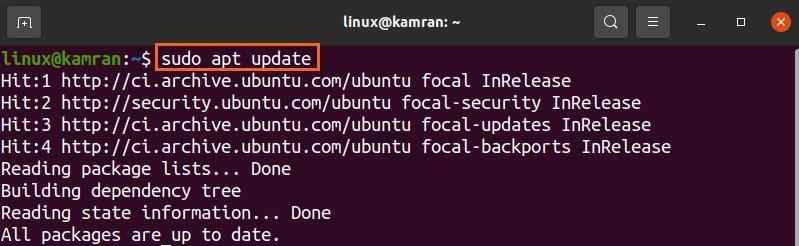
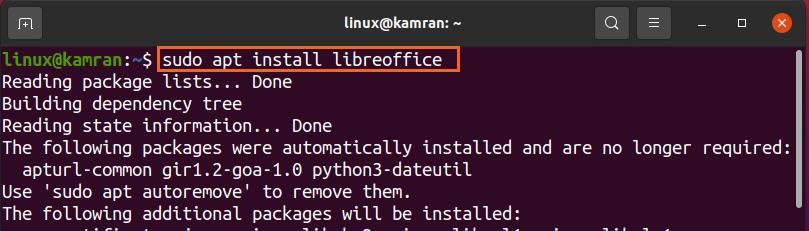
Step 1 To add repositories on most if not all Debian derivative systems the main way to go about doing this is to edit your sources list file found in etc apt sources list To do this use any editor of your choice to open the file It should look like this if you have never modified the sources list file and Kali was installed correctly To achieve this run the following simple command sudo apt update Once updated the next and the most important step is to install the software properties package onto the system This package contains the add apt repository feature as well To install this package execute the command as shown below sudo apt install software
Corriger Sudo Add apt repository Erreur De Commande Introuvable Autre Corriger Sudo Add apt repository Erreur De Commande Introuvable Autre How To Fix The add apt repository Command Not Found Error On Ubuntu How To Fix add Apt Repository Command Not Found On Ubuntu Debian Kali Matplotlib X Eighty Percent Matplotlib X Eighty Percent Sudo Add Apt Repository Ppa Ondrej Php Timeout How To Fix Add apt repository Command Not Found On Ubuntu Debian ZP How To Start Network Manager In Kali Linux Systran Box
Sudo Add Apt Repository Command Not Found Kali
 Sudo Add Apt Repository Command Not Found Kali
https://www.cyberciti.biz/media/new/faq/2022/05/Fixed-22bash-add-apt-repository-command-not-found22-error-on-Ubuntu-Debian-Linux.png
Step1 Open the terminal in your Linux operating system Right click on your desktop and select open terminal or press Ctrl ALT T on your keyboard Step2 Refresh the Ubuntu repository This is the recommended step before installing any packages in Ubuntu sudo apt get update or sudo update
Templates are pre-designed files or files that can be used for different functions. They can save time and effort by providing a ready-made format and design for producing different kinds of content. Templates can be utilized for personal or professional projects, such as resumes, invitations, flyers, newsletters, reports, presentations, and more.
Sudo Add Apt Repository Command Not Found Kali
Corriger Sudo Add apt repository Erreur De Commande Introuvable Autre
Corriger Sudo Add apt repository Erreur De Commande Introuvable Autre

How To Fix The add apt repository Command Not Found Error On Ubuntu

How To Fix add Apt Repository Command Not Found On Ubuntu Debian Kali
Matplotlib X Eighty Percent
Sudo Add Apt Repository Ppa Ondrej Php Timeout

Solve Add apt repository command not found For all latest Ubuntu Debian Linux systems such as Ubuntu 19 10 19 04 18 10 18 04 17 04 16 04 Kali Linux Linux Mint and Debian use the below command sudo apt get install software properties common Output for the above command Press Y to continue the installation of the packages
Steps to Resolve add apt repository command not found error Step 1 Update Local Ubuntu Repositories Open a terminal window and enter the command to update repositories sudo apt update The system confirms that the software repositories list on your local machine is updating Step 2 Install the software properties common Package

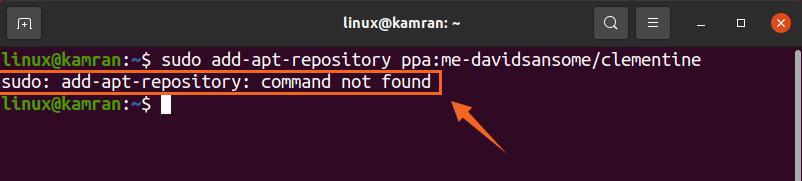
Method 01 Using CLI to Fix the add apt repository Command Not Found Error One possible cause of the error is the absence of the add apt repository command in the system On top of that the command is included in the Software Properties Common package enabling users to add remove repositories

The sudo apt add repository command not found error is one you might encounter when trying to add a third party PPA repository on Debian Ubuntu Linux Mint or any other Linux distribution based on Debian PPA repositories are used for installing third party software not available in a system s official repositories

Switching Kali Main Branch Kali has two main branches to choose from please take the time to read which one would be the best option for your setup kali rolling default frequently updated kali last snapshot point release so more stable the safest Enabling the kali rolling branch is done with the command
First update APT repos and apply patches sudo apt update sudo apt upgrade Then install the software properties common package to fix the error sudo apt install software properties common Verify that apt add repository command now avaible to sysadmins and developer using the command type command type apt add repository Sudo apt add repository command not found Trying to install via the usual way If you try the usual way you will install it via apt get install So let s test it sudo apt get update sudo apt get install apt add repository
When you want to use APT to install software that is not available in a default repository you will need to add a new repository using the command sudo add apt repository update the system then install the package To install the excellent RSS reader QuiteRSS for instance you would type sudo add apt repository ppa quiterss quiterss