Subscription Renewal Apple Truth Be Told Season Two Renewal For Apple TV Show Canceled Renewed TV Shows TV Series Finale How To Disable Automatic Renewal In Apple Music LaptrinhX The Mosquito Coast Season Two Renewal For Apple TV Drama Series Canceled Renewed TV Shows Pachinko Gets A Season 2 Renewal From Apple TV The Big Door Prize Earns Speedy Renewal At Apple Scroll to the Settings section Next to Subscriptions click Manage Click Edit next to the subscription that you want to change Choose a different subscription option Switch your subscription plan on your Apple TV Open Settings Select Users Accounts then select your account Select Subscriptions
To renew sign in to your account with the Apple ID you used to enroll and click the Renew Membership button If your membership is still active when you renew your new membership will activate as soon as your current membership expires and you ll receive two 2 new Technical Support Incidents TSIs You can simply pay over time The full cost of your iPhone and selected AppleCare coverage is spread out over 24 months with 0 interest And you can upgrade once you ve made the equivalent of 12 payments iPhone 15 128GB From 39 50 per month 256GB From 43 66 per month 512GB From 52 00 per month iPhone 15 Plus 128GB From 44 91 per month
The Big Door Prize Earns Speedy Renewal At Apple How To Stop Receiving Subscription Renewal Emails From Apple How To Stop Receiving Apple Subscription Renewal Emails Norton 360 Deluxe 3 Device 1 Year Subscription With Auto Renewal Android Mac OS Windows Apple s Subscription Apple To Launch Subscription Bundles Soon Ted Lasso Season Two Renewal For Apple TV Comedy Series Canceled Renewed TV Shows TV Questions And Answers Norton AntiVirus Plus 1 Device 1 Year Subscription With Auto Renewal Servant Season Three Early Renewal For Apple TV Series From M Night Shyamalan Canceled How To Stop Receiving Subscription Renewal Emails From Apple Macworld
Subscription Renewal Apple
 Subscription Renewal Apple
https://tvseriesfinale.com/wp-content/uploads/2019/12/Truth_Be_Told_Unit_Photo_01-scaled.jpg
How to get Apple One On your iPhone iPad or iPod touch go to Settings tap your name then tap Subscriptions Tap Apple One Choose a plan If you already subscribe to Apple Music Apple News Apple Arcade or Apple TV you don t need to cancel those subscriptions They will automatically be canceled when you re billed for Apple One
Pre-crafted templates offer a time-saving service for creating a diverse series of documents and files. These pre-designed formats and layouts can be used for different personal and professional projects, including resumes, invitations, leaflets, newsletters, reports, discussions, and more, improving the material development procedure.
Subscription Renewal Apple

Apple Now Lets You Turn Off Subscription Renewal Emails MacRumors

How To Stop Receiving Subscription Renewal Emails From Apple
How To Stop Receiving Apple Subscription Renewal Emails

Norton 360 Deluxe 3 Device 1 Year Subscription With Auto Renewal Android Mac OS Windows
Ted Lasso Season Two Renewal For Apple TV Comedy Series Canceled Renewed TV Shows TV

Questions And Answers Norton AntiVirus Plus 1 Device 1 Year Subscription With Auto Renewal

Auto renewable subscriptions provide access to content services or premium features in your app on an ongoing basis They automatically renew at the end of their duration until the user chooses to cancel Subscriptions are available on iOS iPadOS macOS tvOS visionOS and watchOS
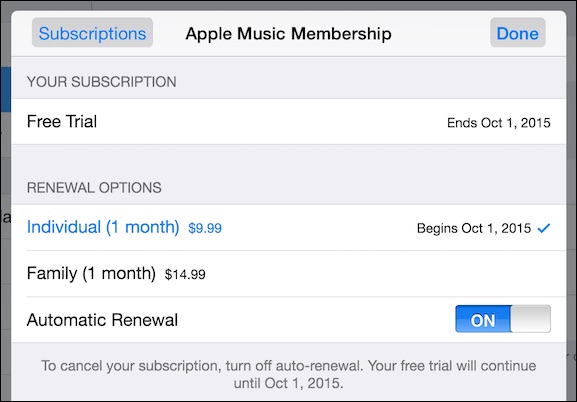
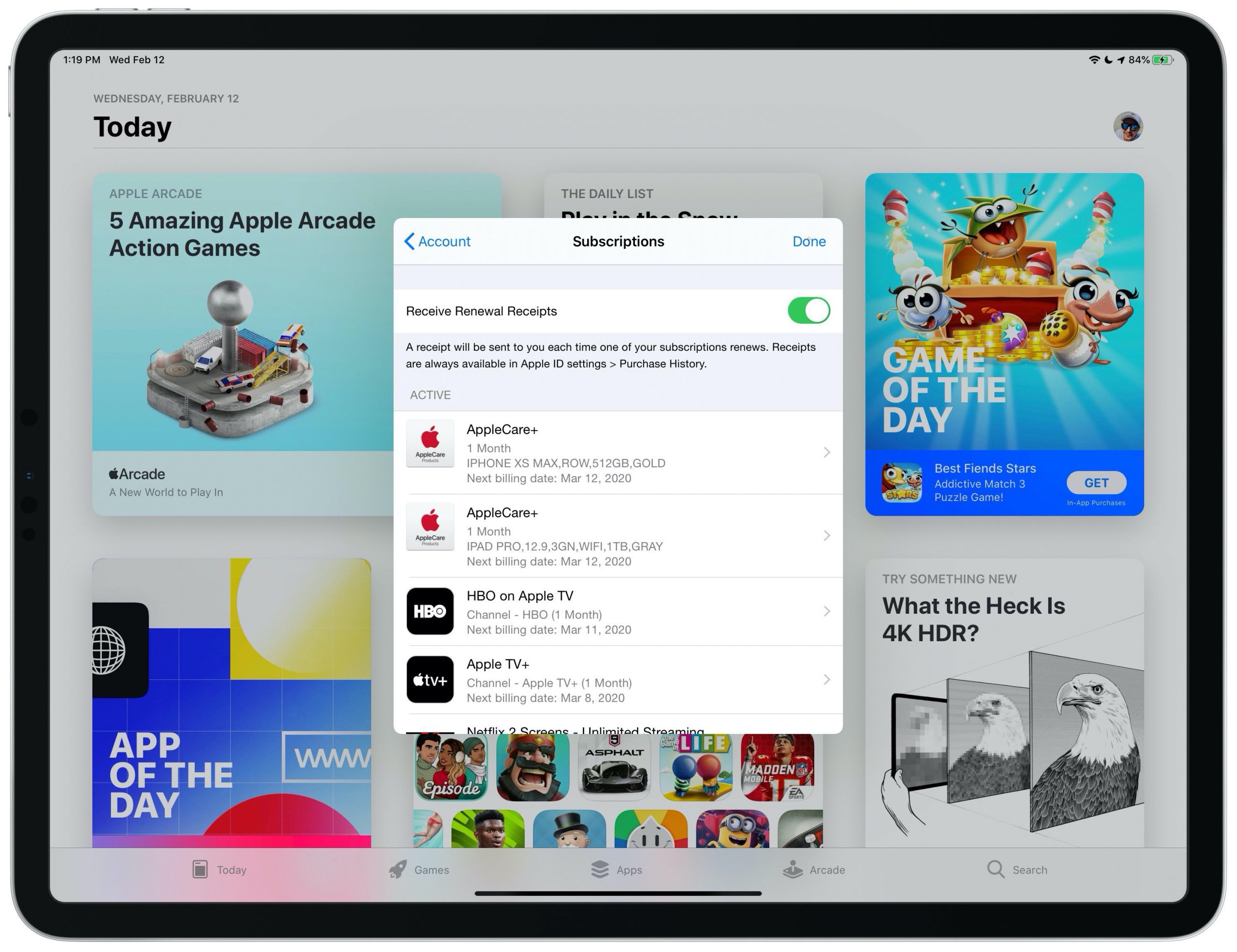
Go to Settings your name Subscriptions Do any of the following Change an existing subscription Renew an expired subscription Share an eligible subscription with other family members in your Family Sharing group Turn on Renewal Receipts Cancel a subscription Go to Settings your name Subscriptions

Billing and Subscriptions Cancel your subscription You can cancel a subscription from Apple or a subscription you purchased in an app directly in the App Store on your device Start your cancellation Request a refund Some purchases may be eligible for a refund To request one click the link below sign in and select Request a refund

Sign in to reportaproblem apple Tap or click I d like to then choose Request a refund Choose the reason why you want a refund then choose Next Choose the app subscription or other item then choose Submit If you ve been charged for a subscription that you no longer want you can also cancel the subscription

Apple One The best of Apple All in one Apple One bundles up to six Apple subscriptions for one lower monthly price including up to 2TB of iCloud storage And with the Family plan or Premier plan you can invite up to five other people to join with private access on all of their devices It s never been easier to get more For less
How to disable renewal receipts in macOS Open System Preferences Click on Apple ID Click on Media Purchases in the left column In the right column click Manage next to Subscriptions In the Tap Featured Scroll down and tap your Apple ID sign in with your Apple ID if you have not done so already Tap the View Apple ID and enter your password Scroll down and tap Manage App Subscriptions Choose an app subscription that you want to cancel Turn off Auto Renewal
Apple s latest update to the App Store rules allow subscriptions to more easily auto renew at a higher price Currently if a subscription costs more than your previous payment when it comes time