Stuck In Reboot Loop After Windows Update Samsung Galaxy Watch Stuck In Reboot Loop And Keeps Restarting How To Windows 7 Acer Stuck In Reboot Loop Microsoft Community How To Fix A Windows 10 Infinite Reboot Loop MakeUseOf Windows 7 Acer Stuck In Reboot Loop Microsoft Community Windows 10 Boot Loop After Update Super User Web Oct 11 2023 nbsp 0183 32 English Windows 10 stuck in restart loop is annoying In this post we show you 8 solutions that help you remove the Windows 10 reboot loop On This Page Workaround 1 Disable Automatic Restart Workaround 2 Remove Bad Registry Workaround 3 Fix Driver Issues Workaround 4 Make Startup Repair
Web Feb 12 2021 nbsp 0183 32 Table of Contents What Causes a Windows 10 Restart Loop How to Fix Windows 10 Stuck in Restart Loop 1 Unplug Peripherals and Hard Reset Your PC 2 Bypass the Restart Screen 3 Use Windows 10 Automatic Repair Using Safe Mode to Fix Windows 10 Stuck in Restart Loop How to Manually Boot into Safe Mode How to Web Jan 15 2024 nbsp 0183 32 What causes the Windows 10 boot loop problem If your system is stuck restarting after a Windows update the root cause could be a collective update Windows 10 update KB3081424 does not install and the computer was unable to complete the updates reverting the changes Then the Windows 10 registry might get corrupted by
Windows 10 Boot Loop After Update Super User How To Fix Android Phone Stuck In Reboot Loop TechOwns Windows 10 Update Error Strands Users In Reboot Loop WIRED UK Supermicro X10SLM F Stuck In Reboot Loop How Do I Disable IPMI BMC Windows Endless Reboot Loop Boot Loop Auto Restart Fixed YouTube Windows 10 Boot Verbose Windows 7 Computer Stuck In Reboot Loop After Unplugging Power Cord Samsung Galaxy Watch Stuck In Reboot Loop And Keeps Restarting How To Diagnosing Windows Stuck In A Reboot Loop YouTube
Stuck In Reboot Loop After Windows Update
 Stuck In Reboot Loop After Windows Update
https://www.myhealthyapple.com/wp-content/uploads/Boot-loop-Samsung-galaxy-watch-1068x801.jpg
Web Jul 31 2020 nbsp 0183 32 One Microsoft fix provides without relying on advanced options is an update to fix the Windows 10 boot loop problem The procedure is Open Settings gt Update amp security gt Windows Update Click on Check for updates and a further update then repair the Windows boot loop issue To prevent Windows 10 persisting in a computer reboot
Pre-crafted templates offer a time-saving option for creating a varied range of files and files. These pre-designed formats and designs can be made use of for various personal and professional projects, including resumes, invites, leaflets, newsletters, reports, presentations, and more, improving the material creation process.
Stuck In Reboot Loop After Windows Update
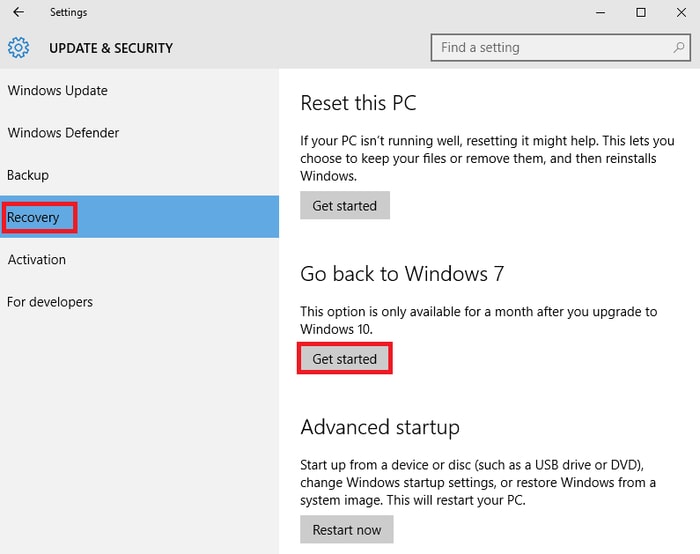
Top 3 Ways To Fix Endless Reboot Loop After Windows 10 Update Driver

How To Fix Android Phone Stuck In Reboot Loop TechOwns

Windows 10 Update Error Strands Users In Reboot Loop WIRED UK

Supermicro X10SLM F Stuck In Reboot Loop How Do I Disable IPMI BMC
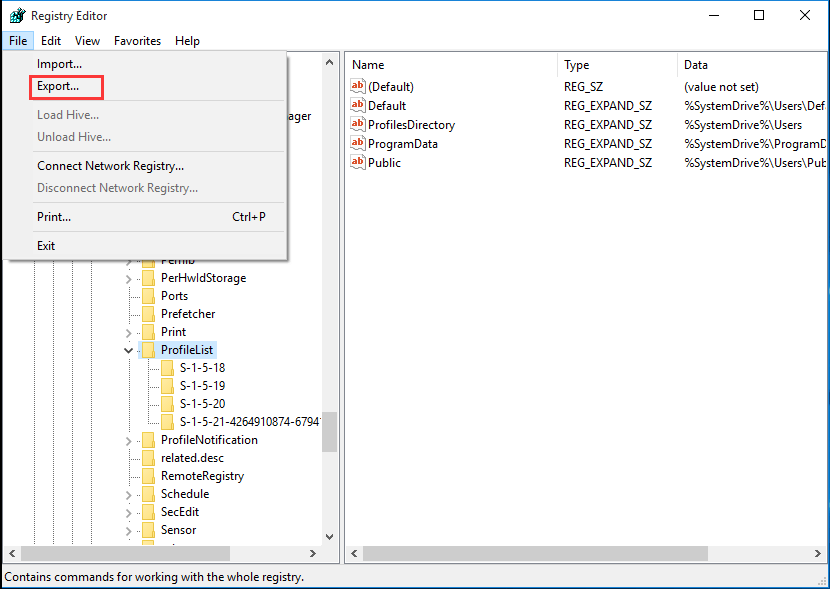
Windows 10 Boot Verbose

Windows 7 Computer Stuck In Reboot Loop After Unplugging Power Cord
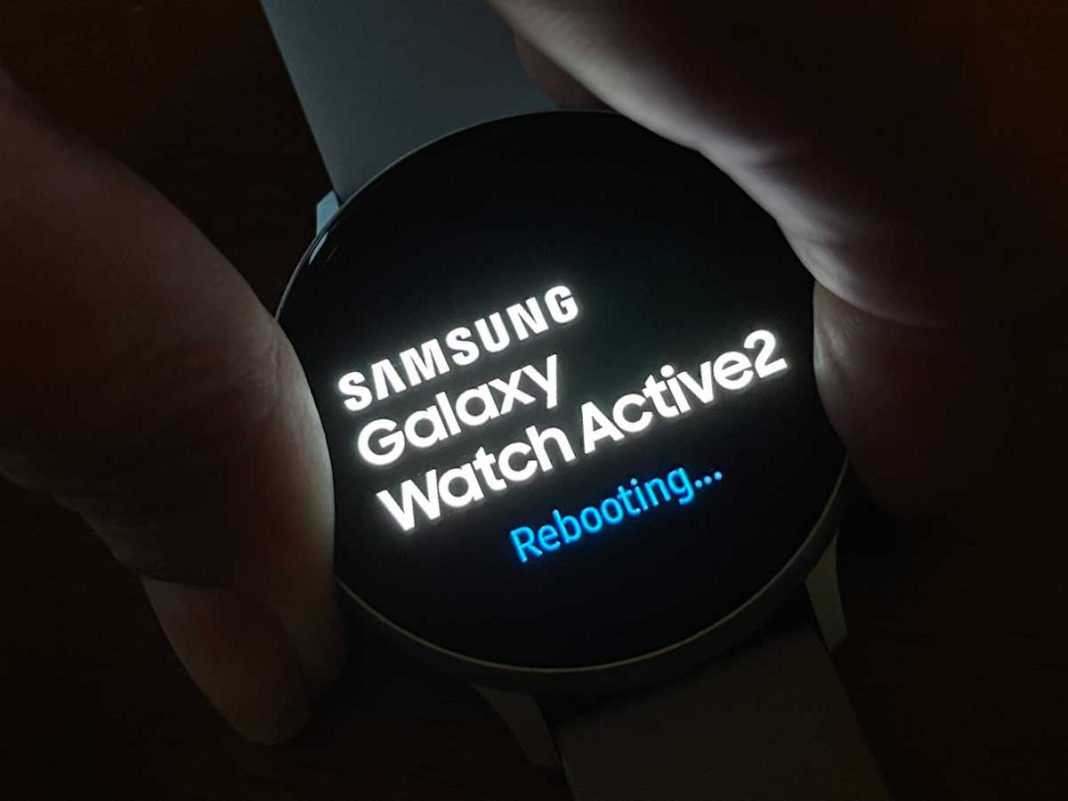
Web Aug 30 2023 nbsp 0183 32 Open Settings gt Update amp Security gt Recovery gt Advanced startup gt Restart now Type shutdown r o in an elevated CMD prompt to reboot your computer into Advanced Boot options or Recovery

Web Jun 30 2022 nbsp 0183 32 1 Force the computer to shut down 2 times until you get windows Troubleshooting gt Advanced Options A Startup repair B If you have a system restore point perform a system restore https support microsoft en us windows rec C If you installed any updates recently uninstall it D Click on Command Prompt gt Type this

Web Oct 4 2023 nbsp 0183 32 If you re stuck in a boot loop after Windows Update the problem might be your BIOS The most common cause for this problem is a Secure Boot feature and in order to fix the issue you just need to find and disable this feature To do that you just need to follow these steps Let your PC restart a couple of times during the boot sequence

Web Oct 4 2023 nbsp 0183 32 Why is Windows 11 stuck in a reboot loop What can I do if Windows 11 is stuck in a reboot loop error 1 Remove external peripherals or devices 2 Uninstall recent Windows updates 3 Enable Secure Boot 4 Update Windows 11 5 Delete files in the Software Distribution folder 6 Remove recently installed applications 7 Update

Web published 21 January 2021 Round and round and round we go with Windows 10 Comments 0 Image credit Supranee T Shutterstock The most recent Patch Tuesday updates from Microsoft seem to be
Web Aug 30 2022 nbsp 0183 32 1 Wait It Out 2 Remove External Devices and Peripherals 3 Hard Reset Your PC Use Windows Recovery Environment to Fix a PC Stuck Restarting 4 Perform a Startup Repair 5 Run the System File Checker and Check Disk Utility 6 Uninstall New Updates 7 Perform a System Restore Use Safe Mode to Fix a PC Stuck Restarting 8 Web Apr 12 2020 nbsp 0183 32 Solution 2 Open an Admin level CMD window and type in net stop wuauserv leave the window open In File Manager delete everything in C Windows SoftwareDistribution Download Now back to the CMD window amp type in net start wuauserv Close the windows and restart 0
Web Aug 28 2022 nbsp 0183 32 In the following window click on Troubleshoot Troubleshoot option Choose Advanced options Advanced options in the Troubleshoot menu Now click on Startup settings Choose the Startup settings option Here click on the Restart button and then press 4 to boot to Safe Mode Alternatively press F4 to do so