Start Ssh Agent Command Line PowerShell Unable To Start Ssh agent Service Error 1058 Bobbyhadz PowerShell Unable To Start Ssh agent Service Error 1058 Bobbyhadz Build A Command Line Application With Node js Writing A Command Line Application In Elixir Dimitris Zorbas Command Prompt Tips And Tricks Windows 10 Command Line Tricks TechRadar OpenSSH is the open source version of the Secure Shell SSH tools used by administrators of Linux and other non Windows for cross platform management of remote systems OpenSSH has been added to Windows as of autumn 2018 and is included in Windows Server and Windows client SSH is based on a client server architecture where the system the
Updated May 23 2023 by Nathaniel Stickman Create a Linode account to try this guide ssh agent manages private keys for SSH connections facilitating smoother SSH experiences and allowing you to use SSH sessions across programs This guide aims to give you a full walkthrough of ssh agent User key generation To use key based authentication you first need to generate public private key pairs for your client ssh keygen exe is used to generate key files and the algorithms DSA RSA ECDSA or Ed25519 can be specified If no algorithm is specified RSA is used A strong algorithm and key length should be used such as Ed25519 in
Command Prompt Tips And Tricks Windows 10 Command Line Tricks TechRadar Unable To Start Ssh agent Service Error 1058 9to5Tutorial Creating Ethereum Smart Contracts Via Command Line How To See Computer Name Using Cmd How To Find Computer Name On How To Enable The Built in OpenSSH Client In Windows 10 Tutorial Linux Command Line Files101 Blog Active Directory Doorzoeken Vanaf De Command Line Blog Perintah Dasar Command Line Interface CLI Linux Arfiyanto Susilo How To Enable SSH On Windows 10 Command Prompt
Start Ssh Agent Command Line
 Start Ssh Agent Command Line
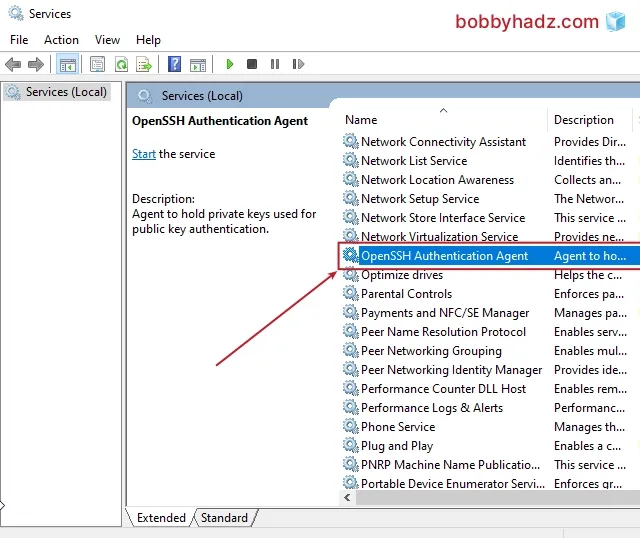
https://bobbyhadz.com/images/blog/unable-to-start-ssh-agent-service-error-1058-powershell/scroll-down-to-openssh-authentication-agent-service.webp
Aug 2 2018 at 9 56 Add a comment 7 Answers Sorted by 47 I had the same problem as you then I tried adding this code bin bash eval ssh agent s ssh add ssh rsa into file bashrc in my home directory And it works Share Improve this answer
Pre-crafted templates use a time-saving service for producing a diverse series of files and files. These pre-designed formats and layouts can be made use of for various individual and professional tasks, consisting of resumes, invites, leaflets, newsletters, reports, presentations, and more, improving the material development process.
Start Ssh Agent Command Line

Turn A Command Line Tool Into A REST API With Azure Functions Turn a

Unable To Start Ssh agent Service Error 1058 9to5Tutorial

Creating Ethereum Smart Contracts Via Command Line
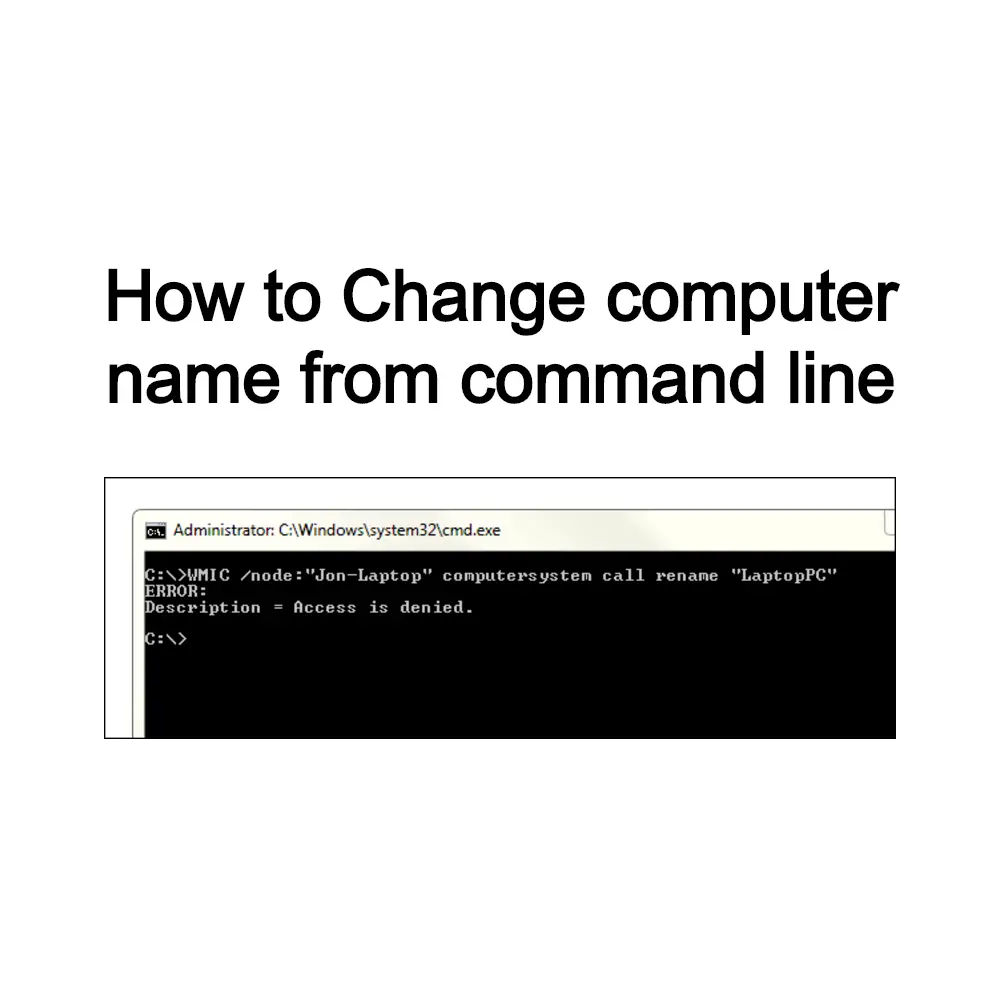
How To See Computer Name Using Cmd How To Find Computer Name On

Linux Command Line Files101 Blog

Active Directory Doorzoeken Vanaf De Command Line Blog
To avoid needing to restart your system to get the service running for the first time execute this command start ssh agent cmd Using a command line tool such as Bash or PowerShell you should be able to follow these steps to create a local SSH key pair For our example we will create an ED25519 key but you can create other keys such as
The SSH agent manages your SSH keys and remembers your passphrase If you don t already have an SSH key you must generate a new SSH key to use for authentication If you re unsure whether you already have an SSH key you can check for existing keys For more information see Checking for existing SSH keys

SSH agent forwarding can be used to make deploying to a server simple It allows you to use your local SSH keys instead of leaving keys without passphrases sitting on your server If you ve already set up an SSH key to interact with GitHub you re probably familiar with ssh agent

Starting ssh agent On most Linux systems ssh agent is automatically configured and run at login and no additional actions are required to use it However an SSH key must still be created for the user If ssh agent is not automatically started at login it can be started manually with the command eval ssh agent
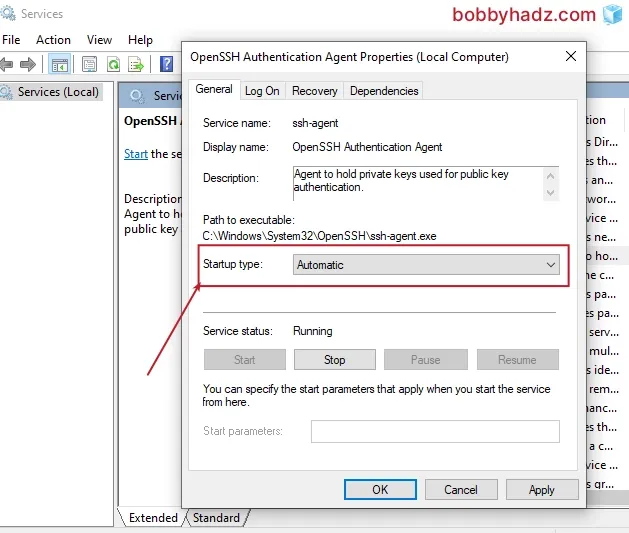
6 In the startmenu search for Services Double click on OpenSSH Authentication Agent Set the startup type to Automatic Click Start Click Ok and Exit Now go to PowerShell and add your key with ssh add After that the agent will remember your key when you need it Esben Andersen
Jan 14 2021 at 11 43 Add a comment 21 Answers Sorted by 474 This is a typical example of a trade off between security and convenience Luckily there are a number of options The most appropriate solution depends on the usage scenario and desired level of security ssh key with passphrase no ssh agent Open the terminal and type the following command eval ssh agent eval ssh agent You will see the PID of the ssh agent as follows on screen Agent pid 97280 Use ssh add to add the private key passphrase to ssh agent Now our ssh agent is running and you need to provide the passphrase for your ssh private keys
To specify the starting directory for a ssh session invoked by Windows Terminal you can use this command commandline ssh t bob foo cd data bob exec bash l The t flag forces pseudo terminal allocation This can be used to execute arbitrary screen based programs on a remote machine e g when implementing menu services