Start Service Through Cmd The Start Free Stock Photo Public Domain Pictures Accelerate Your Customer Service Through The Latest Tech Trends Pobuca MotionBlinds 433MHz Motor CMD 02 MotionBlinds Support Bifold Order Of Service Obituary Template Brochure Soft Ocean Hindu Digital Commerce Platform Web Dec 28 2013 nbsp 0183 32 Use it to easily start stop pause or restart any service from an elevated command prompt or in a convenient script batch file Using NET to stop a Windows
Web Apr 25 2014 nbsp 0183 32 Get Service StartType eq Disabled The Set Service cmdlet can set several properties of a given service including the startup type For example this sets Web Oct 10 2018 nbsp 0183 32 Open command prompt by entering Command Prompt in Windows Search Right click it and select Run as administrator from the context menu Alternatively you can open Command Prompt with admin
Digital Commerce Platform How To List All Windows Services Using Powershell Or Command Line How To Force Run Windows Update From Command Line 2 Ways CMD Blackboard Update 9th And 10th August A Date For Your Diary TEL CCCU Simplicontent File MajGen Neller CMD Photo correct jpg Wikimedia Commons READ From The START Change Sd Card Serial Number Baldcirclescanner
Start Service Through Cmd
 Start Service Through Cmd
https://www.publicdomainpictures.net/pictures/20000/velka/the-start.jpg
Web Dec 22 2022 nbsp 0183 32 Start service To start a service with the command line use these steps Open Start Search for Command Prompt right click the top result and select the Run as administrator option
Templates are pre-designed documents or files that can be used for various functions. They can conserve time and effort by supplying a ready-made format and layout for producing different kinds of material. Templates can be utilized for individual or professional projects, such as resumes, invitations, flyers, newsletters, reports, discussions, and more.
Start Service Through Cmd

Cmd People And Reward Solutions
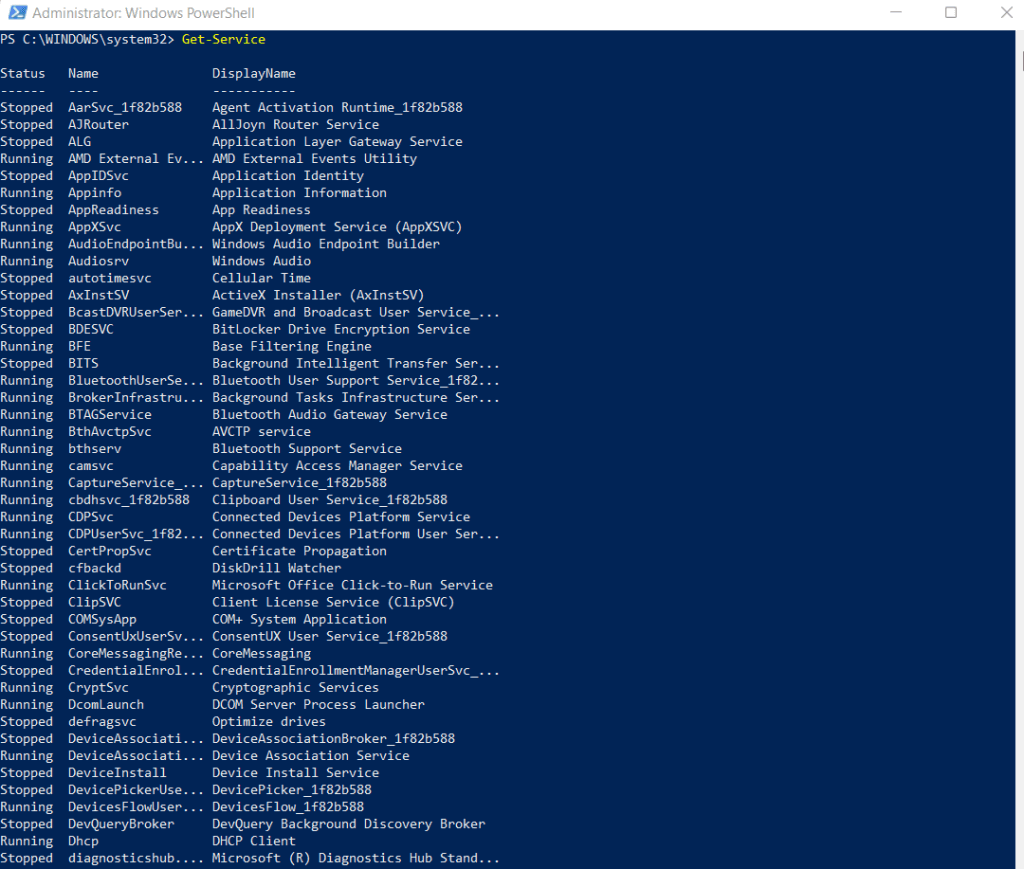
How To List All Windows Services Using Powershell Or Command Line
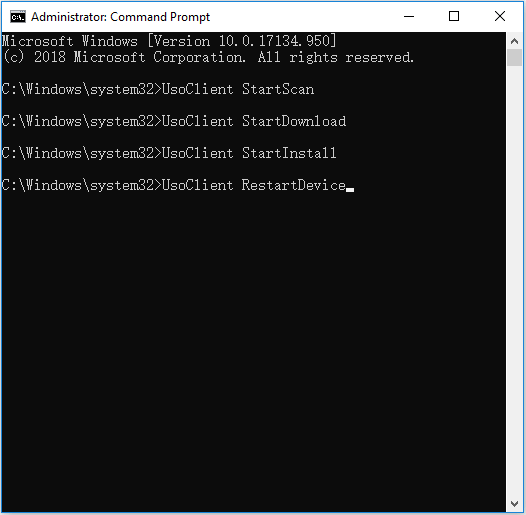
How To Force Run Windows Update From Command Line 2 Ways

CMD

Simplicontent

File MajGen Neller CMD Photo correct jpg Wikimedia Commons

Web Sep 25 2008 nbsp 0183 32 18 Answers Sorted by 359 Use the SC service control command it gives you a lot more options than just start amp stop DESCRIPTION SC is a command line

Web Sep 12 2022 nbsp 0183 32 Use the following commands to start or stop a Windows service Start Service sc start ServiceName Stop Service sc stop ServiceName You can also change the Windows service startup type

Web Oct 17 2019 nbsp 0183 32 Use the following commands to start stop or check the status of a service in Windows on the command line prompt CMD Start a service C gt net start

Web 140 You can use net stop service name to stop it and net start service name to start it up again basically restarting the service To combine them just do this net stop service

Web Jul 7 2023 nbsp 0183 32 To Enable and Start a Service type the command below you want into the PowerShell console and hit Enter Automatic Delayed Start Set Service Name
Web Oct 22 2019 nbsp 0183 32 1 Find service name 2 Stop service 3 Start service Summary Next Steps Introduction This tutorial describes how to stop start a windows service via batch Web Jan 22 2023 nbsp 0183 32 To start or stop a service using Command Prompt Right click the Start icon or use the Win X keyboard shortcut to open the Power User menu Select Terminal
Web Jul 28 2023 nbsp 0183 32 Click the Start Stop or Restart button to perform an action from the command bar Optional Right click the service and select the Properties option