Ssh Key Generation Windows For Gitlab Generating SSH Keys With OpenSHH College Of Science Purdue University GitLab CI CD Of A Nuxt js Frontend Over SSH rsync TechBlog By Pipo GitHub Alternatives A Review Of BitBucket GitLab And More Rewind How To Set Up SSH Keys For Github Earth Inversion Git Generate Ssh Private Key WEB Dec 24 2020 nbsp 0183 32 How to generate the ssh key Download gitbash or putty After downloading gitbash putty follow the steps Open a terminal on Linux or macOS or Git Bash WSL on Windows Generate a new ED25519 SSH key pair ssh keygen t ed25519 C quot email example quot Or if you want to use RSA ssh keygen t rsa b 4096 C
WEB Jan 30 2024 nbsp 0183 32 In this GitLab SSH Keys tutorial we show you how to configure SSH keys to securely connect your local Git instance with your remote GitLab repositories How to setup GitLab SSH keys To setup and configure GitLab SSH keys for secure Git fetch pull push and clone operations follow these steps WEB Generate an SSH key pair for a FIDO U2F hardware security key To generate ED25519 SK or ECDSA SK SSH keys you must use OpenSSH 8 2 or later Insert a hardware security key into your computer Open a terminal Run ssh keygen t followed by the key type and an optional comment
Git Generate Ssh Private Key How To Configure SSH Passwordless Login Authentication On Linux Using Oracle Cloud SSH Key Generation YouTube How To Generate And Use GitLab SSH Keys GitLab CI CD How To Generate SSH Keys In Windows And MacOS Red Server Host H ng D n T o SSH Keygen V X c Th c K t N i SSH B ng Public Private Apache Guacamole SSH Key Generation SSH Keygen Tutorial How To Generate An SSH Public Key For RSA Login
Ssh Key Generation Windows For Gitlab
 Ssh Key Generation Windows For Gitlab
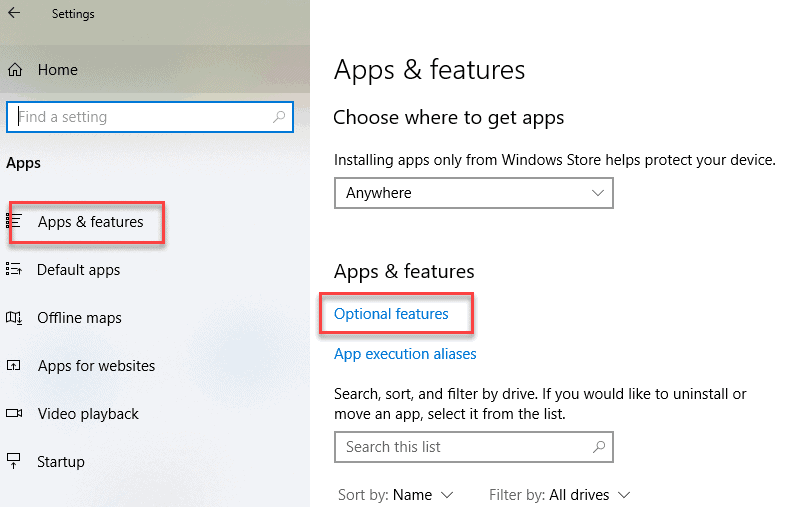
https://www.purdue.edu/science/scienceit/images/keys/win10apps.png
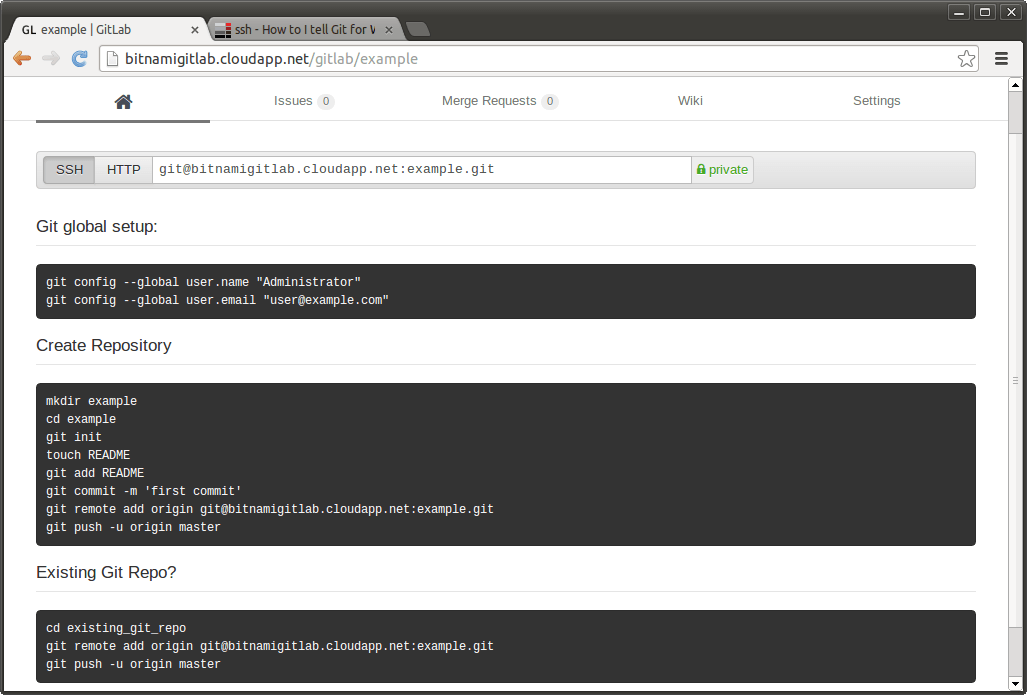
WEB Jan 20 2021 nbsp 0183 32 In this article we ll review what SSH keys are in the context of GitLab authentication how to create them and how to keep them safe What are SSH Keys In order to communicate over SSH Secure Shell you must have an SSH key pair Each SSH key pair has a public and a private key
Pre-crafted templates offer a time-saving solution for creating a varied series of files and files. These pre-designed formats and layouts can be made use of for different individual and professional tasks, including resumes, invitations, leaflets, newsletters, reports, presentations, and more, improving the content creation procedure.
Ssh Key Generation Windows For Gitlab
Gitlab Ssh Key Generation Windows

How To Configure SSH Passwordless Login Authentication On Linux Using

Oracle Cloud SSH Key Generation YouTube
How To Generate And Use GitLab SSH Keys
How To Generate SSH Keys In Windows And MacOS Red Server Host
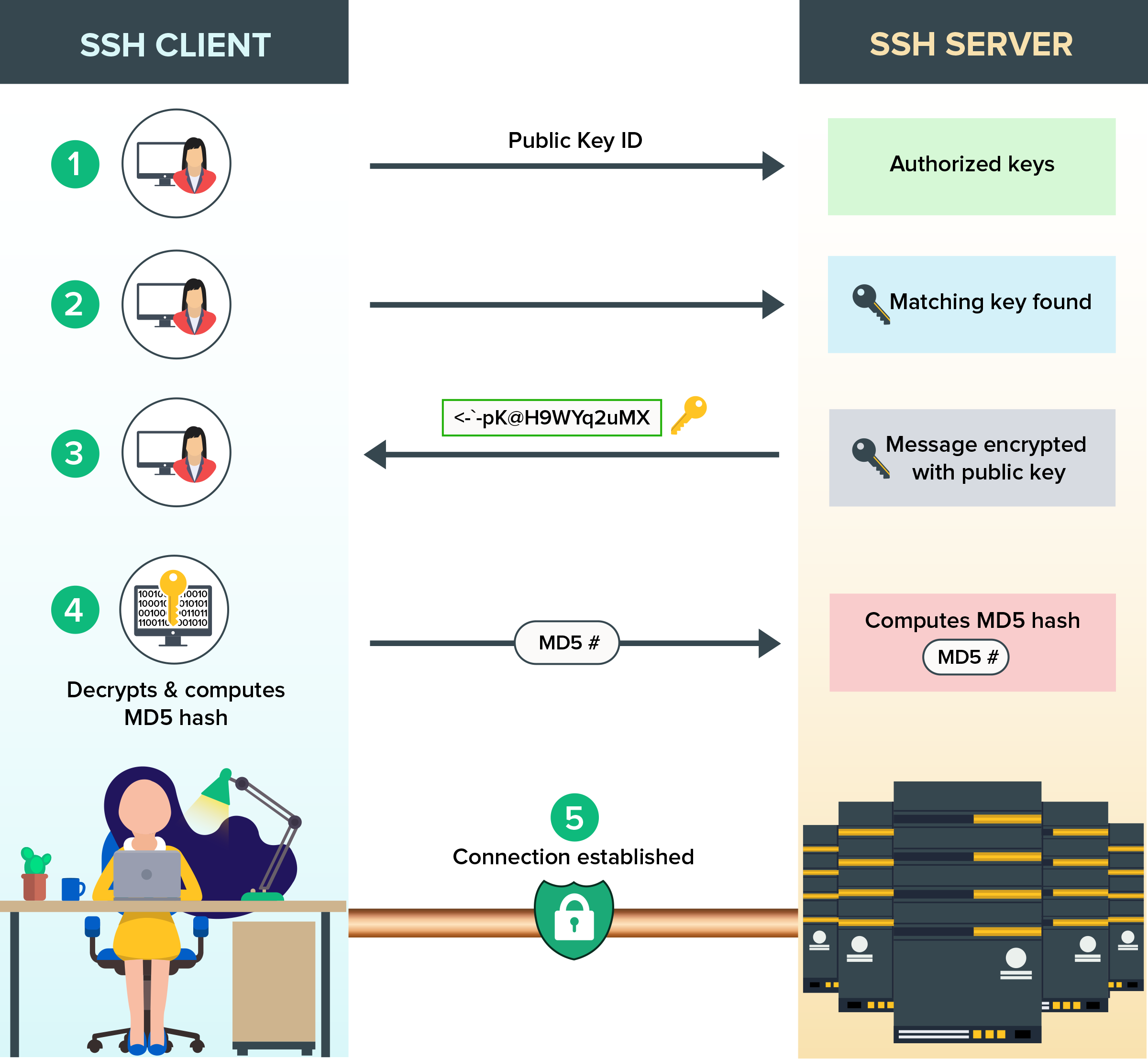
H ng D n T o SSH Keygen V X c Th c K t N i SSH B ng Public Private

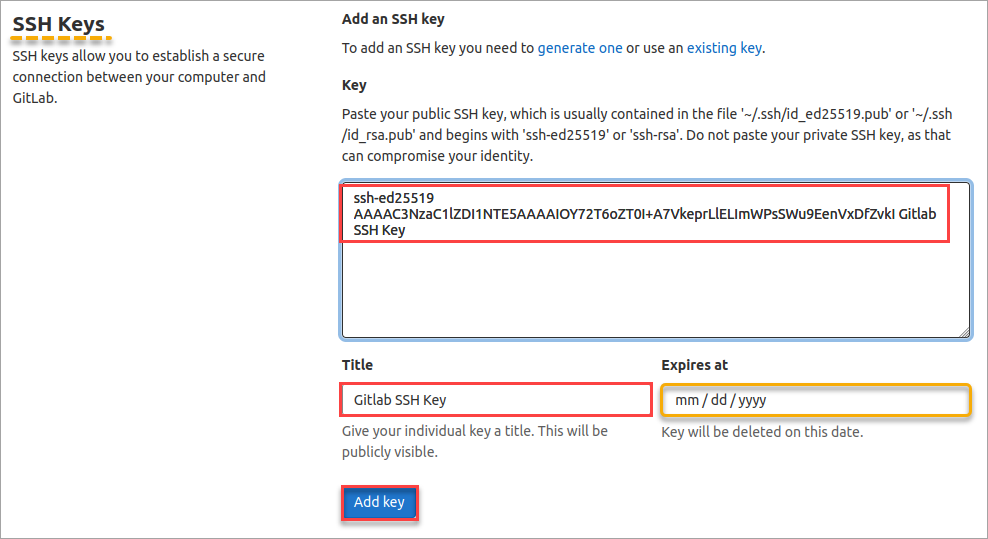
WEB ON windows if you have git for windows installed run git gui Then click Help then click Show Ssh Key then click Generate Key While you re at it then copy to the clipboard and then go to your Gitlab account page and add the SSH key to

WEB Mar 29 2022 nbsp 0183 32 To add SSH cryptographic keys to your authentication process Install the Git client for Windows if it hasn t already been done https git scm Add the OpenSSH Agent feature to the Windows desktop Use ssh keygen to create a public private key pair Upload the public SSH key to your GitLab profile
WEB Sep 29 2023 nbsp 0183 32 Create SSH keys From the GitLab documentation ED25519 keys are recommended as they are more secure and performant than RSA keys according to the book Practical Cryptography With Go To generate the key run the following command ssh keygen t ed25519 C quot lt comment gt quot
WEB Nov 23 2021 nbsp 0183 32 Do you want to securely authenticate with Gitlab and get rid of pesky password prompts Switch to using Gitlab SSH keys Learn hands on in this tutorial
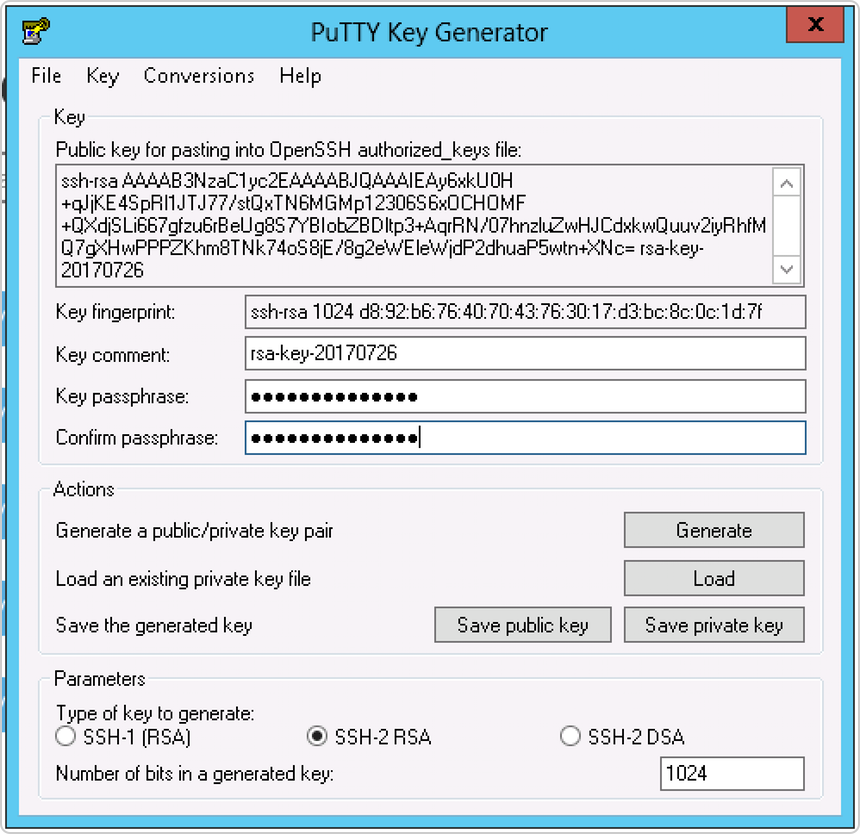
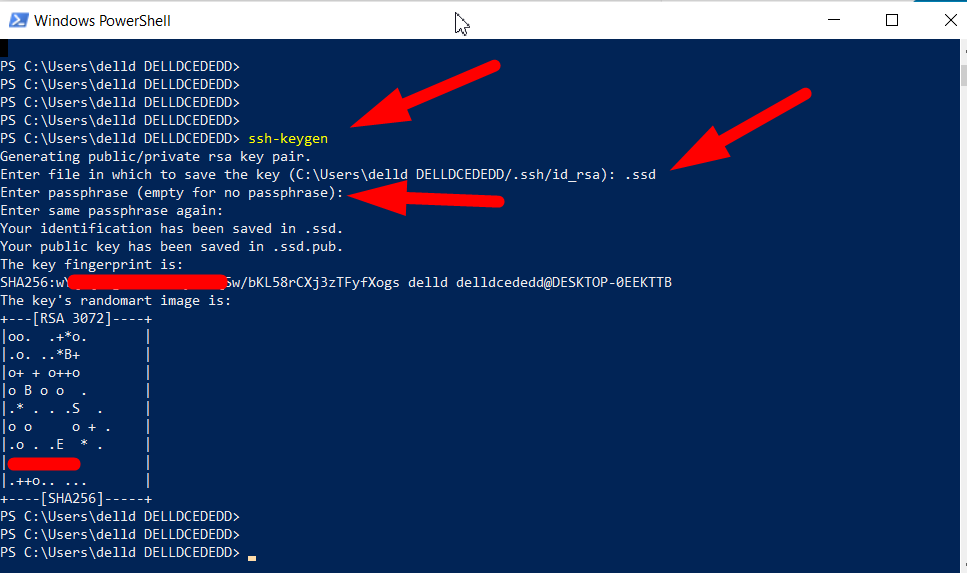
WEB Jan 22 2021 nbsp 0183 32 Step 4 Generating an SSH key We will be using a tool called ssh keygen So open a terminal and run this command ssh keygen
WEB Oct 15 2018 nbsp 0183 32 This is how I managed to create a SSH key and connect to my GitLab account using that key 1 Open Git Bash Download and Install Git Bash You can use any nix based command prompt 2 Type cd ssh This will take you to the root directory for Git Likely C Users YOUR USER NAME ssh on Windows WEB Dec 18 2020 nbsp 0183 32 Learn how to create a SSH key to work with Github and Gitlab using PuTTYGen in Windows 10 When you work with Git either with Github or Gitlab you will need often to authenticate yourself using your username and password
WEB Oct 5 2020 nbsp 0183 32 Generate a ssh key using puttygen exe ssh2 rsa 4096 comment GitLab and set a passphrase Add key to pageant exe and the public key to your GitLab profile Ensure you start a new command shell so that git recognizes the GIT SSH value Try these two commands to check connection first