Squarespace Recommended Image Size Squarespace Pricing All Pricing Plans Squarespace 2022 Squarespace Image Sizes Tips Tricks To Know When Designing Your How To Customize Gallery Captions In Squarespace Squarespace7 1 Squarespace Template Customer Showcase Photographer Kayla Simon Big How Premium Squarespace 7 1 Template Works How Squarespace Templates Here s the lowdown on image size guidelines Recommended width For most sections like banners backgrounds and galleries aim for 1500 to 2500 pixels wide This gives you a nice balance between looking sharp and loading fast For smaller bits like thumbnails go for around 600 800 pixels wide Max file size Keep your image files under 20 MB
Squarespace recommends using image files of less than 500 KB for best results though the limit for an individual image upload is 20 MB When it comes to image size bigger isn t always better as uploading larger images can affect site performance Resolution There is an image resolution limit of 60 MP megapixels The height changes relative to the width to preserve the image s aspect ratio Squarespace s built in responsive design picks the appropriate image size based on the visitor s screen File Types The types of files that can be uploaded include png jpg or gif Using jpg is recommended because it is a smaller size if your image does not
How Premium Squarespace 7 1 Template Works How Squarespace Templates Squarespace Web Site Hosting Services Review 2020 PCMag Australia Squarespace Mojave Template Fix8 Media Squarespace Pricing Plans In The UK Mar 2022 LaptrinhX Iris Squarespace Template Kit Big Cat Creative Squarespace Templates The Best Scheduling Tool For Your Squarespace Website Five Design Co Squarespace Image Size How To Make A Squarespace Logo Custom Squarespace Templates GoLive Squarespace Website Templates
Squarespace Recommended Image Size
 Squarespace Recommended Image Size
https://i0.wp.com/static1.squarespace.com/static/5134cbefe4b0c6fb04df8065/t/614b47afa0f77b1418f13c5f/1632323503633/squarespace.com.jpg?format=1500w
You can upload images that are up to 20MB in size to Squarespace However it s recommended that the images are less than 500KB so they load faster on a website Photo editing applications allow you to reduce image file size This can be achieved by reducing the photo dimensions
Pre-crafted templates use a time-saving solution for creating a varied range of documents and files. These pre-designed formats and designs can be made use of for numerous individual and professional tasks, consisting of resumes, invites, leaflets, newsletters, reports, presentations, and more, improving the content development procedure.
Squarespace Recommended Image Size

Squarespace Website Launch Checklist Website Fabricator

Squarespace Web Site Hosting Services Review 2020 PCMag Australia

Squarespace Mojave Template Fix8 Media

Squarespace Pricing Plans In The UK Mar 2022 LaptrinhX
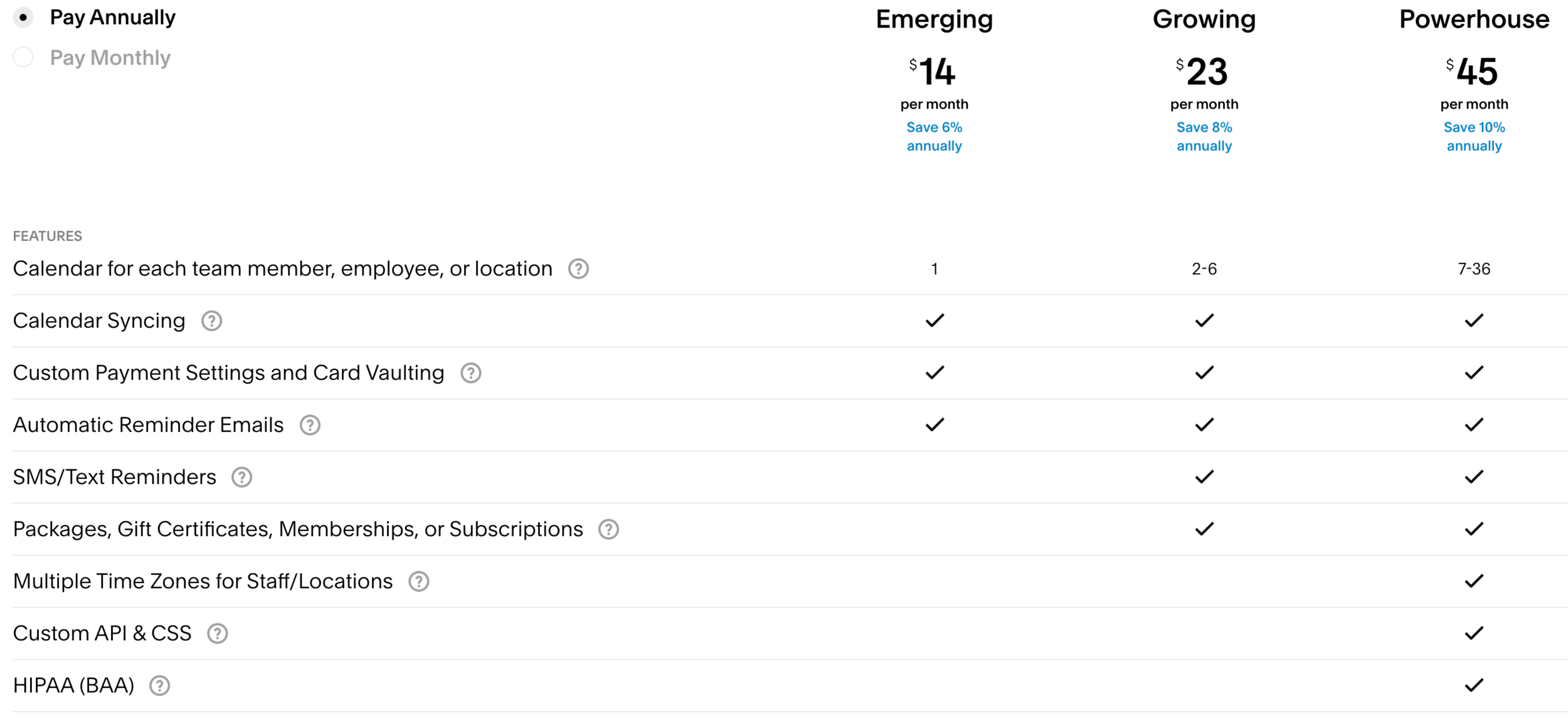
The Best Scheduling Tool For Your Squarespace Website Five Design Co
.png "Squarespace Image Size")
Squarespace Image Size

1500px Squarespace has deemed this the perfect balance between protecting your image s quality from the evils of image stretching a k a looking grainy AF when viewed on a giant iMac and optimizing those page load speeds for a happier Google internet deity

Image shape Best known as aspect ratio this is the height to size ratio that plays a big part in how an image looks on screen You may be familiar with using ratios for things like making Pinterest pins which are optimal in 2 3 ratio or Instagram image sizes which are often 1 1 square Squarespace Image Requirements and Best Practices
Squarespace will automatically resize your images to 7 different pixel widths for display on different screen widths The largest of these is 2500px The others are 100 300 500 750 1000 1500

What Size Should Images Be for Website Squarespace It depends on you The Squarespace website creates seven different versions of each image based on the size that you upload with widths of 2500 1500 1000 750 500 300 and 100 pixels It is up to you to decide which Squarespace image size version you prefer

Squarespace recommends that your image file sizes all be 500kb or less To find the size and dimensions of your original image before uploading it to your site On a PC Right click on the image and select PROPERTIES On a Mac Press OPTION while clicking on the image file then select GET INFO 2
When you upload an image to Squarespace they ll automatically create seven different versions of each image with widths of 100 300 500 750 1000 1500 and 2500 pixels and it s up to you to choose which you d like to go with On Squarespace images will be cropped horizontally vertically or both depending on the container On Squarespace 7 1 images blocks that are set to fill will crop photos when you resize them Image blocks set to fit will become smaller or larger to adjust to the size of the block
In case you don t know the favicon image is the image icon that shows up on your browser For favicon images keep the sizes to between 100px X 100px and 300px X 300px Once uploaded your little icon will always display as 16px X 16px in browsers Unlike for other images the best file formats for favicons is either ico or png