Squarespace Increase Header Height GitHub Mohanadft Cracking The Coding Interview Solved How To Increase The Width Of Table Header And Table Cell In JavaFX Tableview Java CSS Transparent Header In Squarespace MME Marketing And Web Consultant ROI In Marketing How To Increase Your ROI Attribution Metrics With Lead Nurturing 5 Ways To Increase Your Income As A Squarespace Designer Kate Scott Squarespace Templates Step 1 Access Your Squarespace Site Log in to your Squarespace account and select the website where you want to customize the header Step 2 Enable Developer Mode Optional If you re
In today s video we ll look at how you can adjust your site header in Squarespace 7 1 If you have any questions let me know in the comments below square For questions about the legacy Squarespace 5 platform please visit its Help Center Back A bank statement that shows the bank header bank accountholder name and the most recent Squarespace charge You are free to obscure other personal information in the document Not required for two factor authentication issues
5 Ways To Increase Your Income As A Squarespace Designer Kate Scott Squarespace Templates Squarespace Banner Size The IDEAL Image Dimensions Increase Header Size Creating A Photo Album In Photoshop Elements For Windows Visual How To Increase The Header Size In Word 2010 Anaya Sansion Code Free Countdown Timers For Your Squarespace Website Applet Studio Custom Header Height Issue In Ionic 4 Ionic v3 Ionic Forum Increase Header Size Creating A Photo Album In Photoshop Elements For Windows Visual CSS Enhancements For Your Squarespace Site Ekspohz Squarespace Image Sizes Tips Tricks To Know When Designing Your Website Paige Brunton
Squarespace Increase Header Height
Squarespace Increase Header Height
https://camo.githubusercontent.com/57f2d59caf12672e9044d1c6ba63a94562424d2908fe777ef173a0edc8c0be61/68747470733a2f2f696d616765732d6e612e73736c2d696d616765732d616d617a6f6e2e636f6d2f696d616765732f492f3631394d2d34784e494e4c2e6a7067
Changing fonts Make the text thicker or thinner Change the space between lines of text Change the space between letters Set the text to normal bold italic or other formats depending on the font Capitalize some all or none of the text This tweak only applies to certain fonts Make the text larger or smaller
Templates are pre-designed documents or files that can be utilized for numerous purposes. They can conserve time and effort by supplying a ready-made format and design for creating various sort of material. Templates can be utilized for personal or professional projects, such as resumes, invites, flyers, newsletters, reports, discussions, and more.
Squarespace Increase Header Height

Doctors Header Asheville Eye
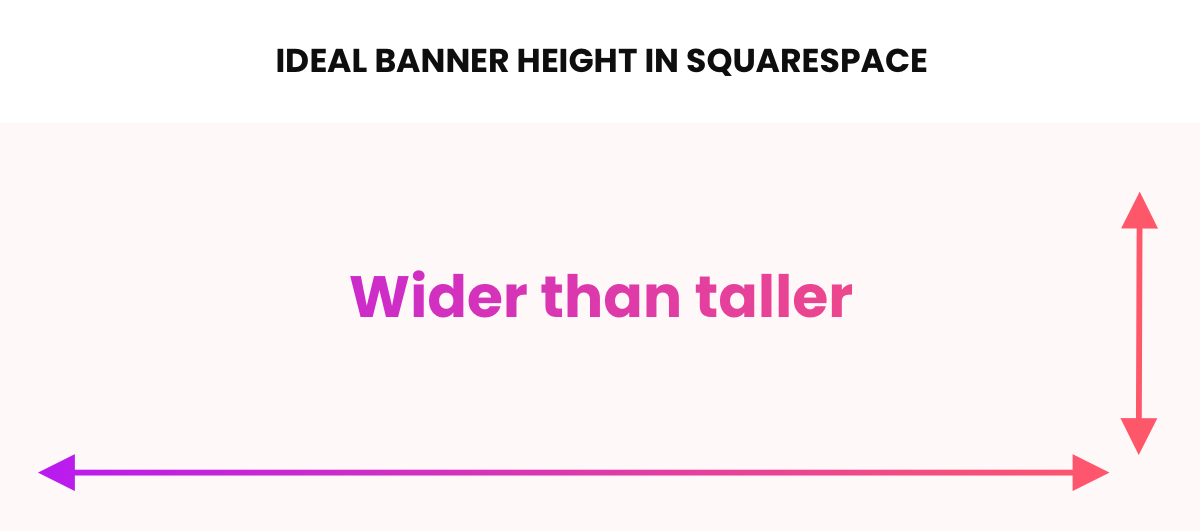
Squarespace Banner Size The IDEAL Image Dimensions
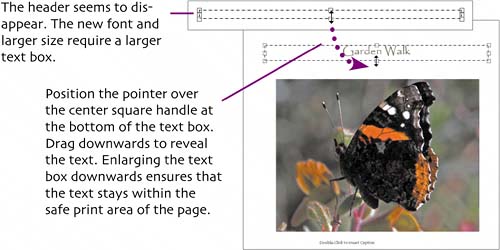
Increase Header Size Creating A Photo Album In Photoshop Elements For Windows Visual
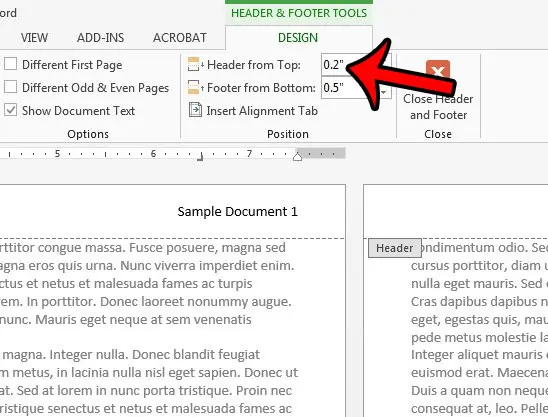
How To Increase The Header Size In Word 2010 Anaya Sansion

Custom Header Height Issue In Ionic 4 Ionic v3 Ionic Forum
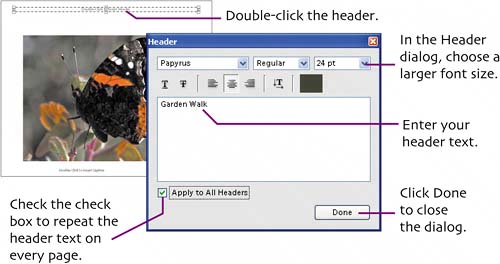
Increase Header Size Creating A Photo Album In Photoshop Elements For Windows Visual
4 Posted October 3 2020 edited Site URL https www vincelam au Hi there I am trying to reduce the height of the header It is too high to my liking on desktop view mobile is good Can someone help me The height of the header is visible when scrolling on the homepage www vincelam au Thank you in advance

There are a few different ways that you can change the header size in Squarespace You can use the style attribute in the header tag or you can use CSS To change the header size using the style attribute simply add the following to the header tag Of course you can change the font size to whatever you like

Building a site header In this guide Style the menu and other elements that appear at the top of every page on your site Your site header is where your navigation and title

Change the Banner Header Height Squarespace Tutorial AskQuesty 895 subscribers Subscribe 8 2K views 4 years ago Was this helpful Ask your Squarespace questions now

Table of Contents in Detail Hide How to Build a Site Header on Squarespace 7 1 The header tells people what your site is about but it also offers one of the most fundamental features of any website the navigation menu You can go ultra sleek and choose a tucked away clickable icon or you can list out your site s pages along the top
1 Click on the page you want to edit and hover over the top of the page to find the Edit button If you don t already have an image uploaded you would click on Banner first to upload it Then you would come back to this area 2 Use the insert point to add spacer blocks Step 1 Navigate to Design Site Styles In the Site Styles menu you ll scroll down and look for something called HEADER BRANDING Logo Width or NAVIGATION Logo Height or something similar depending on your template
Top CSS tips for customizing your backgrounds layouts in Squarespace 1 Overlap a block between two sections in Squarespace 7 0 using CSS Method of CSS injection used Universal In Squarespace your sections act like walls to contain all your content so there s no native A K A built in way to make your content span across two sections