Sql Server Data Tools For Visual Studio 2017 Installation Error Hidden Potential Of SQL Server Data Tools SSDT coding Sight Descargar SQL Server Data Tools SSDT SQL Server Data Tools SSDT Versiones Anteriores De SQL Server Data Tools SSDT SQL Server Data SQL Server Management Studio SSMS SQL Server Management Studio Sequel Pro Sql Server Flightpikol Sep 18 2008 nbsp 0183 32 Is it possible to use an IF clause within a WHERE clause in MS SQL Example WHERE IF IsNumeric OrderNumber 1 OrderNumber OrderNumber ELSE
FROM TableA This very powerful SQL syntax avoids a long list of columns that must be constantly updated due to table column name changes This functionality is missing in the This was an example but the point is as Eric said in How can I do an UPDATE statement with JOIN in SQL Server You need to add an UPDATE statement at first with the full address of
Sequel Pro Sql Server Flightpikol SQL Server Data Tools SSDT For Visual Studio SQL Server 2012 Standard TresBizz Visual Database Tools Microsoft Learn What s New In SQL Server 2012 Unleash The New Features Of SQL Server SQL Server Data Tools Business Intelligence For Visual Studio 2012 Oracle Developer Tools For Visual Studio Code Dirk Nachbar Oracle Vrogue Oracle Developer Tools For Visual Studio Code Dirk Nachbar Oracle Vrogue Azure SQL For Beginners Video Playlist Azure SQL Devs Corner
Sql Server Data Tools For Visual Studio 2017 Installation Error
 Sql Server Data Tools For Visual Studio 2017 Installation Error
https://codingsight.com/wp-content/uploads/2021/09/ConfigureSQLJobs_878х700-copy-2.png
I m trying to run the following fairly simple query in SQL Server Management Studio SELECT TOP 1000 FROM master sys procedures as procs left join master sys parameters as params
Templates are pre-designed files or files that can be used for numerous functions. They can save effort and time by supplying a ready-made format and layout for developing various type of material. Templates can be used for individual or expert tasks, such as resumes, invites, leaflets, newsletters, reports, presentations, and more.
Sql Server Data Tools For Visual Studio 2017 Installation Error
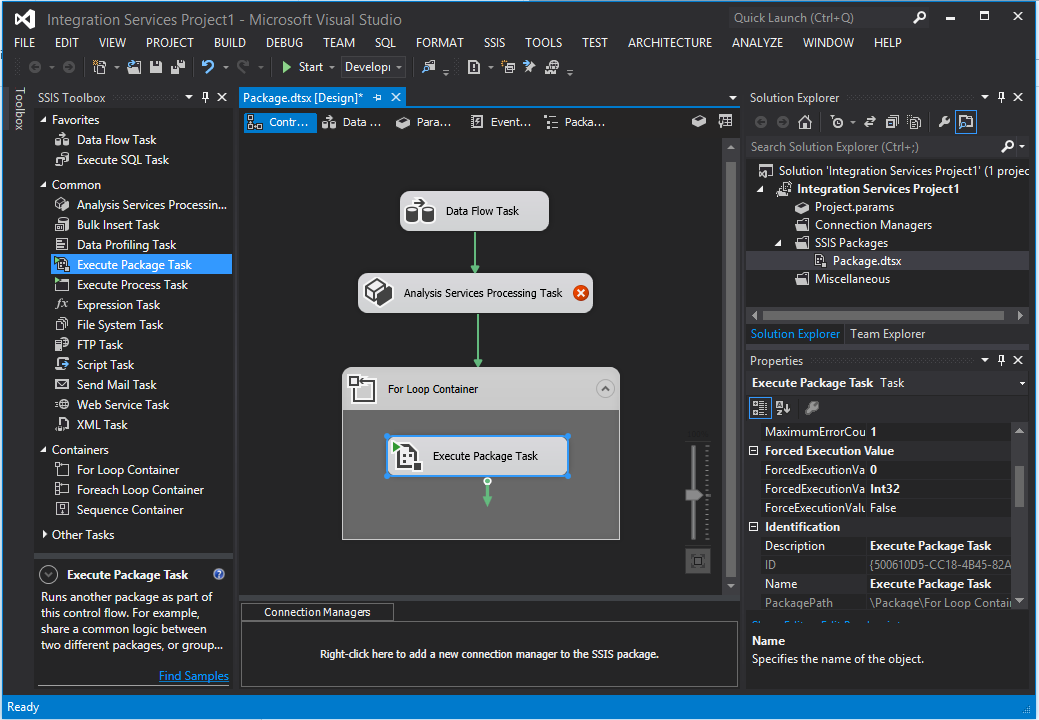
SQL Server Data Tools Business Intelligence For Visual Studio 2012

SQL Server Data Tools SSDT For Visual Studio

SQL Server 2012 Standard TresBizz
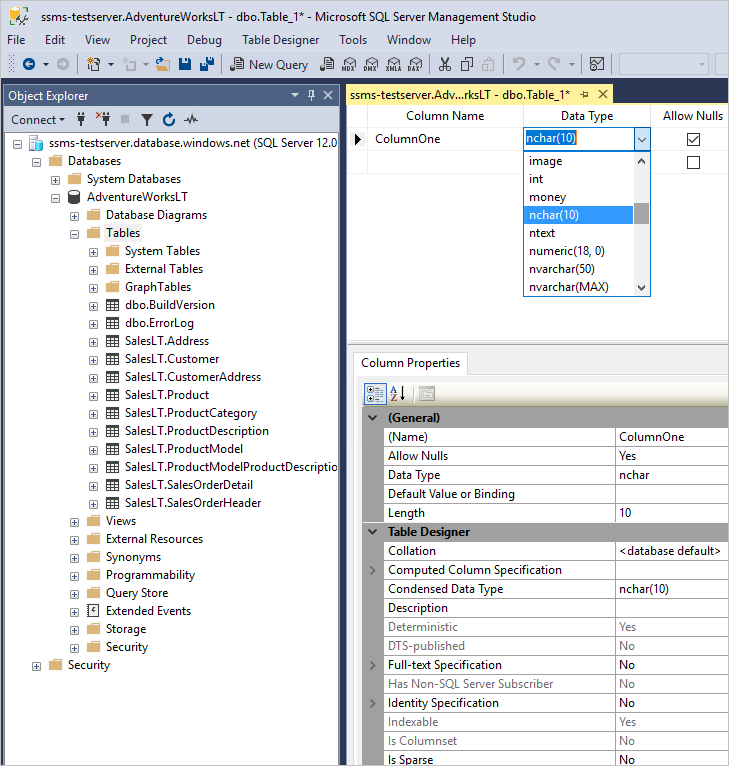
Visual Database Tools Microsoft Learn

SQL Server Data Tools Business Intelligence For Visual Studio 2012

Oracle Developer Tools For Visual Studio Code Dirk Nachbar Oracle Vrogue

Apr 29 2014 nbsp 0183 32 sql server infix operator concat vararg function Edit Now Azure SQL also supports ANSI SQL standard operator for string concatenation Docs link

Which of these queries is the faster NOT EXISTS SELECT ProductID ProductName FROM Northwind Products p WHERE NOT EXISTS SELECT 1 FROM Northwind Order Details od

Ran into a similar issue while restoring the database using SQL server management studio and it got stuck into restoring mode After several hours of issue tracking the following query worked

In MS SQL Server Database use this query to get the tables and respective column names that contains the input text SELECT t name AS tableName c name AS columnName

Sep 15 2008 nbsp 0183 32 The CASE statement is the closest to IF in SQL and is supported on all versions of SQL Server SELECT CAST CASE WHEN Obsolete N or InStock Y THEN 1 ELSE 0
[desc-11] [desc-12]
[desc-13]