Sql Server Change Logical File Name During Restore Welcome To TechBrothersIT SQL DBA Posts How To Rename Logical Files SQL SERVER Rename Logical Database File Name For Any Database SQL Logical And Physical File Names Of SQL Server Data And Log Files DBDigger Renaming Logical And Physical File Names In SQL Server On Linux Autopsy User Documentation Data Sources Web May 18 2023 nbsp 0183 32 Syntax Arguments Show 12 more Restores SQL database backups taken using the BACKUP command Select a product In the following row select the product name you re interested in and only that product s information is displayed For more information about the syntax conventions see Transact SQL syntax conventions SQL
Web ALTER DATABASE database name MODIFY FILE NAME logical file name FILENAME new path os file name with extension You need to modify each file separately e g if you have multiple data files you need to modify each of those For details see the Technet documentation on this topic Web Sep 27 2023 nbsp 0183 32 This article describes how to restore a SQL Server database to a new location and optionally rename the database in SQL Server by using SQL Server Management Studio SSMS or Transact SQL You can move a database to a new directory path or create a copy of a database on either the same server instance or a different
Autopsy User Documentation Data Sources Change Data Capture For Auditing Sql Server Riset Data Processing Stage For Query Download Scientific Diagram Logical File Is Not Part Of Database Top 6 Favorites Processing Model Of Gaudi inspired VoxTox Software Framework An Error Restoring Logical File Name Already In Use V4 Question SQL SERVER Rename Logical Database File Name For Any Database SQL SQL Server Restore Failed Logical File xxxx Is Not Part Of Database Defining Logical File Names
Sql Server Change Logical File Name During Restore
 Sql Server Change Logical File Name During Restore
https://2.bp.blogspot.com/-heiVy4rvqQc/VBiVtcj6kVI/AAAAAAAAFDQ/0FfzbmcNWHo/s1600/9-16-2014%2B2-13-32%2BPM.jpg
Web Mar 3 2023 nbsp 0183 32 lt filespec gt Controls the file properties NAME logical file name Specifies the logical name of the file logical file name Is the logical name used in an instance of SQL Server when referencing the file NEWNAME new logical file name Specifies a new logical name for the file new logical file name Is the name to replace the
Templates are pre-designed documents or files that can be utilized for numerous functions. They can conserve time and effort by offering a ready-made format and design for creating various type of content. Templates can be used for personal or expert projects, such as resumes, invites, leaflets, newsletters, reports, discussions, and more.
Sql Server Change Logical File Name During Restore
Ritkas g Nyugtat Ki ll t s Sap Logical File Path Different Systems

Change Data Capture For Auditing Sql Server Riset

Data Processing Stage For Query Download Scientific Diagram

Logical File Is Not Part Of Database Top 6 Favorites
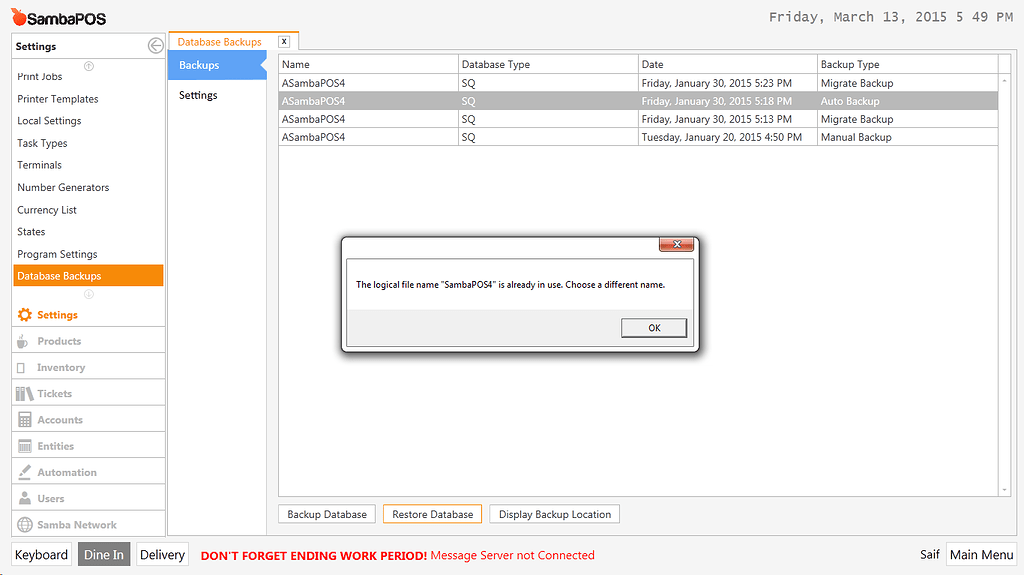
Error Restoring Logical File Name Already In Use V4 Question

SQL SERVER Rename Logical Database File Name For Any Database SQL

Web Select the database in Object Explorer and right click on the database and select Properties On the Files page we can see the logical file names Step 2 Here we will rename the logical file names and append quot GUI quot to each file name as shown in the below screenshot and click OK to save the changes

Web Nov 5 2021 nbsp 0183 32 Restore Database from Database with Different Name SQL Server Changing logical name I know how to restore and how to change logical name I have another question For example in SMS I use quot Restore Database quot as source I choose AdventureWorks2014 as destination I set AdventureWorks2014 test and press button OK

Web Mar 8 2022 nbsp 0183 32 You should be able to just change the path to that file ALTER DATABASE A Old MODIFY FILE NAME A mdf FILENAME C Whatever Path Here A Old mdf You can also specify a new logical name for the file although this is not actually necessary

Web Feb 1 2018 nbsp 0183 32 You can t change the logical filenames in a RESTORE You can only specify different file locations for each file with MOVE TO RESTORE can also not split or combine logical files or filegroups or grow or shrink files A full restore always creates a database with exactly the same number of filegroups files and file sizes as the

Web Apr 16 2014 nbsp 0183 32 An easy way is to use the UI Right click on Databases and Restore file and filegroups with the bak file You can also generate the script from UI when you have chosen the bak and the new Database Name The move will be done in script If you don t want to deal with what you call quot low level filesystem details quot just stay in the UI part
Web Jul 21 2008 nbsp 0183 32 You can do that by using the following TSQL Code Snippet ALTER DATABASE AW Copy MODIFY FILE NAME N AdventureWorks Data NEWNAME N AW Data GO ALTER DATABASE AW Copy MODIFY FILE NAME N AdventureWorks Log NEWNAME N AW Log GO Hope that helps Web Jul 23 2011 nbsp 0183 32 i used this code to restore my database quot use master restore filelistonly from disk N my backup file path restore database newDB from disk N my backup file path with file 1 replace nounload stats 10 quot note it is important for me to have a new database with new name i have created a new database and its tables by execute a sql query and
Web Aug 12 2015 nbsp 0183 32 As to changing the logical file name if you want to change those you d have to change it after the restore using ALTER DATABASE lt database name gt MODIFY FILE NAME lt current