Split Name In 2 Cells Contact Hybrid Concepts International HCI Split Name In One Cells MS Excel Lecture YouTube Excel Split Cells Into Two Filtervsera How To Divide A Cell In Excel Into Two Cells Images And Photos Finder How To Merge And Split Tables And Cells In Word WinBuzzer A quick way to split the values in your cells into multiple cells is by using Excel s Flash Fill feature This automatically extracts the values from your cells and puts them into separate multiple cells To use this feature you must be running Excel 2013 or later To show you how to use this feature we ll use the following spreadsheet
Separate name in Excel Flash Fill Split Names tool fastest way to separate names in Excel How to split names in Excel with Text to Columns In situations when you have a column of names of the same pattern for example only first and last name or first middle and last name the easiest way to split them into separate columns is this If you have a worksheet with differently formatted names in the same column Split Names for Excel will quickly clean up the mess and put first last and middle names into individual columns It perfectly recognizes various multi part names over 80 salutations about 30 courtesy suffixes and post nominal letters Free download
How To Merge And Split Tables And Cells In Word WinBuzzer Microsoft Excel Split Cells Based On Enter Destinationlasopa Angie s List Should I Install A Ductless Mini split System How To Split One Cell Into Two I Want To Be Able To Separate The Split Cells In Excel In Windows MacOS Web 2022 Updated Trendblog CR TICA DE M LTIPLE SPLIT Revista Binter Split 2016 Najnowsze Informacje WP Film Split Letters A Z Svg Split Alphabet Svg Monogram Svg An Immersive My Html Jquery How To Split Table Cell Into A Different Number Of Rows
Split Name In 2 Cells
 Split Name In 2 Cells
https://images.squarespace-cdn.com/content/v1/592e068fb8a79b3290ebfc9a/1538549580139-XHDRR66VVT2P4IS6U94Y/cell-split.jpg
Split data into multiple columns Sometimes data is consolidated into one column such as first name and last name But you might want separate columns for each So you can split the Sales Rep first name and last name into two columns Select the Sales Rep column and then select Home Transform Split Column Select Choose the By Delimiter
Pre-crafted templates provide a time-saving service for producing a diverse range of documents and files. These pre-designed formats and layouts can be utilized for various personal and expert tasks, including resumes, invitations, leaflets, newsletters, reports, presentations, and more, simplifying the material creation process.
Split Name In 2 Cells

How To Split Cells In WPS Office Excel WPS Office Academy
Microsoft Excel Split Cells Based On Enter Destinationlasopa

Angie s List Should I Install A Ductless Mini split System
How To Split One Cell Into Two I Want To Be Able To Separate The

CR TICA DE M LTIPLE SPLIT Revista Binter

Split 2016 Najnowsze Informacje WP Film
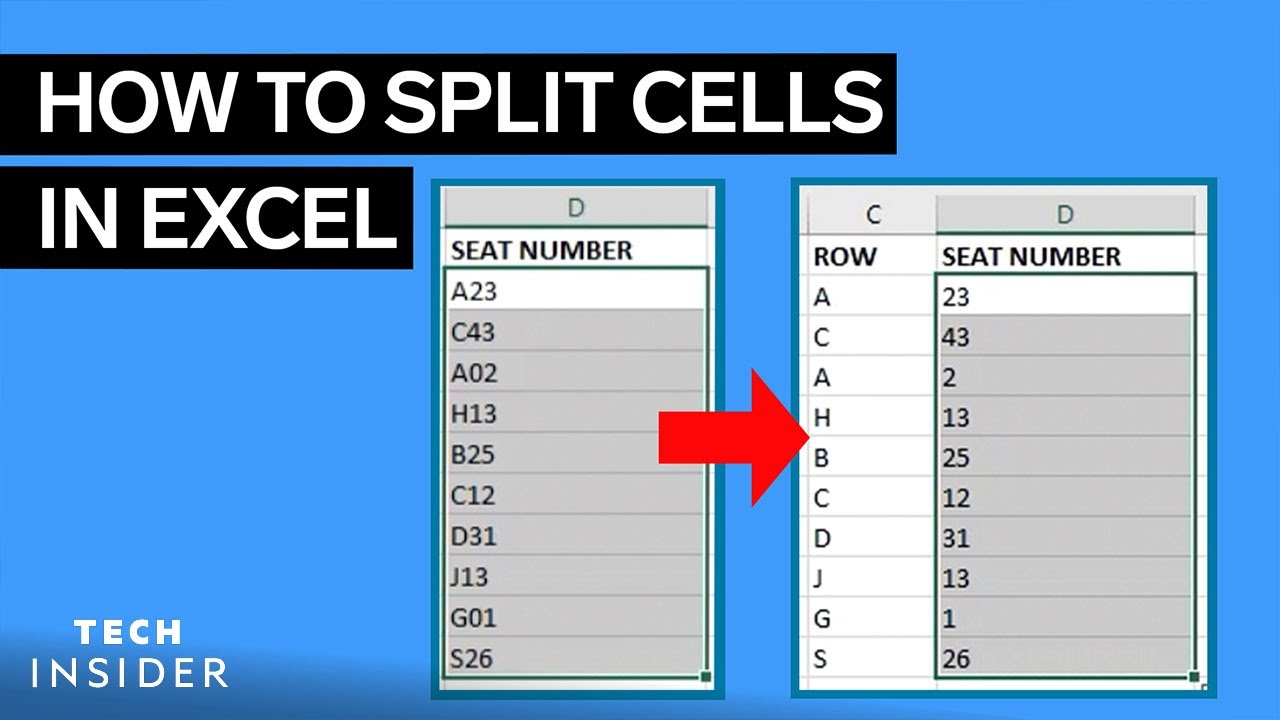
How to Split First and Last Names Into Different Columns If your spreadsheet only has the first and last name in a cell but no middle name use Excel s Text to Columns method to separate the names This feature uses your full name s separator to separate the first and last names

Here are the steps to separate names using this method Select the range of cells that you want to work with cells A2 A7 in our example From the Data menu click on Text to Columns under Data Tools You should now see a Convert text to Columns Wizard box Step 1 of the wizard lets you select how you want your columns separated
This example uses a two part first name Mary Kay The second and third spaces separate each name component Copy the cells in the table and paste into an Excel worksheet at cell A1 The formula you see on the left will be displayed for reference while Excel will automatically convert the formula on the right into the appropriate result
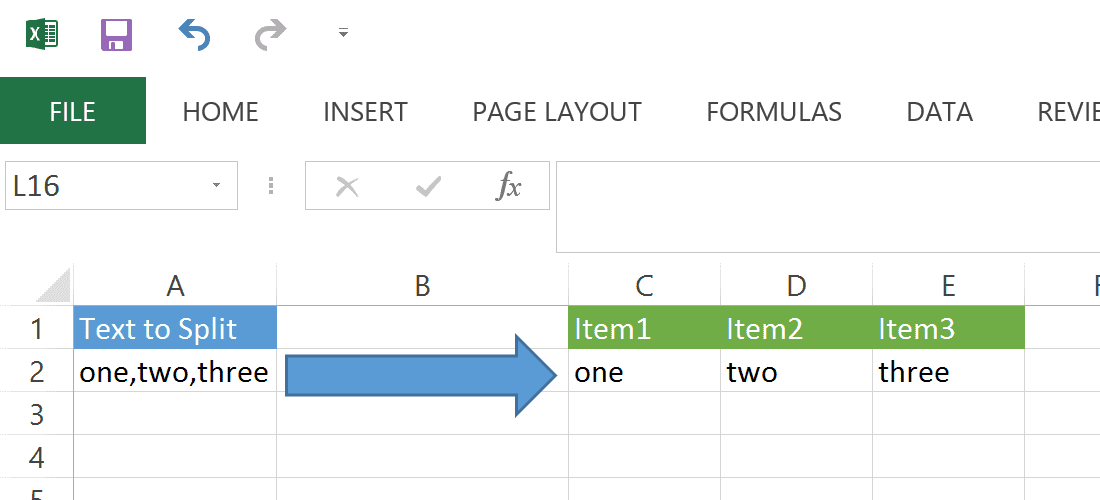
Select the cell or cells whose contents you want to split Important When you split the contents they will overwrite the contents in the next cell to the right so make sure to have empty space there On the Data tab in the Data Tools group click Text to Columns The Convert Text to Columns Wizard opens

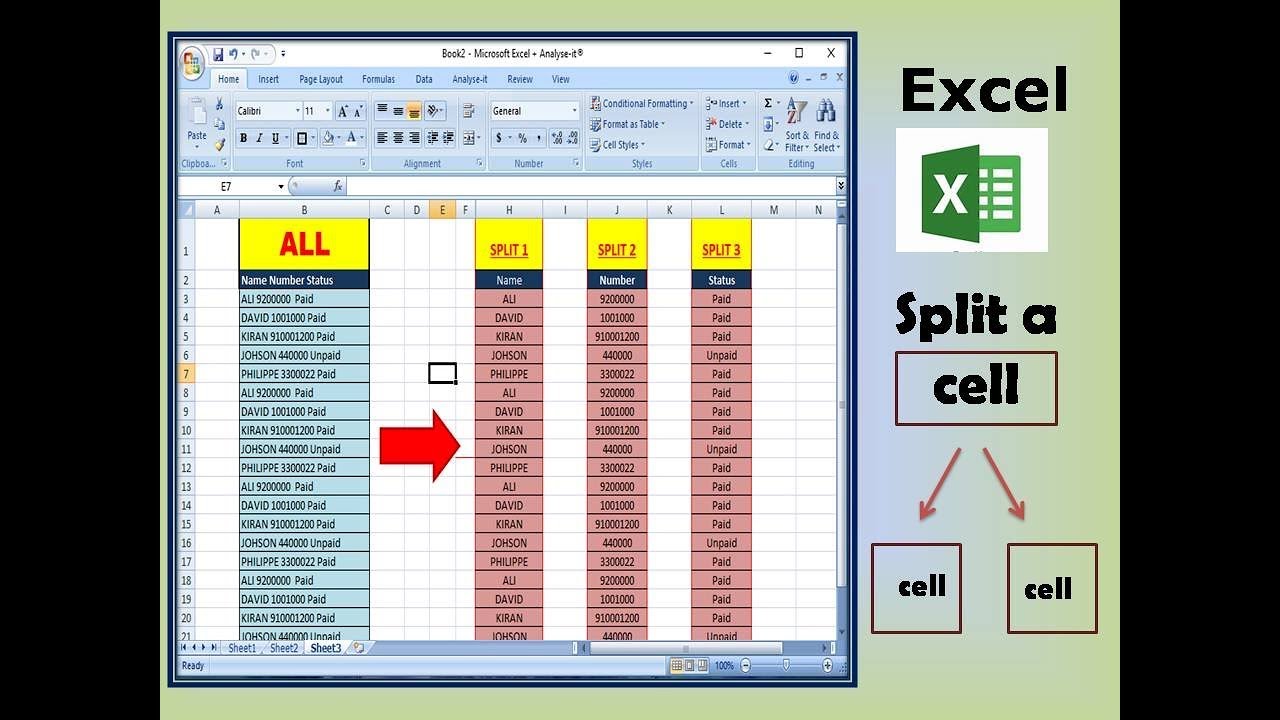
Select the cells you want to split by clicking the first cell and dragging down to the last cell in the column In our example we ll split the first and last names listed in column A into two different columns column B last name and column C first name Click the Data tab at the top of the Excel Ribbon
Do you need to separate names in Excel Datasets with people s names usually have the first and last name in one cell designated by a space character Although this isn t necessarily bad it can be more helpful to have the first and last names in different columns Yes you can use the Text to Columns or Flash Fill features to split names into more than two columns Simply choose the appropriate delimiter and destination cells to split the names into as many columns as you need For example you might want to split a full name into first name middle name and last name columns 2
1 Choose an empty column and name it the first name Type the formula LEFT A2 SEARCH A2 1 in the cell you want to split it too We choose B2 in this case 2 Choose another empty column and name it The last name Type the formula RIGHT A2 LEN A2 FIND A2 1