Split Cells In Google Sheets App How To Split Cells In Google Sheets How To Split Cells In Google Sheets Coupler io Blog How To Split Cells In Google Sheets 2 Steps PIT Designs How To Split Cells In Google Sheets The Right Way Lido app How To Split Cells Google Sheets Verkko 22 toukok 2019 nbsp 0183 32 Fire up your browser open up a Google Sheets document and select all the cells you want to split up Warning Make sure the cells to the right don t already have data in them This feature
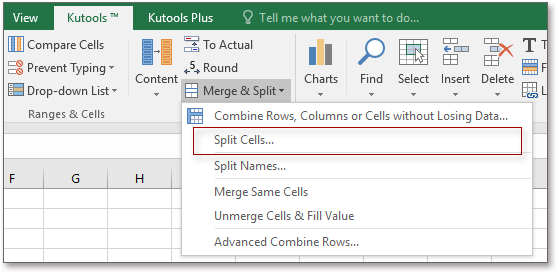
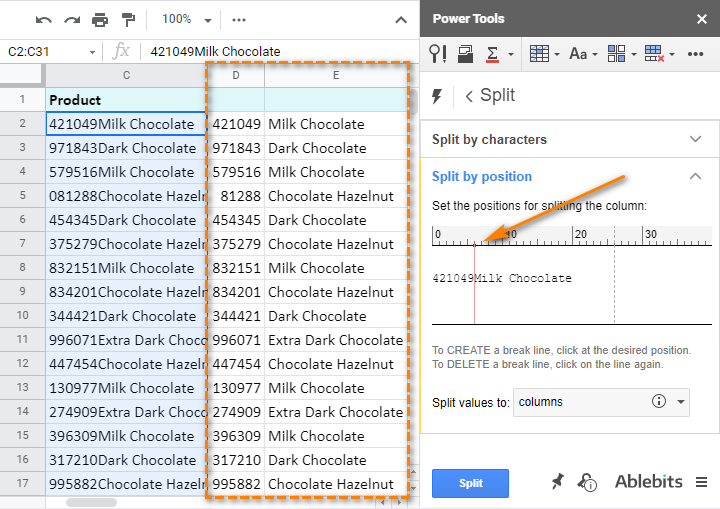
Verkko 26 marrask 2022 nbsp 0183 32 In Google Docs you can insert a table right click a cell select quot Split cell quot specify into how many columns and or rows you want to subdivide the cell Verkko 10 maalisk 2023 nbsp 0183 32 1 Split text to columns option The fastest way to split cells in Google Sheets is to use the Split text to columns
How To Split Cells Google Sheets How To Split A Cell In Google Sheets A Step by Step Guide Tech Guide How To Split A Cell In Google Sheets A Step by Step Guide Tech Guide How To Split Cells In Google Sheets In 3 Easy Steps How To Split Cells In Google Sheets YouTube How To Split Cell Into Columns In Google Sheet Split Cells In Google Sheets To Multiple Columns And Convert Them To Rows Afterwards How To Split Cell Into Columns In Google Sheet How To Split Cells In Google Sheets Coupler io Blog
Split Cells In Google Sheets App
 Split Cells In Google Sheets App
https://8020sheets.com/wp-content/uploads/2021/07/Splitting-Cells-3-1024x702.png
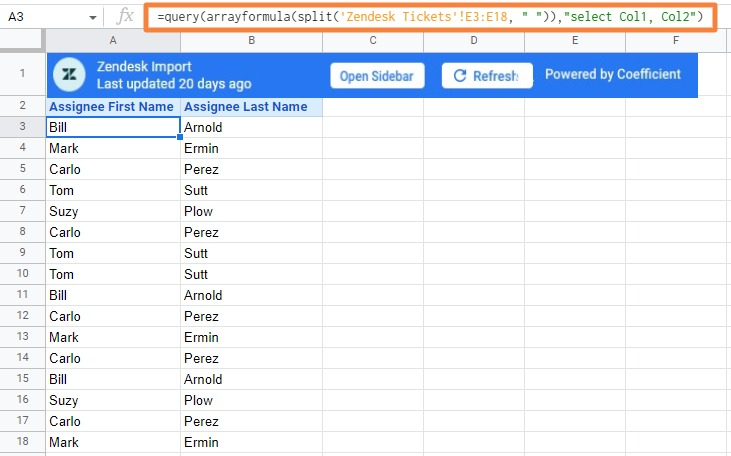
Verkko 1 syysk 2022 nbsp 0183 32 SPLIT Google Sheets formula example split A1 quot quot Interpretation In the A1 cell we have a text to be split The delimiter quot quot is space We don t need to specify optional parameters so just skip
Templates are pre-designed files or files that can be used for different purposes. They can conserve effort and time by offering a ready-made format and design for developing various type of content. Templates can be utilized for personal or professional tasks, such as resumes, invitations, leaflets, newsletters, reports, presentations, and more.
Split Cells In Google Sheets App

How To Split Cells In Google Sheets
How To Split A Cell In Google Sheets A Step by Step Guide Tech Guide
How To Split A Cell In Google Sheets A Step by Step Guide Tech Guide

How To Split Cells In Google Sheets In 3 Easy Steps
How To Split Cell Into Columns In Google Sheet
Split Cells In Google Sheets To Multiple Columns And Convert Them To Rows Afterwards

Verkko Split Cells Using the SPLIT Function Split Cells Using the Split Text to Columns Tool Learn 2 easy methods to split a cell in Google Sheets using the SPLIT function

Verkko Divide Columns using Unmerge Method 1 Format gt Merge cells gt Unmerge Method 2 Select columns to divide gt Click Merge cells icon Method 3 Unmerge from

Verkko 27 syysk 2023 nbsp 0183 32 You can split cells in Google Sheets using the SPLIT function or using the inbuilt split menu These methods makes Google Sheets split cells horizontally
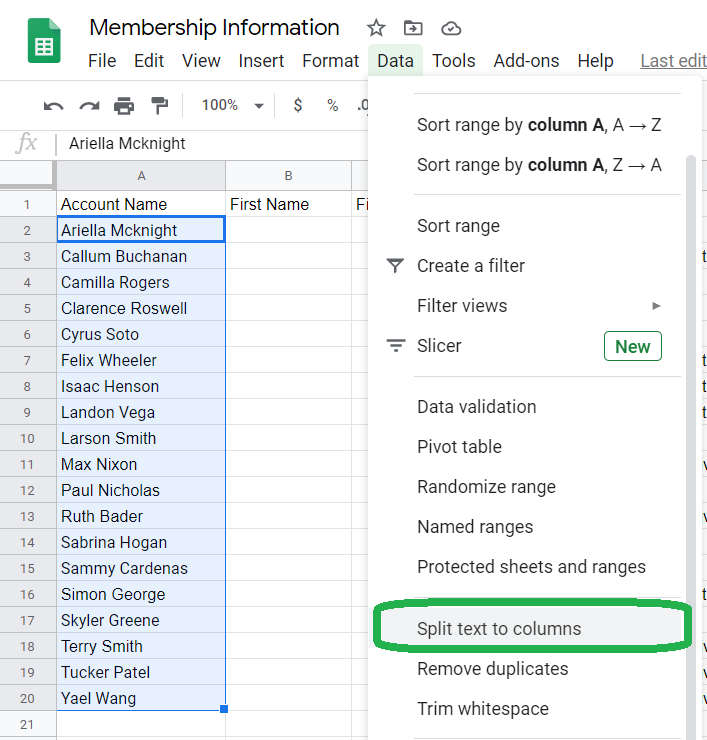
Verkko On your computer open a spreadsheet in Google Sheets If the data s already in the sheet select the cells you want to split If the data isn t in the sheet yet paste it At
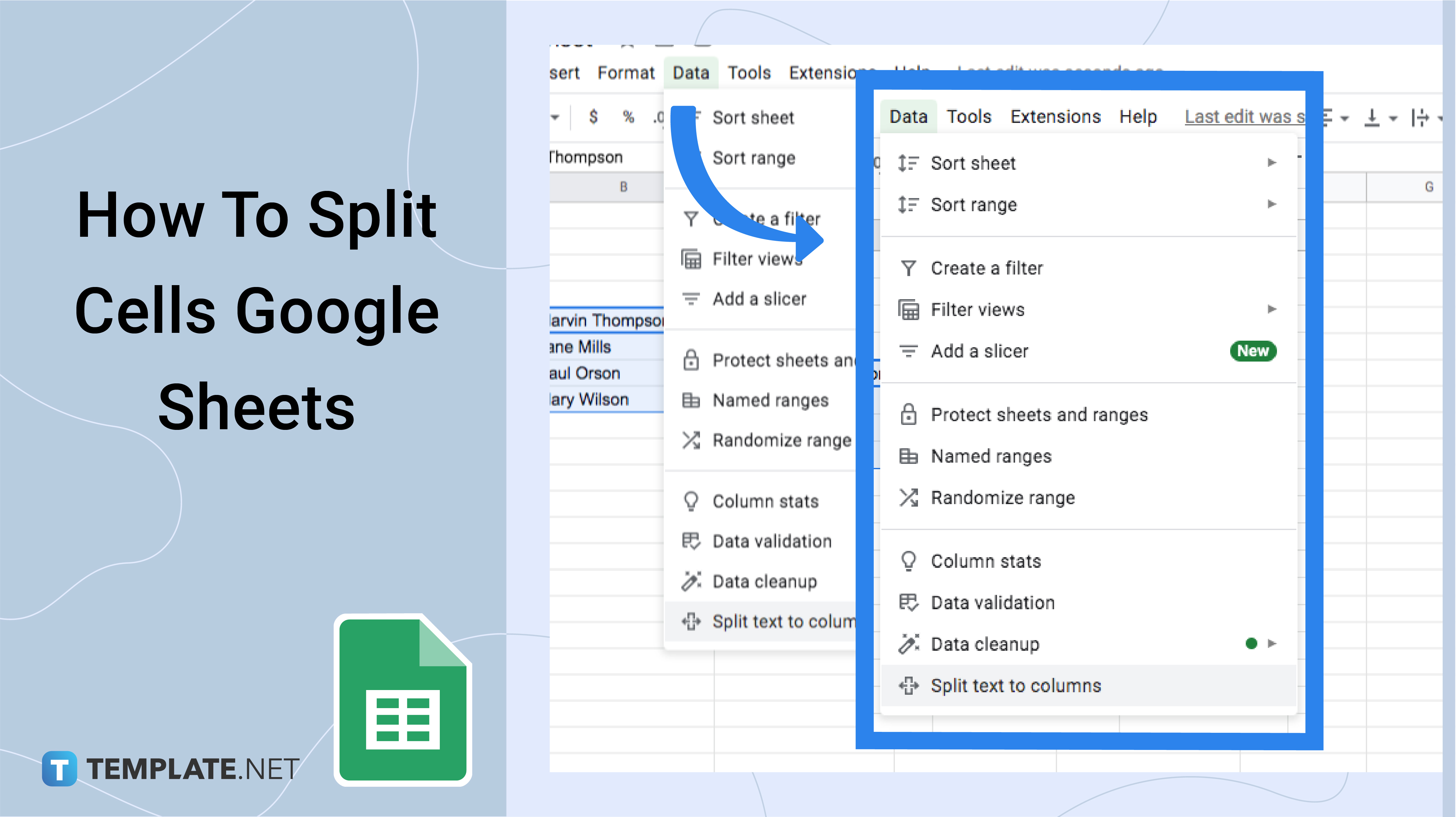
Verkko The SPLIT Function in Google Sheets has the following syntax SPLIT text delimiter split by each remove empty text Breaking down the syntax of this function
Verkko This help content amp information General Help Center experience Search Clear search Verkko 13 marrask 2023 nbsp 0183 32 To split a cell in Google Sheets you need to select the cell or range of cells you want to split and then navigate to the Format menu From there choose
Verkko 9 lokak 2023 nbsp 0183 32 One of the easiest ways to split a cell in Google Sheets is by using its powerful built in SPLIT function It ll help you split a cell or cells in various ways