Spacing Between Bullet Points Ppt How To Change Spacing Between Bullet Point And Text In Powerpoint How To Add Spacing Between Bullet Points In Markdown What Is Mark Down 8 Bullet Points PowerPoint Template PPT Slides How To Put Spacing Between Bullet Points In Word Online Free 14 Bullet Points PowerPoint Template Google Slides Web Introduction Indents and line spacing are two important features you can use to change the way text appears on a slide Indents can be used to create multilevel lists or to visually set paragraphs apart from one
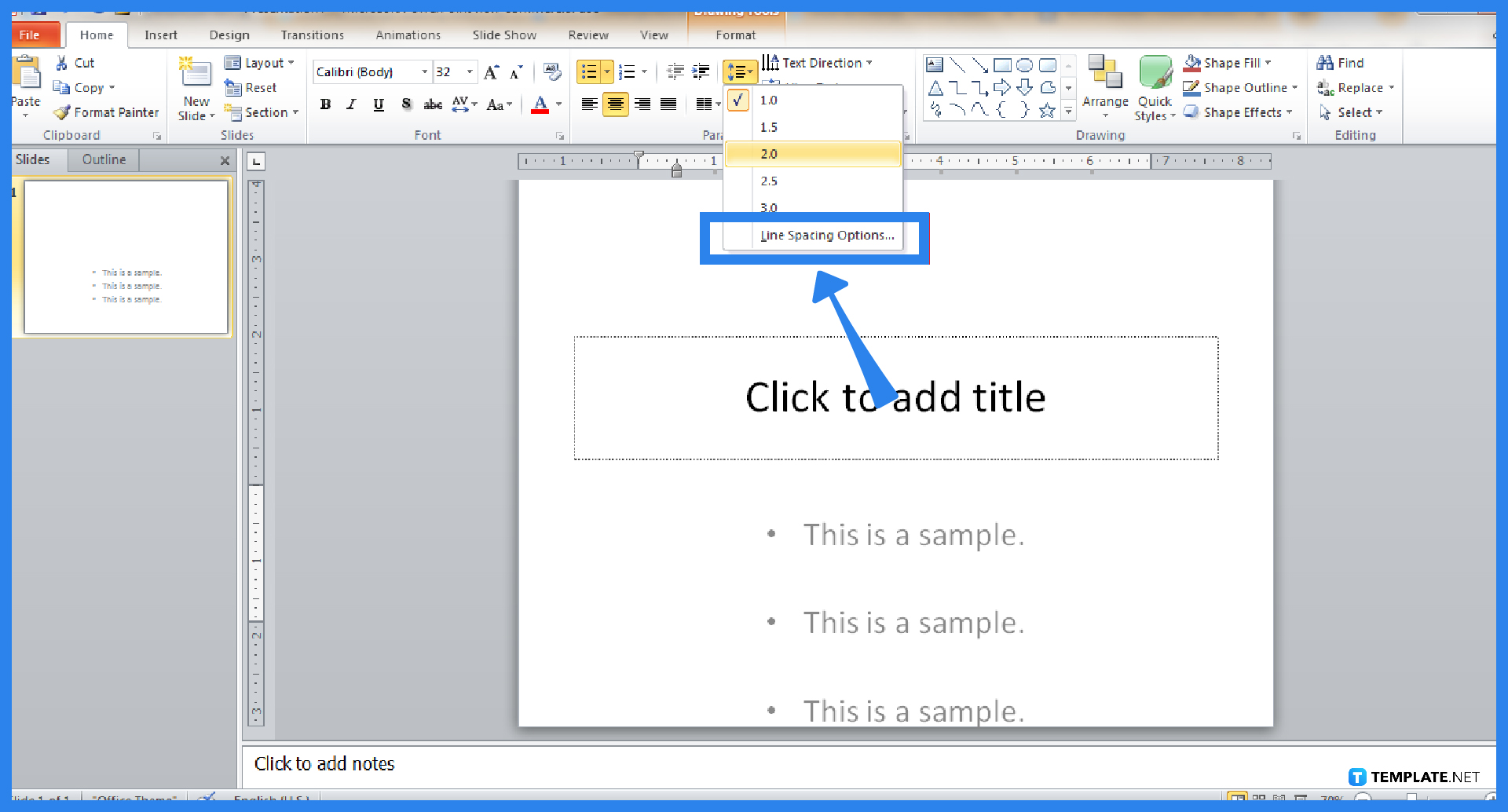
Web Increase the space between bullets on your business PowerPoint presentations via the Format Text dialog box 1 Launch PowerPoint and open the presentation that contains Web To increase or decrease the indent and change the spacing between a bullet or number and the text see How do I increase or decrease the space between a bullet or number and the text in a line in this article Change
Free 14 Bullet Points PowerPoint Template Google Slides Does Onenote For Mac Allow You To Have Spacing Between Bullet Points How To Put Spacing Between Bullet Points In Word Online How To Put Spacing Between Bullet Points In Word Online Solutions Why Zesty Pages Orange Bullet Points Spacing Issue 238 How To Change Bullet Color In PowerPoint Google Slides Lupon gov ph How To Change Powerpoint Spacing Between Bullets Live2Tech 6 Bullet Points PowerPoint Template Best PowerPoint Template 2021 Free 5 Bullet Points Infographic PowerPoint Presentation Template
Spacing Between Bullet Points Ppt
 Spacing Between Bullet Points Ppt
https://images.template.net/wp-content/uploads/2022/07/How-to-Change-Spacing-between-Bullets-Microsoft-PowerPoint-Step-3.jpg
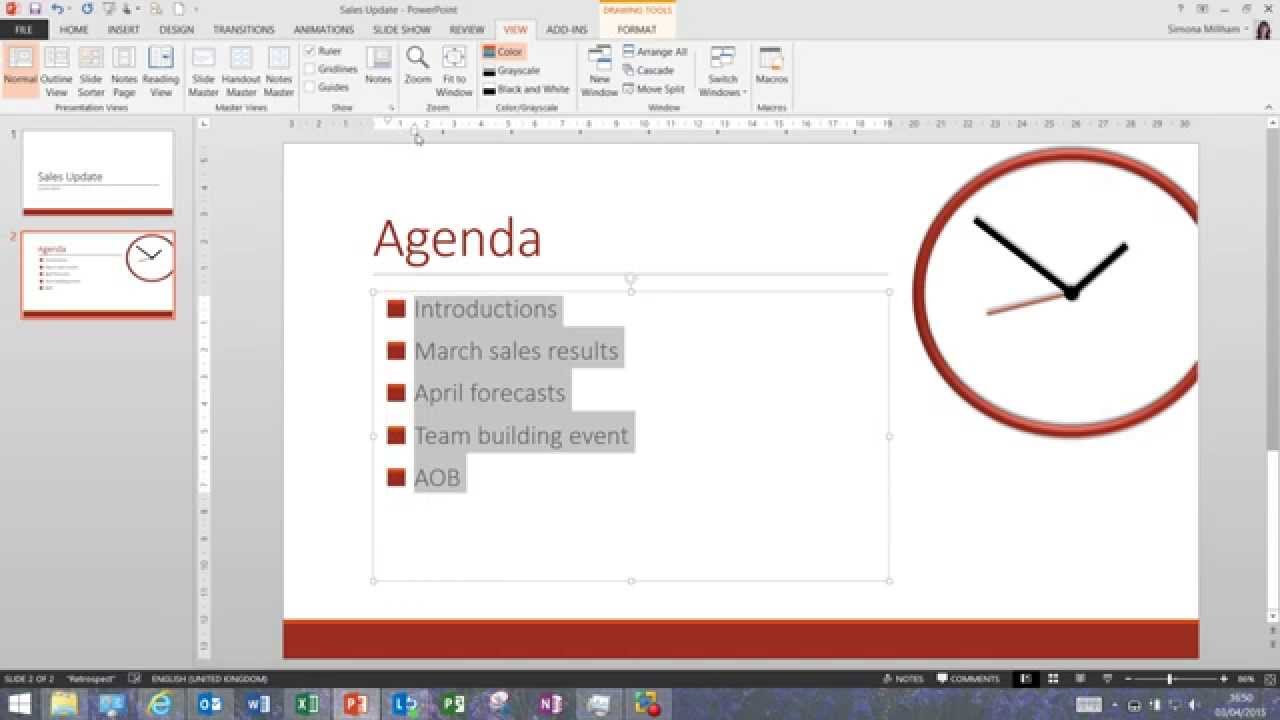
Web Jan 17 2021 nbsp 0183 32 Learn how to fix two PowerPoint bullet spacing issues controlling indents inside the line and the spacing between lines All in under four minutes 00 00 Int
Pre-crafted templates provide a time-saving service for producing a diverse variety of files and files. These pre-designed formats and designs can be made use of for different personal and professional projects, consisting of resumes, invites, flyers, newsletters, reports, discussions, and more, enhancing the material creation procedure.
Spacing Between Bullet Points Ppt
Adjust Bullet Spacing In PowerPoint YouTube
Does Onenote For Mac Allow You To Have Spacing Between Bullet Points

How To Put Spacing Between Bullet Points In Word Online

How To Put Spacing Between Bullet Points In Word Online
How To Change Bullet Color In PowerPoint Google Slides Lupon gov ph
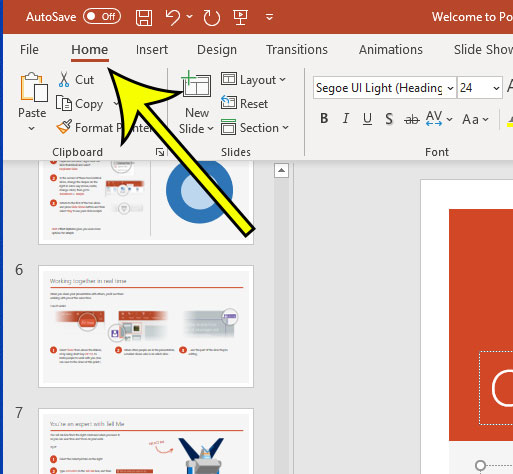
How To Change Powerpoint Spacing Between Bullets Live2Tech

Web Feb 17 2011 nbsp 0183 32 From the sub section Change the indent or spacing between text and points To increase or decrease the space between a bullet or number and the text in a line place the cursor at the start of the

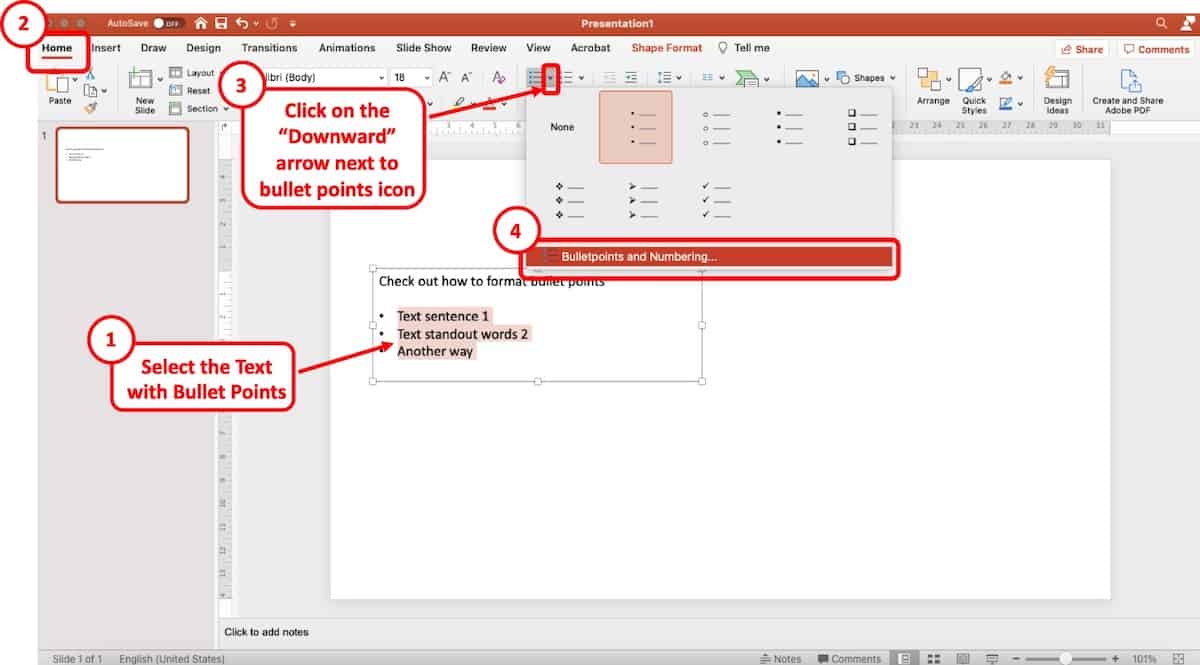
Web Oct 19 2020 nbsp 0183 32 Step 1 Open your Powerpoint file Step 2 Select the slide with the bulleted list to modify Step 3 Use your mouse to select the entire list Step 4 Click the Home tab

Web Microsoft PowerPoint can change the spacing between your presentation s bullet points from double spacing indent spacing paragraph spacing to letter spacing Learn how

Web Jan 18 2024 nbsp 0183 32 Increasing the space between bullets in PowerPoint is a simple process that can greatly improve the readability and visual appeal of your slides To achieve this all

Web Jun 23 2023 nbsp 0183 32 Identifying the right amount of bullet spacing for your presentation Step by step guide to decreasing bullet spacing in PowerPoint Utilizing the Line Spacing
Web Dec 13 2020 nbsp 0183 32 7 1 7K views 3 years ago How to Change the Space Between Bullets amp Text in PowerPoint Part of the series Tech Niche Changing the space between bullets Web Feb 24 2023 nbsp 0183 32 1 How to Add Bullet Points in PowerPoint 2 How to Add Second Level Bullets Sub Bullets in PowerPoint 3 How to Customize Bullet Points in
Web Feb 24 2023 nbsp 0183 32 Line spacing in PowerPoint allows you to adjust the space between two lines within a paragraph or the space between two paragraphs in a text box By default