Snowflake Select File From Stage Error In Snowflake Select Snap Solutions SnapLogic Community Hoonartek Is Now A Snowflake Select Partner Nsbb Top 14 Snowflake Best Practices For Data Engineers Analytics Today Loading Local CSV Into Snowflake SolveForum Hoonartek Is Now A Snowflake Select Partner Nsbb Select from stage specifying delimiter I m trying to select data from an internal stage while specifying the delimiter and I can t figure out the syntax Following is what I have at this point Any help would be wonderful
When copying data from files in a table location the FROM clause can be omitted because Snowflake automatically checks for files in the table s location Load files from the user s personal stage into a table COPY INTO mytable from staged FILE FORMAT FORMAT NAME mycsv 1 Answer A regular expression pattern string enclosed in single quotes specifying the file names and or paths on the external stage to match For the best performance try to avoid applying patterns that filter on a large number of files SELECT s 1 FROM RAW DEV STAGE LOCAL file format JSON PATTERN json AS s
Hoonartek Is Now A Snowflake Select Partner Nsbb CREATE TABLE AS SELECT In Snowflake Simply Explained Hoonartek Is Now A Snowflake Select Partner Nsbb Hoonartek Is Now A Snowflake Select Partner Nsbb Inte Q A Customer Engagement Agency Becomes Snowflake Select Partner Hoonartek Is Now A Snowflake Select Partner Nsbb Hoonartek Is Now A Snowflake Select Partner Nsbb ClearPeaks Becomes Snowflake Select Partner What Do I Do When My Snowflake Query Is Slow Part 1 Diagnosis LaptrinhX News
Snowflake Select File From Stage
 Snowflake Select File From Stage
https://global.discourse-cdn.com/business5/uploads/snaplogic2/optimized/2X/c/ca893e65adcbb3d4ce2a6636b68a3f60074000a7_2_690x410.jpeg
arrrbeee I would ask DataGrip IDE about this and in the meantime mark the previous post as the answer to you question As the author you can correct this at anytime Thank you for your question in the future please help others find the correct answer by Select as Best the answer you consider solved your issue
Pre-crafted templates provide a time-saving solution for developing a varied range of documents and files. These pre-designed formats and layouts can be utilized for various personal and professional jobs, including resumes, invites, flyers, newsletters, reports, presentations, and more, improving the material creation procedure.
Snowflake Select File From Stage

Hoonartek Is Now A Snowflake Select Partner Nsbb
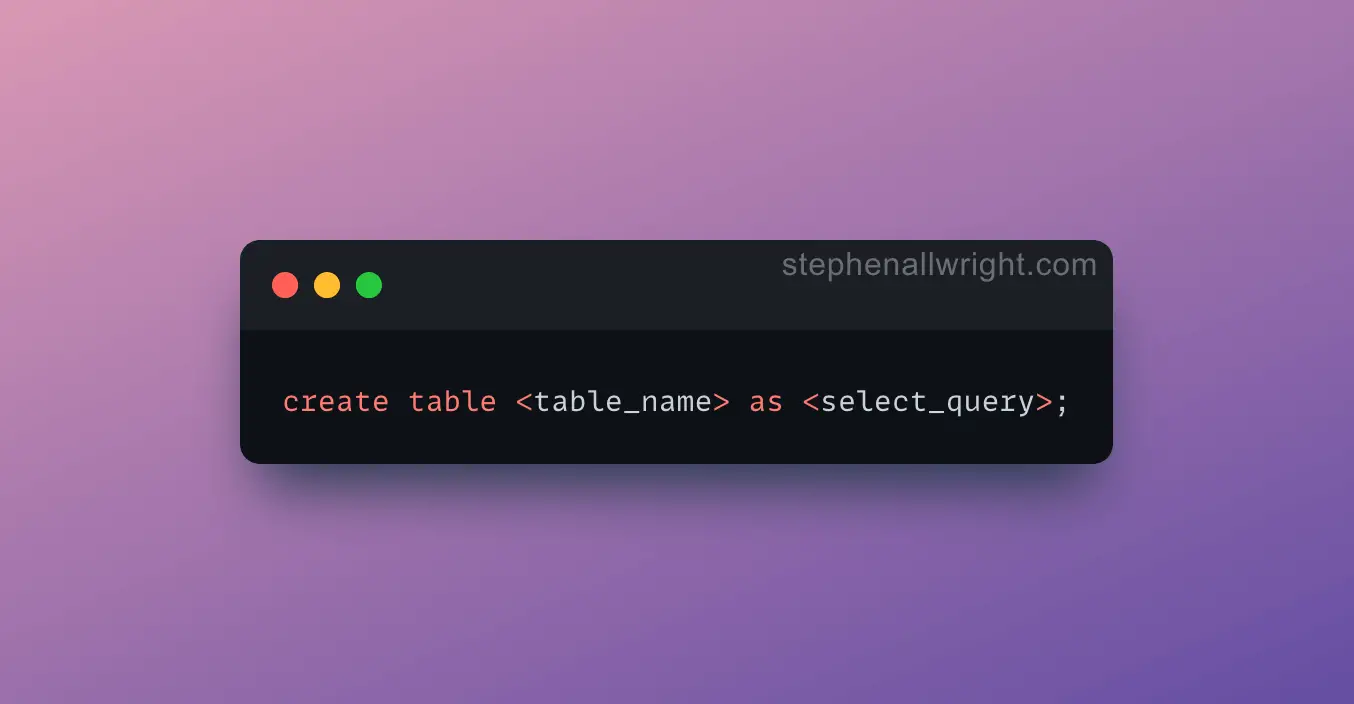
CREATE TABLE AS SELECT In Snowflake Simply Explained

Hoonartek Is Now A Snowflake Select Partner Nsbb

Hoonartek Is Now A Snowflake Select Partner Nsbb

Hoonartek Is Now A Snowflake Select Partner Nsbb

Hoonartek Is Now A Snowflake Select Partner Nsbb

Querying Metadata for Staged Files Snowflake automatically generates metadata for files in internal i e Snowflake stages or external Amazon S3 Google Cloud Storage or Microsoft Azure stages This metadata is stored in virtual columns that can be Queried using a standard SELECT statement Loaded into a table along with the

The first line in the file indicates the column names One way to get the column details without knowing the column names Create an external table over the file This will return the data in VARIANT format and you could simply query the external table If course this will only work on CSV data if your first line includes column headers
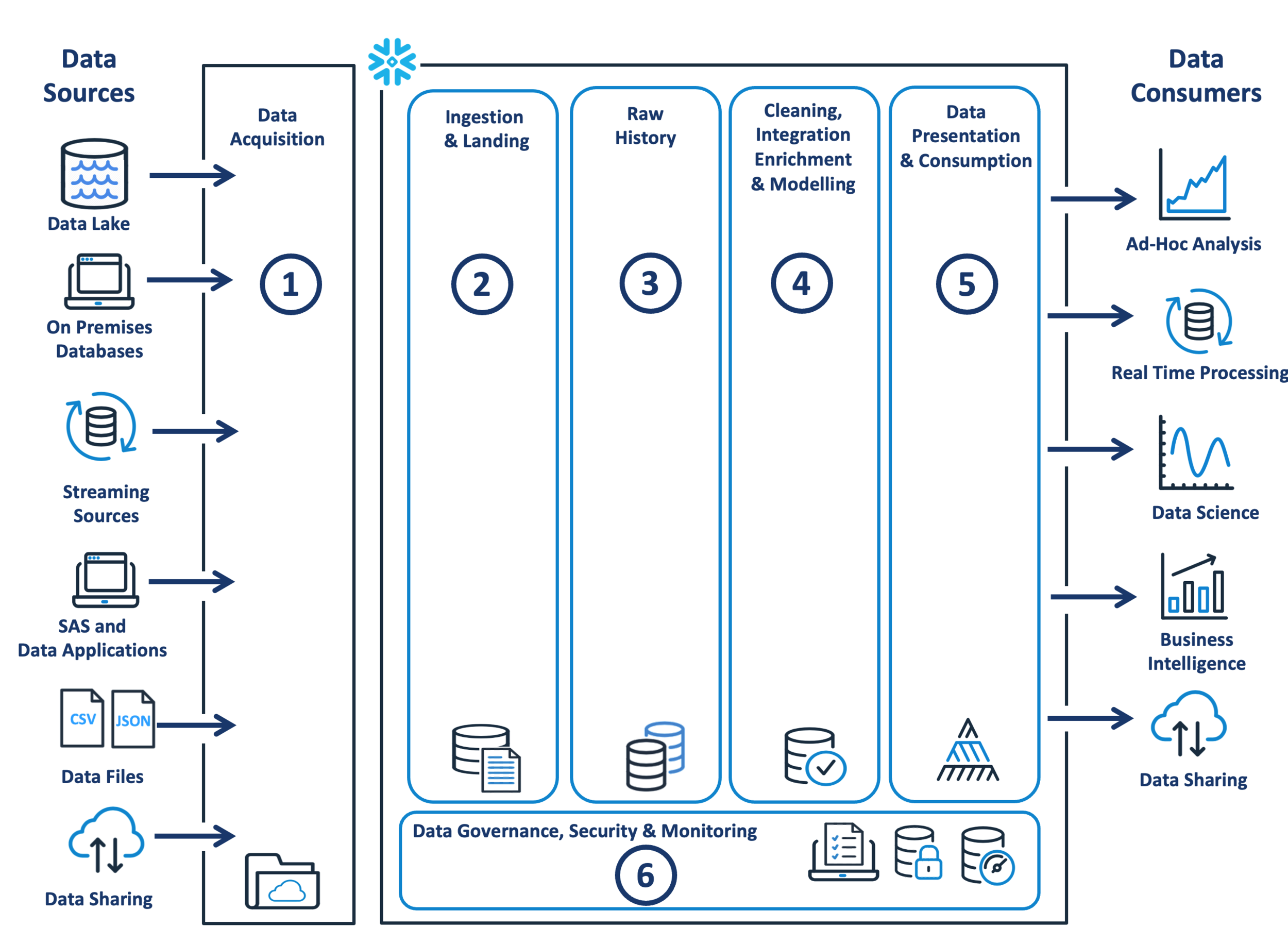
Optionally select or create a path where you want to save your files within the stage Select Upload After you upload files onto the stage you can take one of the following actions depending on the file Use the files in a Python worksheet Refer to Add a Python File from a Stage to a Worksheet Copy data from the staged files into a table

Each user has a Snowflake stage allocated to them by default for storing files This stage is a convenient option if your files will only be accessed by a single user but need to be copied into multiple tables To stage files to a table stage list the files query them on the stage or drop them you must be the table owner have the role

Where namespace is the database and or schema in which the named stage or table resides It is optional if a database and schema are currently in use within the session otherwise it is required path is an optional case sensitive path for files in the cloud storage location i e files have names that begin with a common string that limits access to a set of files
IP XX XX XX XX is not allowed to access Snowflake Contact your local security administrator or please create a case with JSON Data Parsing in Snowflake How to Submit a Support Case NULL handling in Snowflake Solution Statement reached its statement or warehouse timeout of xxx second s and was canceled Create a Stage in the Snowflake Create the file format JSON in the Snowflake Query your JSON file like a table Flatten your JSON to production Azure Blob Storage Set up Query your files JSON SELECT FROM raw stage PUBLIC stg file format RAW DB PUBLIC JSON pattern sample json
In this article we will demonstrate use of Snowpark APIs to dynamically execute SQL statements read from a file Step 1 Prepare Create a tar file with all the SQL files we will want executed dynamically Step 2 Prepare Create a named internal stage to upload the tar file into Step 3 Define the Snowpark Stored Procedure and the Python