Shutdown Command Windows 10 After 1 Hour How To Shutdown Windows 10 PC Using COMMAND YouTube How To Do Remote Shutdown Windows 10 PC In Command Prompt YouTube SHUTDOWN COMMAND Windows 11 How To Use YouTube How To Shut Down Laptop In Windows 10 With Keyboard YouTube How To Auto Shutdown Windows 11 Shutdown Timer Windows 11 YouTube Mar 12 2022 nbsp 0183 32 If you have fast startup turned on then this option will perform a hybrid shutdown instead of a full shutdown If you do then you can press and hold the Shift key click tap on
Nov 13 2024 nbsp 0183 32 What s the difference between shutdown and sleep mode Shutdown turns off your computer completely while sleep mode saves your session and uses minimal power Jun 15 2023 nbsp 0183 32 I created 4 desktop shortcuts for Shutdown Sleep Restart and Slide to Shutdown then dragged them to my taskbar so each one works with one click of the mouse
How To Auto Shutdown Windows 11 Shutdown Timer Windows 11 YouTube 4 0 Genshin Impact Update Takes Too Much Storage YouTube How To Auto Shut Down Windows 11 How To Set Shutdown Timer Windows 11 How To Auto Shutdown Or Cancel Auto Shutdown Command Windows 10 With Touch And Hold A Clip To Pin It Unpinned Clips Will Be Deleted After 1 Touch And Hold A Clip To Pin It Unpinned Clips Will Be Deleted After 1 Ultimate Guide To All Keyboard Shortcuts For Windows 11 10 44 OFF Printable 1st Grade Math Worksheets PDF Free Download 1st Grade Shutdown Timer Command Windows 10 Dopgurus
Shutdown Command Windows 10 After 1 Hour
 Shutdown Command Windows 10 After 1 Hour
https://i.ytimg.com/vi/-YDJLxbh27M/maxresdefault.jpg
Jul 31 2025 nbsp 0183 32 Shutdown often uses Fast Startup hybrid shutdown it partially hibernates the system kernel to speed up the next boot Restart always performs a full shutdown and reboot
Pre-crafted templates offer a time-saving service for creating a varied range of files and files. These pre-designed formats and designs can be used for different personal and professional projects, consisting of resumes, invitations, leaflets, newsletters, reports, presentations, and more, enhancing the material development process.
Shutdown Command Windows 10 After 1 Hour

Rollback Windows 11 To Windows 10 How To Rollback Downgrade Windows

4 0 Genshin Impact Update Takes Too Much Storage YouTube

How To Auto Shut Down Windows 11 How To Set Shutdown Timer Windows 11

How To Auto Shutdown Or Cancel Auto Shutdown Command Windows 10 With

Touch And Hold A Clip To Pin It Unpinned Clips Will Be Deleted After 1
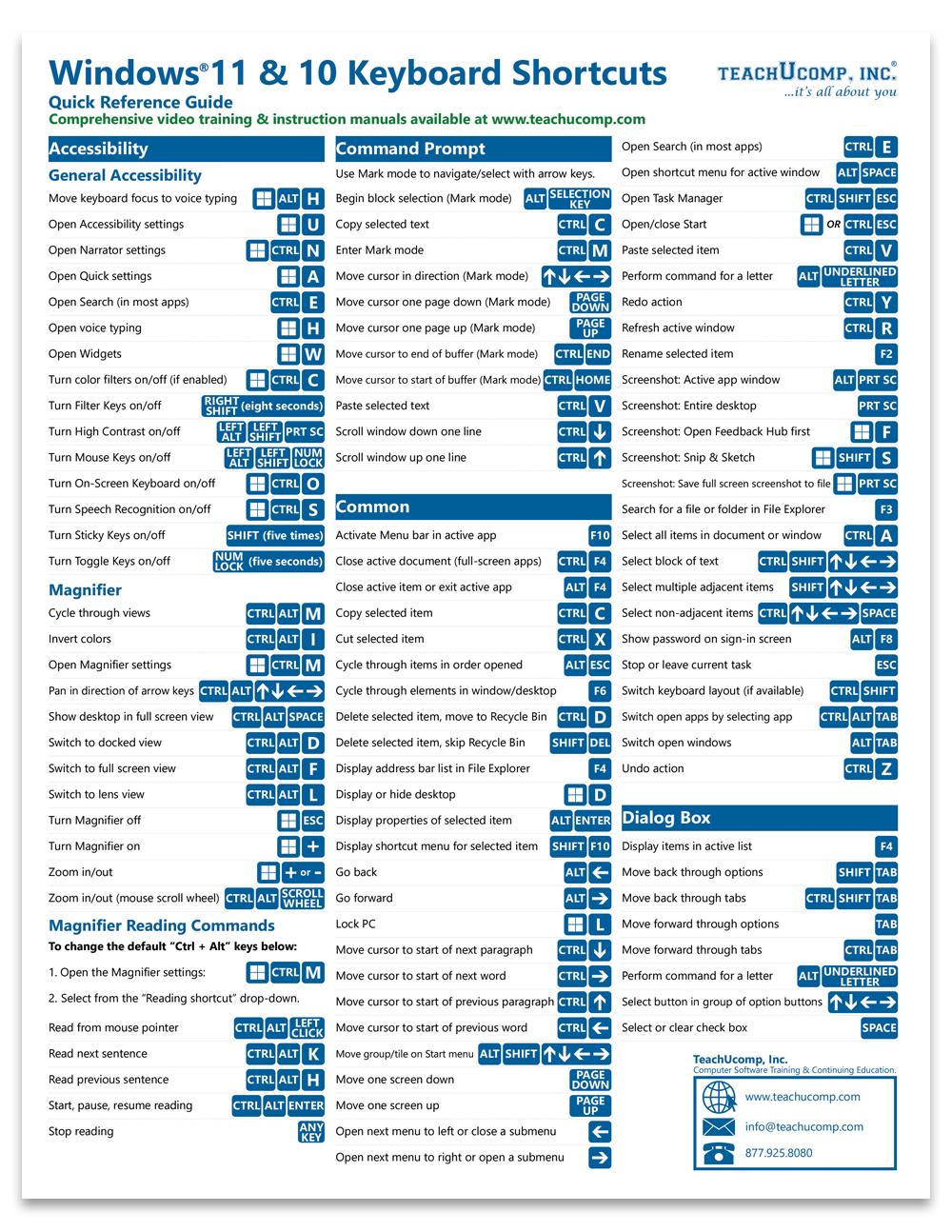
Ultimate Guide To All Keyboard Shortcuts For Windows 11 10 44 OFF

To turn off your PC in Windows 10 select the Start button select the Power button and then select Shut down

Jun 1 2025 nbsp 0183 32 Each of these cases may require a forced shutdown to turn off the computer To force a computer to shut down find the computer s power button The picture shows an

Oct 20 2023 nbsp 0183 32 Shutting down your Windows 11 PC can be done in multiple ways including using the physical power button on your device or through software guided shutdown options

Nov 5 2024 nbsp 0183 32 There is a shutdown command in Windows 11 that you will probably like if you re using command line interfaces like Command Prompt PowerShell or Windows Terminal You

Jul 23 2025 nbsp 0183 32 Whether you prefer the traditional Start menu approach a quick keyboard shortcut or a command line shutdown Windows 11 provides versatile options to turn off your device
[desc-11] [desc-12]
[desc-13]