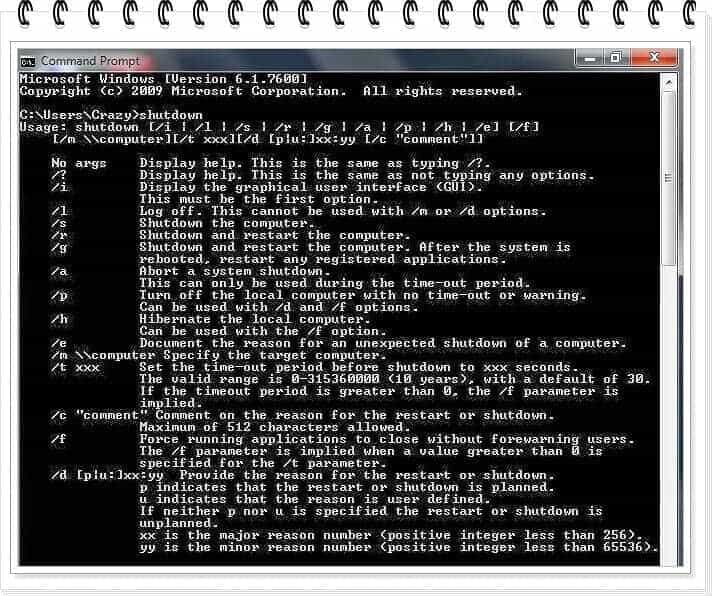
Shutdown Command In Windows Cmd How To Force Shutdown Windows 10 11 Cmd To Shutdown Windows 7 8 10 Shutdown Windows Using Command Prompt Shutdown Commands How To Shut Down Windows Via CMD IONOS How To Shutdown Remote Computer Using Cmd Shutdown Or Restart Windows How To Shutdown Windows 10 With Command Prompt Timer YouTube In the cmdwindow type shutdown and hit Enter This will list you the switches and shutdown options available For example To shut down your PC type shutdown s To restart your PC
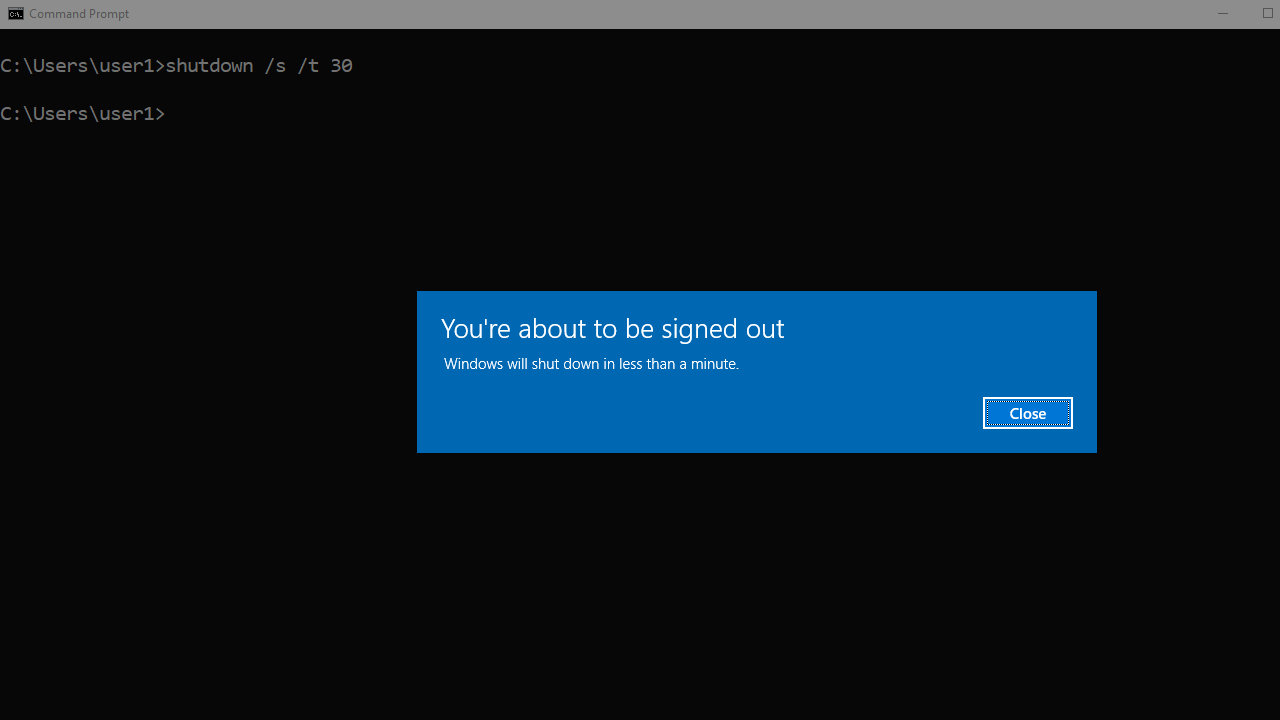
The most common ways to use the shutdown command are shutdown s Shuts down shutdown r Restarts shutdown l Logs off shutdown h Hibernates Note There is a common pitfall wherein users think h means help which it does for every other command line program except shutdown exe where it means hibernate Open Command Prompt cmd and type shutdown s or shutdown s The above command will schedule a shutdown the Windows machine should be scheduled to shutdown within a minute of executing this command It should look something like this After execution of this command you would see something similar like this Canceling the Shutdown
How To Shutdown Windows 10 With Command Prompt Timer YouTube How To Restart Shutdown Using CMD How To Hide Files In Windows Using CMD Full List Of Windows CMD Commands You Need To Know LearnFully Windows Shutdown Timer Command Corehety Comment teindre Un Ordinateur L aide De L invite De Commande Useful CMD Commands To Use Your Computer Efficiently Command Prompt How To Remotely Shut Down Windows 10 With CMD Command Line MiniTool Interesting Way To Shutdown And Restart Windows 11 10 Using Command
Shutdown Command In Windows Cmd
 Shutdown Command In Windows Cmd
https://s3.us-west-2.amazonaws.com/static.elearning.wsldp.com/images/pcmag/force-shutdown-windows-10.webp
If you want to shut down your computer immediately instead type shutdown s t 00 into Command Prompt To shut down your computer a set number of seconds or minutes from the current time type shutdown s t where is the number of seconds e g 06 for six seconds 60 for a minute 120 for two minutes etc 6 Press Enter
Templates are pre-designed files or files that can be used for numerous purposes. They can conserve time and effort by offering a ready-made format and layout for developing different kinds of content. Templates can be used for individual or expert tasks, such as resumes, invitations, leaflets, newsletters, reports, presentations, and more.
Shutdown Command In Windows Cmd
Windows 10 Restart Shutdown Without Update December 2018
How To Restart Shutdown Using CMD

How To Hide Files In Windows Using CMD
Full List Of Windows CMD Commands You Need To Know LearnFully

Comment teindre Un Ordinateur L aide De L invite De Commande

Useful CMD Commands To Use Your Computer Efficiently Command Prompt

Parameter Description i Displays the Remote Shutdown box The i option must be the first parameter following the command If i is specified all other options are ignored l Logs off the current user immediately with no time out period You can t use l with m or t s Shuts down the computer

The Shutdown exe is a built in Windows command line tool that allows to reboot shutdown put your computer to sleep hibernate or end a user session In this guide we ll show the basic examples of using the shutdown command in Windows
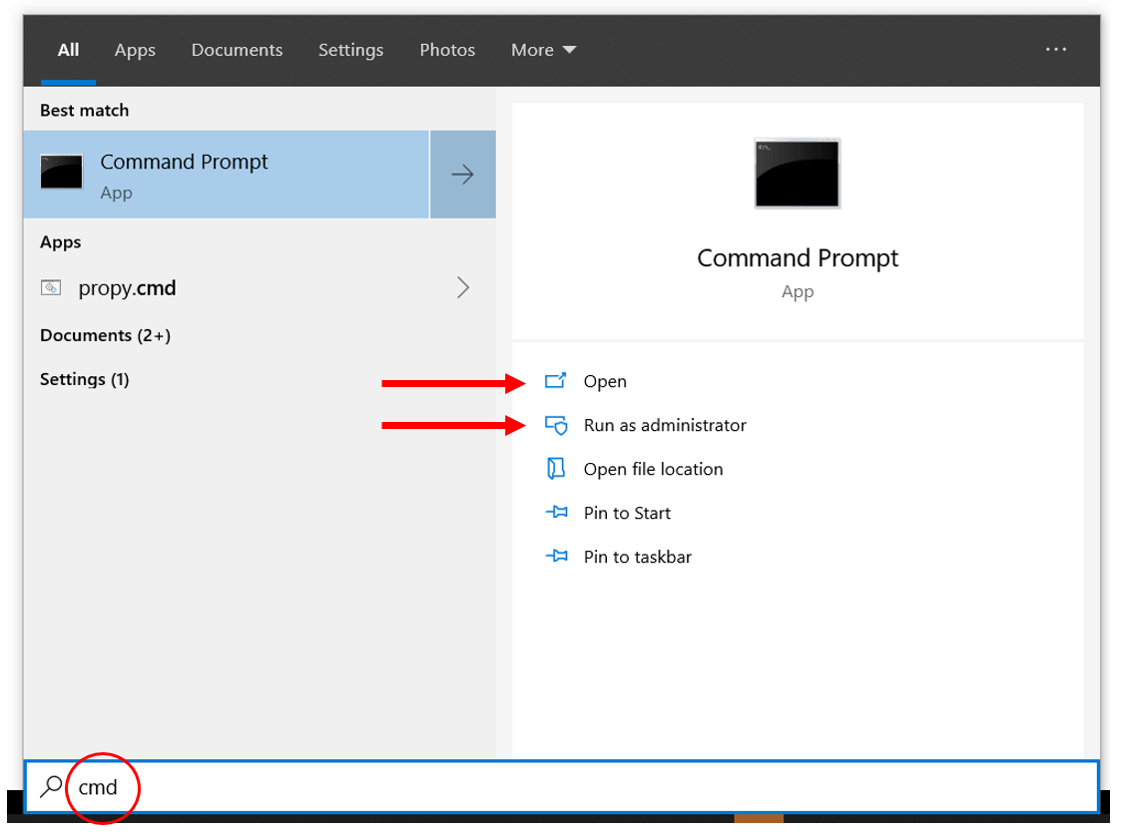
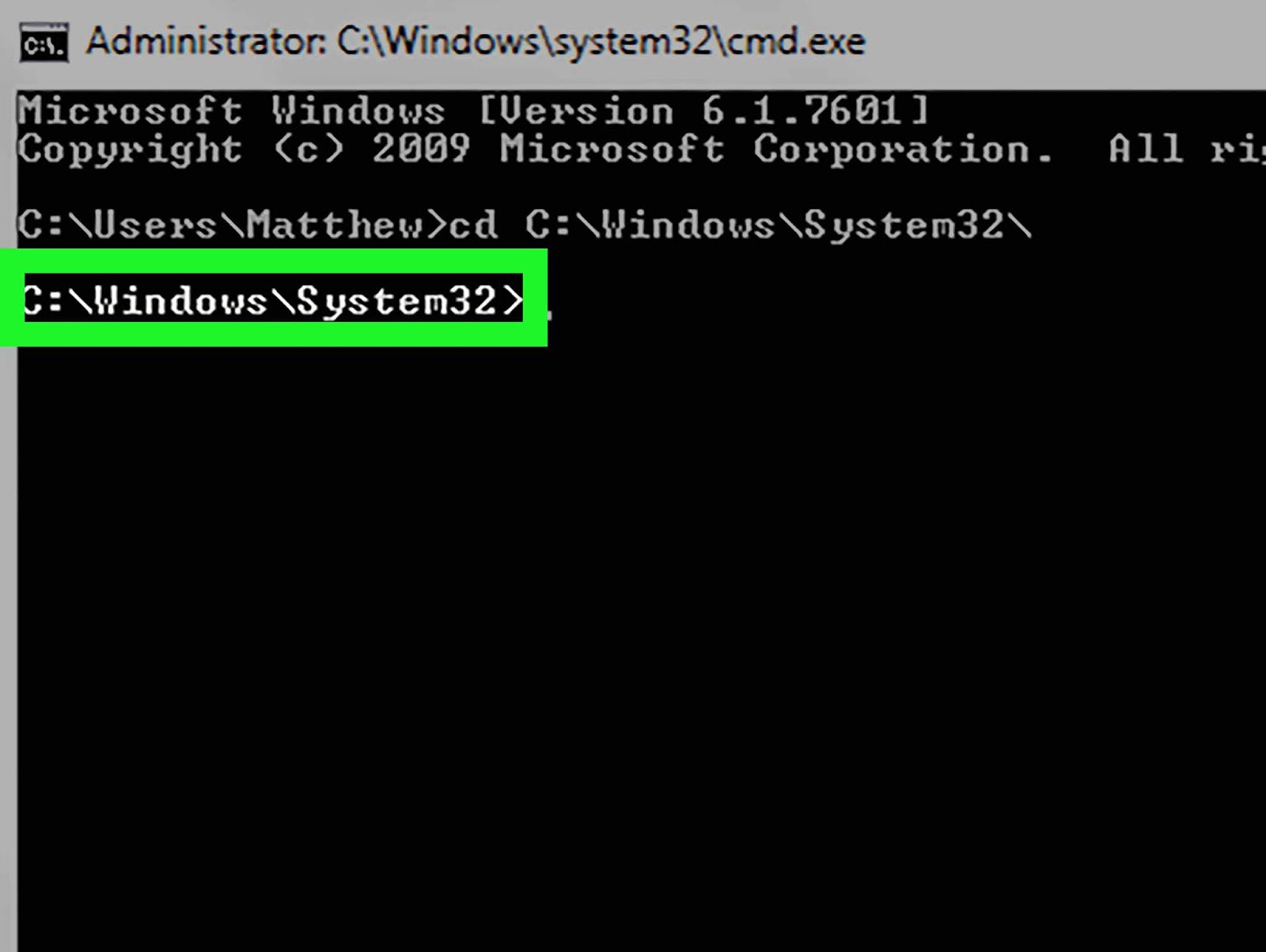
To shut down the computer manually with Command Prompt use these steps Open Start Search for Command Prompt right click the top result and select the Run as administrator option Type

The first step call up the command prompt for shutdown commands If one would like to use cmd exe for entering Windows shutdown commands two methods are available depending on your preferences for operating the computer Call up via mouse click and entry of cmd

The shutdown command is a Command Prompt command that powers off restarts logs off or hibernates your computer The same one can be used to remotely shut down or restart a computer you have access to over a network In some ways it s similar to the logoff command Shutdown Command Availability Maddy Price Lifewire
SHUTDOWN exe r f m Server64 t 60 d P 4 2 To shut down the local machine in 30 seconds time force running applications to close restart the computer after shutdown indicate a user code indicate that the shutdown is planned log major minor reason codes and a comment shutdown r f c Demo of Shutdown d up 125 1 The shutdown command is a Windows command line tool used to shut down restart log off or hibernate a local or remote computer It can also be used to schedule a shutdown or reboot of a local or remote computer The shutdown command is available in all versions of Windows from Windows 95 to Windows 10 What is the Syntax of the Shutdown Command
The first step is opening the Start Menu by clicking tapping the Start button at the bottom of your screen or pressing the Windows key Then click or tap on the Power button shown in the lower right corner of the Start Menu From the available options click or tap on Shut down to immediately turn off your Windows 11 PC