Show All Shared Drives Cmd My Drive Vs Shared Drives Notice Please Migrate Data Stored Within The Shared Drive Of Your How Can I See All Drives In CMD StackHowTo How To Hide Any Drive In Windows Using Cmd Command Prompt Vrogue WHOIS Systems 2000 Ltd 1 Walk to everyone computer make a note of the drive letter and location on my clipboard and move on This sneaker net method would take insanely long 2 I found this command Get WmiObject Win32 MappedLogicalDisk computer computername select name providername Seems like it works great
With net use An administrative elevated cmd prompt can access mapped drives created from an administrative cmd prompt but the issue is that an administrative cmd prompt can t access a drive created from a non administrative cmd prompt and vice versa Want a quick list of shared drives and folders on your Windows PC or Server By using the Windows Instrumentation command line interface WMIC you can create a quick list or even generate a text file or HTM file for printing This Tech Recipe applies to Windows XP Professional Windows Vista Windows Server 2003 and Windows Server
WHOIS Systems 2000 Ltd My Drive Shared Drives Federal Agencies Win With Content Management Intellective Shared Values Oz io Shared Drives Engineering Information Center Shared Drives Paperspace Fix Can t Access Network Shared Drive After Windows 10 Anniversary Steps 7 11 How To Move Your Operating System To Another Hard Drive Vpn Archive January 2019 TechRadar
Show All Shared Drives Cmd
 Show All Shared Drives Cmd
https://damsoncloud.com/wp-content/uploads/2022/08/Thumbnails-2022-1.jpg
To map a network drive type the following command and then hit Enter net use DRIVE PATH DRIVE is the drive letter you want to use and PATH is the full UNC path to the share So for example if we wanted to map drive letter S to the share tower movies we d use the following command net use s tower movies
Pre-crafted templates offer a time-saving service for producing a varied variety of documents and files. These pre-designed formats and designs can be utilized for various personal and professional jobs, consisting of resumes, invites, leaflets, newsletters, reports, presentations, and more, simplifying the material creation procedure.
Show All Shared Drives Cmd

My Second SharePoint Intranet Ellen s Digital Workplace

My Drive Shared Drives

Federal Agencies Win With Content Management Intellective

Shared Values Oz io

Shared Drives Paperspace

Fix Can t Access Network Shared Drive After Windows 10 Anniversary

Net view to get a list of computers If you have a computer s name try net view computer to get a list of shares source Once you know what share you re after you want to go with net use Map a drive with net use x computer share replace X with the drive letter you want to assign source Share

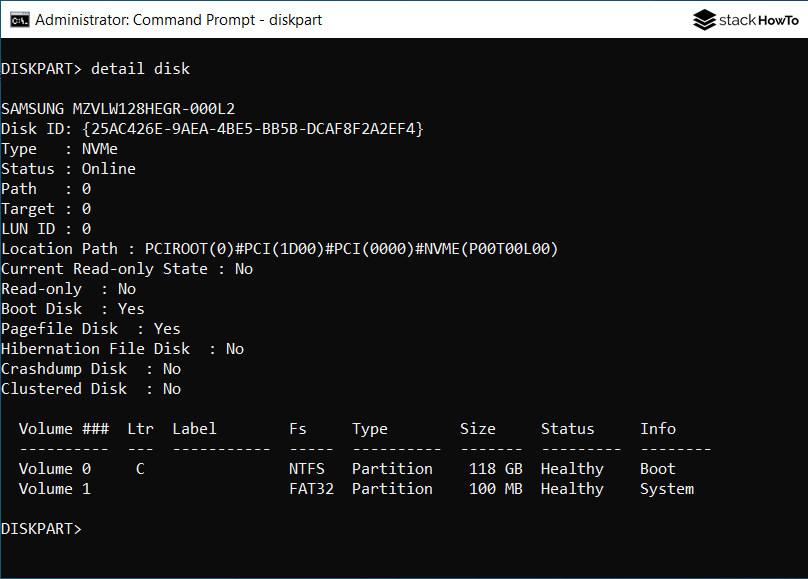
Step 1 Press Win R keys to open the Run dialog box and then type cmd in it and press Ctrl Shift Enter keys together to open the elevated Command Prompt window Step 2 To let CMD list drives type one of the following commands and hit Enter wmic logicaldisk get name wmic logicaldisk get caption Step 3
1 How to see your shared folders using File Explorer 2 How to view your Windows shared folders using Computer Management 3 How to list your shared folders in the command line with Terminal Command Prompt or PowerShell How do you make Windows show your shared folders

Open a command prompt and type the following command Press Enter and you will see the list of Drives You can also use the following parameter Using the following will display Device ID

In other words the net use command can be used to show the shared drives you ve mapped to as well as allow you to manage those mapped drives user The net user command is used to add delete and otherwise manage the users on a computer view Net view is used to show a list of computers and network devices on the network helpmsg
1 Press the Win R keys to open Run type fsmgmt msc into Run and click tap on OK to open the Shared Folders MMC 2 Expand open Shared Folders in the left pane and click tap on Shares see screenshot below The folders listed without at the end are the ones users shared on this computer You can open File Explorer by pressing Windows key E In the left pane select This PC and all drives are shown on the right The screenshot shows a typical view of This PC with three mounted drives OS Primary Software C In our first example the C and F drives are hard drives listed as primary and secondary
To use this command follow the steps below Click Start Run type cmd and press Enter At the MS DOS prompt type net share and press Enter Each of the shares the location of the resource and any remarks for that share are displayed Below is an example of how this may look Related information Was this page useful Yes No