Setup Git Repo On Local Machine Set Up Git Repository Locally Contributor Guide Microsoft Learn How To Push Local Git Repository To Github YouTube The GIT Smsf Setup Setup Git User Open Source Agenda Learn How To Use Local And Remote Repositories In Git YouTube Set up Git At the heart of GitHub is an open source version control system VCS called Git Git is responsible for everything GitHub related that happens locally on your computer Using Git To use Git on the command line you will need to download install and configure Git on your computer
Git uses a distributed source control model your local clone of a repository doesn t connect to all of your coworkers at all but it does connect to a remote usually on an external central server or service When you push and pull you make modifications to the remote s official master copy In the command line navigate to the directory where you would like to create a local clone of your new project To create a repository for your project use the gh repo create subcommand When prompted select Create a new repository on GitHub from scratch and enter the name of your new project If you want your project to belong to an organization instead of to your personal account specify
Learn How To Use Local And Remote Repositories In Git YouTube How To Setup Git With Git LFS For Unity YouTube Power Apps Co Authoring Migrating Private Repos From BitBucket To GitHub James Panther Commands And Operations In Git DZone Create Azure Devops Cicd Pipeline Using Azure Devtest Azure Devtest How To Remove Git From Project Scaler Topics Git Large File Storage How To Setup Git LFS For Your Unity By When You Can t Change The Connected Git Repo On ADF LaptrinhX
Setup Git Repo On Local Machine
 Setup Git Repo On Local Machine
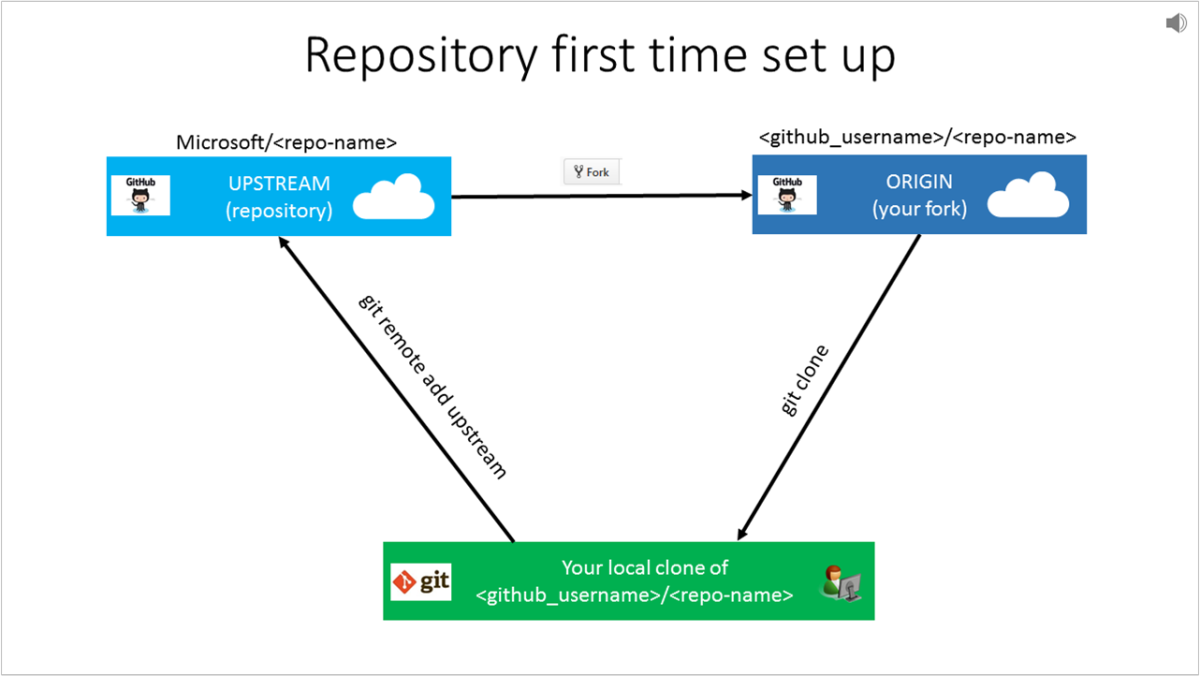
https://learn.microsoft.com/en-us/contribute/media/git-and-github-initial-setup.png
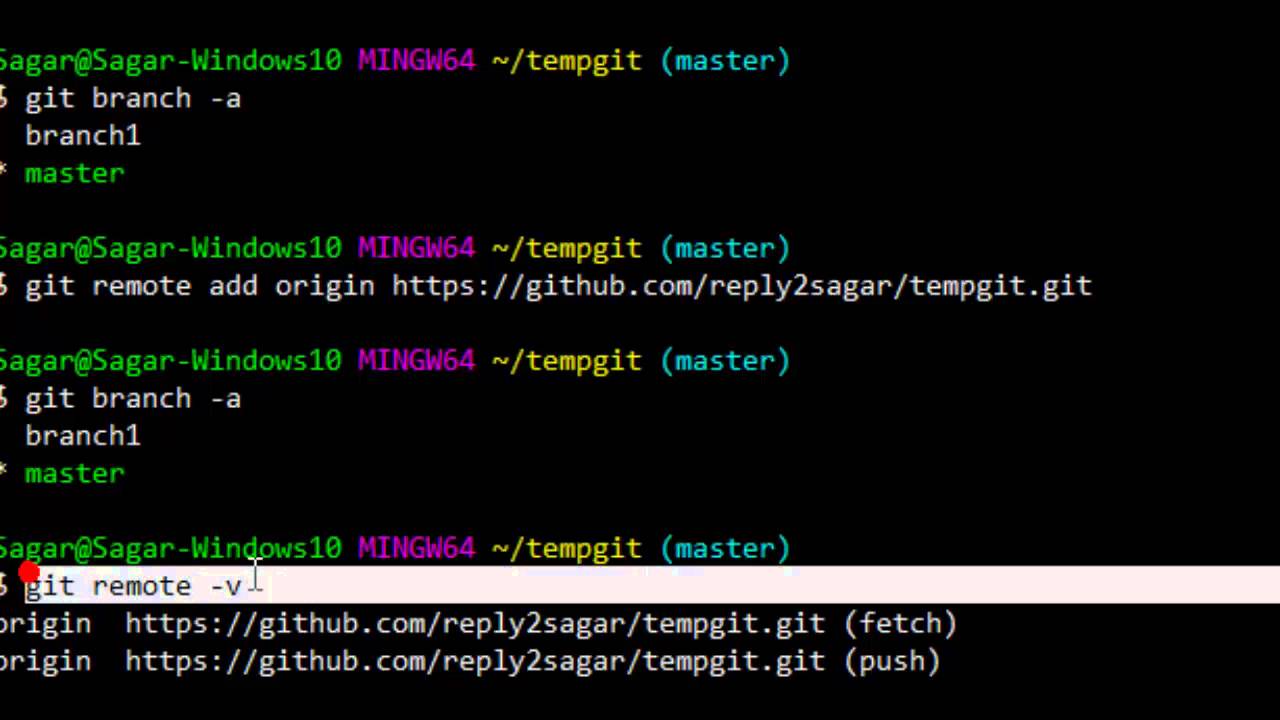
At the top of your repository on GitHub s Quick Setup page click to copy the remote repository URL Open Terminal Terminal Git Bash Change the current working directory to your local project To add the URL for the remote repository where your local repository will be pushed run the following command
Templates are pre-designed files or files that can be utilized for various purposes. They can conserve effort and time by providing a ready-made format and layout for creating various type of material. Templates can be used for personal or expert jobs, such as resumes, invitations, flyers, newsletters, reports, discussions, and more.
Setup Git Repo On Local Machine

How To Create A New Gitlab Repo From My Existing Local Git Repo Using

How To Setup Git With Git LFS For Unity YouTube
Power Apps Co Authoring
Migrating Private Repos From BitBucket To GitHub James Panther
Create Azure Devops Cicd Pipeline Using Azure Devtest Azure Devtest
How To Remove Git From Project Scaler Topics
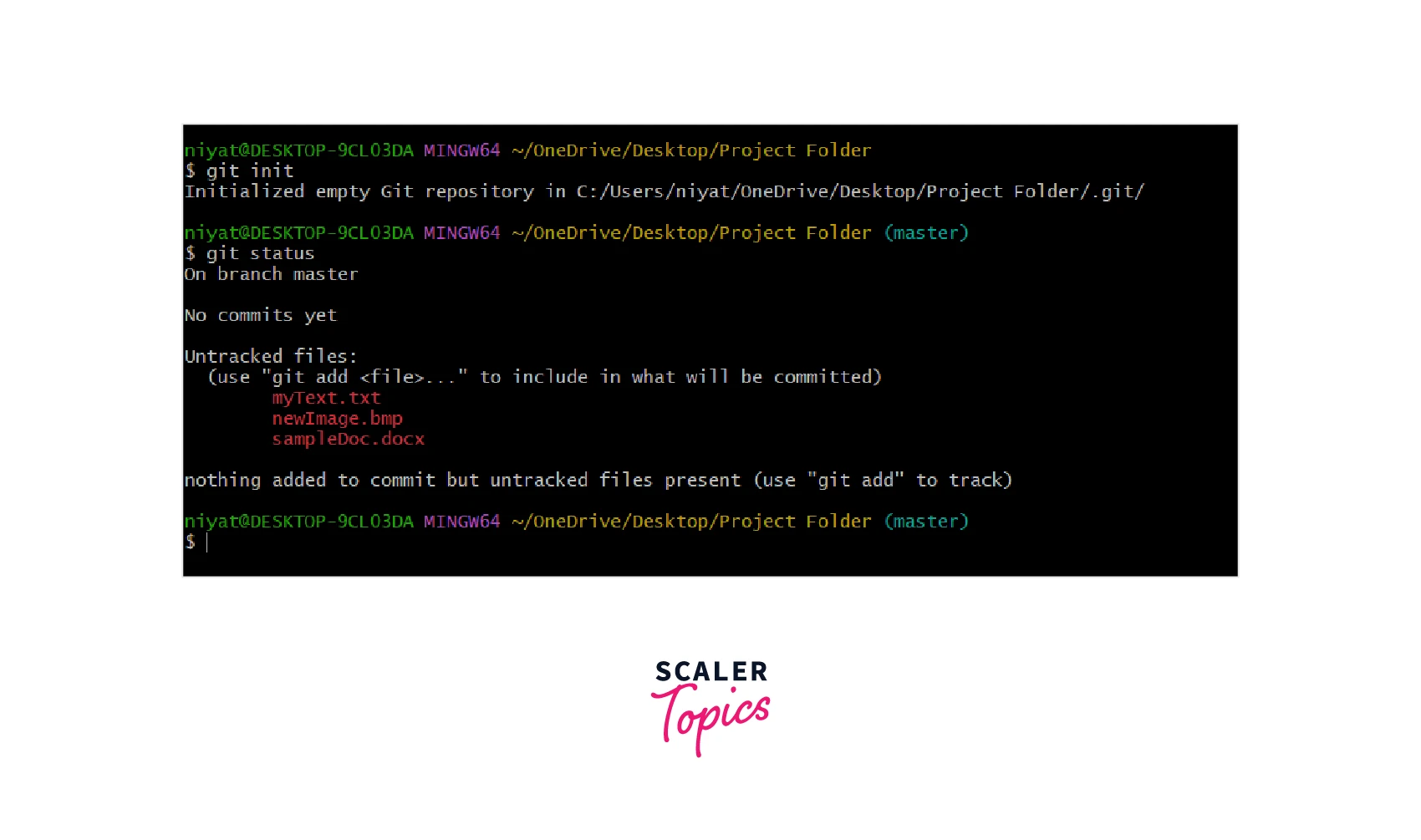
I Create a folder Create a folder where you want to put your local Repository In my case I create a folder named Test Git II Create and initialize a Repository Now let s create the actual repository To do that cd to the Test Git folder and use the code to create and initialize a repository git init bare test git
This tutorial provides an overview of how to set up a repository repo under Git version control This resource will walk you through initializing a Git repository for a new or existing project Included below are workflow examples of repositories both created locally and cloned from remote repositories

The first thing you should do when you install Git is to set your user name and email address This is important because every Git commit uses this information and it s immutably baked into the commits you start creating git config global user name John Doe git config global user email johndoe example

This article describes the steps to set up a Git repository on your local machine with the intent to contribute to Microsoft documentation Contributors may use a locally cloned repository to add new articles do major edits on existing articles or change artwork You ll run these one time setup activities to start contributing
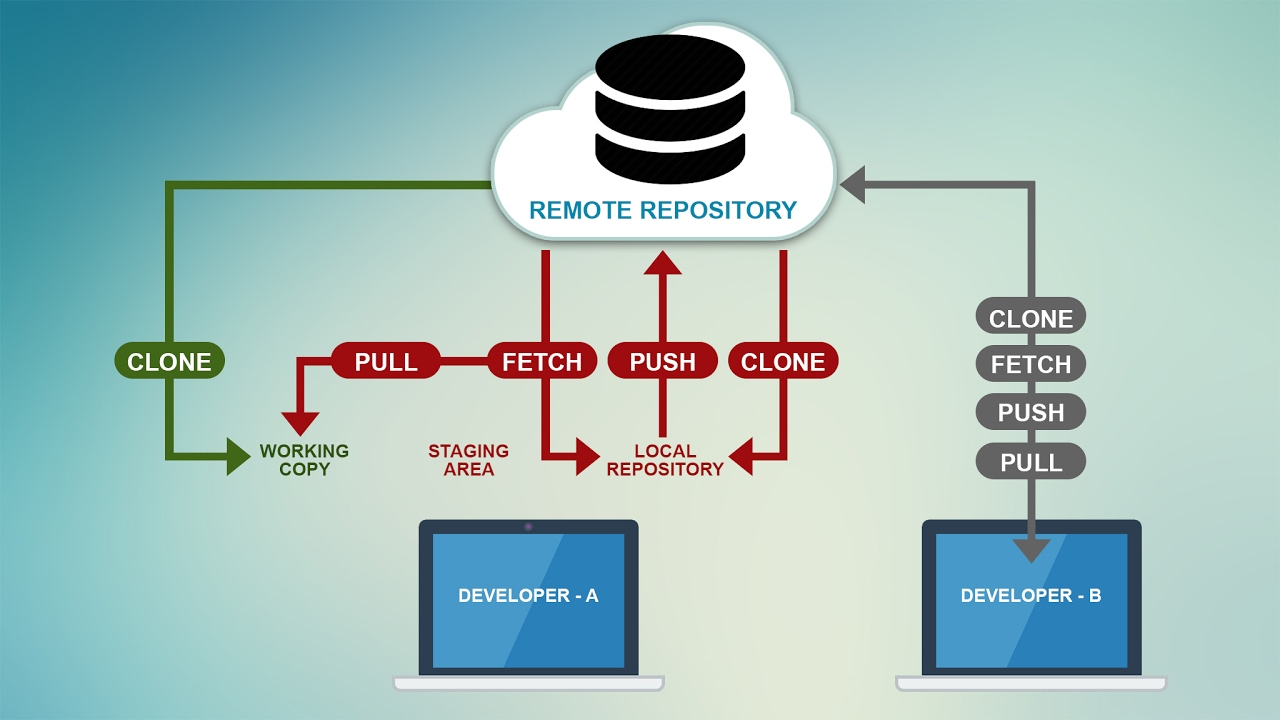
You typically obtain a Git repository in one of two ways You can take a local directory that is currently not under version control and turn it into a Git repository or You can clone an existing Git repository from elsewhere In either case you end up with a Git repository on your local machine ready for work
How to install git You probably already have git installed on your local machine On the off chance you don t have it installed on the remote machine log into it and install with What do you mean by whole process Do you need the command to setup a server and clone the repo
Set your git user name Open the terminal and type git config global user name Your Name to set the name you will be using on your machine for Git If you remove the global option then this name will only be set in that repository you are in You can check it with git config user name command If you did it right your name will appear