Setup Default Browser How To Change The Default Browser In Windows 11 TechRepublic How To Change The Default Browser In Windows 11 TechRepublic How To Make Google Chrome The Windows 11 Default Browser 9to5Google How To Change The Default Browser On Windows 11 Complete Solution Vrogue Opera Browser Web Apr 18 2022 nbsp 0183 32 How To System Utilities Browsers How to Change Your Default Web Browser Want your Windows PC to open links in Firefox your Mac to load up Chrome or your iPhone to favor Edge Here s how to
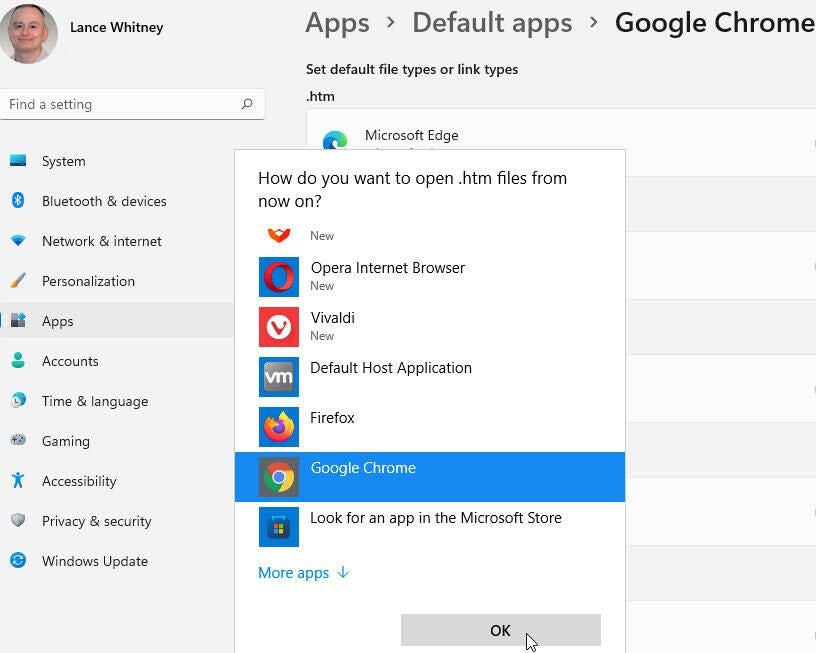
Web May 14 2018 nbsp 0183 32 In Windows 10 you can set the default browser and the default for other apps with the Settings app Just head to Settings gt Apps gt Default Apps Click the button under the quot Web Browser quot section The button is named by whatever browser is currently the default The list of all installed browsers appears Web Dec 16 2021 nbsp 0183 32 Open the Start menu Select Settings From the left panel select Apps Select Default apps Select the browser to set as the default Under Set default file types or link types select each of the following types to set to your new browser default htm html pdf shtml svg webp xht xhtml FTP HTTP and HTTPS Close the Settings
Opera Browser Happy Friday Beautiful People Of Reddit Scrolller Login Microsoft Releases New Security Extension For Google Chrome And Mozilla Mem How To Set Google Chrome As Default Browser Electroniclio Home Page www monacorc Epomaker EP84 Vs Royal Kludge RK84 Full Comparison Google Chrome Set Default Home Page YouTube
Setup Default Browser
 Setup Default Browser
https://www.techrepublic.com/wp-content/uploads/2021/10/change-default-browser.jpg
Web May 17 2022 nbsp 0183 32 Open Settings Click on Apps Click on Default apps Under the quot Choose default apps quot section click the current default browser Select the browser you want to make the new default
Pre-crafted templates provide a time-saving service for developing a varied range of files and files. These pre-designed formats and designs can be used for various individual and expert jobs, consisting of resumes, invitations, leaflets, newsletters, reports, discussions, and more, improving the content production procedure.
Setup Default Browser

How To Change Your Microsoft Edge Homepage Without Using The UI Yuri

Happy Friday Beautiful People Of Reddit Scrolller

Login

Microsoft Releases New Security Extension For Google Chrome And Mozilla
How To Set Google Chrome As Default Browser Electroniclio

Home Page www monacorc

Web Click Settings Open your default apps Original version Click System Default apps Creators Update Click Apps Default apps At the bottom under quot Web browser quot click your current

Web Aug 1 2022 nbsp 0183 32 Windows 10 makes it super easy to change your default web browser This way you can set Chrome Firefox Edge Brave or another browser of your choice as the default We ll show you how to do that Once you ve set a browser as the default your PC will open all your web links in that browser

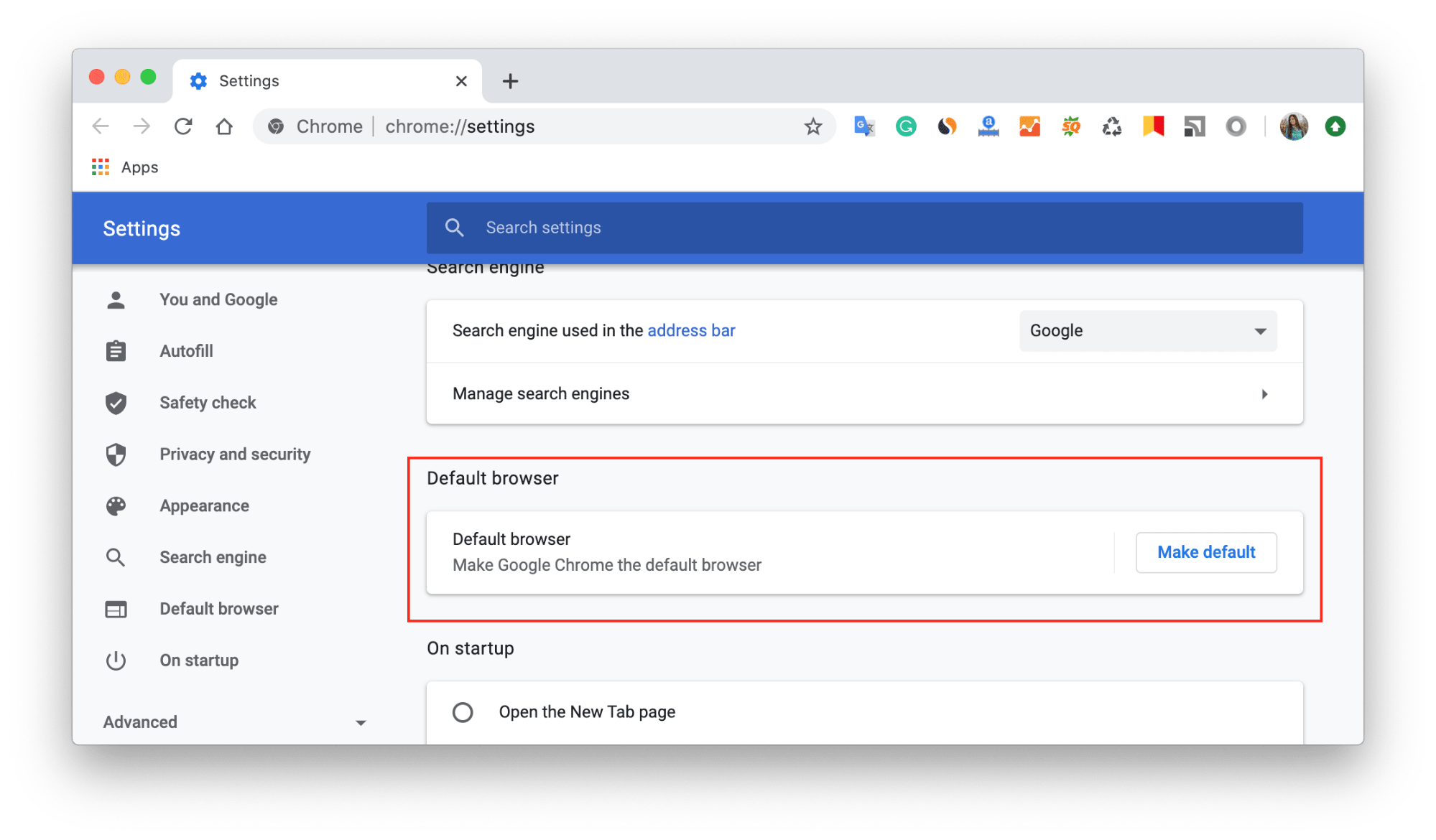
Web Jul 5 2023 nbsp 0183 32 Select Settings gt Default browser At the top of this page select Make default This will replace any other browser you might have installed on your laptop or device On a mobile device the first time you open a link in any app you will be prompted to select which browser you want to use the default installed one or Microsoft Edge
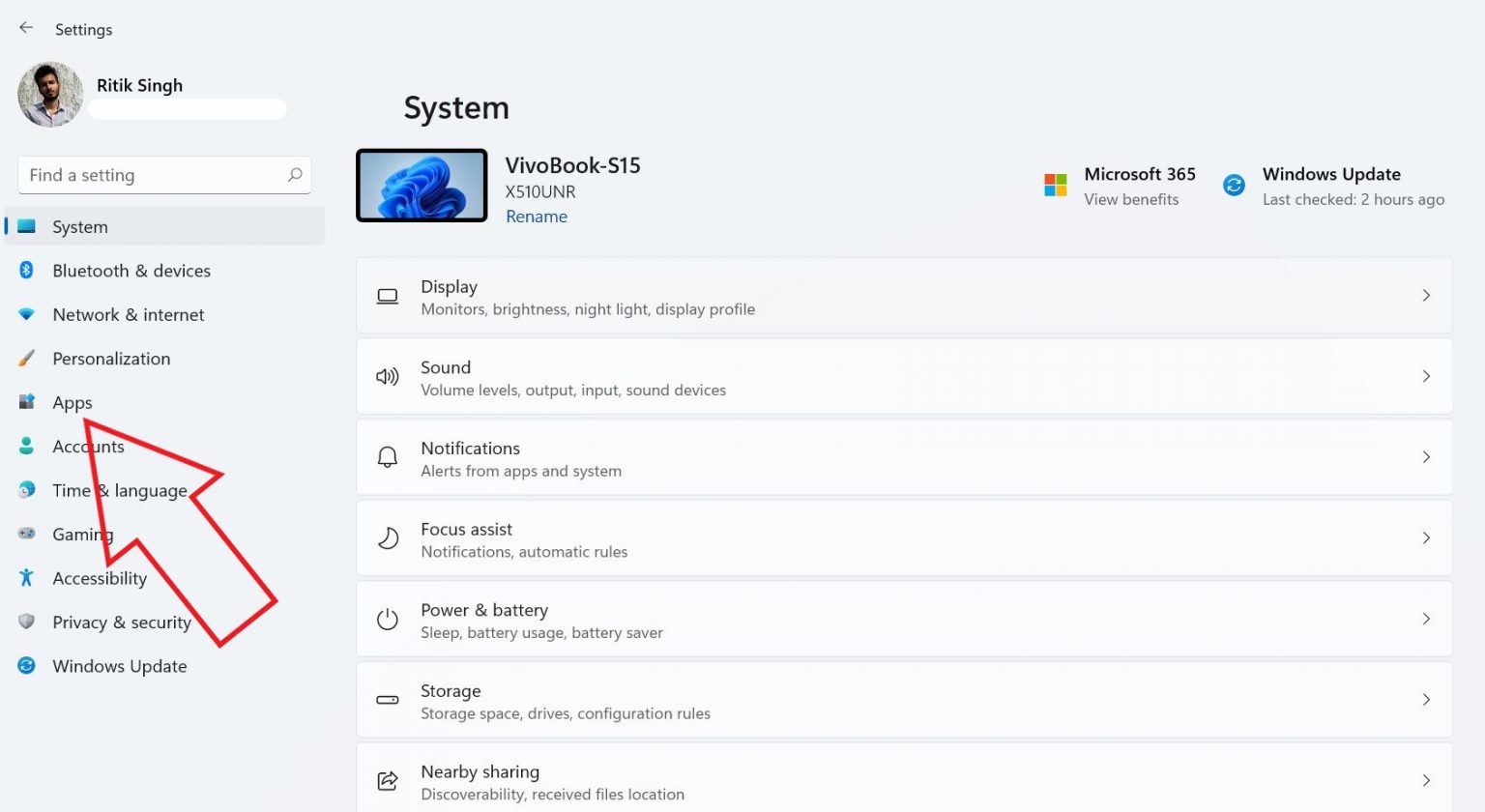
Web Mar 29 2022 nbsp 0183 32 In Settings click quot Apps quot in the sidebar then select quot Default Apps quot in the list In the search box below quot Set defaults for applications quot type the name of the browser you d like to make the default browser in Windows 11 for example quot Firefox quot or quot Chrome quot
Web Aug 15 2021 nbsp 0183 32 In this guide we will show you how to set Chrome as the default web browser on Windows 10 Windows 11 Mac Android iPhone and iPad To set Chrome as your default browser you must download and install it first If you use a Windows or Mac computer you can download it from Google s website
[desc-11] [desc-12]
[desc-13]