Settings Other Term SETTINGS Settings Sbuzz Other Settings Settings Settings Image Feb 2 2021 nbsp 0183 32 How to Enable or Disable Real time Protection for Microsoft Defender Antivirus in Windows 10
Jul 5 2020 nbsp 0183 32 Settings is a modern touch friendly version of the Control Panel that will eventually replace the Control Panel in Windows 10 This tutorial will show you how to open the Control Official Android Help Center where you can find tips and tutorials on using Android and other answers to frequently asked questions
Settings Image Where Is Settings Icon Jesmiami Settings Innovative Settings Concept On Craiyon Settings Figma Community Settings s Post Lemon8 Settings PDF Settings 9GAG Settings
Settings Other Term
 Settings Other Term
https://www.settings.cc/images/S_CT_V1.png
Apr 22 2020 nbsp 0183 32 How to Change Power Plan Settings in Windows 10 A power plan is a collection of hardware and system settings that manages how your computer uses power Power plans can
Templates are pre-designed documents or files that can be utilized for different functions. They can save effort and time by offering a ready-made format and design for creating various type of material. Templates can be utilized for personal or expert projects, such as resumes, invites, leaflets, newsletters, reports, presentations, and more.
Settings Other Term
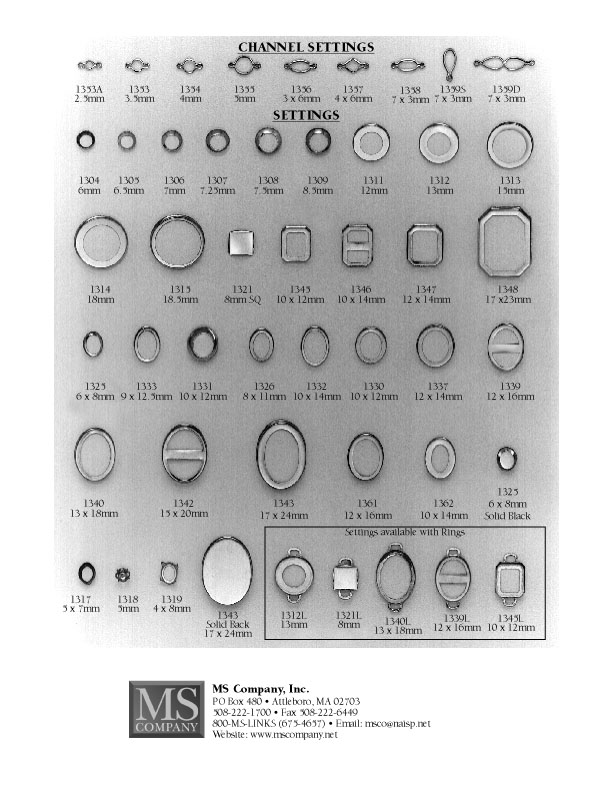
Settings

Where Is Settings Icon Jesmiami

Settings

Innovative Settings Concept On Craiyon

Settings s Post Lemon8

Settings PDF
Change settings quickly on your Android phone You can find and change your settings from any screen on your phone with Quick Settings To get to the settings you change often you can

At Google we take your account protection seriously Discover how to secure your Google Account by regularly following these tips

Oct 5 2024 nbsp 0183 32 How to Turn On or Off Sync Your Settings in Windows 10 When Sync settings is turned on Windows syncs the settings you choose across all your Windows 10 devices that

Official Google Chrome Help Center where you can find tips and tutorials on using Google Chrome and other answers to frequently asked questions

On your computer open Chrome At the top right select More Settings Select Reset settings Restore settings to their original defaults Reset settings
[desc-11] [desc-12]
[desc-13]