Set Environment Variable Java Home Windows 10 How To Setup Configure JAVA HOME And JRE HOME Environment Variables On Java Home Path Setting In Windows Anyways Explosives Convenience How To Set Java Path In Windows How To Set JAVA HOME On Windows TestingDocs How To Set Environment Variable For Android SDK YouTube Windows 10 and Windows 8 In Search search for and then select System Control Panel Click the Advanced system settings link Click Environment Variables
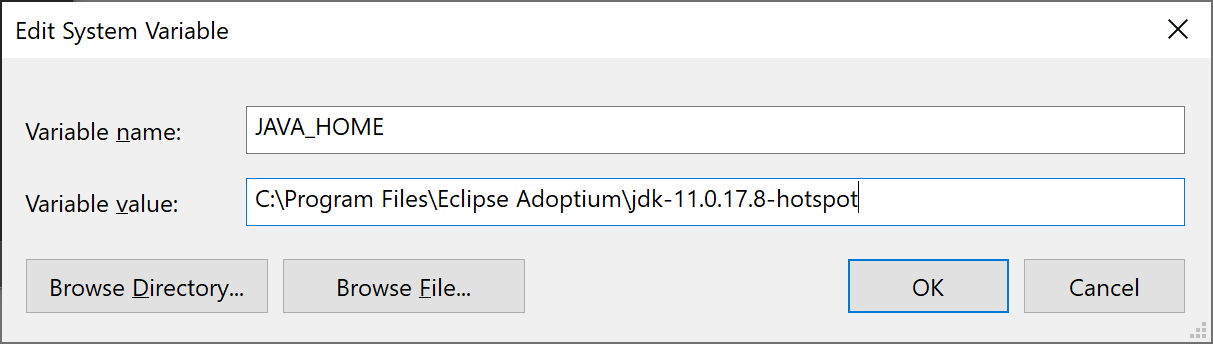
Steps to set the JAVA HOME and update the PATH environment variables on Windows 10 to Search for Advanced System Settings in your Windows Search box Click on Advanced System Settings Goto system variables section Give Variable Name JAVA HOME
How To Set Environment Variable For Android SDK YouTube Fixing Issue The Environment Variable JAVA HOME Is Not Correctly Set How To Set JAVA HOME Environment Variable In Windows 10 Step By Step Java Environment Variables Setup JDK Installation Guide How To Set JAVA HOME Environment Variable In Windows 10 How Set Java Home Windows 10 YouTube Setup JAVA HOME Environment Variable In Windows Configuring The JAVA HOME And JRE HOME Environment Variables On A Set Or Configure Java And Javac Environment Variable For Windows
Set Environment Variable Java Home Windows 10
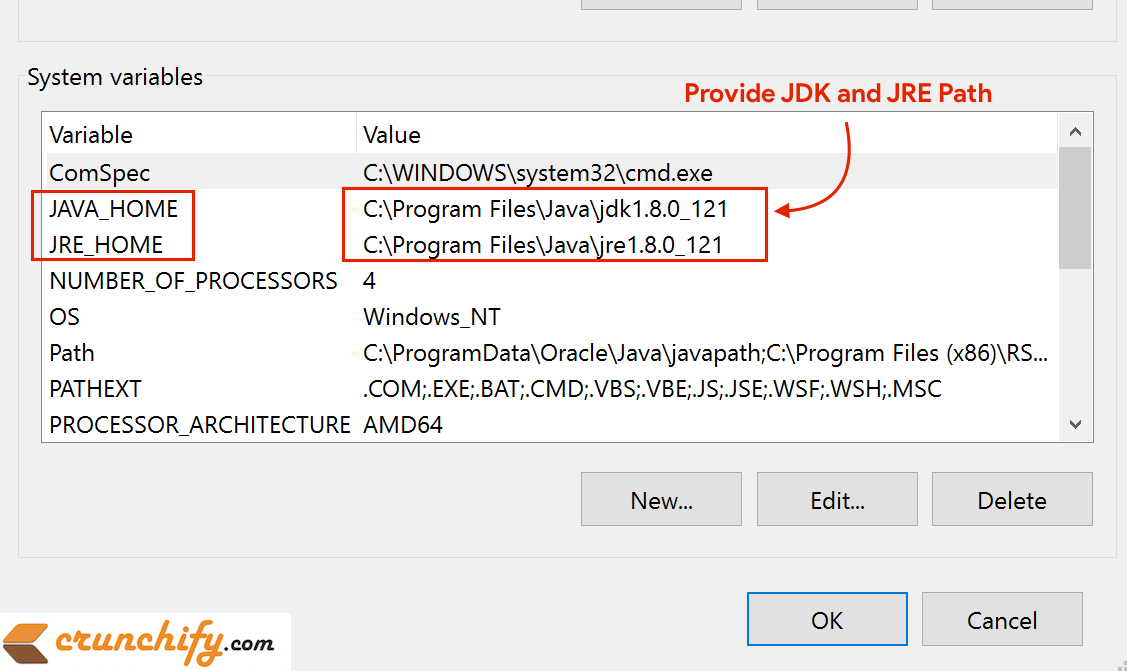 Set Environment Variable Java Home Windows 10
https://crunchify.com/wp-content/uploads/2017/03/Add-JAVA_HOME-and-JRE_HOME-variables.png
JAVA HOME is an environment variable which addresses to the directory where Java Runtime Environment or Java Development Kit is installed in the system To be
Pre-crafted templates provide a time-saving solution for developing a diverse variety of files and files. These pre-designed formats and layouts can be made use of for numerous individual and expert jobs, including resumes, invitations, leaflets, newsletters, reports, discussions, and more, simplifying the material creation process.
Set Environment Variable Java Home Windows 10

Set JAVA HOME Environment Variable JAVA HOME For JDK 11 Or Later In
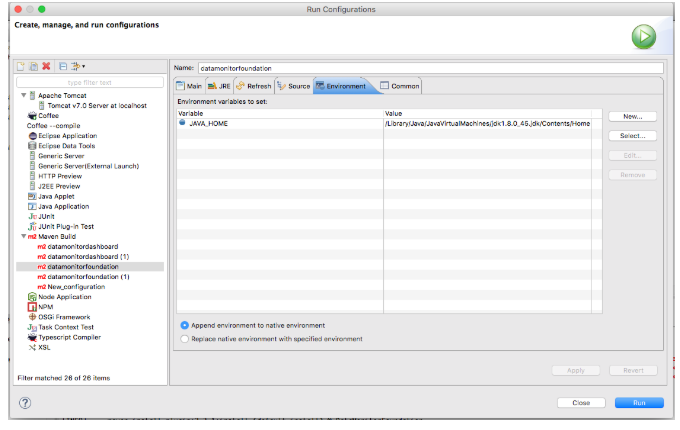
Fixing Issue The Environment Variable JAVA HOME Is Not Correctly Set
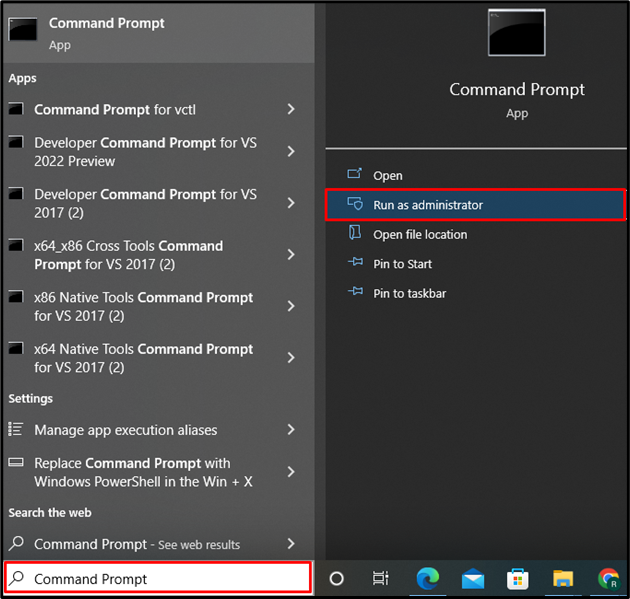
How To Set JAVA HOME Environment Variable In Windows 10
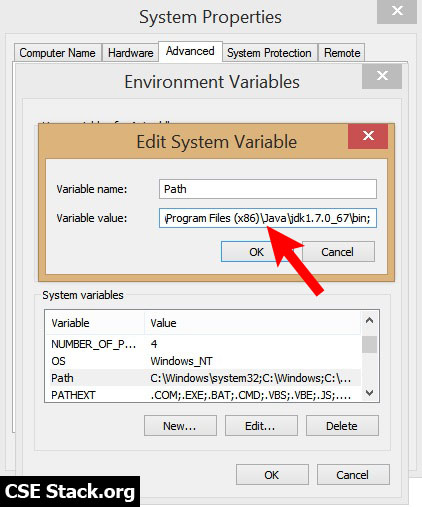
Step By Step Java Environment Variables Setup JDK Installation Guide

How Set Java Home Windows 10 YouTube

Setup JAVA HOME Environment Variable In Windows

2 Environment Variables Select Advance tab clicks Environment Variables 3 Add JAVA HOME In System variables clicks New button to add a

Right click the Computer icon on your desktop and select Properties Click Advanced system settings Click Environment variables Under User variables click
1 Firstly you need to identify the Java home directory which is typically under C Program Files Java directory 2 Open the System

1 In Environment Variables window under System variables select Path 2 Click on Edit 3 In Edit environment variable window click

Step 1 Open Java Installation Directory Step 2 Open Environment Variables Settings Step 3 Set JAVA HOME Environment Variables Step 4 Set Path Environment
If your JDK installation didn t set JAVA HOME automatically you can always open the Windows environment variable editor and set it yourself In the System Properties window click the Environment Variables button In the System variables section of the Environment Variables window
How to Set JAVA HOME variable in Windows Under the Edit Environment Variable window click on New button and give Java path C Program FilesJavajdk