Session Sessionservice Create Failed With Status Code 404 DevOps SysAdmins Vgcreate Command Failed With Status Code 5 Failed To Load Resource The Server Responded With A Status Of 404 ModResponse Create Or Delete Manual Backup Web Browser Creating Manuals Has Solved Flow Save Failed With Code DynamicOperationReques Power I am trying to use State Server sessions I have changed my Session state to the following sessionState mode StateServer stateConnectionString tcpip 127 0 0 1 42424 cookieless false t
200 OK The request succeeded The result meaning of success depends on the HTTP method GET The resource has been fetched and transmitted in the message body HEAD The representation headers are included in the response without any message body PUT or POST The resource describing the result of the action is transmitted in the message body TRACE The message body contains the request But at times when you try to run a new notebook there are chances that one of your previous notebooks is still attached to the session which might not allow you to run a new notebook session As a first step you can go through the monitor tab to see if any running sessions and kill it forcefully if it s still running
Solved Flow Save Failed With Code DynamicOperationReques Power Failed To Connect To The Remote Extension Host Server Error WebSocket Http Proxy Append In Front Of The Actual URL Request Failed With AWS X Ray Google Cloud Platform Firebase Phone Auth Failing On App Already In Failed To Load Resource The Server Responded With A Status Of 404 Axioserror message request Failed With Status Code 500 The AI Error Response From Daemon Login Attempt To Https registry 1 docker NuxtServerError Request Failed With Status Code 500 nuxt
Session Sessionservice Create Failed With Status Code 404
 Session Sessionservice Create Failed With Status Code 404
https://i.ytimg.com/vi/p5_z23hQBhw/maxresdefault.jpg
Describe the bug There is a real chance this isn t a bug and something I just need help with I am new to argo When trying to create a new application in the UI I haven t tried the CLI yet
Pre-crafted templates use a time-saving service for creating a diverse range of files and files. These pre-designed formats and layouts can be made use of for different personal and professional jobs, including resumes, invitations, leaflets, newsletters, reports, discussions, and more, simplifying the material creation procedure.
Session Sessionservice Create Failed With Status Code 404
Error Request Failed With Status Code 409 Issue 5815 OfficeDev
Failed To Connect To The Remote Extension Host Server Error WebSocket

Http Proxy Append In Front Of The Actual URL Request Failed With

AWS X Ray
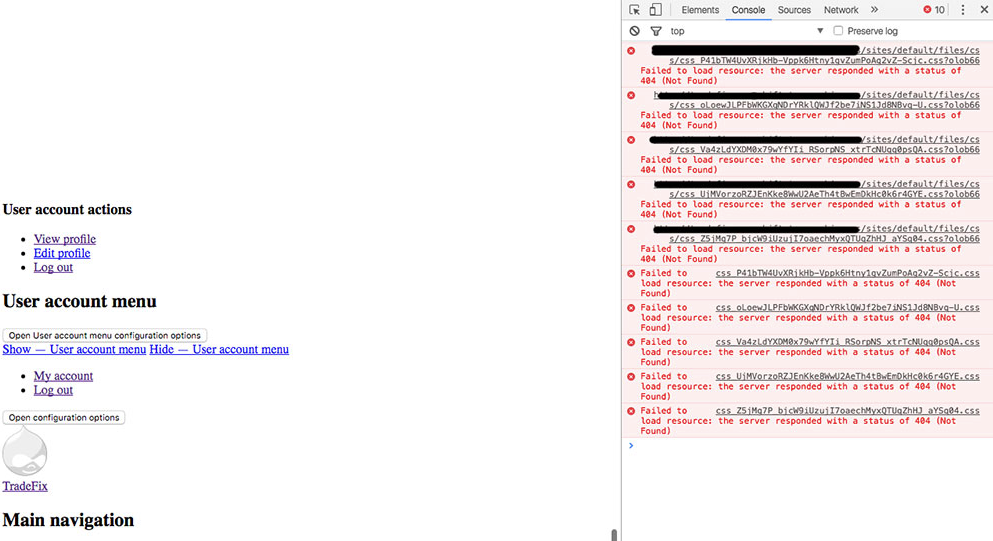
Failed To Load Resource The Server Responded With A Status Of 404

Axioserror message request Failed With Status Code 500 The AI
1 Answer It might have been a while and could have been solved but I had a similar issue With the ArgoCD version 2 4 14 I was able to resolve the issue using the command argocd login insecure port forward port forward namespace argocd plaintext Username admin Password admin login logged in successfully Context port forward
I can login and use ArgoCD UI via both Ingress and LoadBalancerIP However if I try to login via cli it s not working either way argocd login insecure grpc web username admin password xxxxxxxxxxxx 10 25 12 WARNING server is
On Nov 9 2020 Deploy argo cd using helm file version 2 9 5 setting both ingress and ingressGrpc enabled true Verify installation by going to website URL and logging in with admin and password Attempt to login with argocd CLI v1 7 8 argocd login grpc argocd example insecure Nuru added the bug label on Nov 9 2020

Solution Open the PowerServer C solution the ServerAPIs project the Server json file and configure the proxy server settings in the ProxyOptions block The password for the proxy server if any must be an encrypted value encrypted by the CustomizeDeploy dll tool

Describe the bug After creating an ingress I am unable to login To Reproduce Steps to reproduce the behavior Apply ingress yaml Go to argocd svc dev intra Enter username and password Password is
Saved searches Use saved searches to filter your results more quickly Is your feature request related to a problem Please describe Below is whats working apiVersion argoproj io v1alpha1 kind Application metadata name your application name spec destination name namespace default server https
Important migration information from Appiun Inspector Important migration notes This version of Appium Inspector is designed to work with Appium 2 0 as a default