Server 2019 Set Time Cmd Come Impostare Lora AggiornatoNovembre 2022 How To Set Up Windows Server 2019 YouTube How To Perform Remote Desktop Force Login Windows Server 2019 Remote Desktop Session Shadowing Settings Shima Cluster Sets In Windows Server 2019 Search for Command Prompt Right click on the result and select Run as administrator Type w32tm resync and press Enter As soon as you press the Enter button Windows will execute the time sync command This will force
May 25 2022 nbsp 0183 32 Set the Timezone Using the Windows Start Menu open Server Manager Locate Time zone in the local server properties section Click the current timezone which is UTC Feb 3 2023 nbsp 0183 32 Sets the system time to the new time specified where HH is in hours required MM is in minutes and SS is in seconds NN can be used to specify hundredths of a second
Cluster Sets In Windows Server 2019 How To Set Time Zone Using Command Prompt In Windows 7 My Technology Terminal Services Manager Windows 7 Cleverchampion Set The Time And Date In Windows Server Core 2012 R2 Pod vanie Vyzdvihn Pe e How To Do Echo To File Kompaktn Spont nna Fond Windows Server 2019 Remote Desktop Session Shadowing Settings Shima Poner En Hora El Reloj Del Ordenador Actualizado Febrero 2023 Configurare Un Cluster Hyper V Con Windows Server 2019 ICT Power Change Timezone Linux Server Sexihotels
Server 2019 Set Time Cmd
 Server 2019 Set Time Cmd
https://faccinebuffe.it/wp-content/uploads/2022/02/come-impostare-lora-1024x607.png
Jan 27 2024 nbsp 0183 32 W32tm exe is a command prompt line used to configure monitor or troubleshoot the Windows Time Service in Windows 11 10 To do this open an elevated command prompt
Templates are pre-designed documents or files that can be used for different functions. They can save time and effort by supplying a ready-made format and design for creating various sort of content. Templates can be utilized for individual or professional projects, such as resumes, invites, leaflets, newsletters, reports, discussions, and more.
Server 2019 Set Time Cmd

Install And Configure WAMP On Windows Server 2019 OrcaCore
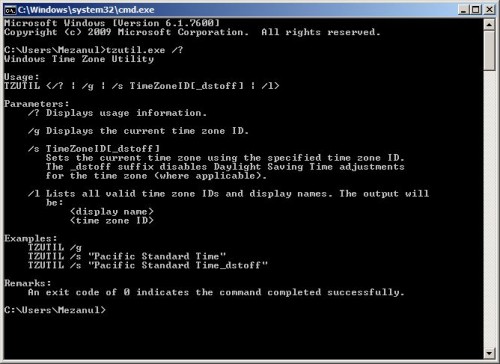
How To Set Time Zone Using Command Prompt In Windows 7 My Technology

Terminal Services Manager Windows 7 Cleverchampion
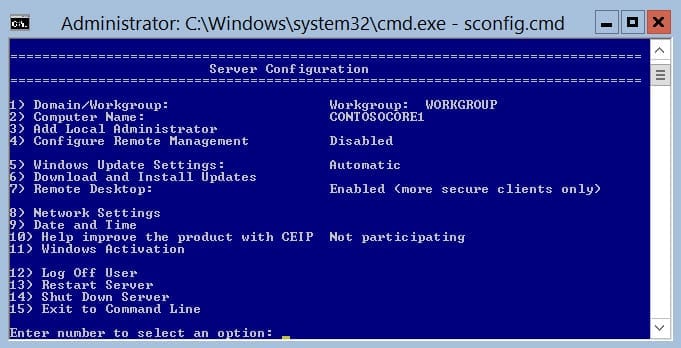
Set The Time And Date In Windows Server Core 2012 R2
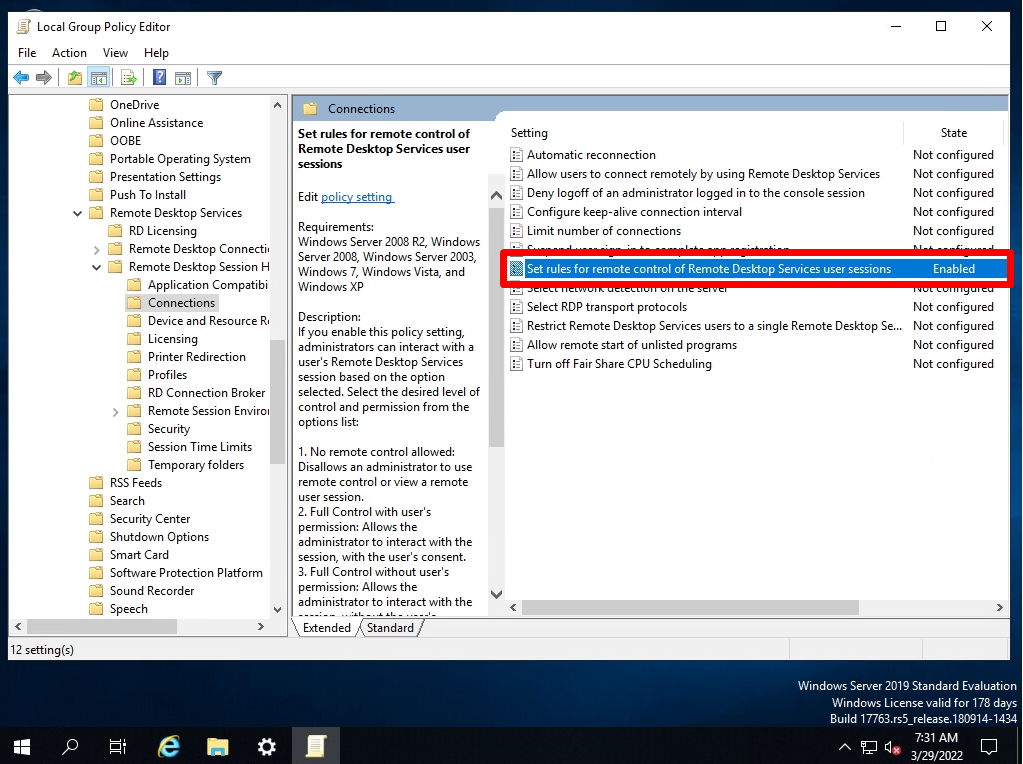
Windows Server 2019 Remote Desktop Session Shadowing Settings Shima

Poner En Hora El Reloj Del Ordenador Actualizado Febrero 2023

Nov 29 2019 nbsp 0183 32 Let s see how you can configure NTP Server on Windows Server 2019 2022 The Windows Time service uses the Network Time Protocol NTP

Jul 21 2020 nbsp 0183 32 As shown you can easily set NTP Server Windows 2016 or Windows 2019 using the w32tm command utility that allows interacting with the time service in Windows Server
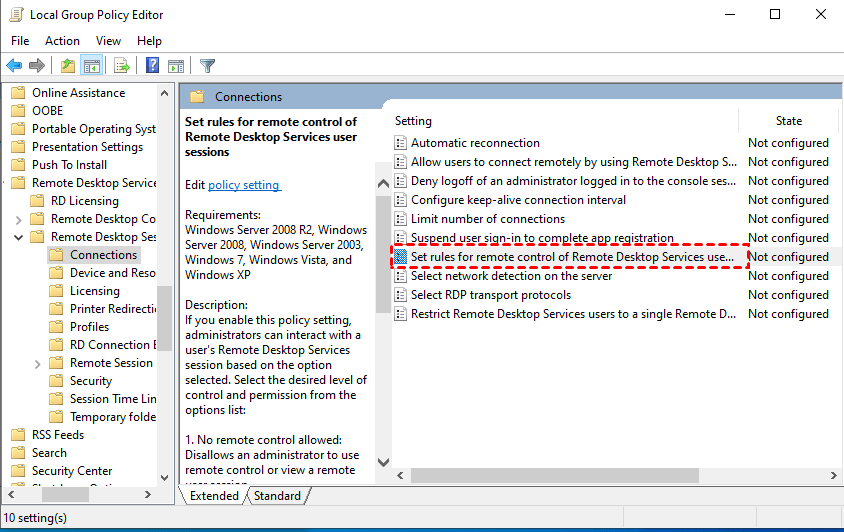
Apr 4 2014 nbsp 0183 32 Use net time net time timesrv set yes after your comment try this one in evelated prompt w32tm config update manualpeerlist yourtimerserver
Sep 11 2020 nbsp 0183 32 If so usually we can configure the time of PDC in the root domain to synchronize with an external reliable time source We can configure one GPO setting in the link below and

Oct 23 2019 nbsp 0183 32 The tzutil exe utility is used to change the time zone Its usage is relatively simple Use tzutil l to list the time zones available on the system Change to the desired zone using the following command tzutil s quot W
May 15 2024 nbsp 0183 32 Understand Windows Time service w32time problems in an Active Directory domain Configure Windows Time Server and use W32tm commands to ensure precise While the Windows clock automatically updates weekly there may be times you need to sync with the internet time server manually Your three options are Settings Windows 10 Control Panel
Feb 19 2024 nbsp 0183 32 Explains how to configure the Windows Time service in Windows Server Provides information about troubleshooting and Windows Time service synchronization