Select Rows With Specific Value Excel Unix Linux Using AWK To Select Rows With Specific Value In Specific Select Rows Of Pandas DataFrame By Condition In Python Get Extract Solved Using AWK To Select Rows With Specific Value In 9to5Answer How To Select Rows With Specific Text In Excel Pandas How To Select The Specific Row In Python Stack Overflow Hot To select non adjacent rows or columns hold Ctrl and select the row or column numbers Select table list or worksheet To select a list or table select a cell in the list or table and press Ctrl A To select the entire worksheet click the Select All button at the top left corner
Tip To cancel a selection of cells click any cell on the worksheet On the Home tab click Find Select Go To in the Editing group Keyboard shortcut Press CTRL G Click Special In the Go To Special dialog box click one of the following options Click Step 1 Prepare your list Start by typing the entries for your drop down list in a new worksheet Placing these entries in an Excel table is ideal as any updates to the list will automatically change in the drop down list Create a table by highlighting the entries and pressing the Ctrl T button on Windows or the Cmd T button
Pandas How To Select The Specific Row In Python Stack Overflow Hot Solved SQL Counting Rows With Specific Value 9to5Answer Mysql How To Select Rows With No Null Values in Any Column In SQL Find And Select Cells With Specific Value In A Worksheet Using Excel Determine If Cells Contain A Specific Value In Excel TeachExcel Select Rows Of Pandas DataFrame By Condition In Python Get Extract How To Remove Rows Based On Cell Value In Excel Excel Count Count Number Of Rows For A Specific Matching Value Count Cells Equal To A Specific Value step By Step Guide Excel
Select Rows With Specific Value Excel
 Select Rows With Specific Value Excel
https://i.ytimg.com/vi/dK0GGq9Suqk/maxresdefault.jpg
Accessibility center You can quickly locate and select specific cells or ranges by entering their names or cell references in the Name box which is located to the left of the formula bar You can also select named or unnamed cells or ranges by using the Go To F5 or Ctrl G command
Templates are pre-designed documents or files that can be utilized for different functions. They can conserve effort and time by providing a ready-made format and design for developing various type of material. Templates can be used for personal or professional tasks, such as resumes, invitations, leaflets, newsletters, reports, discussions, and more.
Select Rows With Specific Value Excel

MySQL Select Rows In Specific Iteration 1st 5th 10th 15th N
Solved SQL Counting Rows With Specific Value 9to5Answer

Mysql How To Select Rows With No Null Values in Any Column In SQL
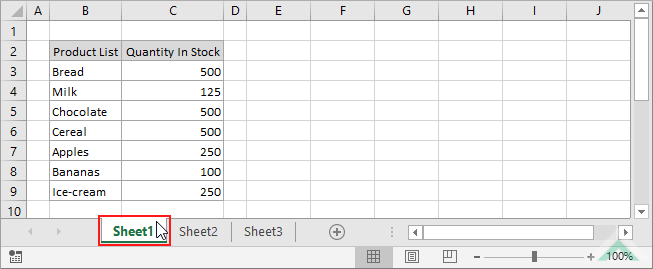
Find And Select Cells With Specific Value In A Worksheet Using Excel
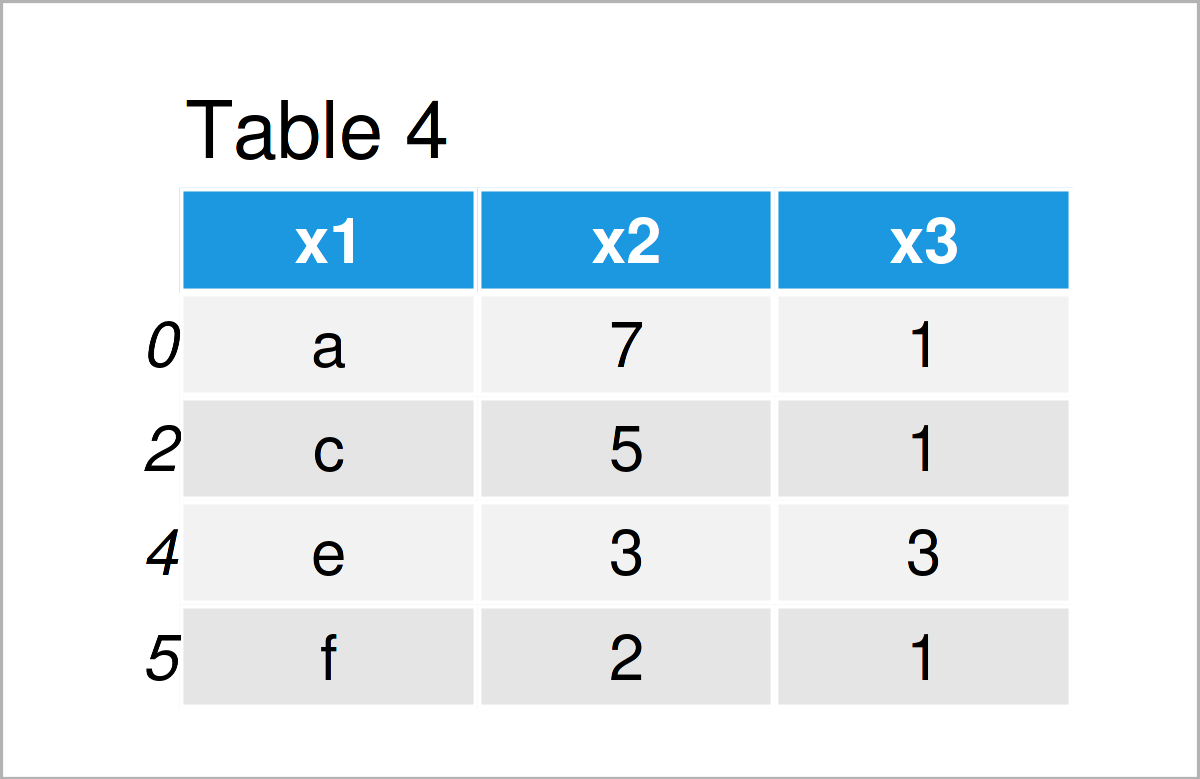
Select Rows Of Pandas DataFrame By Condition In Python Get Extract
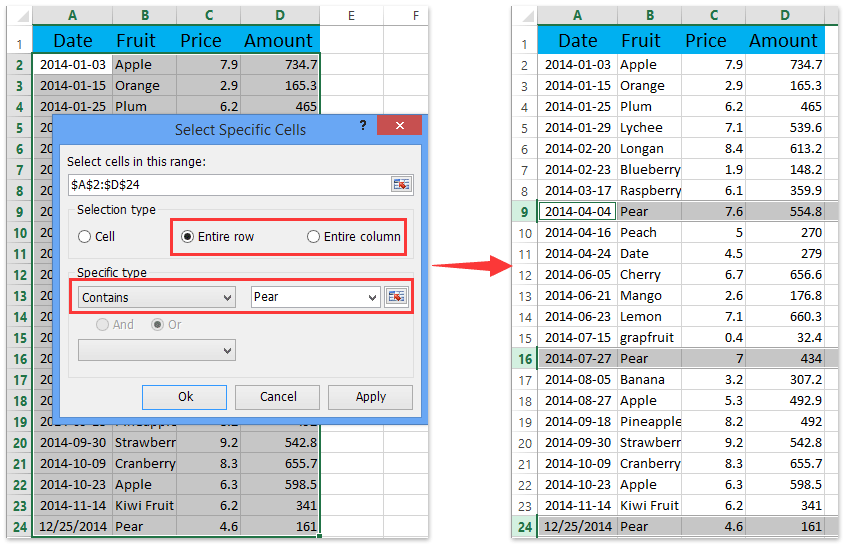
How To Remove Rows Based On Cell Value In Excel
Method 1 Using Excel Find Feature to Select Cells with Certain Value Excel offers the Find feature that finds any types of entries within a worksheet The Find feature offers Formulas Values Texts and Comments options to be found and selected in the Look in a dialog box

Select rows with a certain value in a column Microsoft Community Ask a new question DA Dan0209 Created on December 16 2017 select rows with a certain value in a column I have a excel spreadsheet and want to only select rows with a specific value in a column This thread is locked

Follow these steps Begin by doing either of the following To search the entire worksheet for specific cells click any cell To search for specific cells within a defined area select the range rows or columns that you want For more information see Select cells ranges rows or columns on a worksheet

The CHOOSEROWS function in Excel is used to extract the specified rows from an array or range The syntax is as follows CHOOSEROWS array row num1 row num2 Where Array required the source array Row num1 required an integer representing the numeric index of the first row to return Row num2

Step 1 Press CTRL F Shortcut Keys Press CTRL F shortcut keys to open the Find and Replace dialog box Step 2 Enter the Specific Text Enter the specific text in the Find option based on which you want to select the rows
Press Ctrl Spacebar together How to select a whole row in Excel Similar to selecting a column selecting a whole row in Excel is straightforward Just click on the row header which displays the row number such as 1 2 or 3 This will highlight the entire row indicating that it is selected Excel offers a powerful feature called AutoFilter that allows you to easily select rows based on specific criteria This can be extremely useful when working with large datasets and needing to extract specific information Explain how to use the AutoFilter feature in Excel
Press Ctrl F to open the Find dialog Or on the Home tab select Find from the Find Select option in the Editing group To find all the cells that contain James enter James in the Find What