Select Multiple Columns In Excel Table Vba How To Select Multiple Cells In Excel Non Adjacent Visible With Data How To Select Multiple Values In Pivot Table Using Vba Excel How To Add Columns In Google Sheets Sum If Multiple Columns Excel Formula Exceljet Find The Column Number In Excel 3 Easy Ways Then refer to the Table with the name available in Excel Dim Table1 As ListObject Set Table1 ActiveSheet ListObjects MyTable It refers to the table
3 Use Excel s Name Manager Another great way to find a table and its name is to go into the Name Manager You can get to the name manager by navigating to the Formulas tab and clicking the Name Select Multiple Table columns by header name vba sspatriots Jul 16 2022 S sspatriots Well known Member Joined Nov 22 2011 Messages 514 Office
Find The Column Number In Excel 3 Easy Ways MS Excel How To Select Different Multiple Cell Columns Rows YouTube 15 Excel Shortcuts For Adding Rows And Columns Pixelated Works Add And Delete Rows And Columns In Excel How To Move Columns In Microsoft Excel Gadgetswright Rearranging Columns Order In Excel 2016 YouTube Excel Shortcuts To Select Rows Columns Or Worksheets How To Select Multiple Cells In Excel CustomGuide How To Combine Two Columns In Microsoft Excel Technologies
Select Multiple Columns In Excel Table Vba
 Select Multiple Columns In Excel Table Vba
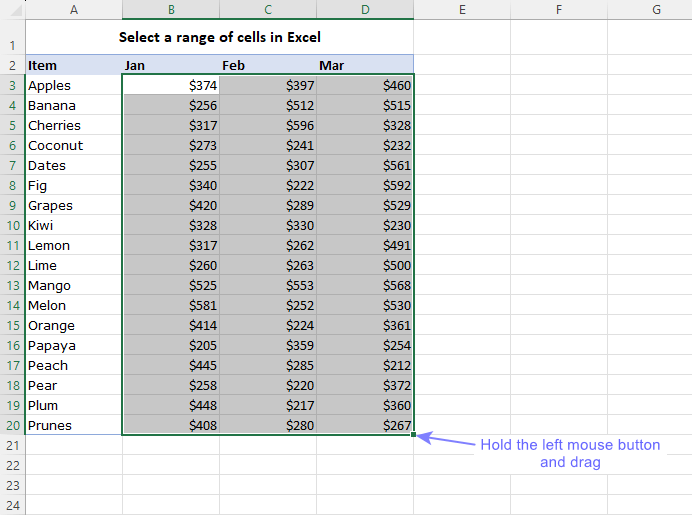
https://cdn.ablebits.com/_img-blog/select-cells/select-multiple-cells-excel.png
For example both Selection Columns 1 and Selection Columns Item 1 return the first column of the selection When applied to a Range object that is a
Pre-crafted templates offer a time-saving solution for creating a diverse variety of files and files. These pre-designed formats and layouts can be made use of for different personal and professional tasks, including resumes, invitations, leaflets, newsletters, reports, discussions, and more, simplifying the content development process.
Select Multiple Columns In Excel Table Vba

Solved How To Put The Values In Different Columns Into One Column In
MS Excel How To Select Different Multiple Cell Columns Rows YouTube

15 Excel Shortcuts For Adding Rows And Columns Pixelated Works

Add And Delete Rows And Columns In Excel
Rearranging Columns Order In Excel 2016 YouTube

Excel Shortcuts To Select Rows Columns Or Worksheets
To select multiple ranges we can use VBA s union operator Here is an example it will select rows 4 1 and 3 Sub

In this article we ll explore 3 easy ways how to select columns with VBA In addition we ll also learn to select multiple columns by number and fix selecting column not working issue The GIF below
Select Multiple Rows or Columns Selecting multiple rows or columns works exactly the same when using EntireRow or EntireColumn
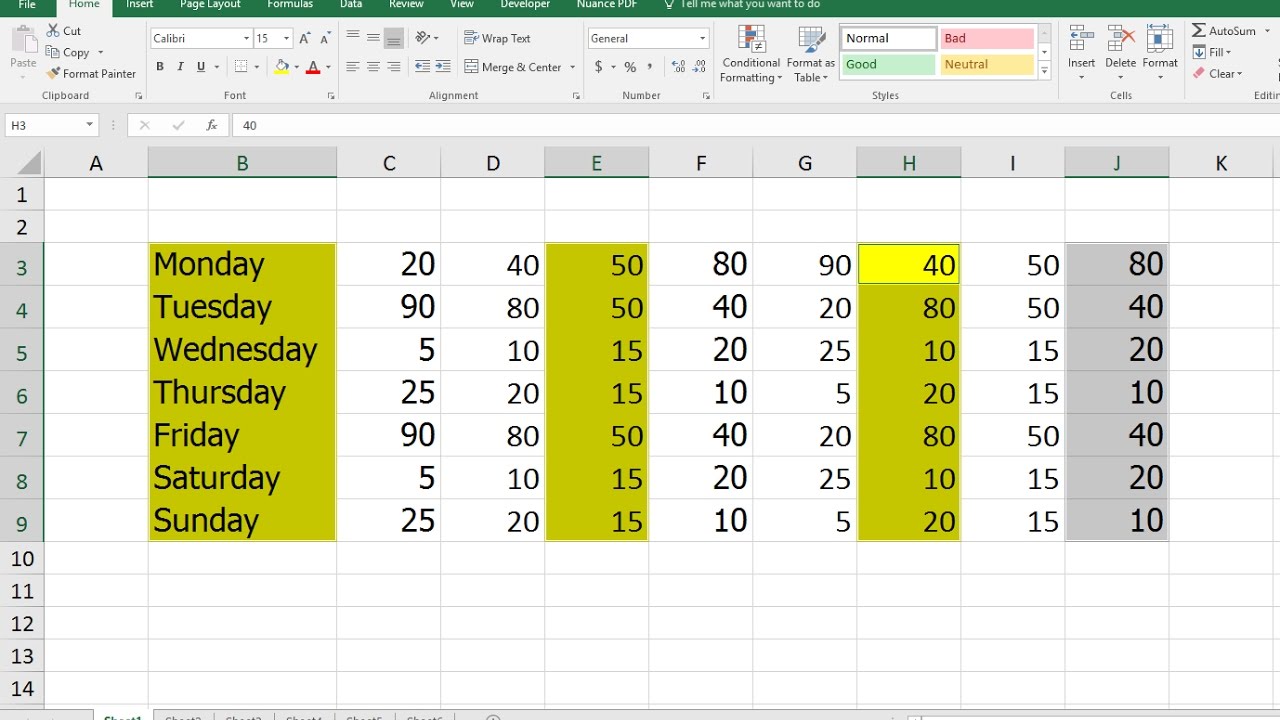
Using the keyboard You can also select multiple columns using the keyboard To do this press the Ctrl key and click on the column headers that you want

1 Greetings I m trying to select two columns at a time in order to program Conditional Formatting I ve successfully used this line to select one column
1 So I have a table in which I would like to select copy multiple columns in a table and paste them to a new work book I have accomplished copy and pasting a If we want to select both multiple rows and multiple columns together please refer to the below codes Codes Sub columns rows selection
Steps In the beginning press Alt F11 on your keyboard or go to the tab Developer Visual Basic to open Visual Basic Editor Next in the pop up code window